


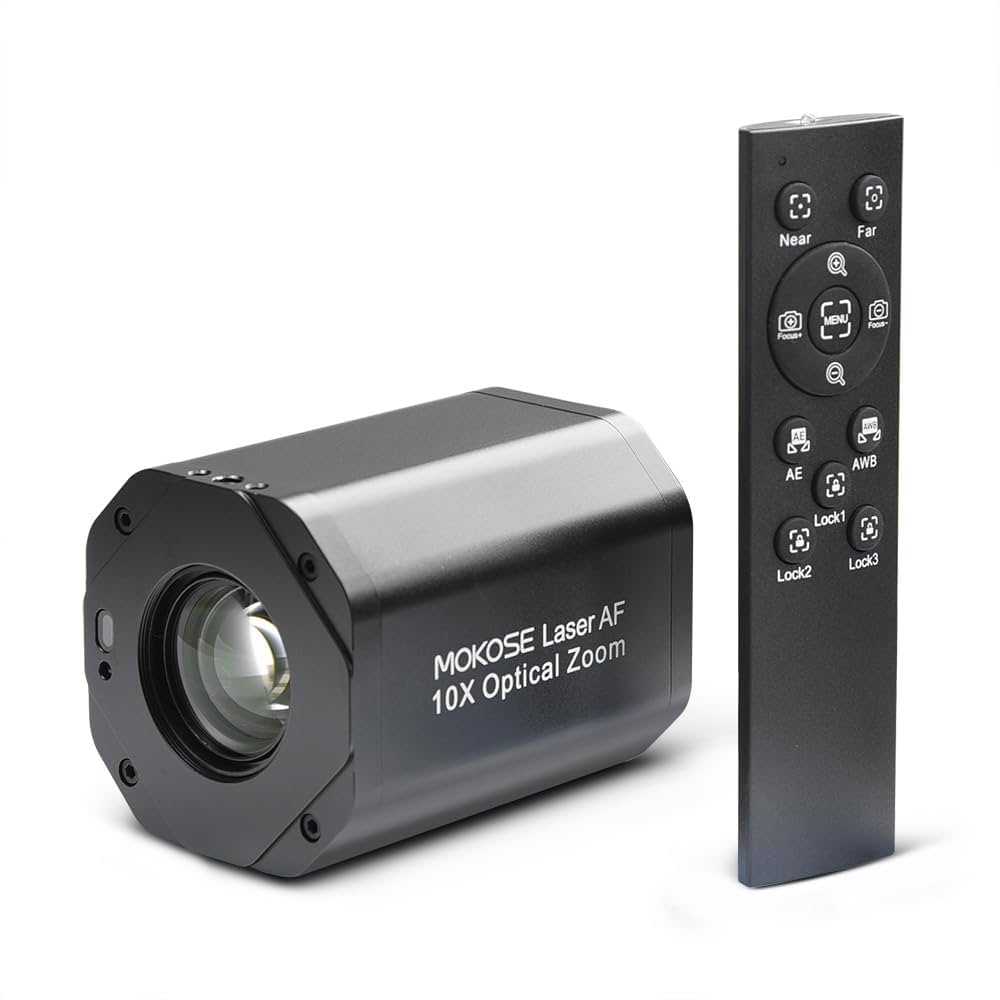
Yes, some webcams do have zoom control features that can be used during live streaming, but not all models offer this functionality. The ability to zoom in or out can be incredibly useful for creating a more professional and engaging stream, allowing you to focus on specific details or maintain a better framing without physically adjusting your camera. So, if you’re looking for a webcam with zoom capabilities, you’ll need to pay attention to the specifications before making a purchase.
In short, many modern webcams come equipped with digital zoom features, but optical zoom is less common. It’s important to choose a model that suits your streaming needs if zoom control is a priority.
If you’re into live streaming, you might wonder whether your webcam can help you improve your video quality easily. One common question is whether webcams have zoom control features to enhance your broadcasts. The good news is, some webcams do include zoom functionality, making it easier to adjust your framing without needing extra software or additional equipment. However, the availability of zoom control varies widely across different models, with some offering smooth optical zoom and others providing basic digital zoom. Understanding these differences can help you select the right webcam to elevate your live streaming experience, whether you’re streaming games, hosting webinars, or engaging with your audience in real time.

Do webcams have zoom control for live streaming?
Many people wonder if their webcams can zoom in or out during live streams. The answer depends on the type and features of the webcam you use. Understanding whether your webcam has zoom control can help improve your video quality and make your streams more professional.
What is zoom control on a webcam?
Zoom control on a webcam allows you to change how much of the scene is visible. It can make objects or people appear larger or smaller by enlarging or reducing the image. This feature helps focus on specific details without needing to move the camera physically.
In simple terms, zoom control lets you get closer or farther from the subject without changing the camera’s position. It can be especially useful for live streaming, video calls, or recording videos where detail matters.
Types of webcams and their zoom capabilities
Built-in digital zoom
Many modern webcams come with built-in digital zoom features. Digital zoom enlarges part of the image digitally, which can sometimes reduce image quality. Usually, this zoom is controlled through the webcam’s software or app.
This type of zoom is easy to use but may cause pixelation if overused. It’s common in webcams designed for personal use or casual streaming.
Optical zoom on high-end webcams
Some premium webcams have optical zoom, similar to digital cameras or camcorders. Optical zoom uses lens adjustments to zoom in without losing image clarity. This feature provides better quality images during live streams.
However, webcams with optical zoom are less common and tend to be more expensive. They are preferred by professionals who need high-quality, close-up images without degrading image clarity.
Can you control zoom during live streaming?
Software-based zoom control
Most webcams with digital zoom can be controlled through dedicated software. These programs often include options to zoom in or out during a live stream comfortably. Popular webcam software like OBS Studio or Logitech Capture offers zoom controls if the webcam supports it.
To adjust zoom during a stream, you typically access the software settings and use slider controls or buttons to change the zoom level in real time.
Hardware buttons and manual control
Some webcams feature physical buttons or dials on the device itself for zoom control. These are less common but can be handy for quick adjustments without navigating software menus. Manual zoom on such webcams is usually limited to digital zoom functions.
Always check your webcam’s manual to see if it includes these physical controls for zoom adjustments during live streaming.
Limitations of webcam zoom control for live streaming
- Image quality degradation: Digital zoom can cause pixelation, especially when zoomed in significantly.
- Limited optical zoom options: Few webcams offer high optical zoom capabilities, making it harder to maintain clarity at close-up levels.
- Software compatibility issues: Not all streaming or recording software supports zoom control, which might limit your options.
These limitations mean you should choose a webcam based on your quality needs and whether zoom control is essential for your streaming setup.
Benefits of having zoom control in a webcam
- Enhanced focus on subjects: Make faces or objects clearer during live videos.
- Flexibility in framing: Quickly adjust your shot without changing camera position.
- Professional appearance: Polished videos often include zoom to emphasize key details or create cinematic effects.
Having control over zoom during live streams helps you adapt your framing on the fly, making your videos more engaging and visually appealing.
Using external tools to gain zoom control
Third-party software options
If your webcam lacks native zoom capabilities, you can use third-party tools to simulate zoom effects. Software like ManyCam, XSplit, or OBS Studio enables virtual zoom by cropping and resizing the video feed.
These tools often include features like pan and tilt, giving you more control over your framing during live streams.
Camera mounts and physical accessories
For webcams without zoom, physical accessories like adjustable mounts or tripod heads can help change framing angles. While they don’t offer digital zoom, they allow you to reposition the camera easily.
Additionally, adding external lenses to your webcam can introduce optical zoom capabilities, improving image quality at different focal lengths.
Choosing the right webcam for zoom control
| Feature | Built-in Digital Zoom | Optical Zoom | Control Method |
|---|---|---|---|
| Quality | Moderate, potential pixelation | High, maintains clarity | |
| Ease of Use | Via software or buttons | Lens adjustment or specialized equipment | |
| Cost | Affordable to mid-range | Higher, premium models |
When choosing a webcam, consider your streaming goals and budget. If high-quality zooming is important, investing in a model with optical zoom or compatible external lenses can be worthwhile.
Future trends in webcam zoom technology
As technology advances, we expect to see more webcams with integrated optical zoom and better image stabilization. Some models might incorporate AI-powered zoom features for smoother, more intelligent framing.
Additionally, software improvements could allow for more precise digital zooms without sacrificing image quality, making live streaming even more professional.
Understanding whether your webcam supports zoom control can significantly impact your streaming quality. Whether relying on digital zoom, optical zoom, or external tools, knowing your options ensures you can produce clear, engaging videos.
How to do MultiCam in Zoom Meetings
Frequently Asked Questions
Can webcam zoom levels be adjusted during live streaming sessions?
Many webcams offer adjustable zoom levels that users can control directly through their software or hardware settings. However, the ability to alter zoom during a live stream depends on the specific model and whether it supports real-time zoom adjustments. Check your webcam’s specifications to determine if in-session zoom control is possible.
What types of zoom are typically available on webcams for live broadcasting?
Webcams commonly feature digital zoom, which enlarges a portion of the image to simulate zooming. Some higher-end models may include optical zoom, which provides better image quality by physically adjusting the lens. For live streaming, digital zoom is more common, but it can sometimes reduce image clarity if overused.
Are there any software solutions that enable zoom control for webcams during live streams?
Yes, several software applications provide virtual zoom controls that work with compatible webcams. Programs like OBS Studio, ManyCam, or native webcam software often include zoom features, allowing users to adjust their view dynamically during a live broadcast. Ensure the software you choose supports your specific webcam model.
Does the presence of a zoom feature impact the overall video quality during streaming?
Zooming can affect video quality, especially if it involves digital zooming, which enlarges pixels and can lead to a pixelated or blurry image. Opting for cameras with optical zoom capabilities can maintain higher image clarity when zooming in. Always test your setup beforehand to ensure quality remains acceptable during live streaming.
How can I determine if my webcam has zoom functionality suitable for my streaming needs?
Start by reviewing your webcam’s technical specifications and user manual to see if zoom features are included. You can also explore the camera’s software interface for options related to zoom control. If you’re considering a new webcam, look for models explicitly stating their zoom capabilities and check user reviews for confirmation of their performance during live streams.
Final Thoughts
Webcams vary in their features, and some do offer zoom control for live streaming. This allows users to adjust framing without relying on external software or cameras.
However, not all webcams include built-in zoom, so checking specifications before purchase is essential.
In summary, do webcams have zoom control for live streaming? Yes, some models do, providing convenient on-device adjustment.



