


Yes, HDR typically consumes more power than standard dynamic range (SDR) displays, primarily due to the need for higher peak brightness and often more sophisticated backlighting systems. The actual increase varies significantly based on the monitor’s technology (LCD vs. OLED), the type of HDR content being displayed (dark vs. bright scenes), and user settings. While delivering a visually superior experience, HDR demands more energy to achieve its vibrant colors and intense contrast.
Hey there, tech enthusiast! Have you ever marveled at the stunning visuals of a new movie or game, all thanks to High Dynamic Range (HDR)? It’s like your screen suddenly came to life, bursting with vibrant colors, incredible contrast, and dazzling highlights. HDR truly transforms the viewing experience, making everything look so much more realistic and immersive. But as with many technological advancements that push the boundaries of visual fidelity, a common question often pops into our minds: “Does HDR consume more power?”
It’s a valid concern, especially in an era where energy efficiency is paramount. We’re constantly balancing performance with power consumption, whether it’s our smartphones, laptops, or even our desktop monitors. When a feature promises brighter, more intense images, it’s natural to wonder if there’s an energy cost associated with that visual splendor. In this deep dive, we’re going to pull back the curtain on HDR and its relationship with your monitor’s power draw. We’ll explore the underlying technologies, discuss how different display types handle HDR, and give you practical insights into what this means for your electricity bill and the lifespan of your devices.
Key Takeaways
- HDR Demands More Power: Generally, enabling HDR on a monitor leads to higher power consumption compared to displaying SDR content, driven by the requirement for greater luminance and advanced backlighting.
- Peak Brightness is a Key Factor: The primary reason for increased power draw in HDR is the need to achieve much higher peak brightness levels, often hundreds or even thousands of nits, which requires more energy.
- Display Technology Matters: LCD monitors, especially those with Full-Array Local Dimming (FALD), consume more power for HDR due to their extensive backlight systems. OLED displays, where each pixel generates its own light, have a more dynamic power draw, consuming more for bright HDR scenes and less for dark ones.
- Content Influences Consumption: The actual power consumed by an HDR display is highly dependent on the content being shown. Bright, vibrant HDR scenes will draw more power than darker, moody scenes, as fewer pixels or backlight zones are pushed to their maximum.
- Local Dimming’s Dual Role: While local dimming enables superior contrast for HDR, it also contributes to power consumption by individually lighting zones. However, in dark scenes, it can actually reduce overall power by turning off unneeded zones.
- User Settings Provide Control: Adjusting brightness settings, using power-saving modes, and understanding your monitor’s HDR capabilities can help manage and potentially reduce the power consumed by your HDR setup.
- Modern Efficiency: Despite the increased power requirements, display manufacturers are continuously working on more energy-efficient HDR technologies and power management features to minimize the environmental impact.
Quick Answers to Common Questions
Does HDR always use more power than SDR?
Yes, HDR typically uses more power than SDR because it requires higher peak brightness and more advanced display processing to render a wider range of colors and contrast. However, the exact increase varies with content and display type.
Which display type consumes more power with HDR, LCD or OLED?
It depends on the content. LCDs, especially those with Full-Array Local Dimming (FALD), often consume more power for bright HDR scenes due to their powerful backlights. OLEDs have a dynamic power draw, consuming less for dark scenes (pixels turn off) but potentially more for very bright, full-screen HDR content.
Does the brightness setting affect HDR power consumption?
Yes, absolutely. Running your HDR monitor at its maximum peak brightness setting will consume more power. Lowering the overall brightness or choosing a less aggressive HDR mode can help reduce power consumption.
Can I turn off HDR to save power?
Yes, you can typically disable HDR in your operating system or monitor settings. Switching back to Standard Dynamic Range (SDR) mode will generally reduce your monitor’s power consumption significantly.
Is the power increase from HDR significant for my electricity bill?
While HDR does increase power consumption, for a single monitor, the impact on an average household electricity bill is usually small. It’s often a matter of a few extra watts, which translates to minimal cost over time, especially compared to other household appliances.
📑 Table of Contents
Understanding HDR: More Than Just Brightness
Before we can truly answer “Does HDR consume more power?”, let’s quickly recap what HDR actually is. It’s not just about making things brighter; it’s about expanding the entire range of light and color that a display can reproduce. Think of it as painting with a much broader palette, allowing for more nuanced shades, deeper shadows, and brighter highlights, all simultaneously.
The Pillars of HDR: Contrast, Color, and Luminance
At its core, HDR focuses on three main elements:
- Contrast: The difference between the brightest whites and the darkest blacks. HDR dramatically increases this ratio, revealing details that would be lost in SDR (Standard Dynamic Range).
- Color Gamut: HDR displays can show a much wider range of colors, often covering a significant portion of the DCI-P3 color space, which is used in professional cinema. This means more lifelike and varied hues.
- Luminance (Brightness): This is where the power question often comes in. HDR requires displays to achieve significantly higher peak brightness levels – often 400 nits, 600 nits, 1000 nits, or even more – compared to SDR, which typically tops out around 200-300 nits.
SDR vs. HDR: A Visual Revolution
In the SDR world, screens were limited in how bright they could get and how much contrast they could show. HDR breaks these limits, bringing images much closer to what our eyes perceive in the real world. A flickering candle flame, the sun reflecting off water, or the subtle gradients in a twilight sky – these are all rendered with startling realism in HDR. This visual revolution, however, doesn’t come for free when it comes to energy.
The Direct Link: How Display Technology Affects Power Use
The type of monitor you have plays a massive role in how much power HDR consumes. Different display technologies have distinct ways of generating light, which in turn impacts their energy efficiency when pushing for those dazzling HDR visuals.

Visual guide about Does Hdr Consume More Power?
Image source: i.ytimg.com
LCD Backlights and Their Hunger for Power
Most monitors out there are still based on Liquid Crystal Display (LCD) technology. LCDs don’t emit their own light; instead, they rely on a separate backlight that shines through the liquid crystals. For HDR, LCD monitors often need much more powerful backlights. Here’s why:
- Edge-Lit LCDs: These monitors have LEDs around the edges that shine inwards, using diffusers to spread the light. While generally more affordable, achieving high peak brightness for HDR often means cranking up the entire backlight, leading to higher overall power consumption for the whole screen, even for dark areas.
- Full-Array Local Dimming (FALD) LCDs: Considered the gold standard for LCD HDR, FALD monitors have hundreds or even thousands of individual LED zones directly behind the screen. Each zone can be independently brightened or dimmed. While this provides excellent contrast and HDR performance, driving so many individual LEDs, especially when many zones need to be very bright, can consume a significant amount of power. It’s like having many small light bulbs, and if you need them all to be super bright, you’re going to use more electricity.
OLED’s Self-Emitting Pixels and Efficiency
Organic Light-Emitting Diode (OLED) displays are a different beast entirely. Each individual pixel in an OLED screen generates its own light. This self-emissive nature is what gives OLED its perfect blacks and incredible contrast, as pixels can simply turn off completely. When it comes to HDR, OLEDs have a fascinating power consumption profile:
- Dynamic Power Draw: Unlike LCDs with a global backlight, an OLED’s power draw is highly dependent on the content. A dark scene with only a few bright highlights will consume significantly less power than a scene that’s entirely bright white. This is because only the lit pixels are drawing power.
- Peak Brightness Challenge: While OLEDs excel at contrast, achieving extremely high peak brightness across the entire screen simultaneously can be a challenge and often requires more power. To protect the panel and manage heat, OLEDs often employ Automatic Brightness Limiter (ABL), which reduces overall screen brightness when a large portion of the screen is bright. This is a power-saving mechanism, but it means their sustained full-screen brightness might not match the peak brightness of some FALD LCDs.
So, does HDR consume more power on an OLED? It depends on the content. For dark scenes, likely less than an LCD. For consistently bright scenes, it might be comparable or even higher if pushing for maximum brightness across many pixels.
The Role of Peak Brightness and Local Dimming
These two concepts are at the heart of why HDR increases power consumption.
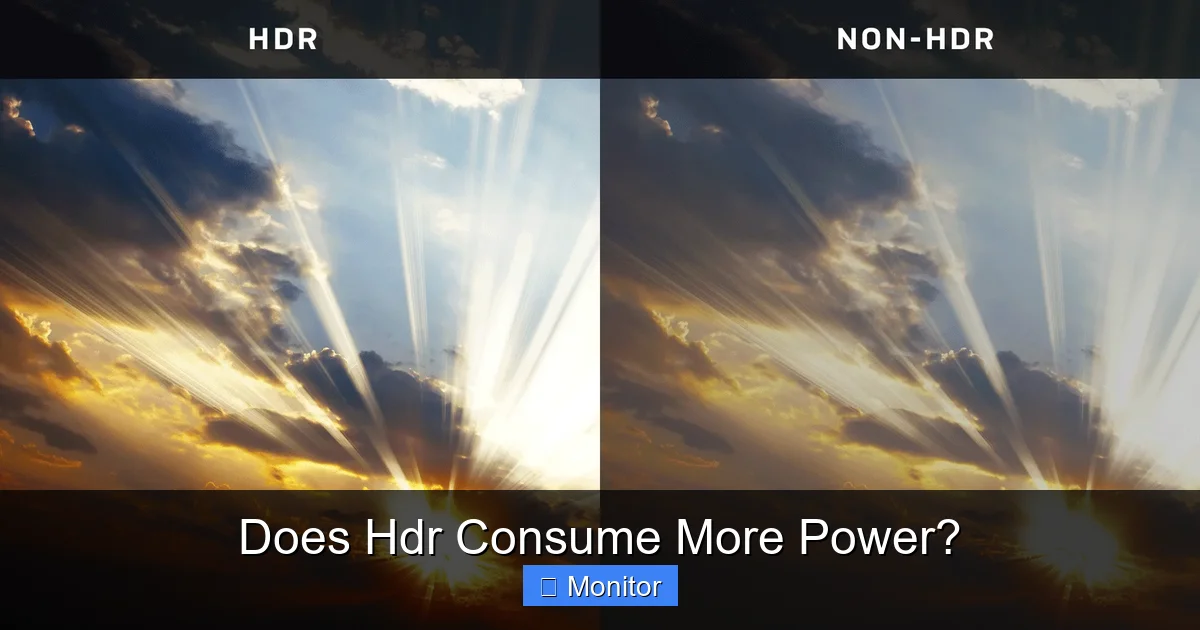
Visual guide about Does Hdr Consume More Power?
Image source: lindy.co.uk
Chasing Luminance: The Brightness Equation
To deliver those dazzling highlights and punchy images, HDR content requires displays to hit much higher luminance targets. While an SDR monitor might be perfectly happy at 250-300 nits, an HDR monitor needs to hit 400, 600, or even 1000+ nits for brief peaks. Generating more light inherently requires more energy. Think of a dim light bulb versus a bright spotlight – the spotlight uses more electricity.
This pursuit of higher peak brightness is a direct driver of increased power draw. Manufacturers need to equip displays with more powerful LEDs, more efficient power supplies, and better heat dissipation systems, all of which contribute to the energy equation.
Local Dimming Zones: Precision Power Management
We touched on FALD for LCDs. Local dimming is crucial for HDR because it allows different parts of the screen to be bright while others remain dark, achieving that high contrast. However, managing hundreds or thousands of individual backlight zones, constantly adjusting their brightness in real-time based on the incoming video signal, is a complex and power-intensive process. Each zone has its own set of LEDs and associated control circuitry that draws power. When many zones are active and pushed to their maximum brightness, the total power consumed can be substantial.
On the flip side, local dimming can also be a power-saver. In a dark scene with a small bright object, only a few zones need to be lit brightly, while surrounding zones can be dimmed or even turned off. This can lead to lower power consumption than an edge-lit LCD trying to display the same scene with a uniformly lit backlight.
Content Matters: Not All HDR is Created Equal
This is a critical point when discussing “Does HDR consume more power?”. The actual power consumption of your HDR monitor isn’t static; it’s dynamic and heavily influenced by the content you’re watching or playing.
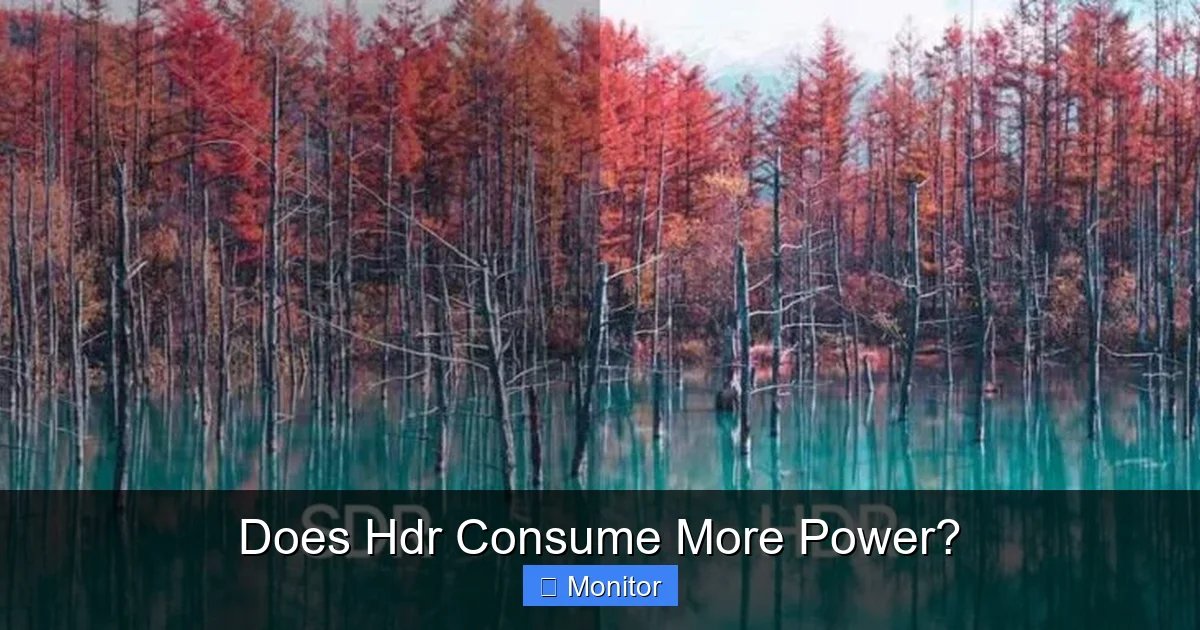
Visual guide about Does Hdr Consume More Power?
Image source: screenresolutiontest.com
Dynamic Power Draw: Content-Dependent Consumption
Imagine two HDR scenes: one is a dark, moody shot in a dimly lit cave with just a few glinting gems, and the other is a dazzling explosion with bright whites and vivid oranges filling the screen. The power consumption will be vastly different between these two. The dark scene will require far less power, especially on an OLED or FALD LCD where unneeded pixels/zones can be dimmed or turned off. The bright explosion, however, will push many pixels/zones to their maximum, drawing significantly more power.
This means that while HDR *can* consume more power, it doesn’t *always* consume maximum power. It adapts to what’s being displayed. So, if you’re watching a horror movie with lots of shadows, your HDR monitor might not be drawing much more power than if it were in SDR mode. But fire up a vibrant animated film or a game with intense special effects, and you’ll likely see the power draw increase.
Metadata and Intelligent Power Management
HDR content comes with metadata – extra information that tells the display how to render the image. This metadata includes details about peak brightness, average scene brightness, and color information. Modern HDR displays and operating systems (like Windows 10/11) use this metadata, along with advanced processing, to intelligently manage power. They constantly analyze the incoming signal and adjust backlight levels and pixel brightness in real-time to deliver the best HDR experience while trying to optimize power usage.
Practical Impact and Everyday Scenarios
So, what does all this technical talk mean for your everyday usage? Does HDR consume more power in practical terms? Let’s look at a few scenarios.
Gaming and HDR: A Power-Intensive Experience
Gaming is often where HDR truly shines, but it’s also where you’re likely to see the highest power consumption. Games often feature dynamic lighting, intense explosions, bright skies, and vivid effects that constantly push the display to its limits. Many games utilize the full spectrum of HDR, meaning a significant portion of the screen could be bright at any given moment. If you’re a heavy gamer, especially with HDR enabled, expect your monitor to draw more power. The immersive visuals come with an energy cost.
Streaming HDR Content: Varies by Scene
When streaming movies or TV shows in HDR from platforms like Netflix, Disney+, or Amazon Prime Video, the power consumption will fluctuate more. As discussed, dark scenes will be more efficient, while bright, colorful scenes will draw more power. Over the course of a two-hour movie, the average power consumption will likely be higher than SDR, but it won’t be consistently at its peak. The quality of the HDR mastering also plays a role; some content is mastered to be brighter than others, impacting power.
Desktop Use: Minimal Impact
For general desktop productivity tasks – browsing the web, working on documents, sending emails – the impact of HDR on power consumption is often minimal. Most desktop interfaces (like Windows or macOS) are designed for SDR and don’t typically push for high peak brightness across the entire screen. While your monitor might be in HDR mode, it’s not likely rendering HDR content constantly. Unless you’re viewing HDR photos or videos full-screen, the power draw won’t be significantly different from SDR. In fact, many operating systems implement a kind of “SDR-in-HDR” mode, where SDR content is displayed at a comfortable brightness while retaining the ability to show HDR when needed, thus limiting the power increase.
Tips for Managing Power Consumption with HDR
While HDR inherently demands more power, there are ways you can manage and potentially reduce its consumption without entirely sacrificing the visual benefits.
Adjusting Brightness Settings
This is the most straightforward tip. While HDR aims for high peak brightness, you don’t always need your monitor cranked up to its absolute maximum. Many monitors offer different HDR modes or manual brightness controls even when HDR is active. Experiment with these settings to find a comfortable viewing level that still delivers a great HDR experience without unnecessary power draw. Sometimes, a slightly lower “peak brightness” setting can still look fantastic and save energy.
Understanding HDR Modes
Your monitor might have several HDR modes (e.g., “HDR Cinema,” “HDR Game,” “HDR Vivid”). Each mode might have different brightness targets, color profiles, and local dimming behaviors. Some modes might prioritize maximum brightness and impact power more, while others might offer a more balanced approach. Familiarize yourself with these and choose the one that best suits your content and preferences, keeping power in mind.
Choosing the Right Display
If power consumption is a primary concern, consider the display technology. OLEDs offer very dynamic power consumption, being efficient in dark scenes. FALD LCDs can achieve very high brightness but may consume more power overall. Edge-lit LCDs for HDR might be less efficient at maintaining uniform brightness. Researching energy efficiency ratings (like Energy Star) for monitors with HDR capabilities can also guide your purchase.
Disable HDR When Not Needed
For purely productivity tasks where HDR isn’t beneficial, you can always disable it in your operating system settings. This will revert your display to SDR mode, significantly reducing power consumption. While not always convenient to toggle, it’s an option for prolonged periods of non-HDR work.
Conclusion
So, does HDR consume more power? The short answer is generally yes, it does. The pursuit of higher peak brightness, wider color gamuts, and superior contrast inherent in HDR technology naturally requires more energy. Whether it’s an LCD pushing its backlight to extreme levels or an OLED lighting up numerous self-emissive pixels, the visual feast comes with an increased power draw.
However, it’s not a black-and-white issue. The extent of increased power consumption depends heavily on your monitor’s underlying technology (LCD vs. OLED), the sophistication of its backlighting (FALD vs. edge-lit), and crucially, the actual HDR content being displayed. Darker scenes will be more efficient, while brighter, more vibrant scenes will demand more power.
Ultimately, the stunning visual experience that HDR provides is often worth the modest increase in power consumption for most users. Modern displays are also becoming more efficient, and intelligent power management features are helping to mitigate the impact. By understanding how HDR works and utilizing your monitor’s settings effectively, you can enjoy the best of both worlds: breathtaking visuals and responsible energy usage. So go ahead, enjoy your HDR content – just be aware of the energy dynamics at play!
Frequently Asked Questions
What is the main reason HDR consumes more power?
The primary reason HDR consumes more power is the need for much higher peak brightness levels compared to SDR. To create dazzling highlights and vibrant images, displays must push their backlights (for LCDs) or individual pixels (for OLEDs) to significantly higher luminance outputs, which requires more electrical energy.
Do all HDR monitors consume the same amount of extra power?
No, the amount of extra power consumed by HDR varies greatly between monitors. Factors like display technology (LCD vs. OLED), the efficiency and number of local dimming zones, the monitor’s maximum peak brightness capability, and the panel’s overall energy efficiency all play a significant role.
Does viewing dark HDR content save power compared to bright HDR content?
Yes, viewing dark HDR content can save power, especially on OLED and Full-Array Local Dimming LCD monitors. In dark scenes, fewer pixels or backlight zones need to be illuminated brightly, allowing the display to draw less power compared to displaying a uniformly bright or highly vibrant HDR scene.
Does enabling HDR on my PC impact my GPU’s power consumption?
Enabling HDR on your PC typically has a negligible direct impact on your GPU’s power consumption. The GPU’s role is primarily to process and output the HDR signal, which doesn’t inherently demand much more power than processing an SDR signal. Most of the increased power draw comes from the monitor itself.
Are there “eco-friendly” HDR monitors available?
Many modern monitors, including those with HDR capabilities, are designed with energy efficiency in mind and may carry certifications like Energy Star. While HDR will always demand more power than SDR, manufacturers are constantly improving panel efficiency and power management systems to minimize the environmental footprint of these visually stunning displays.
Will HDR consume more power even if my monitor’s brightness is set low?
Even if your overall brightness is set low, if HDR is enabled and processing HDR content, it will still likely consume more power than SDR mode at the same low brightness. This is because HDR needs to maintain the capability for higher peak brightness in highlights, and the underlying HDR processing and backlight management are still active, demanding more resources.



