


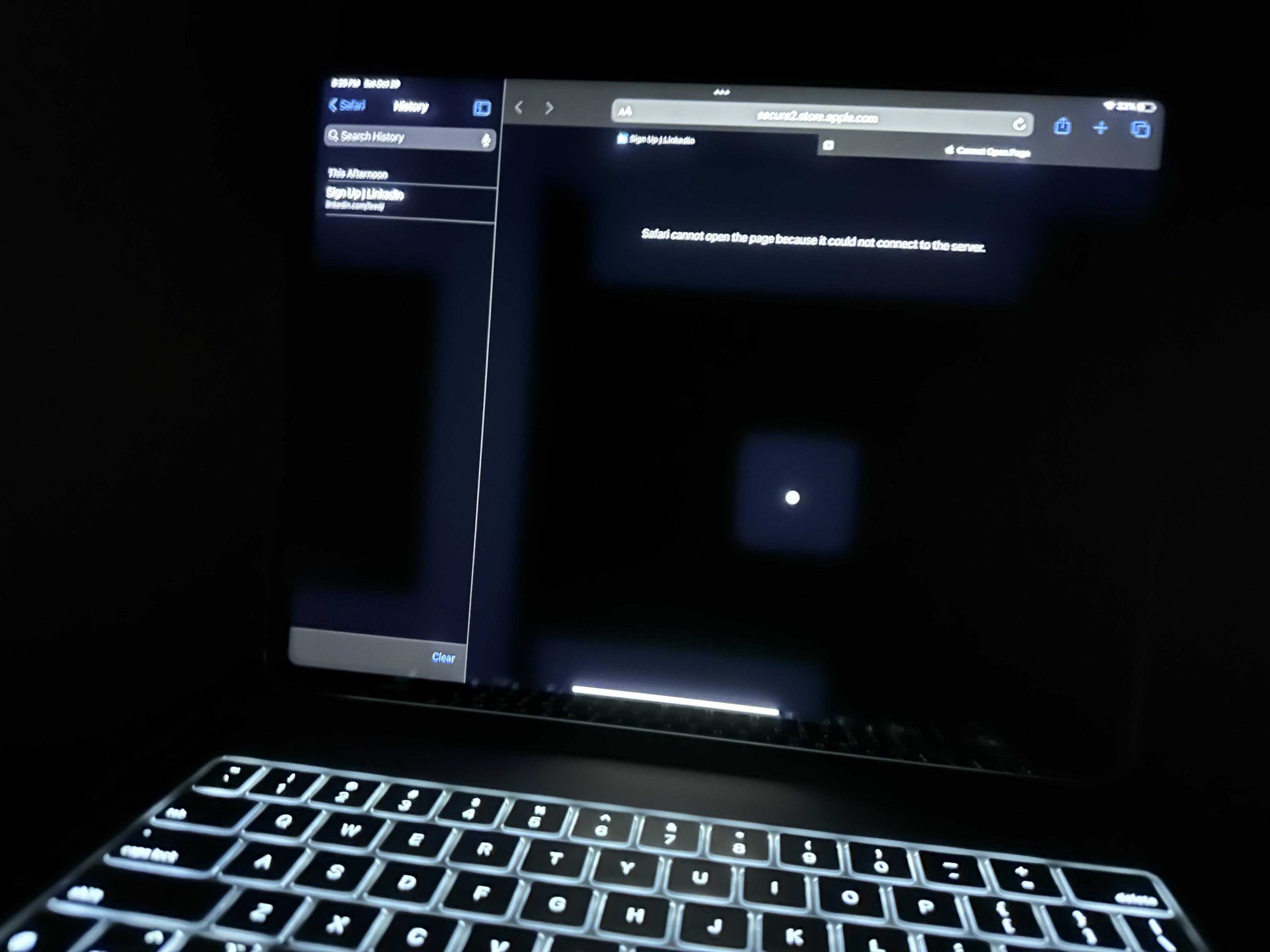
Mini LED monitors combat blooming primarily through precise local dimming, which enhances contrast by turning off or dimming LEDs behind dark areas, reducing light bleeding. They also use advanced algorithms to manage brightness levels and improve uniformity, resulting in sharper images with fewer halos around bright objects. These innovations keep images clearer and more vibrant, making for a superior viewing experience.
Mini LED monitors handle blooming effectively by employing sophisticated local dimming techniques and intelligent control algorithms. These features allow the display to precisely adjust backlight zones, minimizing unwanted light bleed and producing crisp, high-contrast images. As a result, viewers enjoy richer visuals with less distracting halo effects, even during intense scenes. The combination of hardware and software advancements makes Mini LED technology a significant step forward in display quality, especially for gaming, movies, and professional work.
Blooming, the unwanted halo effect around bright objects on a dark background, is a common challenge for many display types. However, Mini LED monitors have revolutionized this aspect by offering improved control over their backlighting system. With thousands of tiny LEDs and local dimming zones, these monitors can selectively dim or brighten specific sections of the screen, drastically reducing light bleed. Additionally, they incorporate intelligent dimming algorithms that adapt in real-time to scene changes, ensuring optimal contrast and minimal blooming. This combination of hardware precision and smart software management helps deliver images that are remarkably clear, vibrant, and free of distracting halos, making Mini LED monitors a top choice for those seeking high-quality visuals.

How Do Mini LED Monitors Handle Blooming
Understanding Blooming in Displays
Blooming happens when bright objects on the screen create a glow or halo effect around darker areas. This occurs because the bright zones spill over into adjacent darker zones, reducing contrast and image clarity. It is a common issue in many LED and LCD screens, especially when displaying high dynamic range content.
Mini LED Technology Basics
Mini LED monitors use thousands of tiny LEDs to backlight the display. This massive increase in LED count provides better control over brightness and contrast. Unlike traditional LED screens, mini LED displays can localize lighting more precisely, which is key for managing blooming.
How Mini LEDs Reduce Blooming
Mini LED monitors handle blooming more effectively through several technological advancements. The small size of each LED offers finer control over lighting, allowing the monitor to dim or brighten specific regions accurately. This localized dimming significantly minimizes the glow around bright objects on dark backgrounds.
Local Dimming Techniques in Mini LED Monitors
Local dimming is a method where certain zones of the backlight are turned off or dimmed independently. Mini LED monitors implement this technique at a much higher zone count, often reaching thousands of dimming zones. This granular control helps keep bright and dark areas separate, reducing the blooming effect.
Full-Array Local Dimming
Full-array local dimming involves placing LEDs evenly behind the entire screen. Each zone’s brightness can be adjusted as needed. With mini LEDs, this approach becomes more precise, which means less light bleed and less bloom around bright objects.
Spot Local Dimming
Spot local dimming targets very small areas, perfect for high contrast images. Mini LED screens excel here because their dense LED arrays enable highly localized dimming, decreasing blooming even further.
Advanced Control Algorithms in Mini LED Monitors
Mini LED monitors utilize sophisticated control algorithms to optimize local dimming zones in real time. These algorithms analyze the content on the screen and adjust the brightness of each zone dynamically. The result is an image with better contrast and reduced blooming effects.
Contrast Ratio and Its Impact on Blooming
A higher contrast ratio in mini LED displays means brighter whites and darker blacks. When combined with effective local dimming, this enhances the perception of depth and detail. By controlling how much each area of the backlight emits, mini LEDs keep blooming at bay and maintain vivid image quality.
Role of Screen Brightness and HDR
High dynamic range (HDR) content relies heavily on a wide range of brightness levels. Mini LED screens can achieve impressive peak brightness levels while controlling blooming. This is vital for scenes with bright highlights against dark backgrounds, ensuring flashes of light do not spill over.
Comparing Mini LED and Traditional LED Monitors
Traditional LED monitors struggle with blooming because they have fewer dimming zones, leading to more light spill. Mini LED monitors, with their dense LED arrays, offer a significant improvement by providing finer control over local regions, thus minimizing blooming.
Key Differences in Blooming Handling
| Feature | Traditional LED | Mini LED |
|---|---|---|
| Number of Dimming Zones | Few, often hundreds | Thousands |
| Control Precision | Lower, coarse adjustments | Higher, fine adjustments |
| Blooming Effect | More noticeable | Less noticeable |
Practical Tips for Reducing Blooming on Mini LED Monitors
While mini LED displays are designed to reduce blooming, users can enhance this further by adjusting settings. Using local dimming presets or turning off certain features can make a difference. Keeping display firmware updated also ensures optimal blooming control.
Related Technologies Improving Blooming Control
Beyond local dimming, other features like high refresh rates and adaptive contrast contribute to better image quality. Some mini LED monitors incorporate quantum dot technology to enhance color depth and contrast, further mitigating blooming.
Future Trends in Mini LED Display Technology
Manufacturers are focusing on increasing the number of dimming zones even more, aiming for near-zero blooming. Integration with artificial intelligence allows real-time adjustments tailored to content types. These advancements promise even better handling of blooming in future mini LED monitors.
Summary of Key Points
- Mini LED monitors use thousands of tiny LEDs for precise backlight control.
- Local dimming zones are significantly more numerous, reducing bloom effects.
- Advanced algorithms dynamically adjust brightness zones to enhance contrast.
- Higher contrast ratios and peak brightness levels contribute to better image quality.
- Proper calibration and feature adjustments can further minimize blooming.
Related Topics to Explore
- Differences between Mini LED and OLED displays
- Understanding HDR and its effect on display quality
- Best settings for gaming on Mini LED monitors
- Future innovations in display technology
Mini LED monitors handle blooming by employing thousands of small, precisely controlled LEDs and sophisticated local dimming techniques. These innovations allow for more detailed control over light and dark areas, leading to clearer images with less halo effect. As technology advances, expect even more improvements in minimizing blooming and enhancing overall display quality.
OLED Burn-in : 6 Month Update
Frequently Asked Questions
How do mini LED monitors minimize the appearance of blooming around bright objects?
Mini LED monitors reduce blooming by using precise local dimming zones that adjust the backlight intensity specifically for bright and dark areas on the screen. This targeted control prevents excessive light spill into darker regions, which diminishes the halos or glare typically associated with blooming. The small size of the LEDs allows for more zones, resulting in sharper contrast with less unwanted light bleed.
What role does the number of dimming zones play in controlling blooming on mini LED displays?
The number of dimming zones directly affects how effectively a mini LED monitor can handle blooming. More zones enable finer control over backlight adjustments, allowing the display to isolate bright highlights without affecting surrounding dark areas. This increased precision leads to a significant reduction in blooming artifacts, especially in scenes with high contrast between light and dark regions.
How does advanced local dimming technology improve image clarity on mini LED monitors?
Advanced local dimming technology enhances image clarity by dynamically adjusting the brightness of individual LED zones based on the content displayed. This process ensures that bright objects are rendered with vividness while maintaining deep blacks in darker areas. The result is sharper contrast and minimized blooming, delivering a more realistic and immersive visual experience.
In what ways do mini LED monitors differ from traditional LED displays in managing blooming?
Unlike traditional LED displays, which often have fewer dimming zones and less precise backlight control, mini LED monitors feature a higher density of smaller LEDs. This design allows for more granular dimming, reducing the light bleed around bright objects and decreasing blooming. Consequently, mini LED monitors offer better contrast and cleaner visuals compared to older LED models.
Can user settings influence blooming control on mini LED monitors?
Yes, user-adjustable settings such as local dimming modes and brightness levels can affect blooming. Many mini LED monitors include options to customize local dimming intensity or switch between different modes optimized for movies, gaming, or general use. Adjusting these settings can further reduce blooming artifacts and improve overall picture quality according to user preferences.
Final Thoughts
Mini LED monitors manage blooming effectively through localized dimming, which minimizes light bleed around bright objects. This technology enhances contrast and sharpness, reducing halo effects.
Additionally, precise control over tiny LEDs allows for better contrast and darker blacks. This results in less noticeable blooming, even in challenging scenes.
In conclusion, mini LED monitors handle blooming by employing advanced local dimming techniques and fine LED control. How do mini LED monitors handle blooming? They significantly reduce it, offering clearer, more vibrant images.



