


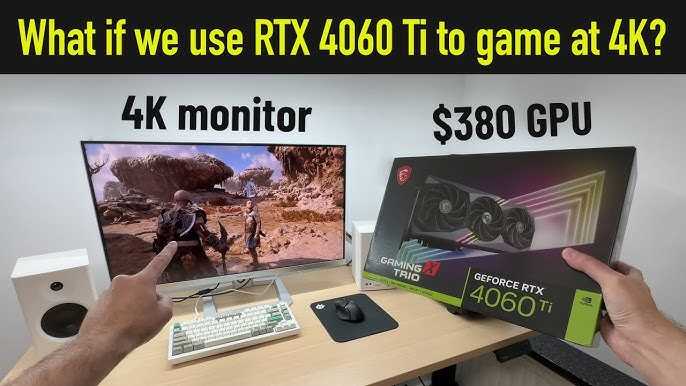
You’ll need a powerful GPU, typically an RTX 3080 or higher, to enjoy smooth 4K gaming or content creation. For casual use, a mid-range GPU like the RTX 3060 Ti can handle some 4K tasks, but for the best experience, investing in a high-end card is essential.
If you’re wondering how much GPU power you need for a 4K monitor, it depends on what you plan to do. Gaming at 4K requires a top-tier GPU to keep frames smooth and visuals crisp, while basic tasks like browsing or watching videos need less graphics muscle. Choosing the right GPU involves balancing your budget with your performance expectations. In this article, we’ll explore the different GPU options suitable for 4K setups and help you determine what fits your needs best.

How Much GPU Do You Need for a 4K Monitor?
Understanding 4K Resolution and Its Demands
A 4K monitor offers a resolution of 3840 x 2160 pixels, which means four times the pixel count of a Full HD screen. This higher pixel density creates sharper images and more detailed visuals, but it also requires more processing power from your graphics card (GPU).
The increased demand comes from rendering more pixels smoothly, especially in fast-paced games or high-quality video editing. Not all GPUs are built the same, so knowing how much power you need is essential to get the best experience without lag or stuttering.
Key Factors That Influence GPU Requirements for 4K
Several elements affect how much GPU power you will need for a 4K display. These include:
- Game or application type: Some software demands more GPU power than others.
- Graphics settings: Higher settings like ultra quality or ray tracing need a stronger GPU.
- Frame rates desired: For smooth gameplay at 60 frames per second (FPS) or higher, more GPU horsepower is necessary.
- VR and 3D rendering: These tasks significantly increase GPU load.
- Monitor size and refresh rate: Larger screens or higher refresh rates (like 120Hz or 144Hz) increase GPU needs.
GPU Options for 4K Gaming and Content Creation
The choice of GPU depends heavily on your primary use case.
Entry-Level GPUs
Entry-level graphics cards such as the NVIDIA GTX 1650 or AMD Radeon RX 6500 XT can handle basic 4K tasks, but often with reduced graphics settings. Expect lower frame rates and less detail in demanding games.
Mid-Range GPUs
Mid-range options like the NVIDIA RTX 3060 Ti or AMD Radeon RX 6700 XT balance performance and affordability. These can run most modern games at 4K with medium to high settings at 60 FPS.
High-End GPUs
High-end cards such as the NVIDIA RTX 4080 or AMD Radeon RX 7900 XTX deliver excellent performance. They support high graphics settings, ray tracing, and high frame rates in AAA titles at 4K.
Professional GPUs
For serious content creation, 3D rendering, or video editing, professional GPUs like the NVIDIA RTX A6000 or AMD Radeon Pro series are preferred. These are designed for intensive workloads and ensure smooth multitasking and rendering.
Frame Rate and GPU Power
Frame rate directly impacts GPU requirements.
60 FPS for Smooth Gameplay
Most gamers aim for 60 FPS for fluid motion. Achieving this at 4K typically calls for mid to high-tier GPUs.
High Frame Rates for Competitive Gaming
Esports or competitive titles often seek frame rates of 120 FPS or above. This demands an even more powerful GPU to maintain performance without dips.
Ray Tracing and Graphics Enhancements
Ray tracing creates realistic lighting, shadows, and reflections but is very demanding.
Impact on GPU Selection
If you want ray tracing enabled at 4K, choose a GPU that officially supports this feature like the NVIDIA RTX 3080 or newer. These cards handle these effects with better efficiency, ensuring smooth gameplay.
VRAM Needs for 4K Displays
Video random access memory (VRAM) is critical.
- Minimum VRAM: 8 GB is the baseline for 4K gaming; however, 12 GB or higher is recommended for demanding titles or future-proofing.
Having ample VRAM helps load high-resolution textures and complex scenes smoothly, preventing stuttering or lag.
Power Consumption and System Compatibility
A powerful GPU consumes more energy and generates additional heat.
Power Supply Requirements
Ensure your power supply unit (PSU) can handle the GPU’s wattage needs, typically 650W or higher for high-end cards.
System Compatibility
Verify that your PC case has enough space and proper cooling to accommodate larger GPUs and prevent overheating.
Balancing Performance and Budget
Buying the top-tier GPU isn’t always necessary unless you’re a professional or hardcore gamer.
Budget-Friendly Options
Consider mid-range GPUs that provide good 4K performance without breaking the bank.
Premium Investment
High-end GPUs offer the best experience but come with a higher price tag. Weigh your needs and budget carefully to choose the right one.
Choosing the right GPU for a 4K monitor hinges on how you plan to use it, your desired frame rate, and your graphics settings preferences. You need enough power to render 4K visuals smoothly, especially for gaming or professional work.
By understanding your specific requirements and matching them with the appropriate GPU, you can enjoy stunning visuals without sacrificing performance. Remember to also consider factors like VRAM, system compatibility, and future-proofing to get the most out of your investment in a 4K setup.
Minimum GPU for an OLED Monitor?
Frequently Asked Questions
What GPU specifications should I look for to properly run 4K gaming or editing tasks?
To effectively handle 4K gaming or professional editing, choose a GPU with at least 8GB of VRAM and support for the latest graphics APIs like DirectX 12 or Vulkan. Modern GPUs such as the NVIDIA GeForce RTX 3060 Ti or AMD Radeon RX 6700 XT offer a good balance of performance and features for high-resolution work. Ensure the GPU has a high enough CUDA core or stream processor count as well, which directly impacts rendering and processing speed at 4K.
Is a high-end GPU necessary for smooth 4K video playback and editing?
For smooth 4K video playback and editing, a mid-range to high-end GPU is recommended, especially if you work with intensive editing software or high-bitrate videos. GPUs like the NVIDIA RTX 3070 or AMD Radeon RX 6800 handle 4K editing efficiently, providing real-time playback without lag. Lower-tier GPUs might struggle with certain effects or color grading processes, leading to longer rendering times.
Can I use an older GPU for 4K display setup, or do I need the latest models?
While older GPUs can support 4K displays, they may not deliver optimal performance for demanding tasks such as gaming or professional editing. GPUs from a few years ago, like the GTX 1060 or Radeon RX 580, can handle 4K resolutions for basic use but might experience frame drops or slower rendering times with complex applications. Upgrading to newer models will improve performance and future-proof your setup.
How does the GPU’s VRAM impact 4K performance?
VRAM plays a crucial role in handling large textures and high-resolution frames in 4K. A GPU with 8GB or more VRAM ensures smooth performance when working with large files or multiple monitors. Insufficient VRAM can cause stuttering, longer rendering times, or crashes, especially during intensive tasks like 3D rendering or high-resolution video editing.
Final Thoughts
The amount of GPU you need for a 4k monitor depends on your usage. Gaming requires a high-end GPU to maintain smooth performance, while general tasks need less power.
For casual use, a mid-range GPU can handle 4k displays comfortably. If you use your monitor for professional editing or gaming, opt for a powerful GPU to ensure quality and speed.
In summary, how much GPU do you need for a 4k monitor varies with your needs, but aiming for a high-performance card will serve most users well.



