


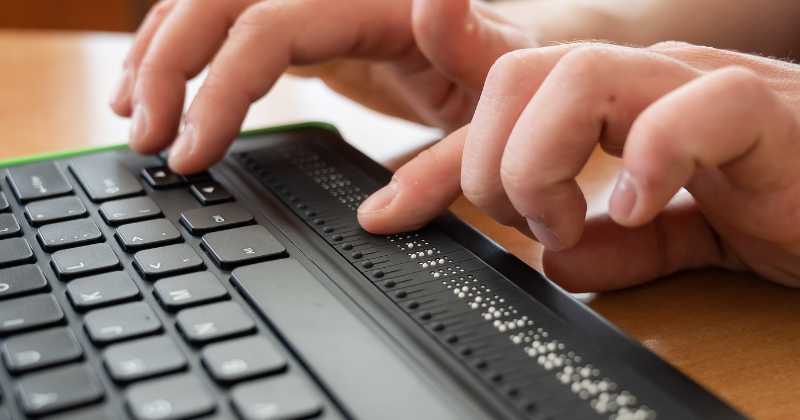
To find the perfect keyboard for your needs, consider what you’ll use it for, your typing comfort, and your budget. Think about features like switch types, ergonomic design, and connectivity options to make an informed choice. Testing out different keyboards can help determine what feels best for your hands and workflow.
Choosing the right keyboard isn’t just about brand or price—it’s about understanding your specific needs and preferences. Whether you’re a gamer, a writer, or someone who works long hours at a desk, selecting a keyboard that matches your style can boost your productivity and comfort. From mechanical switches to wireless connectivity, there are many options to explore. Knowing what features matter most to you will help narrow down your choices, ensuring you find a keyboard that feels just right and enhances your daily tasks.

How to choose the best keyboard for your needs
Understand the different types of keyboards
Choosing the right keyboard starts with knowing the main types available. There are three primary categories: membrane, mechanical, and hybrid keyboards. Membrane keyboards use pressure pads beneath the keys, making them quieter and more affordable. Mechanical keyboards have individual switches for each key, offering better durability and tactile feedback. Hybrid keyboards combine features from both types, often appealing to users who want a balance of comfort and performance.
Membrane keyboards
These keyboards are lightweight and inexpensive. They are ideal for casual use, such as browsing or light typing. However, they may not last as long as other types and can feel less responsive. Many office workers prefer membrane keyboards because they are quieter and require less maintenance.
Mechanical keyboards
Known for durability, mechanical keyboards are popular among gamers and writers. They provide distinct tactile feedback, making typing more precise and satisfying. Each key has a switch underneath, which can be chosen based on the preferred feel and sound. They tend to be louder and often come with customizable features like backlighting.
Hybrid keyboards
Hybrid models merge membrane and mechanical features. They usually have mechanical-like switches but maintain a quieter profile. These are good options if you want a keyboard that balances performance with affordability and noise level.
Consider your primary use case
Your main activities influence the best keyboard choice. Are you gaming, typing for work, or creating content? Each purpose benefits from different features. For example, gamers tend to prefer keyboards with high responsiveness and programmable keys. Office workers might focus on comfort and quiet operation. Content creators often seek keyboards with customizable keys and backlit options.
Gaming
Look for keyboards with high polling rates and fast response times. Mechanical switches with tactile feedback can improve gaming performance. Consider models with customizable RGB lighting and dedicated macro keys. Durable build quality ensures the keyboard withstands intense gaming sessions.
Work and typing
Prioritize ergonomic design and comfortable key switches. A quiet keyboard helps maintain focus in shared spaces. Features such as wrist rests and adjustable height settings can reduce strain during long typing sessions.
Content creation and design
Opt for keyboards with programmable keys and high-resolution backlighting. These features can streamline your workflow by assigning shortcuts and customizing visual cues. Ensure the keyboard layout suits your software requirements.
Evaluate key switches and feel
The feel of a keyboard depends heavily on its key switches. Mechanical switches are categorized by their actuation force, sound level, and tactile feedback. Understanding these differences helps you pick a keyboard that feels right for you.
Switch types and their characteristics
| Switch Type | Feel | Sound Level | Best For |
|---|---|---|---|
| Cherry MX Red | Smooth, linear | Quiet | Gaming, fast typing |
| Cherry MX Blue | Clicky, tactile | Loud | Typing, programming |
| Cherry MX Brown | Soft tactile bump | Moderate | General use, office work |
| Gateron Yellow | Linear, smooth | Quiet | Gaming, extended use |
Choosing the right switch
Your preference depends on whether you like a quiet experience or tactile feedback. If you enjoy a feel with a click, blue switches are ideal. For silent operation, red or yellow switches are better choices. Testing different switches can help you decide which feels most comfortable.
Size and layout options
Keyboard size influences desk space and portability. The main types include full-size, tenkeyless, tenkeyless with macro keys, and compact models.
Full-size keyboards
These include a number pad, function keys, and arrow keys. They suit tasks requiring extensive data entry and are often preferred in office settings. However, they take up more space.
Tenkeyless keyboards
Lacking the number pad, these models save space and are easier to carry. They still feature all essential keys, making them popular among gamers and writers.
Compact keyboards
Smaller versions, such as 60% or 65% layouts, eliminate navigation and function keys. They maximize portability and desk space, ideal for travelers or those with limited workspace.
Connectivity options: wired vs wireless
Decide between wired and wireless keyboards based on your setup. Wired keyboards typically offer faster response times and never run out of power. Wireless models provide more freedom of movement and a cleaner workspace but may have latency issues or require regular charging or batteries.
Wired keyboards
Advantages include consistent connection, minimal input lag, and no need for batteries. They are suitable for gaming and professional use where speed is critical.
Wireless keyboards
They use Bluetooth or RF technology, offering convenience and portability. Look for models with low latency if you plan to game or perform sensitive tasks.
Backlighting and aesthetic features
Backlit keyboards ensure visibility in low-light environments. RGB lighting adds customizable colors and effects, enhancing your workspace’s style.
Single-color backlighting
Provides basic illumination, often in white or red. It improves visibility without additional distractions.
RGB backlighting
Offers millions of color options and effects. This feature is popular among gamers and those who like a personalized setup.
Price range and budget considerations
Determine your budget before shopping. Entry-level keyboards can be affordable with basic features, while premium models offer advanced customization and durability.
- Budget under $50: Primarily membrane keyboards with limited features.
- $50 to $150: Mechanical keyboards with decent build quality and some customizable features.
- Over $150: High-end mechanical models with advanced features like programmable keys, premium switches, and RGB backlighting.
Additional features to consider
Other features can enhance your typing experience or gameplay. Pay attention to these elements when making your decision.
- Ergonomic design: Wrist rests and curved layouts reduce strain during long use.
- Key rollover and anti-ghosting: Ensures multiple key presses register correctly, crucial for gaming.
- Programmable keys: Allow customization of shortcuts for productivity or gaming.
- Build quality: Solid construction lasts longer and feels better during typing.
Test before buying when possible
Visit stores or attend expos to try out different models. Test the key feel, noise level, and overall comfort. This personal experience guides better choices than relying solely on specifications.
Read reviews and seek recommendations
Check online reviews for insights on durability, performance, and user satisfaction. Forums and social media groups can also provide helpful advice tailored to your needs.
Summary of key considerations
To select the best keyboard, match its features to your primary activities, layout preferences, and budget. Assess switch types, size, connectivity, and additional features. Comfort and responsiveness should guide your choices to ensure you enjoy your typing or gaming sessions.
Choose carefully, and you’ll find a keyboard that feels just right every time you sit down to work or play.
7 Tips for Buying Your FIRST Mechanical Keyboard // an Easy Beginner Guide!
Frequently Asked Questions
What factors should I consider regarding keyboard size and layout?
When choosing a keyboard, think about the size that best fits your workspace and typing comfort. Full-sized keyboards include a number pad, which is useful for data entry, while tenkeyless models omit it to save space and improve portability. Consider ergonomic layouts that promote natural hand positioning, reducing fatigue during extended use. Your specific tasks, like gaming or professional work, can also influence whether a compact or specialized layout suits your needs better.
How does switch type impact typing experience and noise levels?
The type of switches in a keyboard affects how it feels and sounds when typing. Mechanical switches offer tactile feedback and durability, with options ranging from clicky (loud) to linear (smooth and quieter). Membrane switches tend to be quieter and more affordable but can lack the precise feedback of mechanical options. Choose switch types based on your preference for typing feel and acceptable noise levels, especially if you work in shared spaces.
What is the importance of key rollover and typing responsiveness?
Key rollover determines how many keys your keyboard can register simultaneously without errors. If you often press multiple keys at once, such as in gaming or complex spreadsheet work, look for keyboards with high rollover capabilities. Responsiveness refers to how quickly the keyboard registers keystrokes, which is crucial for fast typists and gamers. Prioritize keyboards with low latency and anti-ghosting features to ensure your commands are accurately and promptly detected.
Should I prioritize wired or wireless keyboards?
Decide based on your workspace and mobility needs. Wired keyboards offer a stable connection with no latency issues, making them ideal for gaming and professional applications. Wireless keyboards provide greater flexibility and a cleaner setup, perfect for casual use or multi-device setups. Evaluate factors like connection stability, battery life, and compatibility with your devices before making a choice.
How important are additional features such as backlighting or programmable keys?
Features like backlit keys can improve visibility in low-light environments, making typing more comfortable. Programmable keys let you customize shortcuts and macros, increasing productivity if you frequently perform repetitive tasks. Assess your usage habits to determine if these extra features enhance your experience or if a simpler keyboard suffices for your needs.
Final Thoughts
Choosing the best keyboard for your needs depends on your usage habits and preferences. Consider whether you prefer mechanical or membrane keys, as each offers different tactile feedback. Think about ergonomics to prevent strain during long hours of typing. Lastly, prioritize features like connectivity options and key layout to suit your workspace. How to choose the best keyboard for your needs involves balancing comfort, functionality, and budget to find the perfect fit.



