


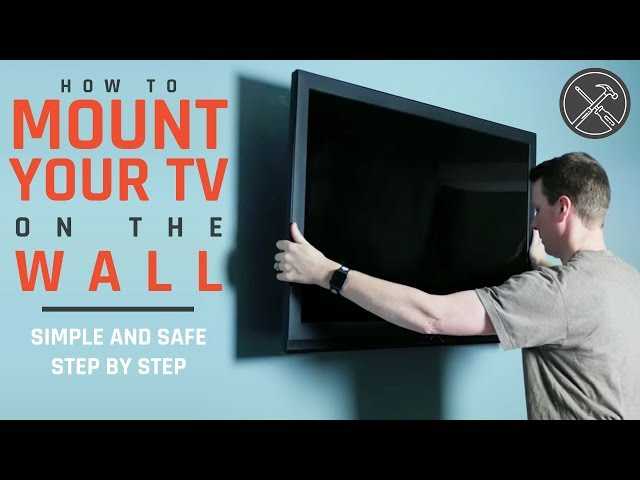
To mount a TV on the wall safely, start by choosing the right wall and the appropriate mount, then carefully follow the installation steps, ensuring all brackets and screws are secure. Use a stud finder to locate solid support, and double-check the mounting height for optimal viewing. Always prioritize safety by following manufacturer instructions and, if unsure, consulting a professional.
Mounting a TV on the wall is a great way to save space and create a sleek entertainment area, but it’s essential to do it correctly to prevent accidents. The process involves selecting the right wall, using proper tools, and securing the mount into wall studs for maximum stability. With a little preparation and attention to detail, you can enjoy a perfectly mounted TV that’s both functional and safe. Whether you’re a DIY enthusiast or a first-timer, this guide will walk you through the key steps to ensure your wall-mounted TV is secure and poised to enhance your living space.

How to Mount a TV on the Wall Safely
Understanding the Importance of Proper Mounting
Mounting your TV on the wall can save space and create a sleek look in your room. However, it’s essential to do it correctly to prevent accidents and damage. Proper installation ensures your TV stays secure and functions properly for years.
Choosing the Right Wall for Your TV
Not all walls are suitable for mounting a TV. Concrete or brick walls provide strong support, while drywall may require additional reinforcement. Check the wall’s material before proceeding with installation to avoid mishaps.
Assessing Wall Material
Look at the wall where you want to mount your TV. Is it made of drywall, brick, concrete, or wood? Each requires different mounting techniques and equipment.
Identifying Studs and Support Beams
In drywall, studs are the key support points. Use a stud finder to locate these vertical supports behind the drywall. Mounting on a stud provides the best stability.
Gathering Necessary Tools and Materials
Before starting, gather all the tools and supplies. Having everything ready will make the process smoother and quicker.
- Stud finder
- Drill and drill bits
- Screwdriver
- Level
- Measuring tape
- Wall mount bracket compatible with your TV
- Wall anchors (if needed)
- Pencil for marking
- Helper (recommended for heavy TVs)
Choosing the Best Wall Mount Bracket
Selecting the right wall mount is crucial for safety and aesthetic appeal. There are different types depending on how you want your TV to hang.
Fixed Mounts
These are simple brackets that hold your TV flat against the wall. They are cost-effective and ideal for rooms where you don’t need to adjust viewing angles.
Tilting Mounts
Tilt brackets allow you to angle the TV up or down, reducing glare and improving viewing comfort.
Full-motion Mounts
These mounts let you swivel, tilt, and extend the TV away from the wall. They are perfect for flexible viewing angles but tend to be more expensive.
Measuring and Marking the Mounting Location
Accurate measurements are critical for a sleek look and stability. First, decide on the ideal height for your TV.
Determining the Optimal Height
A good rule is to position the center of the screen at eye level when seated. Typically, this ranges from 42 to 60 inches from the floor.
Using a Level and Pencil for Marking
Measure the distance from the floor to the center of the TV. Mark the mounting holes on the wall with a pencil, ensuring they are level and centered.
Drilling and Installing the Wall Mount
Now, it’s time to drill holes and secure the mount. Safety and precision are paramount.
Drilling into Studs or Reinforced Areas
Mark the drill points over the studs identified earlier. Use a drill bit suitable for the wall material for clean, accurate holes.
Using Wall Anchors (if necessary)
If you cannot mount directly on studs, insert wall anchors into the drywall. Choose anchors rated for the weight of your TV for maximum safety.
Securing the Mount to the Wall
Attach the mounting bracket to the wall using appropriate screws. Tighten all bolts securely, using a level to ensure the bracket is perfectly horizontal.
Mounting the TV onto the Wall Bracket
This step requires careful handling, especially for larger TVs.
Attaching the Mounting Plate to the TV
Most mounting brackets include a mounting plate that attaches directly to the back of the TV. Use the provided hardware for a snug fit.
Hanging the TV on the Wall
Lift the TV with a helper if necessary and align it with the wall mount. Carefully hang the TV onto the bracket, ensuring it clicks into place.
Securing the TV in Place
Some mounts have safety screws or locks. Use these features to make sure the TV stays securely attached.
Final Safety Checks and Adjustments
After mounting, double-check all connections and stability.
- Ensure all screws and bolts are tight.
- Verify the TV is level and stable.
- Test the mount by gently pushing the TV to confirm it’s secure.
Additional Tips for a Safe and Neat Installation
Keep cords organized using cable management systems. Concealing wires not only looks cleaner but reduces tripping hazards.
Managing Cables Effectively
Use clips, conduits, or raceways to hide wires. Plan the cable route before mounting for a tidy and safe setup.
Handling Heavy TVs Safely
Always have a helper when lifting heavy or large TVs. Use proper lifting techniques to prevent injury or damage.
Regular Maintenance and Safety Reminders
Periodically check the mount’s bolts and screws. Dust off the mount and TV to keep the setup in good condition.
Checking for Wear and Tear
Inspect the mount and hardware for signs of rust, looseness, or damage. Replace any worn parts immediately.
Staying Safe During Adjustments
When adjusting the tilt or angle, ensure the TV remains secure. Avoid putting excessive force on the mount.
By following these detailed steps, you ensure your TV is mounted securely and safely, providing you with a comfortable viewing experience and peace of mind. Proper preparation and attention to detail make all the difference in mounting your TV on the wall effectively.
SECURELY Mount a TV to the Wall in 5 Simple Steps
Frequently Asked Questions
What tools do I need to safely mount a TV on the wall?
To mount a TV securely, gather essential tools such as a stud finder, a level, a power drill with appropriate drill bits, a screwdriver, a tape measure, and a pencil for marking. Using these tools ensures precise measurements and proper installation, reducing the risk of the TV falling or becoming unstable.
How can I identify the right wall to mount my TV?
Choose a wall that has sturdy drywall or is directly attached to wall studs, which provide the necessary support for your TV. Use a stud finder to locate studs and avoid mounting on hollow or weak sections. Additionally, select a wall that allows you to position the TV at eye level for comfortable viewing and avoids direct sunlight or glare.
What are the safety precautions to consider during mounting?
Always wear safety goggles to protect your eyes from dust and debris. Confirm the wall’s structural integrity by verifying the presence of wall studs and not relying solely on drywall anchors. Avoid over-tightening screws, which can damage the wall or mount. If you feel unsure about the process, consider seeking assistance from a professional installer.
How do I ensure the TV is level after mounting?
Use a spirit level after attaching the mounting bracket to the wall to ensure it is perfectly horizontal. Adjust the bracket if necessary before tightening all screws completely. Confirm the TV’s position by hanging it on the mounted bracket and checking for levelness from different angles. Proper leveling guarantees a neat appearance and prevents accidental slips.
What steps should I follow to connect my TV safely once it’s mounted?
After mounting, organize your cables to avoid sagging or tugging, which can loosen connections or damage ports. Use cable management accessories to keep wires neat and secure. Ensure power outlets are nearby and properly grounded, and avoid overloading extension cords. Test all connections before finalizing the installation to make sure everything functions correctly.
Final Thoughts
To conclude, how to mount a TV on the wall safely involves careful planning and following key steps. Start by choosing the right wall mount and verifying the wall’s strength. Use a level for accurate placement and ensure all screws are secure. Properly mounting your TV prevents accidents and damage, making your viewing experience safer and more enjoyable.



