


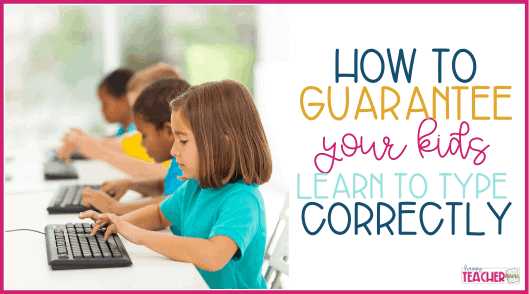
To teach children to type correctly, start with fun, engaging typing games that keep their interest alive. Ensure they learn proper finger placement from the beginning, and practice regularly with patience and encouragement. Creating a positive, pressure-free environment helps kids develop good habits naturally and enjoy the learning process.
To teach children to type correctly, introduce them to the keyboard gradually, focusing on proper finger placement and posture. Use age-appropriate tools and games to make learning enjoyable, and establish a consistent practice routine. Patience and positive reinforcement are key to helping children build confidence and develop efficient typing skills.
Getting children started on typing can seem daunting, but making the process interactive and fun is the secret to success. Kids respond well to games and activities that feel like play rather than work. By teaching correct finger placement early on, encouraging regular practice, and celebrating progress, children can develop good typing habits that will serve them well in school and beyond. The goal is to foster confidence and enjoyment so that typing becomes a natural part of their learning journey.

How to Teach Children to Type Correctly
Understanding the Importance of Proper Typing Skills
Teaching children to type correctly is essential in today’s digital world. Good typing skills help children complete school assignments efficiently. Proper typing also promotes better hand-eye coordination and reduces fatigue during long computer sessions.
Starting at the Right Age
The ideal age to begin teaching children to type is around 8 to 10 years old. Children at this age have better motor skills and can focus on learning new skills with patience. Introducing typing early sets a foundation for future academic and professional success.
Creating a Child-Friendly Typing Environment
A comfortable and well-organized space encourages children to practice typing regularly. Use a child-sized desk and chair to ensure proper posture. Keep the keyboard at a height where children can rest their wrists comfortably and avoid strain.
Choosing the Right Tools and Resources
Select age-appropriate typing software designed for kids. Look for programs that feature engaging graphics, interactive lessons, and rewards. Popular options include TypingClub, Dance Mat Typing, and Typing.com.
Introducing the Home Row and Proper Finger Placement
Begin by teaching children the position of the home row keys. The left-hand fingers rest on A, S, D, F, and the right-hand fingers on J, K, L, ;. Show children how each finger is responsible for specific keys.
Why Finger Position Matters
Proper finger placement ensures efficient typing. It helps children develop muscle memory, reducing the need to look at the keyboard. Correct technique also prevents repetitive strain injuries.
Starting with Simple Exercises and Drills
Begin with basic exercises that focus on pressing individual keys. Use visual aids like keyboard overlays or finger placement charts. Consistent practice helps build accuracy and confidence.
Using Typing Games
Incorporate fun typing games to motivate children. Games like Typing Adventure or Typing Speed Test make learning enjoyable. These activities improve speed while reinforcing correct finger placement.
Gradually Increasing Difficulty and Speed
Once children master individual keys, introduce short words and sentences. Encourage slow, accurate typing before aiming for higher speed. Regular practice is the key to progress.
Monitoring Progress with Timed Tests
Use timed typing tests to track improvements in speed and accuracy. Celebrate milestones to boost motivation. Keep tests light and fun to avoid frustration.
Teaching Proper Posture and Ergonomics
Ensure children sit with their back straight and feet flat on the floor. Hands should hover comfortably above the keyboard. Proper ergonomics prevent discomfort and promote long-term healthy habits.
Encouraging Consistent Practice
Set aside dedicated daily or weekly practice times. Short, frequent sessions are more effective than infrequent long ones. Consistency helps develop muscle memory and confidence.
Providing Feedback and Positive Reinforcement
Offer praise for progress and effort, not just accuracy. Use stickers, certificates, or small rewards to motivate children. Positive reinforcement encourages continued learning.
Addressing Common Challenges
Children might struggle with finger placement or speed. Patience and gentle correction help build skills gradually. Adjust teaching methods to suit each child’s learning pace.
Handling Frustration
If a child becomes frustrated, take breaks and offer encouragement. Emphasize progress and effort rather than perfection. A positive attitude fosters perseverance.
Incorporating Typing Into Daily Activities
Encourage children to practice typing during homework or leisure. Transcribing stories, writing emails, or playing educational games reinforce skills naturally. Variety keeps practice appealing.
Promoting Good Keyboard Habits
Teach children to avoid looking at their hands while typing. Encourage “touch typing”—answering without glancing at the keyboard. Good habits lead to faster and more accurate typing over time.
Using Visual Aids and Charts
Place finger placement charts at eye level for quick reference. Use colorful guides for younger children to make learning more engaging. Visual reminders support independent practice.
Setting Realistic Goals and Tracking Progress
Help children set achievable targets, such as typing a specific number of words per minute. Regularly review their progress to motivate further effort. Celebrate achievements to build confidence.
Integrating Technology and Offline Practice
Balance digital lessons with offline activities like handwriting drills or using physical keyboards. Combining methods ensures comprehensive skill development and prevents screen fatigue.
Involving Parents and Teachers
Parental involvement boosts practice consistency. Teachers can integrate typing exercises into the curriculum. Open communication ensures children receive consistent guidance.
Encouraging Creativity and Personal Projects
Invite children to create stories or journal entries using their typing skills. Personal projects make practice meaningful and enhance motivation. It also fosters a love for writing and technology.
Assessing and Adapting Teaching Strategies
Observe how children respond to different methods and adapt accordingly. Some children benefit from more visual cues, others from repetitive drills. Flexibility helps optimize learning.
Highlighting the Long-Term Benefits of Proper Typing Skills
Developing strong typing skills helps children academically and socially. It prepares them for future careers and promotes independence in digital tasks. Early training keeps skills sharp as technology evolves.
Teaching children to type correctly takes patience, practice, and the right resources. Starting with proper finger placement and encouraging consistent effort builds a solid foundation. When children develop good habits early, they gain confidence and find digital tasks easier and more enjoyable.
Intro to Typing for Kids and Teens! – Learn Home Row Keys & Touch Typing
Frequently Asked Questions
What are effective methods to introduce children to proper typing techniques?
Start by demonstrating correct finger placement on the keyboard. Use visual aids or typing games to make the learning process engaging. Encouraging children to keep their wrists straight and use all fingers can help them develop good habits early. Regular practice with short, focused sessions also reinforces proper techniques without causing frustration.
How can parents and teachers motivate children to practice typing regularly?
Create a fun and rewarding environment by setting achievable goals and celebrating progress. Incorporate typing games and challenges that appeal to children’s interests. Providing consistent encouragement and demonstrating the importance of accurate typing can inspire children to practice more consistently.
What are some common mistakes children make when learning to type, and how can they correct them?
Children often look at the keyboard or use only a few fingers, which slows down their progress. To correct this, remind them to keep their eyes on the screen and use the correct fingers for specific keys. Incorporating exercises that focus on finger placement and encouraging slow, deliberate typing can help improve accuracy and speed over time.
How can technology assist in teaching children proper typing skills?
Educational typing software and online tools provide interactive lessons, real-time feedback, and progress tracking. Many programs adapt to a child’s skill level and offer engaging activities that make learning to type enjoyable. Using these resources can give children a structured way to practice regularly and improve their technique effectively.
Final Thoughts
How to teach children to type correctly is essential for their future skills. Start with proper hand placement and encourage regular practice to develop muscle memory. Use engaging, age-appropriate typing games to keep children motivated. Provide consistent feedback and patience as they improve. Incorporating these strategies makes learning to type both effective and enjoyable.



