


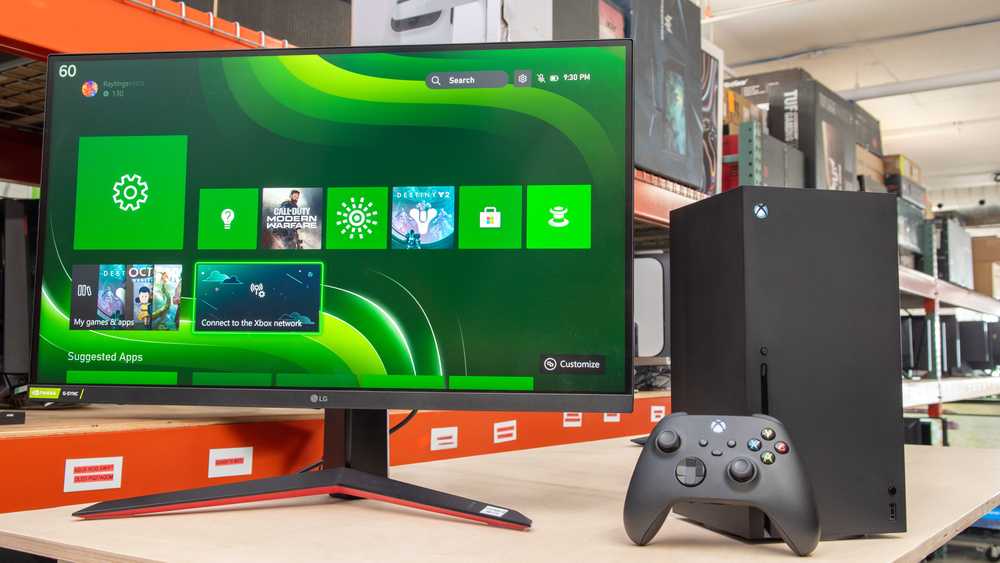
Yes, a 144Hz monitor can be a good choice for console gaming, but it depends on your specific setup and preferences. Generally, it offers smoother visuals and reduces motion blur, which can enhance your gaming experience, especially for fast-paced games. However, since most consoles are optimized for lower refresh rates like 60Hz, you may not see the full benefit of a 144Hz display without some adjustments or compatible hardware.
A 144Hz monitor can be beneficial for console gaming if your console and setup support higher refresh rates, but it’s not always necessary. While it can improve the overall smoothness and responsiveness of gameplay, many consoles are primarily optimized for 60Hz displays. Whether it’s worth investing in a 144Hz monitor depends on your gaming preferences, the type of games you play, and the compatibility of your console. Now, let’s explore whether upgrading to a 144Hz monitor enhances your console experience and what you need to consider before making the switch.

Is 144Hz Monitor Good for Console Gaming?
Understanding Refresh Rates and Their Importance
A refresh rate indicates how many times a monitor updates with new images each second. A 144Hz monitor refreshes 144 times every second, providing smoother visuals compared to standard 60Hz screens. For console gaming, especially fast-paced games, higher refresh rates can make reactions quicker and gameplay look more fluid.
Can Consoles Display at 144Hz?
Most modern gaming consoles like PlayStation 5 and Xbox Series X support output at 120Hz or higher. However, native support for 144Hz isn’t common yet. When connected to a 144Hz monitor, consoles will typically run games at 60Hz or 120Hz, depending on the game’s capabilities and settings.
Does a 144Hz Monitor Improve Console Gaming?
Overall, a 144Hz monitor can enhance your gaming experience on a console. It offers smoother motion and reduces motion blur, making fast movements appear clearer. This can give competitive gamers an edge in reaction time and overall visual clarity, even if the console doesn’t fully utilize the 144Hz refresh rate.
Latency and Response Time: Why They Matter
Low latency and fast response time are crucial for console gaming. Many 144Hz monitors feature response times of 1ms to 3ms, minimizing ghosting and input lag. Comparing these specifications helps determine if a monitor will deliver smooth, lag-free gameplay.
Input Lag and How It Affects Gaming
Input lag refers to the delay between pressing a button and seeing the action happen on-screen. Lower input lag is preferable, especially in competitive gaming. Many 144Hz monitors are designed to have minimal input lag, providing a more responsive experience.
Compatibility with Consoles and Gaming Features
Verify if the monitor includes features like HDMI 2.1 or HDMI 2.0, which are critical for high-resolution and high-refresh-rate outputs. Many monitors include multiple HDMI ports, allowing seamless connection to gaming consoles and other devices.
Resolution Considerations for Console Gaming
Most current consoles support 4K resolution. To fully utilize this, select a 144Hz monitor that also supports 4K resolution. However, 144Hz is more common in 1080p and 1440p monitors due to bandwidth limitations, so decide based on your preferred resolution and refresh rate balance.
Benefits of a 144Hz Monitor for Console Gamers
- Enhanced smoothness in fast-moving scenes
- Reduced motion blur for clearer visuals
- Potentially faster reaction times in competitive games
- Better overall visual experience, especially when paired with compatible hardware
Limitations to Consider
While a 144Hz monitor offers many benefits, some limitations exist. Many consoles do not output beyond 120Hz, so the extra refresh rate might not be fully utilized. Also, 144Hz monitors can cost more, and their benefits are most noticeable in fast-paced, action-packed games.
Choosing the Right 144Hz Monitor for Console Gaming
When selecting a monitor, focus on key factors like compatibility, resolution, response time, and input options. Ensure the monitor supports your console’s output specifications to get the most benefit from the higher refresh rate.
Key Features to Look For
- HDMI ports supporting HDMI 2.1 or HDMI 2.0
- Minimum response time of 1-3ms
- Support for 4K or 1440p resolution if aiming for high detail
- G-SYNC or FreeSync support for smoother gameplay
- Adjustable stand for ergonomic comfort
Table Comparing 144Hz Monitors for Console Gaming
| Model | Resolution | Refresh Rate | Response Time | HDMI Support | Additional Features |
|---|---|---|---|---|---|
| Monitor A | 1080p | 144Hz | 1ms | HDMI 2.0 | G-SYNC, Adaptive Sync |
| Monitor B | 1440p | 144Hz | 2ms | HDMI 2.0 | Height adjustable |
| Monitor C | 4K | 120Hz | 3ms | HDMI 2.1 | HDR support |
Additional Tips for Console Gamers Considering a 144Hz Monitor
- Always check your console’s maximum supported refresh rate
- Use high-quality HDMI cables to avoid signal issues
- Adjust game settings to match your monitor’s capabilities
- Consider future-proofing with HDMI 2.1 support
- Balance your budget with key features for best value
Related Topics for Console Gamers
- Best 4K monitors for PlayStation 5 and Xbox Series X
- How to reduce input lag on gaming monitors
- Difference between TN, IPS, and VA panels and their impacts
- Top console gaming accessories for enhanced performance
Choosing a 144Hz monitor for console gaming can improve your visual experience, especially in fast-paced games. While most consoles don’t yet fully utilize the 144Hz refresh rate, the benefits of smoother motion, reduced blur, and quicker reactions are clear. Make sure to select a monitor with the right features that match your gaming setup and preferences for the best gameplay experience.
The BEST *BUDGET* PS5 Monitor!
Frequently Asked Questions
Does a 144Hz monitor improve gameplay on consoles compared to standard monitors?
While consoles typically run games at 30 or 60 frames per second, a 144Hz monitor can still offer smoother visual output during gameplay, especially if the console supports higher frame rates through updates or specific games. The increased refresh rate makes fast motions appear more fluid, reducing motion blur and providing a more responsive experience, which can enhance overall gameplay quality.
Can a 144Hz monitor reduce input lag when gaming on a console?
Yes, a higher refresh rate monitor generally reduces input lag, leading to more immediate responses in gameplay. This means you can see your actions reflected on the screen faster, which is particularly beneficial for fast-paced games. However, the actual input lag also depends on the monitor’s response time and the console’s processing capabilities.
Is a 144Hz monitor compatible with all gaming consoles?
Most modern gaming consoles like PlayStation 5 and Xbox Series X support HDMI 2.1 or HDMI 2.0, which can handle high refresh rates like 144Hz at certain resolutions. Still, compatibility depends on the specific monitor’s features and the console’s output capabilities. Always check both the monitor’s specifications and your console’s supported display settings before choosing a 144Hz monitor for gaming.
What should I consider when choosing a 144Hz monitor for console gaming?
Focus on the monitor’s resolution, response time, connectivity options, and adaptive sync technology. For console gaming, 1080p or 1440p resolutions are common and work well with high refresh rates. Additionally, ensure the monitor has HDMI ports that support higher bandwidth to handle 144Hz. Response time should be low to avoid motion blur, and features like FreeSync or G-Sync can improve visual stability.
Will a 144Hz monitor make a noticeable difference in casual gaming on a console?
If you play fast-paced or competitive games, you will likely notice smoother motion and quicker responsiveness with a 144Hz monitor. For casual gaming, the differences might be less apparent, but increased clarity and fluidity can still enhance the overall visual experience, making gameplay more enjoyable and immersive.
Final Thoughts
A 144Hz monitor can enhance gaming experiences with smoother visuals and reduced input lag. For console gaming, the benefit depends on the game and the console’s output capabilities. While fast refresh rates improve responsiveness, not all consoles support 144Hz.
In conclusion, is 144hz monitor good for console gaming? It can be advantageous for fast-paced games if your console and games support high refresh rates. However, compatibility remains key to maximizing this feature’s potential.



