


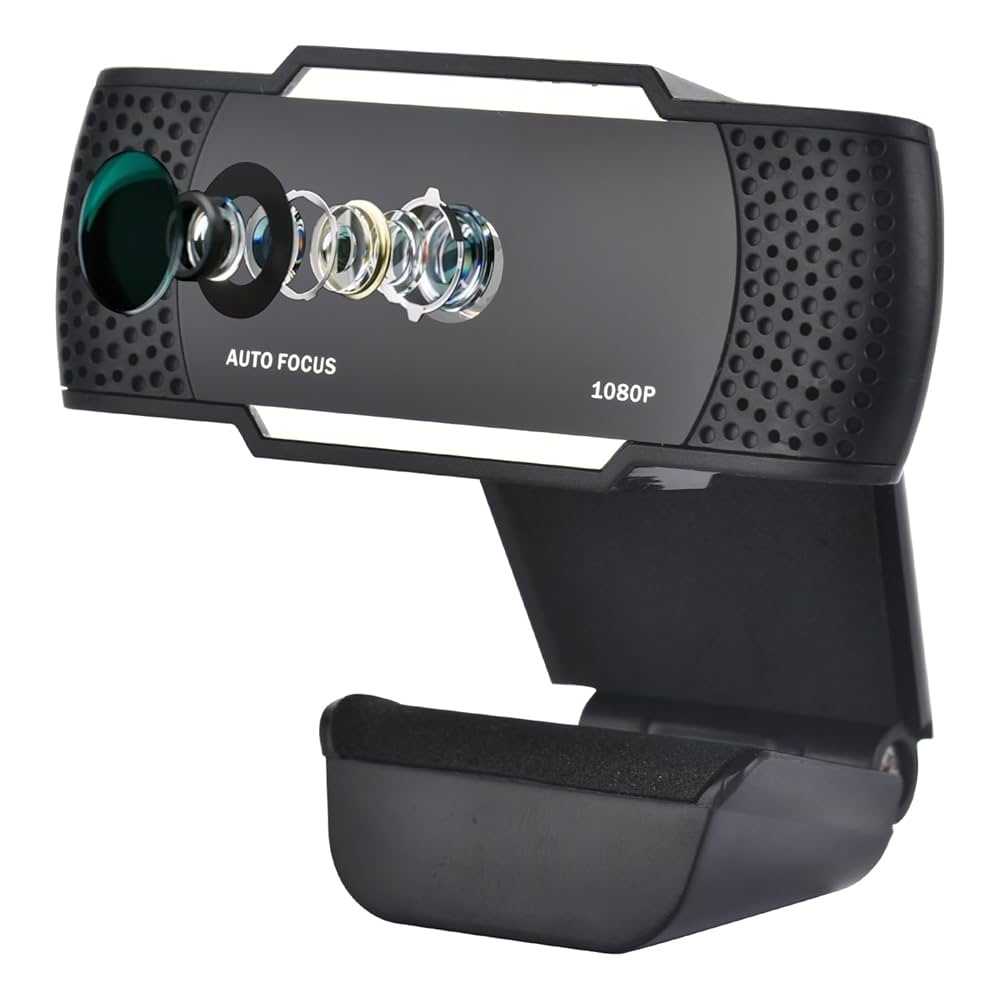
Yes, a webcam with autofocus is generally better for meetings because it keeps you sharp and clear whether you’re moving around or shifting positions. Autofocus webcams quickly adjust to your movements, providing a consistent picture quality without the need to manually refocus. This makes them especially useful for professional settings or casual video calls where clarity matters.
In short, an autofocus webcam is a smarter choice for meetings since it offers better image quality, adapts seamlessly to movement, and reduces distractions caused by blurry visuals. Investing in one can significantly improve your virtual communication experience.
When it comes to virtual meetings, image clarity is crucial—you want to appear professional and engaging. Autofocus webcams have become increasingly popular among remote workers and content creators because they eliminate the hassle of manual adjustments and ensure you stay in focus regardless of how much you move during a call. Whether you’re presenting, gesturing, or shifting positions, the autofocus feature ensures your face remains sharp and clear, enhancing your overall video quality. This convenience saves time and minimizes frustrations, making your meetings run smoother and more professional. If you’re serious about your online presence and want to avoid blurry or out-of-focus visuals, an autofocus webcam is definitely worth considering.

Is Autofocus Webcam Better for Meetings? An In-Depth Look
Understanding Autofocus Technology in Webcams
Autofocus is a feature that automatically adjusts the camera lens to keep your face clear and sharp during a video call. Unlike fixed-focus webcams, which have a set focal point, autofocus webcams can dynamically change focus as you move. This technology ensures that your image remains in focus whether you’re sitting close to the camera or shifting positions.
The core component of autofocus webcams is a moving lens controlled by a motor. When the camera detects a change in distance, it quickly adjusts the lens to keep the subject sharp. This quick response time is a big advantage during live meetings where movement is common.
Many modern webcams incorporate phase detection or contrast detection autofocus systems, which analyze the image and adjust focus rapidly. This enhances clarity and reduces the need for manual adjustments during or before your meeting.
Advantages of Autofocus Webcams for Meetings
Autofocus webcams are designed to provide a seamless video experience, especially during meetings. Here are some key benefits:
- Consistent Clarity: Focus adjusts instantly if you move closer or farther from the camera, so your face remains clear at all times.
- Ease of Use: No need to manually focus or reset the lens, saving time and avoiding frustration during calls.
- Professional Appearance: Automatically sharp images make you look more polished and presentable in virtual meetings.
- Ideal for Dynamic Environments: If your workspace moves or if multiple people share the same webcam, autofocus adapts effortlessly.
This automatic adjustment reduces the chances of appearing blurry or out of focus, which can otherwise be distracting to colleagues and clients.
Comparison: Autofocus Webcams vs Fixed-Focus Webcams
While autofocus webcams offer many benefits, it’s helpful to understand how they compare to fixed-focus models.
| Feature | Autofocus Webcam | Fixed-Focus Webcam |
|---|---|---|
| Focus Adjustment | Automatically adjusts to movement and distance | Designed for a specific distance; requires manual adjustment if moved |
| Ease of Use | High; ready to go without manual focus | Lower; may need manual focusing or repositioning |
| Image Sharpness | Consistently sharp regardless of position shifts | Sharp only at intended distance; blurry if moved |
| Cost | Often more expensive due to complex technology | Generally less costly |
Autofocus webcams tend to be more versatile and better suited for flexible work environments. Fixed-focus models are simple and cost-effective but require precise positioning.
How Autofocus Enhances Video Quality During Meetings
The primary role of autofocus in webcams is to maintain a sharp image, which is crucial during video calls. A clear image helps colleagues see your expressions and read visual cues, fostering better communication.
Additionally, autofocus can improve image stability. When there are movement or background changes, it quickly refocuses without noticeable delay. This feature reduces the need for manual adjustments, especially important during lengthy calls.
Experts note that autofocus webcams handle challenging lighting conditions better. As lighting varies, autofocus quickly adapts, keeping your face well-lit and in focus, even in uneven lighting environments.
Limitations of Autofocus Webcams
Despite their advantages, autofocus webcams are not without drawbacks.
Some models may experience “focus hunting,” where the camera repeatedly adjusts focus, causing a distracting flicker. This issue is more common in low-light or inconsistent lighting conditions.
Additionally, autofocus can sometimes be slower than manual focus when dealing with very close-up or macro-style shots, although this is rarely relevant for typical meetings.
Another potential limitation is the increased cost of autofocus webcams, as they incorporate more complex hardware and software. For users on a tight budget, fixed-focus options may be a more economical choice.
Situations Where Autofocus Is Especially Useful
Autofocus webcams shine in various real-world scenarios:
- Remote Work with Variable Positions: If you move around your desk or switch chairs, autofocus ensures your video remains sharp.
- Sharing the Screen or Doing Demonstrations: When leaning in closer to show details, autofocus adjusts instantly for better clarity.
- Multiple Users or Shared Equipment: When different people use the same webcam, autofocus accommodates different height and distance settings.
- On-the-Go Meetings: If you attend meetings in various environments, autofocus adapts to different lighting and distances easily.
These features make autofocus webcams especially suited for dynamic and varied meeting settings.
Choosing the Right Autofocus Webcam for Your Needs
While autofocus offers many advantages, selecting the right model depends on your specific needs. Consider factors such as:
- Budget: Autofocus webcams range from affordable to premium models.
- Resolution: Look for high-definition options, preferably 1080p or higher, for clearer video.
- Field of View: Wide-angle lenses are better for group meetings, while narrower views focus on the individual.
- Lighting Integration: Some models include built-in lights or low-light correction features.
- Size and Mounting Options: Ensure compatibility with your workspace setup.
Reading reviews and comparing specifications can help identify the best autofocus webcam for your specific meeting environment.
Autofocus webcams are generally better for meetings because they offer clearer images, ease of use, and adaptability to movement and changing environments. They eliminate the need for manual adjustments and help you look professional during every call.
Overall, the added convenience and consistent video quality make autofocus webcams a worthwhile investment for remote workers, students, and professionals alike. Whether you participate in frequent meetings or occasional video calls, choosing an autofocus model can significantly improve your virtual communication experience.
This Webcam Just Feels Right
Frequently Asked Questions
How does autofocus enhance video clarity during meetings?
Autofocus ensures the webcam quickly adjusts its focus to keep the subject sharp, even if they move slightly. This results in clearer video quality, making participants more visible and engaging, especially in dynamic environments where movement occurs frequently.
Can autofocus webcams reduce the need for manual adjustments during meetings?
Yes, autofocus webcams automatically focus on the speaker or relevant objects, reducing the need for manual adjustments. This allows you to concentrate on the meeting rather than fiddling with camera settings, leading to smoother and more professional video calls.
Is autofocus suitable for different lighting conditions in virtual meetings?
Autofocus webcams generally perform well across varying lighting conditions by adjusting the focus and exposure automatically. This ensures that your image remains clear and well-lit, whether you’re in a bright room or a dimly lit space, improving overall video quality.
Does autofocus impact the responsiveness of the webcam during fast movements?
High-quality autofocus systems respond swiftly to movement, maintaining sharp focus even when you move quickly or change positions. This responsiveness helps keep the video clear and professional, avoiding blurry moments during active discussions.
How does autofocus contribute to a more professional appearance in virtual meetings?
Autofocus creates a sharp, consistent image that enhances your presence on camera. It ensures your face remains in focus regardless of movement, making your appearance more polished and reducing distractions caused by out-of-focus visuals.
Final Thoughts
A autofocus webcam offers quick, clear focus, making video calls more professional. It adapts swiftly to movement, maintaining sharp images throughout meetings. This feature reduces distractions, helping participants stay engaged.
Considering ease of use, autofocus simplifies setup, saving time and effort. It ensures consistent image quality without manual adjustments. This makes it an ideal choice for busy professionals.
In conclusion, is autofocus webcam better for meetings? Yes, it enhances video clarity and convenience, making your communication more effective.



