


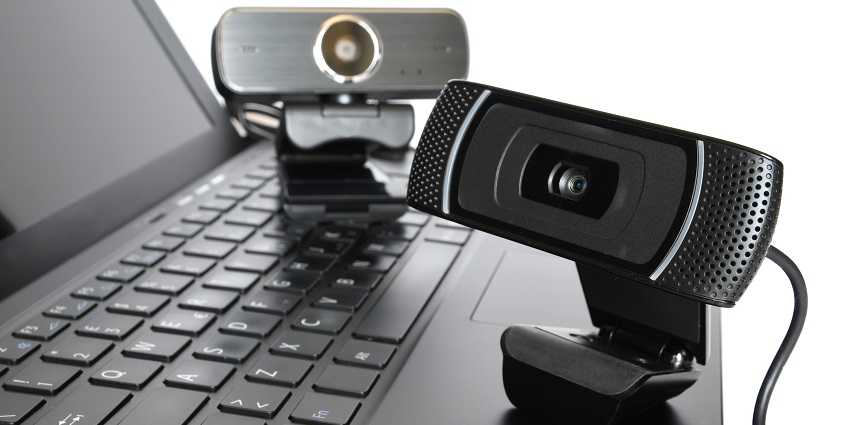
Yes, a budget webcam can be good enough for everyday Zoom meetings if you don’t need high-end features. While it may not offer the same quality as premium models, many affordable webcams deliver clear video and decent audio, making them suitable for regular virtual meetings. However, you’ll want to consider your specific needs, like video resolution and microphone quality, before making a choice.
For most people who participate in daily Zoom calls, a budget webcam can be a practical solution, especially if your primary goal is reliable communication without the need for fancy extras. These webcams often come at a fraction of the cost of high-end options, making them accessible for students, remote workers, or anyone looking to stay connected without breaking the bank. While they may lack some professional features, they generally provide satisfactory video clarity for everyday use. If your meetings are casual or work-related and don’t demand perfect picture quality, a budget webcam can serve you well.

Is Budget Webcam Good for Everyday Zoom Meetings?
Understanding What a Budget Webcam Offers
Budget webcams are designed to be affordable and accessible for most users. They typically cost less than high-end models but still aim to provide decent video quality. These webcams are popular among students, remote workers, and casual users who need reliable performance without spending a lot.
Most budget webcams feature a resolution of 720p or 1080p, which is sufficient for most Zoom meetings. They often have a simple design with basic mounting options and built-in microphones. While they might lack advanced features, they can still cover essential needs like video clarity and ease of use.
Video Quality and Clarity
The primary concern for many users is whether a low-cost webcam can deliver clear video. In general, budget webcams with 720p resolution produce images that are decent for everyday use. They may struggle in low-light conditions, resulting in grainy or blurry footage.
Webcams with 1080p resolution provide sharper images, which is ideal for professional meetings. However, the quality also depends on your internet speed and the lighting in your workspace. A well-lit area enhances video clarity, even with an entry-level webcam.
Audio Performance and Microphone Quality
Many budget webcams come equipped with built-in microphones. While these are convenient, their sound quality varies across models. Some budget webcams may pick up background noise or produce muffled audio.
For clearer audio, consider webcams with noise-canceling microphones or plan to use an external mic. During meetings, good audio quality helps you communicate more effectively and prevents misunderstandings.
Compatibility and Ease of Use
Most budget webcams are compatible with popular video conferencing platforms like Zoom, Microsoft Teams, and Google Meet. They connect via USB, making them easy to set up on desktops and laptops.
Plug-and-play functionality is common, so no special drivers are required. This simplicity allows users to start meetings quickly without technical hassle. Compatibility with different operating systems is also typically reliable with modern webcams.
Lighting and Environment Considerations
Lighting plays a vital role in video quality. Budget webcams perform best in well-lit spaces, as poor lighting can cause graininess and low contrast.
To improve video output, use natural light or add affordable LED lights. Position yourself facing a window or light source for the best results. Even a simple desk lamp can improve visibility significantly.
Frame and Mounting Options
Most budget webcams come with basic mounting features such as clip mounts or tripods. They are generally lightweight and portable, making them easy to move around.
Ensure the webcam can be securely attached to your monitor or placed on a stable surface to prevent shaking or slipping. Adjustable angles help you find the best framing for your face during meetings.
Performance in Different Network Conditions
Video quality heavily depends on internet speed. Budget webcams work well when paired with a stable broadband connection.
If your network is slow or unstable, you might experience lag, pixelation, or disconnection issues. To avoid problems, close background applications and prioritize your video connection during meetings.
Battery Life and Power Consumption
Since most webcams are wired via USB, power consumption is generally low. They do not require batteries but might draw more power from your computer, slightly reducing battery life on laptops.
Using energy-efficient USB ports and keeping your devices updated helps maintain optimal performance and reduces strain on your system.
Additional Features to Consider
Some budget webcams include extra features that enhance their usability. These may include:
- Automatic light correction
- Built-in privacy shutters
- Adjustable field of view
- Software for image adjustments
While not essential, these features can improve your experience without increasing costs significantly.
Cost vs. Benefit Analysis
Assess whether a budget webcam meets your needs based on your usage frequency and quality expectations. For occasional or informal meetings, affordable models generally suffice.
If you attend daily professional meetings or require high-quality video, investing a bit more might provide better results and durability. Balance your budget with your expectations for performance.
Long-Term Durability and Reliability
Budget webcams are often made with lightweight materials and may not withstand heavy use over years. However, many models are sufficiently durable for daily meetings.
Read reviews to ensure the model you select has a good reputation for longevity and consistent performance. A well-chosen inexpensive webcam can serve you reliably for months or even years.
Alternatives to Consider
If a budget webcam does not fully meet your expectations, consider these options:
- Mid-range webcams with 1080p resolution and better microphones
- External ring lights for improved lighting
- External microphones for clearer audio
These additions can significantly enhance the quality of your Zoom meetings without a substantial price increase.
In most cases, a budget webcam can be a suitable choice for everyday Zoom meetings, especially for casual users and students. While it may not match the quality of high-end models, it offers a good balance between price and performance.
Ensuring proper lighting, a stable internet connection, and correct placement can maximize its effectiveness. With the right setup, a budget webcam can keep you connected and professional during your daily virtual meetings.
Plug & Play BUDGET Webcam
Frequently Asked Questions
Can budget webcams provide adequate video quality for professional meetings?
Many budget webcams deliver sufficient video quality for everyday Zoom meetings, especially in well-lit environments. While they may not offer the same sharpness as high-end models, they usually provide clear images that are suitable for professional communication. Ensuring proper lighting and positioning can significantly improve the video quality of budget webcams for work-related calls.
Are audio features of budget webcams reliable for daily use?
Most budget webcams include built-in microphones that handle basic audio needs effectively. However, their sound quality might be limited compared to dedicated microphones. For clear communication, it’s often beneficial to use an external microphone or headset, especially in noisy settings or longer meetings.
How well do budget webcams perform in different lighting conditions?
Budget webcams tend to perform best in moderate to good lighting conditions. Poor lighting can result in grainy or dark images, making it harder for others to see you clearly. To ensure good video quality, try to conduct meetings in well-lit rooms or add additional lighting sources if necessary.
Are there any limitations I should expect when using a budget webcam regularly?
Yes, budget webcams might have limited features such as lower resolution, slower autofocus, or smaller field of view. These limitations could affect the overall experience, particularly if you need high-quality video or work in environments with varying lighting conditions. However, for routine meetings, they generally perform adequately.
Can spending more on a webcam significantly improve my daily Zoom experience?
Upgrading to a higher-end webcam can enhance video clarity, improve low-light performance, and often provide better audio features. If you frequently attend important or lengthy meetings, investing in a better webcam can make a noticeable difference in communication quality. Still, for casual or infrequent use, a budget webcam typically suffices.
Final Thoughts
A budget webcam can be a practical choice for everyday Zoom meetings. While it may lack advanced features, it provides decent video and audio quality for most users.
For routine meetings, a budget webcam usually suffices and is easy to set up. It offers a cost-effective solution without compromising essential functionalities.
In conclusion, is budget webcam good for everyday zoom meetings? Yes, it generally meets basic needs and offers good value for the price.



