


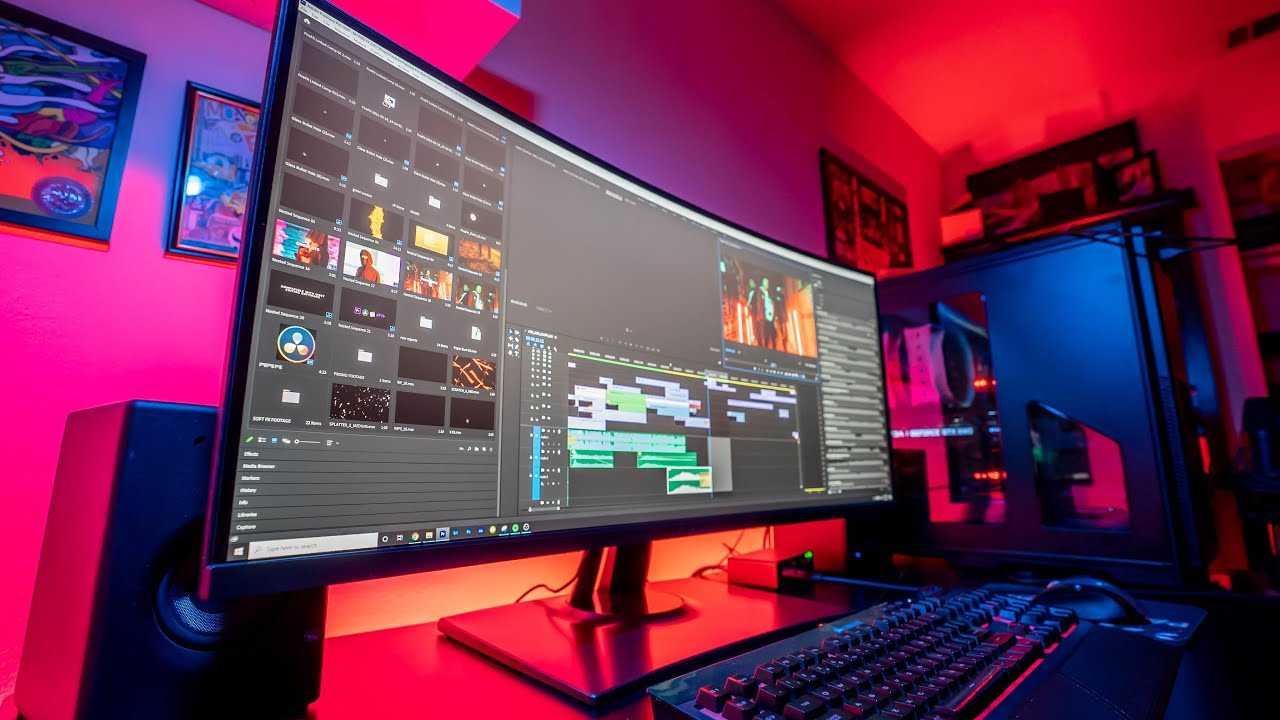
Yes, curved monitors can be excellent for photo editing if used correctly. They offer immersive viewing and can reduce glare, making it easier to focus on your work. However, the suitability depends on the monitor’s specifications and your specific editing needs.
Curved monitors are often praised for their ability to provide a more natural and encompassing viewing experience, which can enhance precision and comfort during lengthy editing sessions. They help reduce distortion at the edges and can improve color consistency across the screen. But it’s important to select a high-quality model with accurate color reproduction and appropriate resolution for detailed photo editing.
When considering a curved monitor for photo editing, think about factors like color accuracy, resolution, and size. While they can be a great choice, not every curved screen is ideal, so understanding your requirements will help you make the best decision. Overall, they can be a valuable tool for photographers seeking comfort and immersive quality in their workflow.

Is Curved Monitor Good for Photo Editing?
Understanding the Basics of Curved Monitors
Curved monitors feature a screen that bends inward, creating a more immersive viewing experience. This curvature is measured using a radius in millimeters, with common options being 1800R or 1500R. The goal is to mimic the natural shape of the human eye, reducing distortions at the edges.
How Curvature Affects Visual Accuracy
The primary benefit of a curved monitor is that it minimizes glare and reflections. This means less distraction when working on detailed images. Additionally, the curvature can help create a more uniform focus across the entire screen, which is important during photo editing.
Benefits of Using a Curved Monitor for Photo Editing
- Enhanced Immersion: The curved shape surrounds your field of vision, making details easier to see.
- Reduced Glare and Reflections: Curved screens deflect ambient light, leading to less eye strain.
- Consistent Viewing Angles: Images look the same from different parts of the screen, reducing distortion.
- Better Depth Perception: The curvature can provide a subtle sense of depth, aiding in visualizing 3D effects or complex images.
Potential Drawbacks of Curved Monitors in Photo Editing
While they offer many benefits, curved monitors aren’t perfect for every user. Some issues include:
- Limited Surface Area: Curved screens may have less usable space for multitasking compared to flat screens.
- Distortion at the Edges: Images may appear slightly warped, especially on larger curves.
- Not Suitable for All Workspaces: Curved monitors may not fit well in small or unconventional desks.
- Cost: High-quality curved monitors tend to be more expensive than flat models.
Design and Size Considerations for Photo Editing
Choosing the right size is crucial. Curved monitors typically range from 24 inches to 49 inches in width. For photo editing, a larger screen offers more workspace but might cause distortion if the curve is too steep.
Best Curvature Radius for Photo Editing
The curvature radius influences how natural the viewing experience feels. For photo editing:
- 1800R: Slightly curved, suitable for smaller desks and general use.
- 1500R: More pronounced curve, ideal for immersive editing on larger screens.
Choose a radius that matches your workspace and personal comfort preferences.
Color Accuracy and Calibration
A curved monitor’s form doesn’t compromise color quality. Look for monitors with:
- High sRGB or AdobeRGB color space coverage: Ensures more accurate colors for editing.
- Factory calibration: Provides out-of-the-box color precision.
- Hardware calibration support: Allows for precise adjustments beyond software calibration.
High color accuracy is essential for professional photo editing, regardless of monitor shape.
Panel Types and Their Impact
The panel technology influences image quality and performance. For photo editing, the most common panel types are:
IPS (In-Plane Switching)
– Offers superior color accuracy and wider viewing angles.
– Preferred for professional photo editing.
VA (Vertical Alignment)
– Provides better contrast ratios and deeper blacks.
– Suitable for detailed editing in dark environments.
TN (Twisted Nematic)
– Faster response times but poorer color accuracy.
– Usually not recommended for editing work.
Resolution and Its Importance
Higher resolutions allow for more detailed editing work. Common options include:
- Full HD (1080p): Suitable for basic editing but limited workspace.
- Quad HD (1440p): Offers more space and clarity.
- Ultra HD (4K): Ideal for detailed and precise editing tasks.
A curved 4K monitor can significantly improve the editing experience by providing sharper images and more room for tool palettes.
Connectivity and Workflow Efficiency
Ensure that your curved monitor has the right ports to connect smoothly with your editing setup:
- HDMI and DisplayPort: Provide high-quality video signals for crisp images.
- USB hubs: Enable easy connection of peripherals like external drives and tablets.
- Calibrators and sensors: Compatibility for color calibration tools enhances accuracy.
An efficient workflow reduces frustration and helps produce better results.
Ergonomics and Comfort
Long hours of editing require a comfortable monitor setup. Look for features such as:
- Adjustable height and tilt: Perfect alignment to prevent neck strain.
- Vivid contrast and brightness: Prevent eye fatigue.
- Anti-glare coatings: Reduce reflections from ambient lighting.
Keeping ergonomic features in mind can make a significant difference in your editing sessions.
Summary of Curved Monitors for Photo Editing
Choosing a curved monitor involves weighing the benefits of immersion and reduced glare against potential issues with distortion and workspace. For professionals and enthusiasts, a high-resolution IPS panel with accurate color calibration and appropriate curvature provides the best results.
A curved monitor can be a good option for photo editing if it matches your workspace and personal preferences. It offers benefits like better immersion and consistent viewing angles, which aid detailed work. However, it’s important to select the right size, resolution, and panel type to ensure you get the most accurate and comfortable editing experience.
Are Curved Monitors Good For Photo Editing? – Your Computer Companion
Frequently Asked Questions
How does a curved monitor affect color accuracy for photo editing?
Curved monitors can enhance the viewing experience by reducing glare and minimizing reflections, which helps in seeing colors more accurately. However, color accuracy depends on the monitor’s calibration and panel quality. Choose a curved monitor with good color reproduction capabilities and factory calibration for precise photo editing results.
Are there any benefits of using a curved monitor for multitasking during photo editing?
Yes, a curved monitor provides a wider field of view, making it easier to view multiple windows and tools simultaneously. This design can reduce the need to turn your head or shift focus, allowing for an improved workflow and more efficient editing process.
What should I consider regarding screen size and curvature for photo editing on a curved monitor?
For photo editing, opt for a large screen size, such as 27 inches or larger, to see detailed work clearly. The curvature should complement the size; a gentle curve (around 1800R or 3000R) can provide an immersive experience without distorting the workspace. Ensure the monitor’s resolution supports detailed editing tasks as well.
Final Thoughts
A curved monitor can be beneficial for photo editing by offering a more immersive viewing experience. It reduces distortion and provides consistent color accuracy across the screen. This design helps in minimizing eye strain during long editing sessions.
However, some professionals prefer flat screens for precise color work, especially when color accuracy is critical.
Ultimately, is curved monitor good for photo editing depends on personal preference and specific needs. For many, it provides a comfortable and engaging view, making it a solid option.



