


Is FHD enough for gaming? Absolutely! Full HD (1080p) remains a fantastic choice for many gamers, especially those prioritizing high frame rates, a smooth experience, and affordability. While higher resolutions offer more pixels, 1080p excels at reducing the hardware demands on your PC, making it perfect for competitive play and budget-friendly setups without sacrificing much visual quality on common monitor sizes.
Is Fhd Enough for Gaming?
The world of gaming monitors is a dazzling landscape of resolutions, refresh rates, and panel types. For years, one resolution reigned supreme: Full High Definition, or FHD, commonly known as 1080p. But with the rise of Quad HD (1440p) and even 4K displays, a big question lingers in the minds of many gamers: is FHD enough for gaming in today’s landscape? Or are we being left behind if we stick with the trusty old 1080p?
It’s a question that often sparks heated debates online, with enthusiasts on both sides making strong cases. On one hand, the allure of razor-sharp visuals at higher resolutions is undeniable. On the other, the practicalities of performance, budget, and competitive advantage keep 1080p firmly in the game. Let’s cut through the noise and explore whether FHD is still a solid, even smart, choice for your gaming setup.
At its core, “enough” is a subjective term. What’s enough for a casual player might be totally inadequate for a professional esports athlete, and vice-versa. This article will break down the pros and cons, guiding you through the technical aspects and real-world implications, so you can decide if FHD is indeed enough for *your* specific gaming needs and preferences.
Key Takeaways
- Excellent Performance: FHD (1080p) significantly reduces the workload on your graphics card compared to QHD or 4K, allowing for much higher frame rates (FPS) and a smoother gaming experience, especially crucial in competitive titles.
- Cost-Effective Hardware: Achieving excellent performance at 1080p requires less powerful (and thus less expensive) GPUs and CPUs, making it an ideal resolution for budget-conscious gamers or those building mid-range PCs.
- High Refresh Rate Accessibility: FHD monitors with high refresh rates (144Hz, 240Hz, or even 360Hz) are more affordable and easier to drive with consistent high FPS, offering a distinct advantage in fast-paced games.
- Still Visually Pleasing: On common monitor sizes (up to 27 inches) and at typical viewing distances, 1080p still provides a sharp and immersive visual experience for most games, especially with modern anti-aliasing and upscaling technologies.
- Competitive Gaming Standard: Many professional esports players still prefer 1080p due to its ability to consistently deliver maximum frame rates and minimal input lag, prioritizing responsiveness over raw pixel count.
- Future-Proofing for Mid-Range: Investing in a strong 1080p setup now means you can enjoy current and future games at high settings and frame rates, delaying the need for costly hardware upgrades compared to higher resolutions.
Quick Answers to Common Questions
Is 1080p still good for gaming in 2024?
Yes, 1080p (FHD) is absolutely still good for gaming in 2024, especially for competitive players, those on a budget, or anyone prioritizing high frame rates and smooth gameplay.
Do I need a powerful GPU for FHD gaming?
No, you don’t need a top-tier powerful GPU for excellent FHD gaming. Mid-range graphics cards can deliver very high frame rates at 1080p, making it a more accessible resolution for a wider range of PC builds.
Is 144Hz at 1080p better than 60Hz at 1440p?
For fast-paced or competitive games, 144Hz at 1080p is generally preferred over 60Hz at 1440p. The higher refresh rate offers a significantly smoother and more responsive experience, which is crucial for reaction times.
Does monitor size affect how good 1080p looks?
Yes, monitor size does affect how good 1080p looks. On smaller monitors (up to 25 inches), 1080p looks very sharp. On larger monitors (27 inches and above), individual pixels might start to become noticeable if you sit very close, but it’s still generally acceptable for most users.
Will I notice a big difference upgrading from 1080p to 1440p?
You will likely notice a sharper image and more desktop real estate when upgrading from 1080p to 1440p, especially on monitors 27 inches or larger. However, this comes at the cost of significantly higher hardware demands and often lower frame rates unless you have a powerful GPU.
📑 Table of Contents
- Understanding FHD: The 1080p Standard
- Performance Powerhouse: Why FHD Still Dominates for FPS
- The Visual Experience: Is FHD Sharp Enough?
- FHD vs. QHD/4K: The Trade-Offs
- Beyond Resolution: Other Factors for Your Gaming Experience
- When is FHD the Smartest Choice for You?
- Conclusion: FHD Still Stands Strong
Understanding FHD: The 1080p Standard
Before we dive deep, let’s clarify what FHD actually means. FHD, or Full High Definition, refers to a display resolution of 1920 pixels horizontally by 1080 pixels vertically. This gives you a total of 2,073,600 pixels. For decades, 1080p has been the benchmark for high-definition content, from movies to video games.
The Legacy of 1080p in Gaming
When LCD monitors first started becoming mainstream, 1080p quickly became the default for PC gaming. It offered a significant jump in clarity over older resolutions like 720p or 1440×900, striking a perfect balance between visual fidelity and the performance demands on graphics cards of the era. This legacy means that most games are still optimized to run exceptionally well at 1080p. If you’re wondering, “is FHD enough for gaming?”, consider its long-standing history as a reliable standard.
Performance Powerhouse: Why FHD Still Dominates for FPS
Visual guide about Is Fhd Enough for Gaming?
Image source: down-sg.img.susercontent.com
One of the most compelling arguments for FHD gaming in 2024 revolves around performance. The fewer pixels your graphics card has to render, the easier its job, and the higher the frames per second (FPS) you can achieve.
Lower Pixel Count, Higher FPS
Think about it this way: a 1080p display has roughly 2 million pixels. A 1440p (QHD) display has about 3.7 million pixels, and a 4K (UHD) display boasts over 8.3 million pixels. That’s a huge difference! To push games at 1440p or 4K, your graphics card has to work significantly harder, often requiring much more expensive hardware to maintain playable frame rates, especially if you want to hit high refresh rates.
For instance, if your GPU can manage 60 FPS in a demanding game at 1440p, it might easily hit 90-120 FPS or even higher at 1080p with the same settings. This performance advantage is crucial for competitive gamers. For them, every frame matters. The smoother the game feels, the better their reaction times and overall performance. So, if your goal is maximum FPS and a buttery-smooth experience, FHD is often the superior choice.
Easing the Load on Your PC Components
It’s not just your GPU that benefits. Running games at 1080p generally means less strain on your CPU as well, especially in CPU-bound games or scenarios. This translates to a more balanced system and can even extend the lifespan of your components by running them less intensively. For gamers on a budget or those looking to get the most mileage out of their mid-range build, knowing “is FHD enough for gaming?” means understanding its efficiency.
The Visual Experience: Is FHD Sharp Enough?

Visual guide about Is Fhd Enough for Gaming?
Image source: m.media-amazon.com
Visuals are a huge part of gaming. While more pixels generally mean more detail, the human eye and screen size play a significant role in how much difference you actually perceive.
Pixel Density and Screen Size
The sharpness of an image isn’t just about resolution; it’s also about pixel density (pixels per inch, or PPI) and your viewing distance. On smaller monitors, say 24-inch or 25-inch, 1080p looks incredibly sharp. The pixels are packed closely enough that individual pixels are hard to distinguish at a typical desk viewing distance. Even on a 27-inch monitor, 1080p remains perfectly acceptable for most users. If you sit further back, like on a couch playing on a TV, 1080p on even larger screens holds up well.
Where 1080p starts to look “less sharp” is usually on very large monitors (30 inches and above) or if you sit extremely close to a 27-inch screen, where you might begin to notice individual pixels. However, for the vast majority of gaming setups, especially those using 24-inch to 27-inch monitors, 1080p offers a perfectly good visual experience.
Modern Graphics and Upscaling Technologies
Game developers today use advanced anti-aliasing techniques (like TAA, MSAA, FXAA) to smooth out jagged edges, making 1080p visuals look even better. Furthermore, technologies like NVIDIA’s DLSS (Deep Learning Super Sampling) and AMD’s FSR (FidelityFX Super Resolution) allow games to render at a lower resolution (e.g., 720p or 900p) and then intelligently upscale the image to 1080p (or even higher resolutions) with minimal loss in quality, often improving performance significantly. This means your 1080p display can display images that *look* almost as good as native higher resolutions, blurring the lines of what “native” resolution truly means for sharpness.
FHD vs. QHD/4K: The Trade-Offs

Visual guide about Is Fhd Enough for Gaming?
Image source: magarticles.magzter.com
When you compare FHD to its higher-resolution counterparts, it’s all about trade-offs. What are you willing to gain, and what are you willing to give up?
The Allure of Higher Resolutions
QHD (2560×1440) and 4K (3840×2160) displays offer undeniable advantages in terms of raw pixel count and image clarity. Text can appear sharper, and detailed game worlds can look more immersive with finer details rendered. For single-player, graphically intensive games where immersion is key, and frame rate isn’t the absolute priority, higher resolutions can provide a breathtaking experience.
The Cost of More Pixels
However, these benefits come at a significant cost.
- Hardware Expense: To drive games at acceptable frame rates (especially 60 FPS and above) at 1440p or 4K, you need significantly more powerful and expensive graphics cards. A GPU that handles 1080p gaming perfectly might struggle immensely at 1440p, let alone 4K.
- Performance Hit: Even with top-tier hardware, achieving ultra-high frame rates (144Hz+) at 1440p or 4K is extremely challenging and often impossible in the most demanding titles. This means you might have to compromise on graphical settings to reach your desired FPS.
- Monitor Price: High refresh rate 1440p and 4K monitors are also generally more expensive than their 1080p counterparts.
So, while higher resolutions offer a visual upgrade, they demand a much heavier investment in your entire PC setup. For many, this makes 1080p a far more practical and accessible option.
Beyond Resolution: Other Factors for Your Gaming Experience
Resolution is important, but it’s far from the only factor that defines a great gaming experience. Sometimes, other features provide a more tangible benefit than a bump in pixel count.
Refresh Rate and Response Time
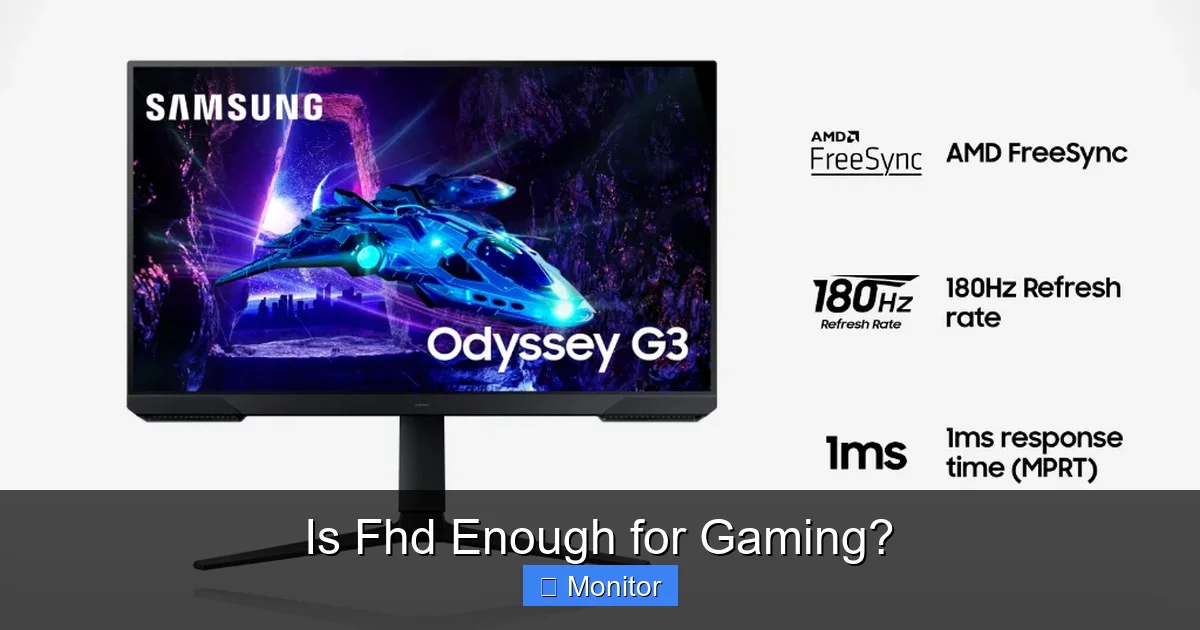
For many gamers, especially those playing fast-paced or competitive titles, a high refresh rate is far more impactful than a higher resolution. A 144Hz or 240Hz monitor at 1080p provides a buttery-smooth visual experience, allowing you to react faster and see enemies sooner. Couple that with a low response time (1ms typically), and you get minimal motion blur and input lag. This combination can give you a significant competitive edge. Is FHD enough for gaming if you prioritize speed? Absolutely, and often preferentially.
Panel Type and Adaptive Sync
Other monitor features like panel type (IPS for color accuracy, VA for contrast, TN for ultimate speed) and adaptive sync technologies (NVIDIA G-Sync or AMD FreeSync) contribute immensely to a quality gaming experience. These features enhance visuals, prevent screen tearing, and smooth out frame delivery, often making a greater noticeable difference than simply moving from 1080p to 1440p on an otherwise identical monitor.
When is FHD the Smartest Choice for You?
So, after all this discussion, when does FHD truly shine as the best choice for gaming?
1. Budget-Conscious Gamers
If you’re building a gaming PC on a budget, or simply don’t want to break the bank, 1080p is your best friend. You can get fantastic performance with a mid-range GPU (like an RTX 4060/4060 Ti or an RX 7600/7700 XT) and enjoy high frame rates on a quality 1080p high-refresh-rate monitor without emptying your wallet.
2. Competitive Esports Players
For those who live and breathe competitive games like CS:GO, Valorant, Overwatch, Apex Legends, or League of Legends, high FPS and low input lag are paramount. A 1080p monitor paired with a powerful GPU ensures you consistently hit 144 FPS, 240 FPS, or even higher, giving you every possible advantage. Many professional players still use 1080p displays for this exact reason. For competitive gaming, the answer to “is FHD enough for gaming?” is a resounding yes.
3. Gamers Prioritizing Frame Rates and Smoothness
Even in single-player games, some players simply prefer a super smooth experience over ultimate visual fidelity. If you’d rather play Cyberpunk 2077 at 100 FPS on high settings at 1080p than 60 FPS on medium settings at 1440p, then 1080p is the clear winner for you.
4. Mid-Range PC Builds
If your PC has a mid-range GPU and CPU, pushing games at 1440p or 4K might mean making too many compromises on graphical settings or settling for lower frame rates. 1080p allows your hardware to stretch its legs and deliver an excellent, consistent experience across a wide range of titles.
5. Smaller Monitor Sizes
For monitors 25 inches or smaller, the visual difference between 1080p and 1440p is minimal at typical viewing distances. You’re effectively paying more for pixels you might not even notice.
Conclusion: FHD Still Stands Strong
In conclusion, the answer to “is FHD enough for gaming?” is a resounding yes for a large segment of the gaming population. While higher resolutions certainly have their appeal, 1080p remains a highly relevant, practical, and often superior choice for many reasons.
It offers an excellent balance of visual quality, outstanding performance, and affordability. For competitive gamers, budget-conscious builders, or anyone prioritizing high frame rates and a smooth, responsive experience, 1080p is not just “enough” – it’s often the ideal choice. The advancements in monitor technology (high refresh rates, adaptive sync) and game rendering techniques (DLSS/FSR) further cement 1080p’s position as a powerful and enjoyable gaming resolution. So, don’t feel pressured to chase the latest pixel counts if your current 1080p setup serves your gaming goals perfectly. Enjoy your games!
Frequently Asked Questions
What is FHD and why is it called 1080p?
FHD stands for Full High Definition, which is a display resolution of 1920 pixels horizontally by 1080 pixels vertically. It’s called 1080p because the “1080” refers to the vertical resolution, and the “p” stands for progressive scan, indicating that all lines of the image are drawn in each frame, rather than interlaced.
Does FHD gaming provide a competitive advantage?
Yes, FHD gaming can provide a significant competitive advantage, especially in esports and fast-paced titles. By rendering fewer pixels, your system can achieve much higher and more consistent frame rates, leading to smoother gameplay and lower input lag, which are crucial for quick reactions and precise movements.
Can my current PC handle FHD gaming or do I need to upgrade?
Most modern PCs, even those with mid-range components from the last few years, are perfectly capable of handling FHD gaming with excellent performance. The need to upgrade depends on your specific hardware and the games you wish to play, but 1080p is generally very forgiving on hardware.
Are there any downsides to choosing FHD for gaming in 2024?
The main downside of choosing FHD in 2024 is that you might miss out on the ultra-sharp visual fidelity and increased desktop workspace offered by higher resolutions like 1440p or 4K, particularly on very large monitors. However, for many, this trade-off is acceptable for the benefits in performance and cost.
What type of monitor is best for FHD gaming?
For FHD gaming, look for a monitor with a high refresh rate (144Hz or higher), a low response time (1ms), and adaptive sync technology (FreeSync or G-Sync). Panel type (IPS for colors, TN for speed, VA for contrast) can be chosen based on your personal preference, as all offer excellent FHD options.
How does FHD compare to 4K gaming in terms of visual quality?
4K gaming offers a much sharper image with significantly more detail due to its higher pixel count (four times that of FHD). While FHD still looks great, especially on smaller monitors, 4K provides a noticeably clearer and more immersive visual experience, particularly in graphically rich single-player games, but demands much more powerful hardware.



