


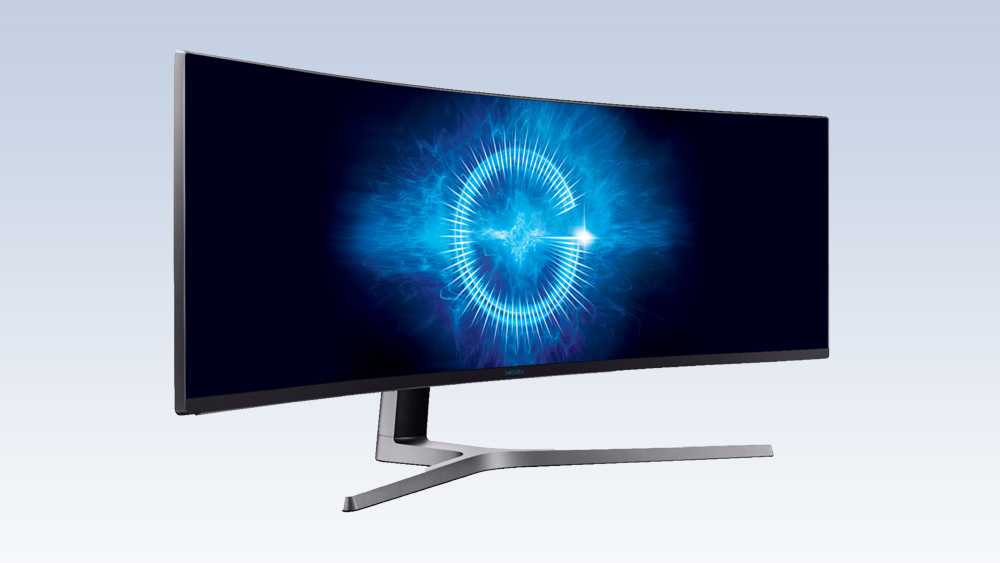
If you’re wondering whether a curved monitor is worth it for gaming, the short answer is yes—it can enhance your experience! Curved monitors provide an immersive gaming environment by wrapping the edges of the display around your peripheral vision, making you feel more engaged in the game. This design can help reduce glare and distortion, leading to better focus on the action. However, it’s important to consider your specific setup and preferences. While many gamers swear by the advantages of a curved screen, others may feel that a flat monitor suits their needs just fine. Let’s dive deeper into the benefits and drawbacks of curved monitors in the gaming world to help you make an informed decision.

Is It Better to Have a Curved Monitor for Gaming?
When it comes to gaming, the type of monitor can significantly impact your experience. Curved monitors have become increasingly popular among gamers for various reasons. But is it really better to have a curved monitor for gaming? Let’s dive deeper into this topic and explore the benefits, drawbacks, and the overall gaming experience offered by curved monitors.
Understanding Curved Monitors
Curved monitors feature a gentle arc that wraps around your field of vision. This design aims to enhance immersion, offering a more engaging gaming experience. The curvature helps to reduce distortion and provides a broader sense of depth.
Some common curvature ratings include:
- 1800R: Gentle curve, suitable for general use and gaming.
- 1500R: Deeper curve, enhancing immersion and gaming experience.
- 1000R: Very pronounced curve, closely matching the shape of the human eye.
Curved monitors can range from slightly curved to very pronounced curves. The degree of curvature often determines how immersive the gaming experience will be.
Benefits of Curved Monitors for Gaming
Curved monitors offer several advantages for gamers. Here are some key benefits:
- Enhanced Immersion: The curvature of the screen surrounds the viewer, helping to immerse them in the game.
- Wider Field of View: Curved displays can create a broader peripheral vision, enabling you to see more of the game world without moving your head.
- Reduced Eye Strain: Curved screens can reduce eye fatigue, particularly during long gaming sessions, as they conform closer to the shape of your eyes.
- Improved Depth Perception: The curvature creates a sense of depth, allowing for better spatial awareness in games.
Comparing Curved vs. Flat Monitors
When deciding between a curved and a flat monitor, several factors come into play. Each has its pros and cons, and the choice often depends on personal preference and gaming style.
Viewing Experience
Curved monitors provide a more enveloping experience. This can be particularly beneficial in first-person shooters and racing games. On the other hand, flat monitors are often better for graphic design or tasks requiring precise color accuracy.
Screen Size and Space
Curved monitors typically come in larger sizes. If you have limited desk space, a flat monitor may be more suitable. Additionally, curved monitors may require more distance from the viewer to avoid distortion.
Price and Variety
Curved monitors can be more expensive than their flat counterparts. While prices have come down, they often still carry a premium. Flat monitors have a larger variety and may offer more budget-friendly options.
Gaming Genres and Curved Monitors
The type of games you play can influence whether a curved monitor is the better option for you.
First-Person Shooters (FPS)
In FPS games, every detail matters. Curved monitors can provide enhanced peripheral vision, allowing players to spot enemies coming from the side more easily.
Racing Games
The immersive experience of racing games is taken to the next level with a curved monitor. The wraparound effect brings the racetrack closer to the viewer and enhances the sense of speed.
Strategy Games
For strategy games, a flat monitor may be better due to the need for precise movements and an overview of the entire playing field. Nonetheless, a curved monitor can still enhance the experience by minimizing distortion when zooming in and out.
Ergonomics and Comfort
Comfort is a crucial aspect when gaming for long hours. Curved monitors can offer better ergonomics, leading to a more comfortable viewing experience.
Reduced Glare
Curved monitors can decrease glare from overhead lighting. This can lead to a more enjoyable gaming experience, reducing interruptions caused by reflections.
Better Eye Alignment
The curvature of the monitor encourages a more natural head and eye position. This can result in less strain during extended gaming sessions.
Technical Considerations
When choosing a curved monitor, it’s essential to consider the technical specifications.
Refresh Rate
A high refresh rate is critical for a smooth gaming experience. Look for monitors with a refresh rate of at least 144Hz for high-paced games.
Response Time
Low response time is crucial for minimizing blurring in fast-moving scenes. Aim for a response time of 1ms to 3ms for top gaming performance.
Resolution
Resolution impacts the clarity of the image. Higher resolution monitors (like 1440p or 4K) will provide better visuals, enhancing your overall gaming experience.
Potential Drawbacks of Curved Monitors
As with any technology, curved monitors come with some potential downsides.
Viewing Angles
Curved monitors may have limited viewing angles. If you plan on gaming with friends, you may find that a flat monitor offers a better experience for multiple viewers.
Cost
Curved monitors can be pricier than flat monitors. If you are on a budget, a flat screen may offer better value for your needs.
Learning Curve
If you’re used to a flat monitor, transitioning to a curved one may take some time. The different viewing experience can require some adjustment.
What to Look for in a Curved Gaming Monitor
If you decide that a curved monitor is the right choice for your gaming needs, keep these factors in mind:
- Curvature: Choose based on how immersive you want the experience.
- Screen Size: Ensure your desk can accommodate the size.
- Resolution: Opt for at least 1080p; higher resolutions are better.
- Refresh Rate: Look for at least 144Hz for smooth gameplay.
- Price: Set a budget and compare options within that range.
In summary, whether a curved monitor is better for gaming largely depends on personal preferences and gaming styles. The immersive experience and comfort provided by curved monitors can be a significant advantage for many gamers. However, players should consider their gaming genres, desk space, and budget when making their choice. Whether you go with curved or flat, the most important factor is to find a monitor that enhances your gaming experience.
Curved vs Flat Gaming Monitor – Which Monitor Should You Choose?
Frequently Asked Questions
How do curved monitors enhance immersion in gaming?
Curved monitors enhance immersion by wrapping the image around your field of vision, making you feel more engaged in the gameplay. The curvature reduces glare and distortion from peripheral angles, allowing for a more cohesive view. This can lead to a more enjoyable and captivating gaming experience, especially in first-person shooters and expansive open-world games.
What are the advantages of the aspect ratio in curved monitors for gaming?
Curved monitors often come with wider aspect ratios, such as 21:9 or 32:9, which provide a broader field of view. This wider perspective helps players spot enemies and objectives more easily during gameplay. Moreover, it enhances the visual experience by allowing for more detailed visuals on the screen, making gaming more visually striking and enjoyable.
Are curved monitors suitable for competitive gaming?
Curved monitors can be suitable for competitive gaming, but it depends on personal preference. Some gamers appreciate the enhanced immersion and peripheral vision that curved monitors offer, while others may prefer flat monitors for their accuracy and consistency. Ultimately, the choice should align with your gaming style and comfort level.
Can a curved monitor affect your sitting posture while gaming?
Curved monitors can positively affect your sitting posture. Their design encourages you to sit closer, naturally aligning your eyes with the center of the screen. This position helps to reduce neck and eye strain during long gaming sessions. However, it’s essential to maintain proper ergonomics by adjusting your chair and monitor height accordingly.
Do curved monitors come with higher refresh rates for gaming?
Many curved monitors do offer higher refresh rates, which are beneficial for a smooth gaming experience. Higher refresh rates reduce motion blur and improve visual fluidity, especially in fast-paced games. When selecting a curved monitor for gaming, look for options that boast refresh rates of 144Hz or higher to maximize performance.
Final Thoughts
Curved monitors offer a more immersive gaming experience by wrapping the display around your field of vision. This design enhances depth perception and creates a sense of presence in the game.
Additionally, curved monitors can reduce eye strain by allowing for a more natural viewing angle. They also tend to have better viewing angles, which can be beneficial during multiplayer sessions.
In conclusion, is it better to have a curved monitor for gaming? If you enjoy a more engaging experience and prioritize comfort, a curved monitor may be the right choice for you.



