


If you’ve backed up your photos to Google Photos, you might be wondering if it’s safe to delete them from your iPhone. The short answer is yes, it can be safe, but you need to ensure that your photos are successfully backed up before hitting that delete button. Google Photos offers a reliable way to store and access your images, but there are a few important steps to take first. Make sure that all your desired photos appear in the Google Photos app and that they are backed up completely. This way, you can access them anytime, anywhere, without worrying about them being lost. Let’s dive deeper into what you need to know before making that decision.

“`html
Is it Safe to Delete Photos from iPhone After Google Photos?
When you upload your photos to Google Photos, you may wonder if it’s safe to delete them from your iPhone. It’s a common concern, especially since storage space on smartphones can fill up quickly.
Understanding how Google Photos works is essential to making this decision. Google Photos provides cloud storage for your images and videos, allowing you to access them from any device. However, before you take the leap and free up space on your iPhone, let’s dive into the details.
How Google Photos Works
Google Photos automatically backs up the photos you take on your iPhone. Here’s what you need to know:
- When you enable backup, your photos are uploaded to your Google account.
- You can access your images from any device with your Google account.
- Google Photos offers options for original quality or storage saver quality.
It’s important to regularly check that your uploads are complete before deleting anything.
Confirming Your Photos Are Backed Up
Before you delete photos from your iPhone, ensure they are safely stored in Google Photos. Follow these steps:
1. **Open Google Photos App**: Launch the app on your iPhone.
2. **Check Upload Status**: Look for the backup icon at the top. A cloud symbol indicates your photos are uploaded.
3. **View Full Backup**: Visit the “Photos” tab to see if all your recent images are present.
If your photos are backed up successfully, you can feel more confident about deleting them from your iPhone.
Storage Management on iPhone
Deleting photos can free up valuable space on your iPhone. Here’s why this is beneficial:
- Improved device performance.
- More room for new apps and photos.
- Less clutter, making it easier to locate important files.
Many iPhone users struggle with limited storage, so managing your photos effectively is crucial.
Understanding Google Photos Settings
Google Photos has various settings that can affect your backup process. Familiarize yourself with these:
- **Backup & Sync**: Ensure this is enabled for automatic uploads.
- **Free Up Space**: This feature identifies photos already backed up and allows you to delete them from your device.
Using the “Free Up Space” feature can streamline the deletion process.
Exploring Photo Deletion Options
When considering deletion, you have different options:
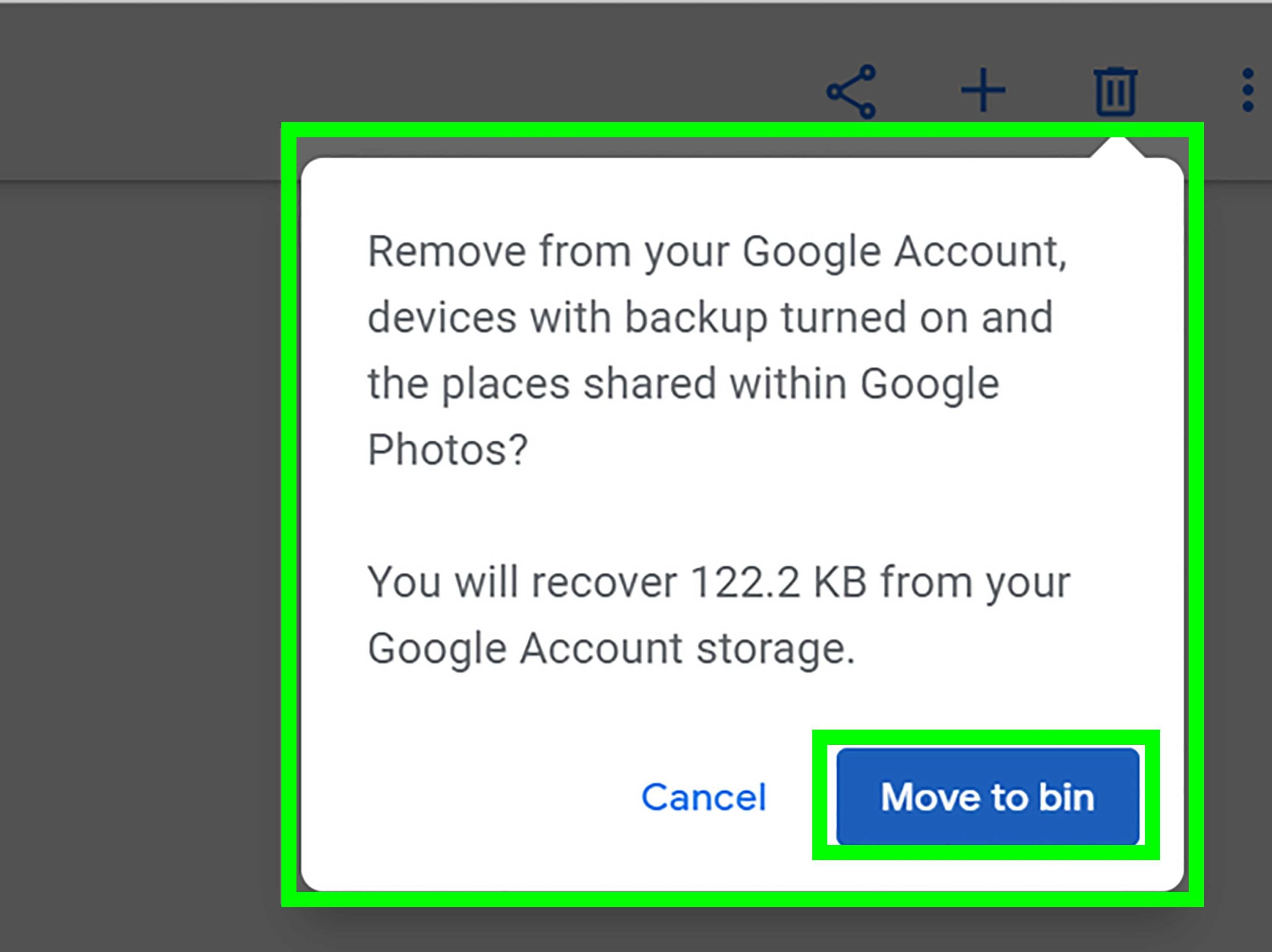
- **Delete from iPhone Only**: You can remove photos from your iPhone while keeping them in Google Photos.
- **Delete from Both**: If you delete from both, remember they will be gone permanently unless you have backups elsewhere.
Always know what you want to achieve before pressing delete.
What Happens When You Delete Photos from iPhone?
Deleting photos from your iPhone does not immediately affect the copies stored in Google Photos. However, if you have not backed them up correctly, they could be lost. Here is how it works:
- If synced properly, deleted photos from your iPhone will remain in Google Photos.
- However, if not backed up, they will be removed from both your iPhone and Google Photos.
Understand that the connection between your devices can impact what remains available.
Using Google Photos Effectively
Google Photos comes with multiple features that enhance storage management. Here are some tips:
- Utilize albums for organization.
- Regularly delete unnecessary images from Google Photos after backup.
- Enable the “Assistant” feature to create shared albums.
Maximizing these features will help you keep your collection orderly.
Common Concerns When Deleting Photos
It’s normal to have concerns when deleting images. Here are common questions:
- **What if my photos don’t upload?**: Check internet connectivity and app permissions.
- **Can I recover deleted photos?**: Photos deleted from Google Photos can be restored within 60 days from the Trash folder.
Being prepared can alleviate the stress associated with deletion.
Best Practices for Photo Management
To maintain a healthy digital library, consider these best practices:
- Regularly back up your photos.
- Sort through and delete unwanted images monthly.
- Use cloud services consistently for peace of mind.
Creating a routine can save you headaches down the line.
Final Thoughts on Safety in Deleting Photos
Deleting photos from your iPhone after backing them up to Google Photos can be safe, provided you’ve confirmed your images are securely stored.
Always ensure your uploads are complete before making any deletions. Pay close attention to the settings within the Google Photos app to understand how everything works.
By managing your photo storage wisely, you can keep your iPhone running smoothly while still preserving your precious memories in the cloud.
In summary, if you take the right precautions, you can confidently delete photos from your iPhone and enjoy the extra space without the fear of losing your cherished pictures.
“`
Can I Delete Photos from iPhone and Keep in Google Photos (explained)
Frequently Asked Questions
What happens to my photos in Google Photos if I delete them from my iPhone?
When you delete photos from your iPhone after uploading them to Google Photos, those images remain safely stored in your Google Photos account. Google Photos automatically backs up your images, so even if you remove them from your device, you can still access them online or through the Google Photos app.
Will deleting photos from my iPhone free up space on the device?
Yes, removing photos from your iPhone will help free up storage space. If you have successfully backed up your photos to Google Photos, deleting them from your device won’t result in any loss of memories while allowing you to regain space for other apps and files.
Is it possible to recover deleted photos from my iPhone after using Google Photos?
If you delete photos from your iPhone, you can’t recover them from your device. However, you can still retrieve them from your Google Photos account as long as they are backed up there. Just log into your Google Photos app or website to access your pictures.
Can I delete photos from my iPhone if I have enabled “Free up space” in Google Photos?
Yes, if you’ve used the “Free up space” option in Google Photos, it removes photos from your iPhone that have already been backed up. This option ensures that your photos remain in Google Photos while you can reclaim storage on your iPhone.
How can I confirm that my photos are backed up before deleting them from my iPhone?
To ensure your photos are backed up, open the Google Photos app and check the status. The app will indicate whether your photos have been successfully backed up. You can also manually verify by browsing your Google Photos library to see if all desired photos are accessible there.
Final Thoughts
Deleting photos from your iPhone after backing them up to Google Photos is generally safe. Google Photos stores a copy of your images in the cloud, ensuring you don’t lose them.
However, always double-check that your uploads are complete and accessible before removing anything from your device.
In conclusion, it is safe to delete photos from iPhone after Google Photos, as long as you confirm their presence in the cloud first. Ensure you have reliable access to your Google Photos library for peace of mind.



