


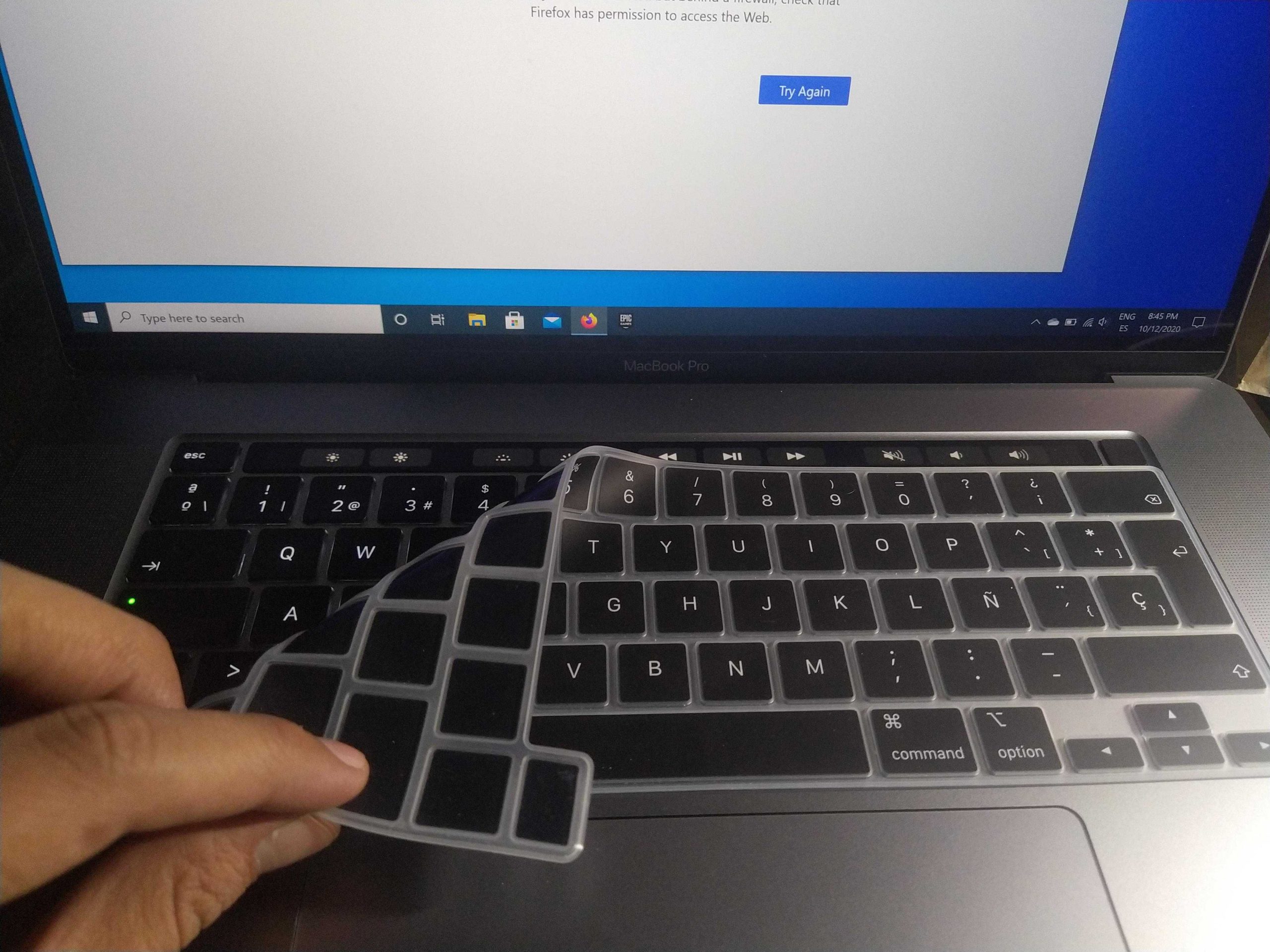
Yes, it is generally safe to put a keyboard cover on your MacBook, but there are a few things to consider. A keyboard cover can help protect against dust, spills, and wear, making it a practical choice for many users. However, it’s essential to choose a high-quality cover that fits snugly and allows for proper airflow. A poorly fitting cover can interfere with typing or cause overheating. If you frequently use your MacBook in environments prone to dirt or liquid exposure, a keyboard cover can be a wise investment. Just be mindful of the material and thickness of the cover to ensure it doesn’t hinder your typing experience or affect your MacBook’s performance.
Many people wonder whether using a keyboard cover on a MacBook is a good idea. While the cover can provide protection against dust and spills, it’s crucial to choose a quality product that fits well. An ill-fitting cover might interfere with typing or restrict ventilation, potentially leading to overheating issues. Additionally, some users may find the texture of certain materials uncomfortable for long typing sessions. Overall, a keyboard cover can be beneficial, but you should take care to select one that won’t compromise your typing experience or your device’s performance.

Is it Safe to Put Keyboard Cover on MacBook?
When thinking about adding a keyboard cover to your MacBook, you might wonder about its safety and effectiveness. Keyboard covers can offer protection against dust, spills, and scratches. However, concerns about potential damage to the keyboard and screen, as well as the overall usability of your MacBook, are valid. Let’s dive into the various aspects of using a keyboard cover on your MacBook.
What is a Keyboard Cover?
A keyboard cover is a thin layer of silicone or plastic that fits over the keyboard of your laptop. It serves several purposes, including:
- Protection against spills and crumbs
- Dust prevention
- Customizing the look of your keyboard
They come in various colors and designs, allowing users to personalize their devices while providing a layer of protection.
Benefits of Using a Keyboard Cover
Using a keyboard cover comes with several advantages. Here are the primary benefits of having one on your MacBook:
- Easy Cleaning: A keyboard cover is washable and can easily be cleaned, keeping your keyboard fresh.
- Added Protection: It can shield your keyboard from unwanted spills or particles that could get lodged between keys.
- Typing Comfort: Some users find that keyboard covers can offer a softer touch and enhance typing comfort.
These factors can significantly contribute to maintaining the overall condition of your MacBook.
Potential Risks of Using a Keyboard Cover
While there are benefits, it’s essential to be aware of the potential risks as well. Here are some issues that could arise from using a keyboard cover:
- Heat Dissipation: MacBooks are designed for optimal airflow. A cover could trap heat, affecting performance.
- Typing Experience: Some users find that keyboard covers can affect the feel of typing and may lead to more mistakes.
- Sticky Residue: Over time, some covers can leave a sticky residue on the keyboard, which can be hard to clean.
It’s crucial to weigh these risks against the benefits before making a decision.
Compatibility with MacBook Models
Not every keyboard cover is made the same, and compatibility varies by MacBook model. Here’s a quick breakdown of what you should consider:
- MacBook Air: Ensure the cover fits the specific year of your model, as key sizes and layouts can change.
- MacBook Pro: Check for compatibility with both the 13-inch and 15-inch models, especially with newer versions.
- Older Models: Vintage MacBook models may require different covers that cater to their unique layouts.
Always verify compatibility before purchasing a keyboard cover.
How to Choose the Right Keyboard Cover
Selecting the right keyboard cover for your MacBook involves considering several factors. Here are tips to help you choose:
- Material: Look for silicone covers; they are flexible and offer good protection.
- Fit: Ensure that the cover is specifically designed for your MacBook model.
- Design: Choose a design that appeals to you while remaining functional.
Taking your time to choose wisely will pay off in the long run.
Cleaning and Maintenance of a Keyboard Cover
To ensure longevity and hygiene, regular cleaning of your keyboard cover is necessary. Here’s how to do it:
- Hand Wash: Use warm water and mild soap to gently scrub the cover.
- Machine Wash: Some covers are machine washable; however, check the manufacturer’s instructions first.
- Air Dry: Always allow the cover to air dry completely before putting it back on your MacBook.
Regular cleaning will keep both your keys and the cover in good condition.
Impact on Warranty
Another concern when considering a keyboard cover is its impact on your MacBook’s warranty. Here’s what you need to know:
– Adding an accessory like a keyboard cover generally will not void your warranty.
– However, any damage caused by the cover may not be covered.
Always read the warranty information from Apple to understand the implications.
User Experiences and Reviews
Hearing from fellow MacBook users can provide valuable insight into the effectiveness and functionality of keyboard covers.
Many users report:
- Protective Benefits: Users appreciate the added protection from spills and crumbs.
- Typing Feel: Some have noticed a difference in typing feel, which can take time to get used to.
- Fashion Statement: Many enjoy the customizable designs that allow them to personalize their devices.
Customer reviews can help you weigh the pros and cons effectively.
Alternatives to Keyboard Covers
If you’re hesitant about using a keyboard cover, there are alternative methods to protect your MacBook:
- Keyboard Skins: These are similar but are often more fitted and designed for better airflow.
- Cleansing Practices: Regularly cleaning your keyboard can prevent dirt buildup and prolong its lifespan.
- Reusable Keyboard Protector: Such products offer washable options without the clinginess of silicone covers.
Consider exploring these alternatives if a keyboard cover doesn’t seem suitable.
Final Thoughts on Using a Keyboard Cover
Ultimately, whether using a keyboard cover on your MacBook is safe can depend on your personal preferences and routine. If you frequently eat or drink near your laptop, a cover may be beneficial. However, if you tend to type fast and value feel, you might want to skip it.
Assess your usage patterns, consider the pros and cons, and make an informed choice. Your MacBook is an investment, so protecting it while maintaining usability is key.
Do NOT Buy These MacBook Accessories! (Case, Screen Protector, Webcam Cover, Keyboard Cover)
Frequently Asked Questions
“`html
How does a keyboard cover affect the typing experience on a MacBook?
A keyboard cover can slightly alter the feel of typing on a MacBook. The added layer may create a softer touch, which some users appreciate for the added comfort. However, others may find it reduces the tactile feedback that comes from the native keyboard. Trying it out can help determine if you enjoy the change in feel.
Does a keyboard cover protect against spills and dust?
Yes, a keyboard cover provides a protective barrier against spills and dust. It can help prevent crumbs and liquids from seeping into the keyboard, potentially causing damage. While it’s not completely waterproof, it does offer some level of protection, which can be beneficial for maintaining the overall cleanliness of your MacBook.
Will using a keyboard cover cause heat buildup in the MacBook?
Using a keyboard cover may contribute to heat buildup over time. The cover can restrict airflow, which could lead to higher temperatures during intensive tasks. It’s important to monitor the device’s temperature and consider removing the cover during heavy usage to ensure proper ventilation.
Can a keyboard cover interfere with the functionality of the keyboard keys?
A keyboard cover can occasionally interfere with the functionality of certain keys, especially if it’s not fitted properly. This misalignment may cause key presses to feel less responsive or create sticking issues. Choosing a well-designed cover specific to your MacBook model can minimize such problems.
Is it difficult to clean a MacBook with a keyboard cover on?
Cleaning a MacBook with a keyboard cover is generally easier than without one. You can simply remove the cover and wash it separately, keeping the keyboard itself cleaner. However, dust and debris may still accumulate beneath the cover, so occasional cleaning of both the cover and the keyboard is advisable.
“`
Final Thoughts
Using a keyboard cover on your MacBook may provide protection from dust and spills, but it can also lead to issues like overheating and typing discomfort. Many users report that covers can affect the typing experience and the laptop’s ventilation.
Ultimately, the question of “is it safe to put keyboard cover on macbook” depends on your priorities. If you value protection over potential performance drawbacks, a keyboard cover might be a good option for you. Make an informed decision based on your needs and usage habits.



