


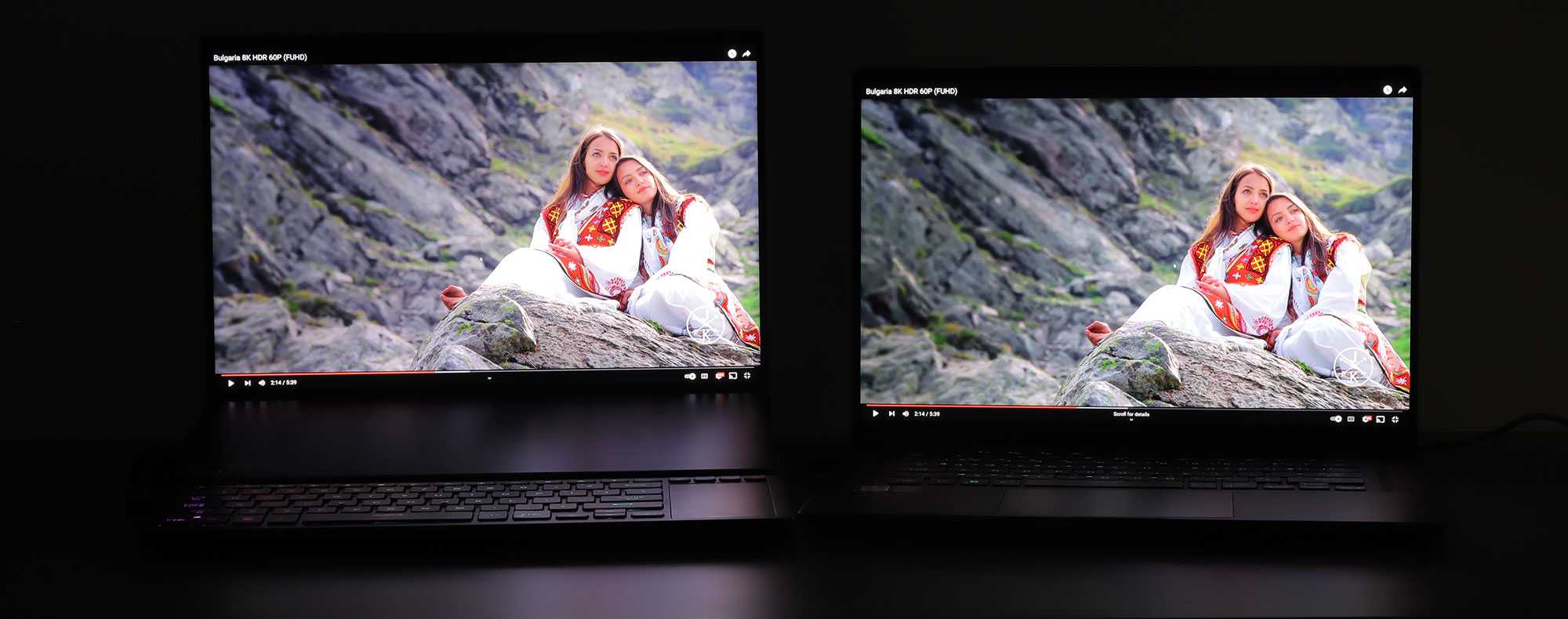
Mini LED displays generally outperform OLEDs for HDR editing thanks to their superior brightness and more precise local dimming, making them ideal for professional color grading and detailed visual work. While OLEDs excel in deep blacks and contrast, Mini LED screens provide brighter highlights and more uniform lighting, crucial for accurate HDR content creation.
If you’re wondering whether Mini LED is better than OLED for HDR editing, the answer depends on what you prioritize—brightness and detail or contrast and black levels. Overall, Mini LED displays tend to offer a more balanced experience for HDR workflows, especially when working in well-lit environments, but OLEDs still hold their ground with exceptional contrast. Choosing between them hinges on your specific editing needs and workspace conditions.
Jumping straight into HDR editing, professionals need a display capable of delivering accurate colors, deep contrast, and high brightness. HDR content demands a screen that can handle extreme highlights without losing detail, and that’s where Mini LED technology shines. It offers better brightness control, reducing halo effects common in older backlit LCDs. Meanwhile, OLEDs provide perfect blacks and contrast, but can struggle with peak brightness and burn-in issues, which can be problematic during long editing sessions. Ultimately, understanding these differences helps creators decide which display type will best enhance their HDR workflows.

Is Mini LED Better Than OLED for HDR Editing?
Understanding the Basics: What Are Mini LED and OLED?
Mini LED and OLED are two cutting-edge display technologies that each have unique features. Mini LED uses tiny LEDs as a backlight, providing precise control of brightness levels across the screen. OLED, or Organic Light Emitting Diodes, produces light independently in each pixel, allowing for perfect blacks and high contrast.
Brightness Levels and Their Impact on HDR Editing
Achieving high brightness is essential for accurate HDR editing. Mini LED screens can reach peak brightness levels that are often higher than OLEDs. This makes Mini LED displays suitable for editing HDR content that requires vibrant highlights and detailed shadows.
Peak Brightness Comparison
- Mini LED: Often capable of reaching 1500 to 2000 nits, making bright highlights appear more vivid.
- OLED: Typically max out around 800 to 1000 nits, but can sometimes go higher for short bursts.
HDR Experience
Mini LED’s higher brightness levels contribute to more dramatic HDR effects, especially in scenes with bright sunlight or reflections. OLEDs excel in displaying deep blacks, creating a contrast that enhances HDR videos but might fall short in very bright settings.
Contrast and Black Levels: Which Is Better for HDR?
Contrast is key for HDR editing, as it determines the depth and richness of the image. OLEDs have an advantage here because each pixel emits its own light, allowing for true black levels.
Black Level Performance
- Mini LED: Black levels are excellent but may show some light bleed in dark scenes due to backlight design.
- OLED: Capable of perfect black levels, making dark scenes look more natural and detailed.
Contrast Ratios
While Mini LED displays provide high contrast ratios, OLEDs often surpass them because of their ability to turn off individual pixels completely. This distinction is crucial when fine-tuning dark areas in HDR editing.
Color Accuracy and Gamut Coverage
Color fidelity is vital for HDR content creation. Both Mini LED and OLED screens can deliver wide color gamuts, but there are differences worth noting.
Color Volume and Range
- Mini LED: Usually supports wide color gamuts like DCI-P3 and Rec. 2020 with high color volume.
- OLED: Also supports extensive color gamuts, often with excellent color consistency and saturation.
Color Stability and Consistency
OLED screens maintain vibrant, consistent colors across different viewing angles, which benefits editors working on multi-view setups. Mini LED displays might experience slight color shifts at extreme angles.
Response Time and Motion Clarity
For smooth editing experience, fast response times are a plus. OLED screens generally have quicker response times, reducing motion blur.
Response Time Comparison
- Mini LED: Response times are good but can occasionally result in some motion blur during fast movements.
- OLED: Very fast response times lead to clearer motion, ideal for dynamic editing scenes or fast-paced content.
Viewing Angles and Screen Uniformity
Colors and brightness consistency across the screen are important. OLED screens maintain perfect uniformity at varying angles.
Viewing Angles
- Mini LED: Good but may experience slight color shifting and brightness reduction at extreme angles.
- OLED: Maintains consistent picture quality across wide angles, making it suitable for collaborative editing.
Screen Uniformity
Mini LED displays might exhibit slight backlight clouding or blooming in dark scenes. OLED screens generally provide even brightness and uniform blacks.
Durability and Burn-In Risks
A common concern with OLED technology is burn-in, where static images leave lasting marks. Mini LED displays are less susceptible to this issue.
Longevity and Maintenance
- Mini LED: Generally more durable over the long term, with minimal risk of burn-in.
- OLED: While advances have reduced burn-in risks, static logos or HUD elements may cause image retention over time.
Price and Value for HDR Editing
Cost considerations influence many editors’ choices. Mini LED displays tend to be more affordable at higher sizes, offering better value for professional HDR work.
Cost Comparison
- Mini LED: Usually priced lower for comparable sizes, offering high brightness and contrast at a better cost.
- OLED: Typically more expensive but with superior black levels and color accuracy.
Cost-Performance Balance
Mini LED provides a strong balance for HDR editing, especially when high brightness is needed. OLEDs excel in detailed contrast and color fidelity but at a higher price point.
Which is Better for HDR Editing? Final Thoughts
If your priority is achieving the brightest highlights and dealing with well-lit environments, Mini LED offers notable advantages. It provides high peak brightness, lower risk of burn-in, and more affordable options.
However, if you need perfect blacks, superior contrast, and consistent color stability, OLED might be the better choice. It excels in delivering rich, natural-looking images vital for precise HDR grading.
Ultimately, your choice depends on your specific editing needs, workspace environment, and budget. Both technologies are capable of producing professional-grade HDR content, but understanding their strengths helps you select the best fit.
Additional Factors to Consider: Connectivity and Size Options
Apart from display technology, consider resolution, connectivity options, and available sizes. Ensure the monitor supports the color standards and calibration tools necessary for HDR editing.
Connectivity
Look for Thunderbolt, HDMI 2.1, or DisplayPort support to handle high-bandwidth signals necessary for HDR workflows.
Size and Resolution
Larger screens at 27 inches or more with 4K or 6K resolution provide more workspace and detail. Consider your editing environment and whether a multi-monitor setup benefits your workflow.
Summary Table: Mini LED vs OLED for HDR Editing
| Feature | Mini LED | OLED |
|---|---|---|
| Peak Brightness | Higher (1500-2000 nits) | Lower (around 800-1000 nits) |
| Black Levels | Excellent, but slight light bleed possible | Perfect black levels |
| Contrast Ratio | High, but slightly less than OLED | Outstanding |
| Color Accuracy | Wide gamut, high color volume | Excellent, consistent at angles |
| Response Time | Good, slight motion blur possible | Fast, minimal blur |
| Durability | High, low burn-in risk | Moderate, potential burn-in |
| Price | Generally more affordable | Typically more expensive |
Both Mini LED and OLED have their benefits, but for HDR editing, the right choice depends on your workflow priorities. If brightness and affordability are your main concerns, Mini LED is a practical option. If perfect contrast and color fidelity are crucial, OLED stands out as the superior technology.
Is OLED Really Better Than Mini LED?
Frequently Asked Questions
How does local dimming in Mini LED displays affect HDR quality compared to OLED screens?
Mini LED displays utilize thousands of tiny LEDs to control brightness in specific screen areas through local dimming, which enhances contrast and prevents light bleed. This results in deeper blacks and brighter highlights, improving HDR performance. OLED screens, on the other hand, emit light on a pixel-by-pixel basis, allowing for perfect black levels. Depending on the implementation, Mini LED’s local dimming can sometimes be more effective in maintaining brightness in large, bright scenes, but OLED generally offers superior black levels and better contrast in darker scenes.
What are the advantages of Mini LED over OLED when it comes to screen longevity and burn-in risks for HDR editing?
Mini LED displays tend to have a longer lifespan and are less susceptible to burn-in issues compared to OLED screens. OLED panels can develop permanent image retention when static HDR content remains displayed for extended periods, which can be problematic during editing work that involves static elements. Mini LED panels, with their backlit technology, avoid this issue entirely, making them more suitable for prolonged HDR editing tasks where static images may appear on the screen for extended durations.
In terms of color accuracy and uniformity, how do Mini LED displays compare to OLED for HDR content editing?
Both Mini LED and OLED screens offer high color accuracy, but OLED panels excel in delivering uniform brightness and color consistency across the entire display. The self-emissive nature of OLED means each pixel can be individually calibrated, resulting in minimal color shift or uniformity issues. Mini LED displays, although capable of excellent color reproduction, may experience slight variations in brightness or color uniformity due to the backlighting grid, especially at the edges. For critical HDR editing, OLED’s uniformity benefits can be advantageous, but high-quality Mini LED models are continually narrowing this gap.
Considering responsiveness and refresh rates, which display technology is better suited for HDR editing workflows?
Mini LED displays typically provide faster response times and higher refresh rates, making them well-suited for workflows that involve dynamic HDR content editing, especially in video editing scenarios. OLED screens also offer fast response times but may sometimes be limited by the display’s refresh rate capabilities. If your HDR editing involves real-time playback and precise adjustments for fast-moving scenes, a Mini LED monitor with a higher refresh rate can provide smoother visuals and more accurate editing capabilities.
Which technology offers a better viewing experience for HDR content in brightly lit environments?
Mini LED displays generally perform better in brightly lit settings due to their higher peak brightness levels, which help counteract ambient light and preserve HDR details. OLED screens, while capable of deep blacks, may struggle to maintain their contrast and brightness in well-lit rooms because of their lower maximum brightness. Therefore, for editing HDR content in bright environments, Mini LED monitors provide a clearer and more vivid viewing experience, ensuring that all HDR details remain visible and accurate.
Final Thoughts
Mini LED offers better local dimming control and higher brightness levels, making it ideal for HDR editing. OLED provides perfect blacks and wider viewing angles but may struggle with brightness. For tasks demanding precise contrast and luminance, mini LED tends to outperform OLED. Ultimately, is mini led better than oled for hdr editing? Yes, especially when high brightness and detailed shadows are priorities.



