


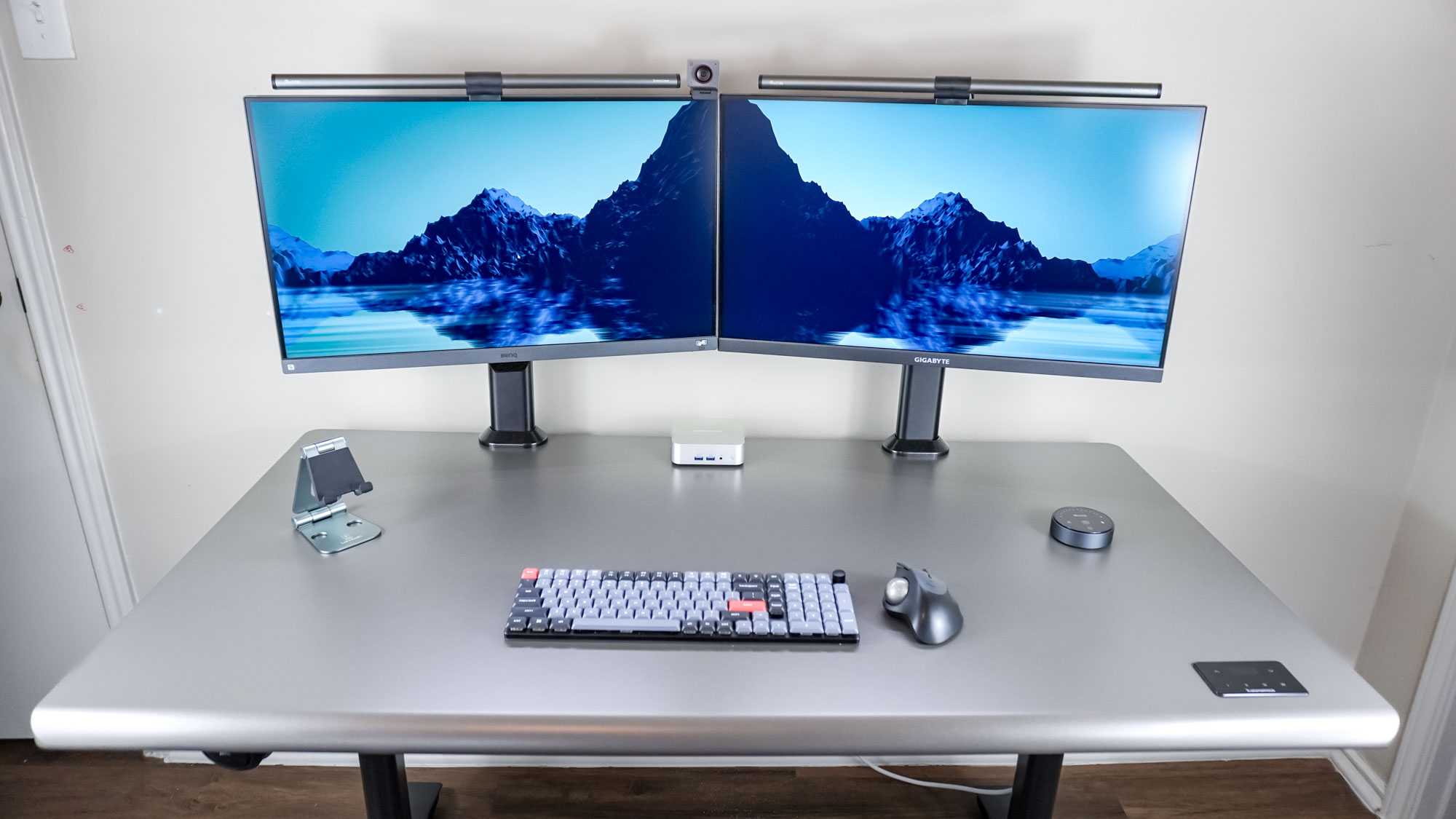
Yes, Mini LED displays can be excellent for a dual monitor setup, offering vibrant colors, deep blacks, and excellent contrast. They provide high-quality visuals that can significantly boost productivity and gaming experiences when used on multiple screens simultaneously. However, their effectiveness depends on your specific needs and budget.
Mini LED technology is truly a game-changer for those looking to use two monitors together. It delivers enhanced picture quality with better brightness and contrast compared to traditional screens, making multitasking more enjoyable and efficient. Whether you’re a professional needing precise visuals or a gamer craving immersive gameplay, Mini LED monitors can elevate your dual setup to a new level. But before making a purchase, it’s important to consider factors like size, cost, and compatibility to ensure they fit seamlessly into your workspace or gaming station.

Is Mini LED Good for Dual Monitor Setup?
Understanding Mini LED Technology
Mini LED technology uses tiny light-emitting diodes to backlight displays. These diodes are significantly smaller than traditional LEDs, usually less than 0.2 millimeters in size. Because of their small size, they allow for more precise control over brightness and contrast levels. This results in a display with deeper blacks, brighter highlights, and a more dynamic image overall.
Mini LED screens tend to be more expensive than standard LED displays but offer notable advantages. They can produce a more uniform picture without blooming effects that sometimes occur with larger backlights. This technology is often found in high-end monitors and TVs aimed at gamers, content creators, and professionals.
Benefits of Using Mini LED Monitors for Dual Setup
Choosing Mini LED monitors for a dual setup offers several benefits. First, the enhanced contrast and brightness make images appear more vivid and detailed. This is especially useful for activities like photo editing, video production, and gaming.
Another key benefit is better color accuracy. Mini LED displays typically have higher color volume and wider color gamuts, leading to more vibrant and true-to-life images. Additionally, they often feature advanced local dimming zones, which improve black levels and minimize light bleed. This results in a more immersive viewing experience on each monitor.
Color Accuracy and Brightness Consistency
Color accuracy is vital when using dual monitors for professional work. Mini LED screens excel here because they can control light more precisely across different parts of the screen.
This means each monitor maintains consistent brightness and color performance, reducing the chance of mismatch in color tone or luminance. For users working with detailed visuals or color-sensitive applications, this consistency is a significant advantage.
Contrast and Black Level Performance
Mini LED technology offers exceptional contrast ratios by controlling backlight zones with high precision. This results in true blacks, making images pop and detail stand out.
In dual monitor setups, this level of contrast can enhance the overall visual experience, especially when viewing dark scenes or playing games with shadow-heavy visuals. It creates a more immersive and detailed picture, even in low-light environments.
Uniformity and Light Bleed Control
One of the main strengths of Mini LED displays is their ability to deliver uniform brightness across the entire screen. Traditional monitors sometimes show uneven lighting, especially at the edges, but Mini LED screens minimize this problem.
This uniformity is crucial in a dual setup, where discrepancies between screens can distract or hinder productivity. With Mini LED, both monitors display consistent images, making tasks like editing and multi-tasking smoother.
Response Time and Refresh Rate for Multitasking
Mini LED monitors often feature fast response times and high refresh rates, making them ideal for gaming and fast-paced applications. For dual monitor setups, these features translate into smoother motion and less blur.
A higher refresh rate, such as 120Hz or above, benefits users engaging in activities like gaming or video editing by reducing motion artifacts. Quick response times ensure that the display keeps up with rapid input, enhancing overall responsiveness.
Connectivity and Compatibility
Most Mini LED monitors include multiple input options like HDMI, DisplayPort, and USB-C. This variety ensures compatibility with modern computers and laptops.
In a dual monitor setup, having versatile connectivity options simplifies cable management and reduces clutter. Check the specific monitor model to confirm it supports the necessary outputs to match your devices.
Power Consumption and Energy Efficiency
While Mini LED displays are more power-efficient than older LCDs with CCFL backlights, they may consume more power than standard LED monitors due to their advanced backlighting.
However, the energy consumption is still reasonable and balanced against their superior performance. For users concerned about electricity bills, it’s worth comparing models with energy-saving features and certifications.
Durability and Lifespan
Mini LED technology tends to have a longer lifespan compared to traditional LCD displays because it is less prone to backlight failures.
Furthermore, Mini LED displays are less susceptible to issues like screen flickering or image retention, making them a reliable choice for a dual setup used over many years.
Price Considerations and Budgeting
Mini LED monitors are generally priced higher than regular LED displays, making budget a key factor. However, the enhanced visual performance can justify the investment for users needing high-quality visuals.
To balance cost and benefits, consider models that offer a good mix of features like high refresh rates, excellent contrast, and sufficient connectivity options without overspending on unnecessary extras.
Potential Drawbacks of Mini LED Monitors for Dual Setups
Despite many advantages, there are some considerations to keep in mind. Mini LED monitors tend to be heavier and thicker than simpler LCDs due to their complex backlighting systems.
They may also require more sophisticated calibration to achieve optimal performance, which might be overwhelming for casual users. Moreover, the price premium remains a barrier for some users who need multiple monitors on a tight budget.
Comparing Mini LED with Other Display Technologies
To determine if Mini LED is right for your dual setup, compare it against other display types:
| Feature | Mini LED | Standard LED | OLED |
|---|---|---|---|
| Contrast Ratio | Excellent (deep blacks) | Moderate | Superior (perfect blacks) |
| Brightness | High brightness levels | Lower than Mini LED | High but limited by burn-in risk |
| Color Accuracy | High | Good | Exceptional |
| Price | Higher | Affordable | Premium |
| Power Consumption | Moderate | Lower | Higher (depends on usage) |
This comparison helps highlight the strengths and limitations of Mini LED technology relative to alternatives.
Best Practices for Setting Up Dual Mini LED Monitors
When setting up two Mini LED monitors, ensure proper positioning to reduce eye strain and maximize comfort. Maintain an eye level with the top of the screens and keep a slight distance for optimal viewing.
Use matching models whenever possible to minimize differences in color and brightness. Adjust monitor settings such as brightness, contrast, and color profiles for a seamless visual experience across both screens.
Mini LED technology offers significant advantages for dual monitor setups, including superior contrast, brightness, color fidelity, and uniformity. Its capacity to deliver high-quality images makes it especially attractive for professionals and gamers who demand excellent visual performance.
While the initial cost may be higher, the benefits in image quality and longevity can make Mini LED a wise choice for those who want a consistent and immersive experience across multiple screens. Our recommendation is to evaluate your needs, budget, and the specific features of Mini LED monitors to decide if they are the right fit for your dual setup.
Buying a 2nd Monitor for Your PC Gaming Setup
Frequently Asked Questions
Does Mini LED technology provide consistent brightness across a dual monitor setup?
Mini LED displays offer improved brightness uniformity compared to traditional LED screens. This consistency ensures that both monitors in your setup display images with even lighting, reducing areas of bright or dark spots. As a result, your overall viewing experience remains comfortable and visually appealing across multiple screens.
Can Mini LED screens handle color accuracy effectively in a dual monitor configuration?
Mini LED technology supports high color accuracy thanks to its precise local dimming capabilities. When used in dual monitors, this allows each display to reproduce colors vividly and accurately. This is especially beneficial for tasks like photo editing, graphic design, or any work where precise color representation matters.
Is there a difference in response time or refresh rates that affects dual monitor gaming or fast-paced workflows?
Mini LED monitors generally provide quick response times and high refresh rates, making them suitable for gaming and fast-paced activities. When setting up dual monitors, both screens can deliver smooth motion and minimal lag, ensuring that your gaming experience remains seamless and that workflows involving rapid visuals are not compromised.
How does Mini LED technology impact the viewing angles when using two monitors side by side?
Mini LED displays maintain excellent viewing angles, with minimal color shift or contrast loss when viewing from different positions. This quality ensures that both monitors in your setup offer consistent image quality, regardless of where you sit, making extended use more comfortable and reducing strain on your eyes.
Is energy efficiency a concern when using Mini LED monitors in a dual setup?
Mini LED monitors are designed to be energy-efficient, using less power compared to comparable traditional LCDs while providing high brightness levels. When deploying two Mini LED screens, you benefit from reduced overall energy consumption, which can help lower your electricity costs without sacrificing display quality.
Final Thoughts
Mini LED displays offer excellent contrast and vibrant colors, making them ideal for multitasking and productivity. Their impressive brightness and deep blacks enhance the viewing experience across dual monitors.
For a dual monitor setup, mini LED monitors provide consistent image quality and minimize glare, ensuring comfort during long work sessions.
In conclusion, is mini LED good for dual monitor setup? Yes, it delivers superior visuals and performance, making it a practical choice for users seeking high-quality, multi-screen displays.



