


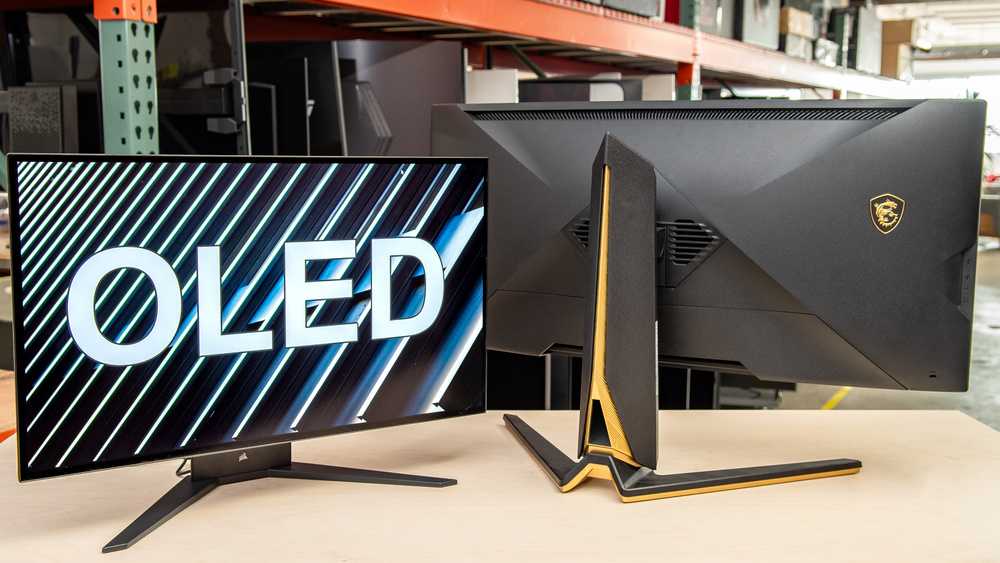
Yes, OLED monitors are excellent for gaming thanks to their stunning image quality, deep blacks, and fast refresh rates. They deliver vibrant visuals and smooth gameplay, making them a popular choice among gamers who want an immersive experience. However, potential issues like burn-in and higher costs should also be considered.
OLED monitors are highly regarded for gaming because they offer unparalleled color accuracy, incredible contrast ratios, and near-instant response times. These features create a more immersive and visually striking gaming experience. While they boast many advantages, players need to be mindful of possible drawbacks like burn-in and premium prices. Overall, if you prioritize stunning visuals and fast performance, an OLED monitor can be a great investment for your gaming setup.
Diving straight into whether OLED monitors are suitable for gaming, the answer hinges on what you value most in your gaming experience. If you crave rich, vibrant graphics paired with smooth, responsive gameplay, OLED screens could be a game-changer. But before jumping in, it’s important to understand their benefits and potential pitfalls to see if they’re the right fit for your gaming needs.

Is OLED Monitor Good for Gaming?
Understanding OLED Technology
OLED stands for Organic Light Emitting Diode. Unlike traditional LCD screens, each pixel in an OLED monitor produces its own light. This allows for deeper blacks and more vibrant colors, which are highly desirable for gaming visuals. The organic compounds in OLEDs emit light when an electric current passes through them, giving OLED screens their distinctive brightness and contrast capabilities.
Advantages of OLED Monitors for Gaming
- Exceptional Contrast Ratio: OLED monitors can display true blacks because pixels can turn off completely. This enhances the depth of dark scenes in games and makes the overall picture more immersive.
- Vivid and Accurate Colors: The color reproduction in OLED screens is superior, offering gamers more lifelike images, which improves visual quality and realism in gaming environments.
- Fast Response Time: OLED displays generally have response times as low as 1 millisecond, reducing motion blur and providing sharper images during fast-paced gaming.
- Wide Viewing Angles: OLED screens maintain color accuracy and contrast even when viewed from sharp angles, ensuring a consistent gaming experience regardless of your position.
Potential Drawbacks of OLED Monitors for Gaming
Burn-In Risks
One of the most common concerns with OLED monitors is burn-in, where static images left on the screen for long periods can leave a ghostly imprint. This issue can be problematic with certain games that display HUDs or static UI elements constantly.
Cost Considerations
OLED monitors tend to be more expensive than their LCD or LED counterparts. The high price can be a barrier for budget-conscious gamers looking for high-quality displays.
Brightness Limitations
While OLED screens excel in contrast, they may not reach the brightness levels of some high-end LCD monitors, especially those with mini-LED technology. This can affect visibility in very bright environments or outdoor setups.
How OLED Monitors Impact Gaming Performance
Frame Rates and Refresh Rates
Many OLED monitors support high refresh rates, often up to 120Hz or 144Hz, and even higher. This means smoother gameplay and reduced motion blur, especially important for fast-paced genres like first-person shooters or racing games.
Input Lag
Response time correlates directly with input lag—the delay between controller input and on-screen action. OLED monitors usually have low input lag, making them suitable for competitive gaming where every millisecond counts.
Choosing the Right OLED Monitor for Gaming
Size and Resolution
- Size: Common sizes range from 27 inches to 32 inches for desktop gaming, providing immersive visuals without overwhelming your desk space.
- Resolution: 4K resolution delivers sharp, detailed images, although some gamers prefer 1440p for higher frame rates and lower hardware demands.
Refresh Rate and Response Time
- High Refresh Rate: Look for monitors with at least 120Hz for smooth gameplay.
- Low Response Time: Aim for 1ms or 2ms response times to minimize motion blur and ghosting.
Additional Features to Consider
- Variable Refresh Rate (VRR): Technologies like G-SYNC or FreeSync help eliminate screen tearing and stuttering.
- HDR Support: High Dynamic Range enhances contrast and color accuracy, making games look more vivid.
- Connectivity: Multiple HDMI and DisplayPort options, along with USB hubs, improve overall usability.
Comparing OLED with Other Gaming Displays
| Feature | OLED Monitor | LCD/LED Monitor |
|---|---|---|
| Contrast Ratio | Excellent (true blacks) | Good but limited by backlight |
| Color Accuracy | Superior, more vibrant | Good, but less vivid |
| Response Time | Very fast (1ms) | Moderate (4-8ms) |
| Price | Higher | More affordable |
| Burn-In Risk | Possible | Minimal |
Managing Burn-In Risks While Gaming on OLEDs
To prevent burn-in, avoid leaving static images on your screen for long periods. Use screen savers and enable pixel-shifting features if available. Additionally, vary your game content and UI layouts regularly to reduce static image exposure.
Overall, OLED monitors bring many benefits to gamers, including superior picture quality, fast response times, and wide viewing angles. For those willing to invest in a high-quality display and take precautions against burn-in, OLED offers a compelling option. While they may have some downsides like cost and potential burn-in, the visual experience they provide can make gaming more immersive and enjoyable.
Are OLED Monitors ACTUALLY Worth It?
Frequently Asked Questions
How does the color accuracy of OLED monitors benefit gamers?
OLED monitors typically offer superior color accuracy, which means gamers experience more vibrant and precise visuals. This enhances immersion and helps in distinguishing subtle details in games, especially in genres like RPGs and shooters that rely heavily on color cues. Accurate colors also contribute to better overall visual quality, making gameplay more engaging and realistic.
Are there any specific gaming features that OLED monitors excel at?
Yes, OLED monitors usually feature high contrast ratios and deep blacks, which improve visual clarity in dark scenes. Many also support high refresh rates and fast response times, reducing motion blur and ghosting effects. These qualities make OLED monitors particularly suitable for fast-paced and visually demanding games, offering smooth and sharp gameplay experiences.
What potential drawbacks should gamers consider with OLED monitors?
While OLED monitors provide excellent visuals, they can be susceptible to burn-in if static images stay on the screen for too long. Additionally, they tend to be more expensive than other display types. Gamers should be mindful of these factors and adopt usage habits that minimize burn-in risk to enjoy their monitor’s benefits fully.
How do OLED monitors perform in terms of response time and input lag?
OLED technology typically delivers very quick response times, often faster than traditional LCDs, which reduces motion blur during fast action. This quick response, combined with low input lag, ensures that gameplay feels responsive and precise, giving gamers a competitive edge in fast-reaction scenarios.
Can OLED monitors handle HDR gaming effectively?
Yes, OLED monitors excel at HDR gaming due to their ability to produce high contrast ratios and deep blacks. This results in more dynamic and vivid visuals, making HDR content look more lifelike and immersive. Gamers who enjoy visually stunning scenes will appreciate the richness that OLED displays bring to HDR games.
Final Thoughts
OLED monitors deliver vibrant colors and deep blacks, making visuals stunning for gaming. Their fast response times reduce motion blur, providing smooth gameplay experiences.
However, they may suffer from image retention or burn-in over time, which could be a concern for prolonged gaming sessions.
In conclusion, is oled monitor good for gaming? It offers exceptional image quality and speed, making it an excellent choice for gamers who prioritize visuals.



