


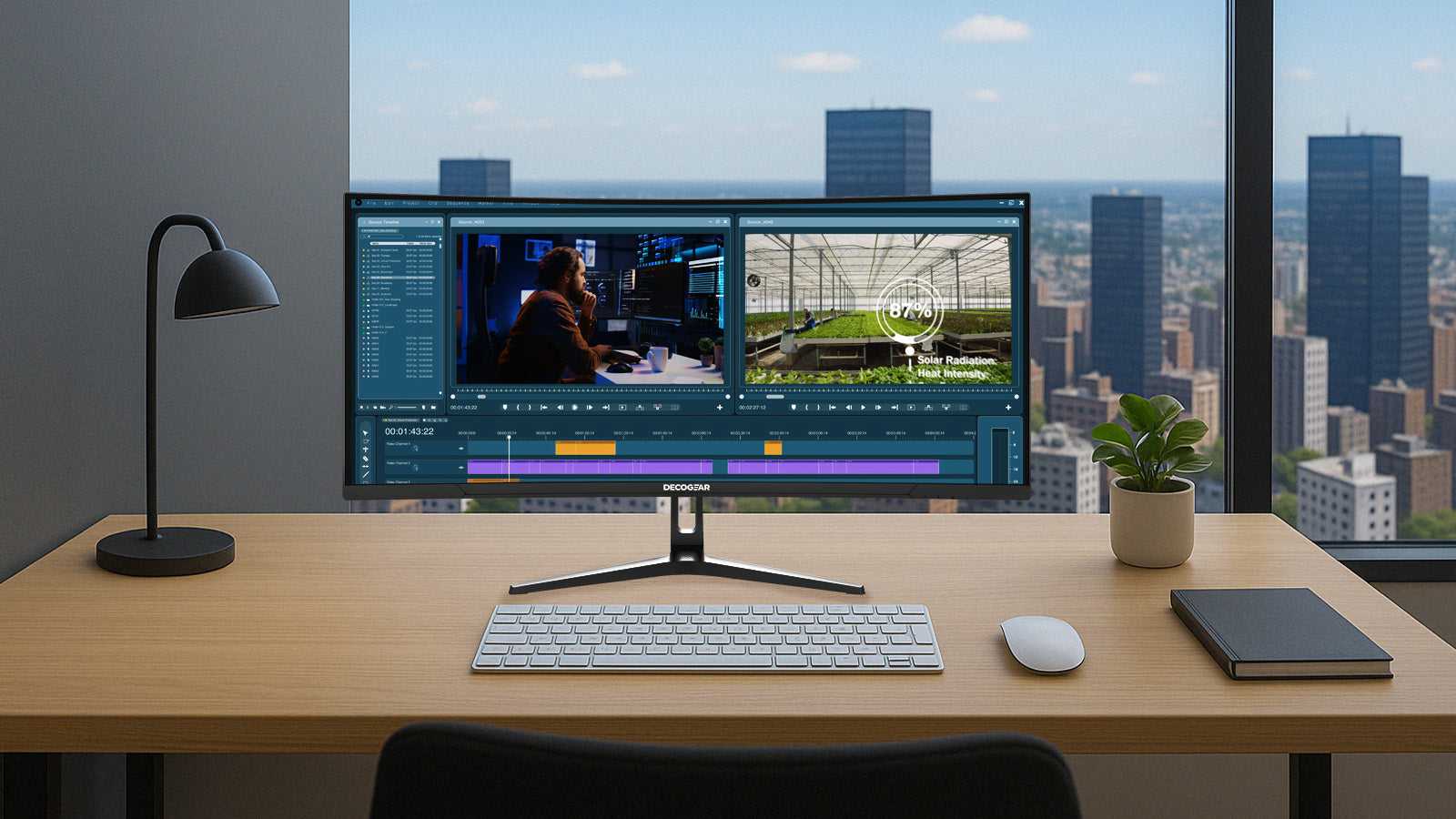
Yes, an ultrawide monitor can be a game-changer for content creators, offering increased workspace and a more immersive editing experience. If you’re constantly juggling multiple windows, working on detailed projects, or seeking a seamless workflow, an ultrawide screen can make a significant difference. For content creators, investing in this type of monitor often translates to improved productivity, better multitasking, and more precise editing. However, it’s essential to consider your specific needs and budget before making the leap. Overall, if you want to boost efficiency and enjoy a more expansive view of your workspace, an ultrawide monitor is definitely worth considering.
A quick answer: Yes, ultrawide monitors are worth it for content creators who need more space and better multitasking capabilities. They help streamline workflows, reduce the need for multiple monitors, and enhance creative precision. If your work involves complex editing, graphic design, or video production, an ultrawide monitor can be a valuable investment.
Starting with a broad, panoramic view, ultrawide monitors have gained popularity among content creators for good reason. In today’s fast-paced digital world, having a larger, more flexible workspace can make all the difference. Whether you’re editing videos, designing graphics, or managing multiple applications at once, these monitors offer the extra real estate needed to work efficiently and comfortably. Their wide screens reduce the hassle of switching between tabs and windows, allowing you to focus more on what really matters—your creative process. While they may come with a higher price tag, the benefits of increased productivity and a more immersive editing environment make ultrawide monitors a compelling choice for serious content creators looking to elevate their craft.

Is Ultrawide Monitor Worth It for Content Creators
Understanding What Makes an Ultrawide Monitor Special
Ultrawide monitors typically have a wider aspect ratio, often 21:9 or 32:9, compared to traditional 16:9 screens. This expanded width provides more horizontal space, which can be highly beneficial for multitasking and detailed editing. Content creators often find these screens helpful because they allow for more workspace without needing multiple monitors.
How Ultrawide Monitors Improve Workflow for Creators
With an ultrawide monitor, users can view multiple windows side by side without overlapping. This setup saves time and reduces the clutter of switching between tabs. For example, video editors can have their timeline, preview window, and media libraries all open simultaneously.
Increased Screen Real Estate for Creative Tasks
A bigger screen allows for larger timelines and clearer detail when editing videos or images. For graphic designers, it means more room to work on detailed projects while keeping reference images open. Writers and content creators can also benefit by having their notes and research visible at the same time.
Enhanced Multitasking Capabilities
Having a single ultrawide monitor can replace two or three smaller screens, simplifying your desk setup. It enables seamless multitasking, which is perfect for managing social media, editing content, and responding to emails at the same time. This leads to a more organized and efficient work process.
Visual Benefits for Content Viewing and Editing
A wider screen offers a more immersive viewing experience, making it easier to see visual details. For video editors, it provides a broader workspace for timeline management. Photographers also appreciate the extra room to view high-resolution images with better detail.
Considerations When Choosing an Ultrawide Monitor
Size and Resolution
Ultrawide monitors come in various sizes, generally from 34 inches to 49 inches. Higher resolution models (like 3440×1440 or 5120×1440) often deliver crisper images and more working space. It’s important to choose a size that fits comfortably on your desk and provides enough clarity.
Curved vs. Flat Screens
Many ultrawide monitors are curved to improve viewing angles and reduce distortion. Curves help to keep the entire screen in focus, which is advantageous during detailed editing. Flat screens are also available and can be more suitable for certain tasks or workspace setups.
Connectivity Options and Compatibility
Check that the monitor supports your computer’s outputs, such as HDMI, DisplayPort, or USB-C. Compatibility ensures you can connect multiple devices or peripherals easily. Also, consider if the monitor has built-in USB hubs for connecting accessories.
Potential Challenges with Ultrawide Monitors
Though they offer many benefits, ultrawide monitors can be quite large and may not fit comfortably in smaller workspaces. They can also be more expensive than traditional monitors, especially high-resolution or curved models. Additionally, some software may not fully support ultrawide aspect ratios, which can cause display issues.
Are Ultrawide Monitors Cost-Effective for Content Creators?
The cost of ultrawide monitors varies widely based on size, resolution, and features. While they tend to be more expensive initially, many users find that the boost in productivity and workflow efficiency justifies the investment. Comparing prices and features helps determine if an ultrawide monitor offers good value for your specific needs.
Complementing Ultrawide Monitors with Accessories
To maximize their benefits, consider pairing your ultrawide monitor with a good quality adjustable stand or mount. Using an external keyboard and mouse can help you manage large screens more comfortably. Adequate desk space is essential for a clutter-free setup.
Related Topics for Content Creators Using Ultrawide Monitors
- Color Accuracy and Calibration: Important for photo and video editing. Look for monitors with wide color gamuts and calibration options.
- Hardware Requirements: Make sure your PC or laptop can handle high-resolution ultrawide displays.
- Breaks and Ergonomics: Large monitors can cause eye strain if used improperly. Position screens at eye level and take regular breaks.
- Popular Ultrawide Models for Creators: Research top brands like LG, Dell, Samsung, and ASUS, which offer trusted ultrawide options for creative professionals.
Choosing an ultrawide monitor depends on your work style, space, and budget. For many content creators, the extra space and multitasking capabilities significantly improve workflow and efficiency. While they might require an initial investment, their benefits often outweigh the costs, making them a worthwhile addition to a creative setup.
I Used An UltraWide Monitor For 365 Days (Worth It?)
Frequently Asked Questions
How does an ultrawide monitor improve workflow for content creators?
An ultrawide monitor provides ample screen space, allowing content creators to view multiple applications, timelines, and editing tools simultaneously. This reduces the need to switch between windows, making editing and managing projects faster and more intuitive. With a broader workspace, creators can maintain better focus and efficiency throughout their work sessions.
What are the benefits of an ultrawide monitor during multimedia editing?
During multimedia editing, an ultrawide monitor offers a comprehensive view of timelines, color palettes, and preview screens without constant resizing. This expansive display helps identify issues more quickly and fine-tune details with greater precision. As a result, creators experience a more seamless editing process and produce higher-quality content.
Does an ultrawide monitor support multitasking effectively for content production?
Yes, an ultrawide monitor enhances multitasking by offering a wide view of different applications side by side. Creators can work on editing, communication, and research simultaneously without feeling constrained by limited screen space. This setup minimizes disruptions and keeps creative flow steady.
Are there specific features of ultrawide monitors that benefit content creators?
Many ultrawide monitors come with features like high resolution, accurate color reproduction, and adjustable stands, which cater directly to the needs of content creators. These features ensure detailed visual work, consistent color grading, and comfortable ergonomics, all contributing to a more productive editing environment.
What considerations should I keep in mind before choosing an ultrawide monitor for content creation?
Before selecting an ultrawide monitor, consider its size, resolution, color accuracy, and connectivity options. Larger screens are better for detailed editing, while high resolution helps maintain clarity. Ensuring the monitor supports the color profiles you need and has enough ports for your devices will help you create a setup that aligns with your workflow demands.
Final Thoughts
An ultrawide monitor offers ample screen space, making multitasking and editing more efficient for content creators. Its immersive display helps in reducing switching between windows, boosting productivity.
However, the cost and desk space requirements may be drawbacks for some users. For those working on detailed visuals or video editing, the benefits often outweigh the downsides.
is ultrawide monitor worth it for content creators? For many, it is a valuable investment that enhances workflow and creativity, making it a compelling choice.



