


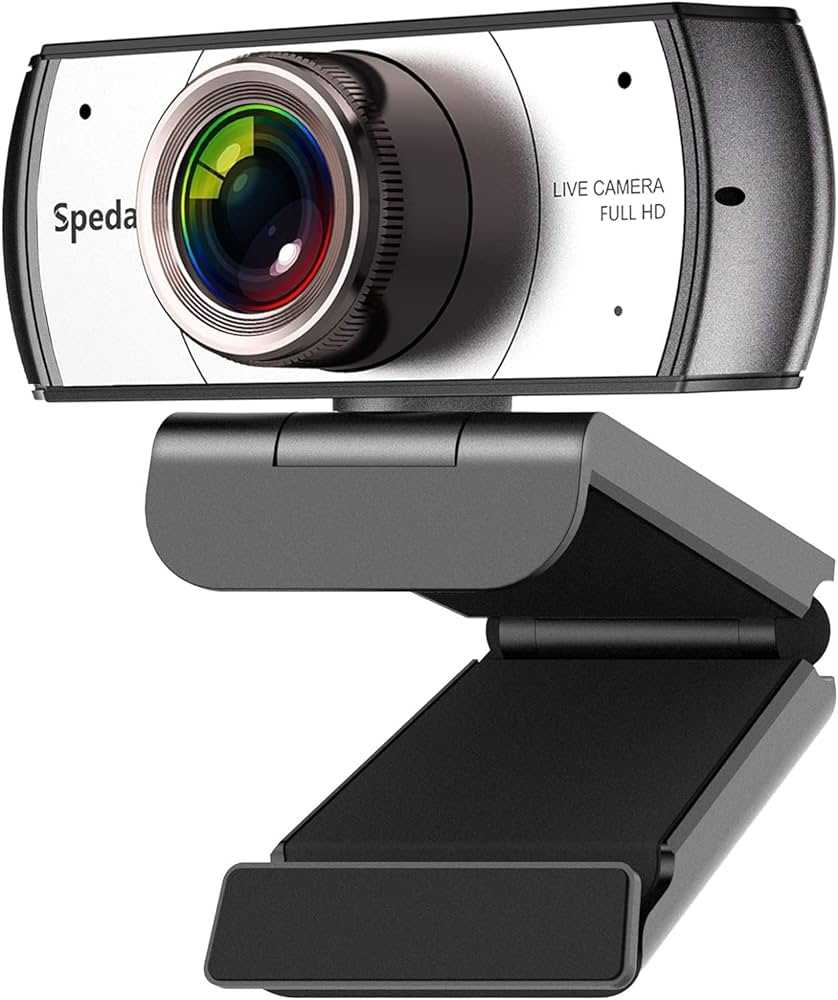
Absolutely, wide angle webcams can be fantastic for streaming, offering a broader view that makes your streams more engaging and immersive. They are especially great for capturing yourself along with your surroundings or multiple people at once.
In short, yes, wide angle webcams are good for streaming because they provide a wider field of view, making your setup look more dynamic and professional. However, they can also introduce some distortion if not used carefully, so understanding their strengths and limitations is key to making the most of them.
If you’re looking to spice up your streaming game, a wide angle webcam might be just what you need. They allow you to display more of your environment, which can make your streams feel more lively and authentic. Whether you’re gaming, hosting a talk show, or doing a virtual tour, the wider perspective helps you connect better with your audience by showcasing more of your space and personality. But it’s important to consider factors like image distortion and focus to ensure you get the best quality out of your setup.

Is Wide Angle Webcam Good for Streaming?
Many streamers and content creators wonder if a wide angle webcam is a good choice for their setup. The answer depends on what kind of streaming experience you want to deliver. Wide angle webcams have specific advantages and some drawbacks that are important to understand.
What Is a Wide Angle Webcam?
A wide angle webcam features a lens with a broader field of view than standard webcams. Typically, the angle ranges from 80 to 120 degrees, allowing more of your environment or background to be visible. This makes them ideal for capturing larger spaces or multiple people in one shot.
Advantages of Using a Wide Angle Webcam for Streaming
More Immersive Viewer Experience
With a wider view, viewers get a more engaging perspective. It helps create a sense of being right there with you. This is especially useful for gaming, chatting, or creative streams where background or surroundings matter.
Better for Group Streaming
If you often stream with friends or family, a wide angle webcam captures everyone without needing multiple cameras. It simplifies setup and enables more natural interactions during your broadcast.
Enhanced Production Value
A wide field makes your scene look more professional without extra equipment. You can showcase your streaming space, setup, or props to make your content more appealing.
Potential Challenges of Wide Angle Webcams
Distortion and Warping
Wide lenses often cause facial features to appear stretched or exaggerated at the edges. This distortion can be unflattering if not managed properly. Adjusting your distance from the camera may help reduce this effect.
Focus and Image Quality Issues
Some wide angle webcams might struggle with focus, especially at the edges of the frame. This can result in blurry or distorted images, affecting overall video quality. Investing in higher-quality models can mitigate these issues.
Limited Zero-Background Options
Many wide angle webcams have difficulty with green screen features, limiting background customization. This can be a downside if you want a clean, professional look behind you.
Factors to Consider When Choosing a Wide Angle Webcam
Field of View (FOV)
Look for a webcam with an adjustable or well-suited FOV. An 80-degree angle is more focused, while 120 degrees provides a broader scene. Match this to your streaming needs.
Image Resolution and Frame Rate
High resolution, like 1080p or 4K, ensures clear images. Frame rates of 30 or 60 fps provide smoother motion. Choose a model that balances wide view with quality.
Lens Quality and Build
Opt for webcams with high-quality lenses to minimize distortion. Durable construction and good warranty support can save money long term.
Best Practices for Using a Wide Angle Webcam
Positioning Tips
Place your webcam at eye level for natural framing. Keep a comfortable distance to avoid distortion, typically between 2 to 3 feet away.
Lighting Considerations
Proper lighting enhances image quality and reduces shadows. Soft, even lighting helps your features look natural despite wide-angle effects.
Background Management
Use a tidy or interesting background to maximize the benefits of the wide view. Consider a green screen if you want a customized background, but check compatibility as some wide angle webcams struggle with chroma keying.
Related Topics for Better Streaming
- Choosing the right microphone for streaming quality
- Lighting setups for professional-looking streams
- Optimal camera positioning for engagement
- Software features to enhance wide angle footage (like distortion correction)
Comparison Table: Wide Angle vs. Standard Webcams
| Feature | Wide Angle Webcam | Standard Webcam |
|---|---|---|
| Field of View | 80 to 120 degrees | 60 degrees or less |
| Ideal Use | Group chats, immersive scenes, showcasing backgrounds | Solo streams, close-up shots, professional setups |
| Image Distortion | More common, especially at edges | Less likely |
| Setup Complexity | Requires careful positioning | More straightforward |
| Cost Range | Moderate to high depending on quality | Typically lower |
Summary of When a Wide Angle Webcam Is a Good Choice
If you want to include more of your environment in the shot, have multiple people on screen, or aim for an engaging, immersive look, a wide angle webcam can be a great tool. Be mindful of potential distortion issues and choose a model with good image quality.
In contrast, for more focused, professional, or close-up streaming, a standard webcam might be better. Remember, the best setup aligns with your content style and personal preferences. Experimenting with different angles and positions helps you find what works best for your streams.
Best Webcam for Streaming
Frequently Asked Questions
How does a wide angle webcam affect the overall picture quality during streaming?
Wide angle webcams can capture a broader view, but they may introduce slight distortion at the edges, which can affect the overall picture quality. However, many models come with software adjustments to minimize this effect. When used appropriately, they provide clear and vibrant images suitable for engaging streaming sessions.
Are there specific scenarios where a wide angle webcam provides a noticeable advantage for streamers?
Yes, wide angle webcams excel in scenarios where you want to include more background or multiple people in the frame. They are especially beneficial for collaborative streams, gaming setups with multiple monitors, or when you want to showcase your environment to add context or personality to your stream.
Does a wide angle webcam require special setup or additional equipment for optimal performance?
Usually, a wide angle webcam does not require special equipment, but ensuring proper lighting is essential to avoid overexposure or shadows. Additionally, consider tripod stability and positioning to prevent distortion or awkward angles, making sure your entire scene remains clear and engaging.
How does a wide angle webcam impact latency and overall streaming performance?
Most wide angle webcams maintain low latency suitable for live streaming, provided your internet connection and computer hardware are sufficient. Some models might slightly increase processing load due to their wider capture, but this rarely affects streaming smoothness when your setup is properly configured.
Can a wide angle webcam replace traditional webcams for professional streaming needs?
While a wide angle webcam offers great versatility, it may not always replace traditional webcams for professional setups. The choice depends on your content style. For intimate, focused shots, traditional webcams work best. For casual or dynamic scenes with multiple elements, wide angle webcams can enhance your streaming experience.
Final Thoughts
A wide angle webcam offers a broader view, making it ideal for group chats or dynamic streaming setups. It captures more background and provides a sense of space that viewers appreciate.
However, the image quality might slightly suffer in low-light conditions, and distortion can occur at the edges.
In conclusion, is wide angle webcam good for streaming? For users who want to include more in their frame and create engaging content, it definitely is.



