


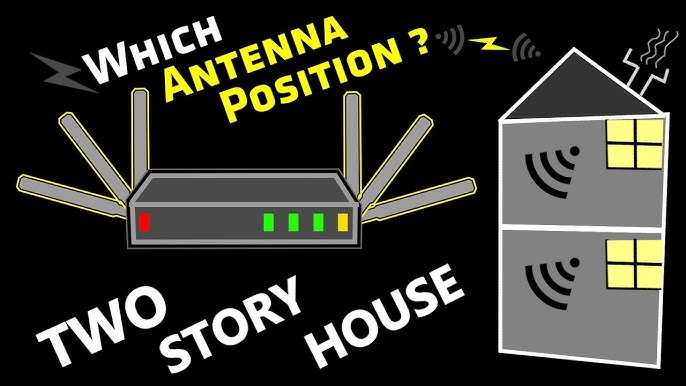
Using a router with multiple antennas can significantly boost your Wi-Fi signal, providing stronger coverage and faster speeds throughout your home or office. The key is that these antennas help direct and amplify the wireless signal more efficiently, reducing dead zones and buffering issues. If you’re tired of slow connections and constant drops, upgrading to a multi-antenna router is a practical solution that can make a noticeable difference.
In short, routers with multiple antennas improve signal strength by better managing and directing Wi-Fi signals, resulting in wider coverage and more stable connections. They are especially useful in larger spaces or environments with lots of obstacles, ensuring everyone stays connected smoothly.
Having reliable internet is essential in today’s digital world, whether for work, streaming, or staying in touch with loved ones. But sometimes, despite having a good router, signals get weak or inconsistent in certain areas of your home. Enter routers with multiple antennas—designed specifically to enhance the strength and reach of your Wi-Fi. These devices use multiple antennas to create a more powerful and focused wireless signal, reducing dead zones and providing faster, more dependable internet across your space. If you’re looking to improve your Wi-Fi experience without complicated setups or additional extenders, investing in a multi-antenna router could be the game-changer you need.

Routers with Multiple Antennas for Better Signal Strength
Understanding How Multiple Antennas Improve Wi-Fi Signal
Multiple antenna routers, often called MIMO routers, send and receive data through several streams at once. This technology allows for faster data transfer speeds because it can handle more information simultaneously. With better signal management, these routers provide a more reliable Wi-Fi connection across your home or office.
The key advantage of having multiple antennas is their ability to reduce dead zones. Dead zones are areas where the Wi-Fi signal is weak or drops out entirely. By spreading antennas in different directions, routers can cover a larger area more evenly. This leads to fewer disruptions and smoother internet browsing or streaming.
How MIMO Technology Enhances Signal Quality
Multiple Input Multiple Output (MIMO) is a technology that allows routers to use multiple antennas to send and receive data. MIMO routers can communicate with several devices at the same time without slowing down. This means your Wi-Fi connection stays fast even when many devices are connected.
MIMO improves signal strength by minimizing interference and maximizing data throughput. The system dynamically adjusts signals for each device, delivering better performance across your network. As a result, you experience less lag and buffering during activities like gaming or video calls.
Types of Antennas in Routers and Their Functions
Routers with multiple antennas feature various antenna types, each serving different purposes:
- Omnidirectional Antennas: These antennas emit signals equally in all directions, ideal for covering broad areas.
- Directional Antennas: Focus signal strength in specific directions, useful for targeting certain zones or long-range coverage.
- Detachable vs. Built-in Antennas: Detachable antennas can be repositioned or upgraded, providing flexibility. Built-in antennas are fixed but may be more streamlined.
Choosing the right antenna type depends on your space layout and coverage needs.
Factors to Consider When Choosing a Router with Multiple Antennas
Selecting the best router requires attention to several key factors:
- Number of Antennas: More antennas generally mean better coverage and stronger signals.
- Frequency Bands: Dual-band or tri-band routers operate on 2.4GHz and 5GHz frequencies, which help reduce congestion and improve speed.
- Router Standards: Look for Wi-Fi 5 (802.11ac) or Wi-Fi 6 (802.11ax) for improved speed and capacity.
- Design and Size: Make sure the router fits your space and aesthetic preferences.
- Additional Features: Consider features like MU-MIMO, beamforming, and QoS for enhanced performance.
How Antenna Positioning Affects Signal Strength
Proper placement of antennas significantly influences Wi-Fi coverage. Position antennas vertically if you want to cover multiple floors or rooms evenly. For targeted coverage, orient antennas toward specific areas that need stronger signals.
Avoid placing antennas near metallic objects or other electronics that can cause interference. Also, keep the router in a central location for maximum reach. Regularly adjusting antenna angles can help optimize the Wi-Fi signal in your home or office.
Beamforming Technology and Its Role in Signal Optimization
Beamforming is a feature found in many routers with multiple antennas. It directs Wi-Fi signals toward connected devices rather than broadcasting in all directions. This focused approach enhances signal strength and reliability.
With beamforming, your devices experience faster connections and reduced lag. It particularly benefits streaming, gaming, and video conferencing by providing a stable and strong signal. Devices located farther away from the router also notice improved performance with beamforming enabled.
Benefits of Using Routers with Multiple Antennas
Routers with multiple antennas deliver several meaningful advantages:
- Increased overall Wi-Fi coverage across larger areas
- Stronger signals with fewer dead zones
- Enhanced connection stability for multiple devices
- Higher data transfer speeds, especially with MU-MIMO technology
- Better performance for demanding activities like 4K streaming and online gaming
These benefits make multi-antenna routers a smart choice for homes with many users or large spaces demanding reliable internet.
Limitations of Multiple Antenna Routers
While multiple antenna routers perform well, they aren’t perfect. They can be more expensive than single-antenna models, and their size might be less discreet. Also, installing and adjusting antennas might require some effort for optimal setup.
Additionally, the actual performance gains depend on other factors, such as your internet plan and physical obstacles in your environment. Understanding these limitations helps you set realistic expectations for your Wi-Fi network.
Comparing Single vs. Multiple Antenna Routers
Single-antenna routers are often cheaper and simpler but may struggle with coverage in larger spaces. In contrast, multi-antenna routers significantly improve coverage and speed, especially in multi-story buildings.
For small apartments or single-room use, a dual-antenna or even single-antenna router might suffice. However, for larger homes or offices, multiple antennas are worth considering for consistent, high-quality Wi-Fi.
Popular Brands Offering Routers with Multiple Antennas
Many reputable brands manufacture routers with multiple antennas, including:
- TP-Link: Known for affordable, high-performance models
- Netgear: Offers advanced features and robust coverage
- D-Link: Provides reliable options with easy setups
- ASUS: Known for gaming routers with multiple antennas
- Cisco: Professional-grade routers for enterprise use
Each brand offers different features suitable for various needs and budgets.
Future Trends in Multi-Antenna Router Technology
Technologies continue evolving, with Wi-Fi 6 and Wi-Fi 6E offering faster speeds and better efficiency for multi-antenna routers. These standards support more devices simultaneously and reduce congestion in crowded environments.
Additionally, the integration of AI and smart features will help optimize antenna positioning and signal quality automatically. As the demand for reliable, high-speed internet grows, future routers will focus more on user-friendly design and advanced performance capabilities.
Having multiple antennas in your Wi-Fi router can make a significant difference in how well your internet performs. From improved coverage to faster speeds and better device management, multi-antenna routers suit modern connectivity needs. It’s important to consider your space and usage to select the right model, ensuring reliable and strong Wi-Fi throughout your home or office. Proper antenna placement and features like beamforming further enhance your experience, making multiple antenna routers a valuable investment for better signal strength.
Frequently Asked Questions
How do multiple antennas improve Wi-Fi coverage throughout a home or office?
Multiple antennas allow a router to send and receive data from different directions simultaneously. This creates a broader coverage area, reduces dead zones, and ensures stable connections in various parts of the space. By focusing signals toward devices, the router maintains strong connections over longer distances.
What role does antenna placement play in enhancing signal strength?
Proper placement of antennas can significantly boost signal quality. Position antennas vertically, and avoid obstructions like thick walls or metal objects. Elevating the router and directing antennas towards areas where devices are frequently used helps in achieving optimal signal distribution and speed.
Can adding more antennas lead to better performance for multiple devices?
Yes, routers with several antennas can handle multiple devices more efficiently. They use advanced technologies like MU-MIMO, which allocates bandwidth simultaneously to several devices. This reduces congestion and maintains high speeds even when multiple users are connected.
Are there specific features in multi-antenna routers that contribute to better signal quality?
Many multi-antenna routers include beamforming technology, which focuses signals directly toward connected devices. This targeted transmission enhances signal strength and data transfer rates. Additionally, adjustable antenna orientations allow customization for better coverage in unique spaces.
How do different antenna configurations affect the router’s ability to manage network traffic?
Various antenna configurations, such as dual, tri, or multiple antennas, improve the router’s capacity to distribute data efficiently. Multiple antennas enable advanced antenna array designs, which help in optimizing data paths, minimizing interference, and supporting faster, more reliable network traffic management.
Final Thoughts
Routers with multiple antennas for better signal strength significantly improve your internet experience. They provide wider coverage and stronger connections across your home or office. This technology ensures multiple devices stay connected seamlessly without interruptions. Investing in such routers offers reliable, high-speed internet tailored to your needs.



