


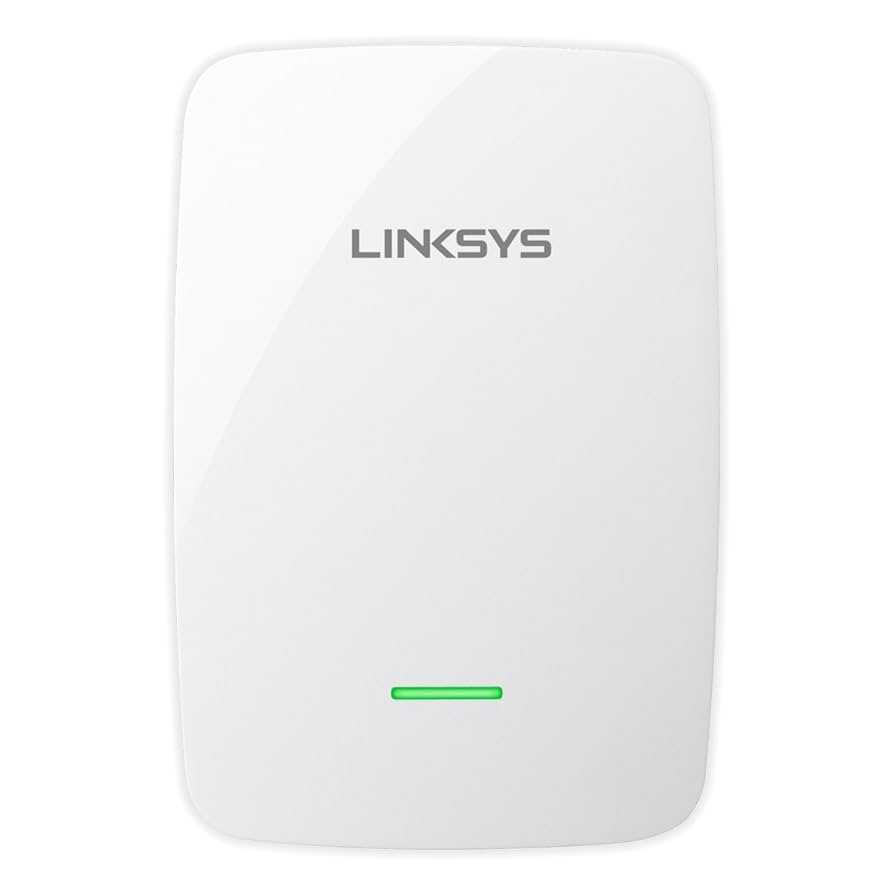
Want a stronger, more reliable WiFi signal throughout your home? It’s frustrating when dead zones leave certain rooms disconnected or slow down your internet. Fortunately, there are simple yet effective tips to boost your WiFi range and eliminate those pesky dead spots. Investing in a WiFi extender, repositioning your router, or upgrading to mesh networking can make a huge difference. These adjustments help ensure your entire home stays connected at all times, whether you’re working, streaming, or gaming.
In short, enhancing your WiFi involves optimizing your router’s placement, upgrading your equipment if needed, and using additional devices like extenders or mesh systems. By implementing these strategies, you’ll enjoy seamless internet coverage everywhere in your house and avoid frustrating interruptions.
Starting with the basics, many users overlook how their router’s position impacts coverage. Usually placed near a wall or in a corner, it limits signal distribution. Moving it to a central, open location can significantly extend your WiFi range. Additionally, upgrading your router to a modern model with a stronger signal, or adding mesh networks, can cover larger areas more effectively. Using WiFi extenders or powerline adapters to bridge dead zones is another easy fix. Regularly updating your router’s firmware and reducing interference from other electronic devices can also improve performance. With these practical tips, you’ll be well on your way to a home with robust, wide-reaching WiFi.

Tips for Extending WiFi Range and Eliminating Dead Zones
Understanding WiFi Signal Strength and Range
WiFi signals can weaken as they travel through walls, furniture, and other obstacles. Knowing how far your WiFi signal reaches helps you identify problem areas. Signals are strongest near your router and diminish with distance or interference. Properly assessing your space can guide you in choosing the right solutions to extend WiFi coverage.
Optimal Router Placement
Placing your router in a central location is essential for even WiFi coverage throughout your home. Avoid positioning the router near metal objects, thick walls, or appliances that emit electromagnetic interference. Elevate the router on a high shelf or wall mount to improve signal distribution and reduce dead spots.
Adjusting Router Settings for Better Range
Many routers allow you to modify settings like the transmission power and frequency bands. Increasing the transmission power can extend the WiFi range, but avoid overdoing it to prevent interference. Switching between 2.4 GHz and 5 GHz bands can also optimize coverage, as 2.4 GHz penetrates walls better but offers slower speeds.
Upgrading Your Router
Outdated routers often have limited range and outdated technology. Investing in a newer, more powerful router can significantly improve coverage and performance. Look for routers with high gain antennas and support for the latest WiFi standards such as WiFi 6, which offer expanded range and faster speeds.
Utilizing WiFi Extenders and Repeaters
WiFi extenders or repeaters boost existing signals to reach distant areas. Place them halfway between your router and dead zones for optimal results. These devices connect wirelessly to your router and rebroadcast the signal, helping eliminate weak spots.
Installing Mesh WiFi Systems
Mesh WiFi systems create a seamless network with multiple nodes spread across your space. They work together to provide consistent coverage, especially in large homes. Mesh systems are easy to set up and manage, offering a reliable solution to eliminate dead zones.
Adding Powerline Adapters
Powerline adapters use your home’s electrical wiring to transmit internet signals. Plug one adapter near your router and another in the area with poor WiFi coverage. This setup can deliver a wired connection or extended WiFi signal without extensive rewiring or complex setups.
Optimizing WiFi Channel Settings
Interference from nearby networks can reduce WiFi performance. Use apps or router settings to identify the least congested channels in your area. Switching your router to these channels can reduce interference and improve range and stability.
Minimizing Interference from Other Devices
Other electronic devices like cordless phones, microwave ovens, and Bluetooth gadgets can interfere with WiFi signals. Keep your router away from these devices to maintain a strong and reliable connection. Reducing interference will help your WiFi coverage reach further.
Securing Your WiFi Network
A secure network prevents unauthorized users from connecting and congesting your bandwidth. Use strong passwords and encryption standards like WPA3. Protecting your network ensures that your WiFi performance remains consistent and unimpeded by outsiders.
Regular Firmware Updates
Manufacturers frequently release updates to improve performance and security. Keeping your router’s firmware up to date ensures optimal functioning and can fix bugs that may limit your WiFi coverage. Check your router settings regularly for firmware updates.
Using Antennas Effectively
Many routers come with removable antennas. Upgrading to high-gain antennas can focus your WiFi signal in desired directions for extended range. Position antennas vertically or at specific angles to maximize coverage in different parts of your home.
Simplifying Your Network Layout
Avoid complex setups with many devices connected simultaneously. Excessive connections can slow down your WiFi and cause dead zones. Prioritize essential devices and limit bandwidth-heavy activities in areas with weak signals.
Implementing WiFi Power Management
Some routers allow you to manage power settings to extend their operational range. Adjust these settings to increase signal strength where needed. Be careful to balance power consumption and coverage for the best results.
Using Directional Antennas for Targeted Coverage
Directional antennas focus WiFi signals in a specific direction. If you know where you need better coverage, attaching a directional antenna can strengthen the signal towards that area. This is especially useful for outdoor spaces or distant rooms.
Addressing Challenges in Multi-Story Homes
Wireless signals may struggle to penetrate floors effectively. Use multiple access points on different levels or set up a mesh system to ensure consistent coverage across all floors. Vertical placement of routers and extenders also helps.
Monitoring WiFi Performance and Coverage
Use WiFi analysis tools to map signal strength throughout your home. Regular monitoring helps identify problem areas and evaluate the effectiveness of your adjustments. Keeping track enables you to refine your setup over time for maximum coverage.
Additional Tips for Better WiFi Coverage
- Keep your router away from thick walls and appliances.
- Avoid placing your router near large metal objects.
- Use a WiFi analyzer app to find the best channel and placement.
- Update router firmware regularly for improved performance.
- Consider combining multiple solutions like mesh systems and extenders for larger spaces.
Related Topics to Explore
- Smart home integration for WiFi management
- Choosing the right WiFi equipment for your needs
- Understanding WiFi security best practices
- Impact of home construction on WiFi signals
- Future trends in WiFi technology
In summary, improving WiFi coverage involves a mix of strategic placement, equipment upgrades, and the use of additional devices like extenders and mesh systems. Regular adjustments and monitoring ensure you maximize your WiFi range and eliminate dead zones effectively. With the right setup, you can enjoy strong, reliable internet throughout your entire home.
Frequently Asked Questions
What are some effective ways to position my WiFi router for better coverage?
Place your WiFi router in a central location within your home or office to minimize obstacles and maximize coverage. Keep it elevated on a shelf or mounted on a wall, and avoid placing it near metal objects, thick walls, or appliances that may interfere with signals. This positioning allows the WiFi signal to spread evenly and reach more devices.
How can I reduce interference from other electronic devices?
Identify devices like cordless phones, microwave ovens, or Bluetooth gadgets that operate on similar frequencies as your WiFi network. Keep your router away from these devices and switch to a less congested WiFi channel through your router’s settings. Using dual-band routers to switch between 2.4 GHz and 5 GHz bands can also help reduce congestion and improve signal quality.
Are WiFi extenders or mesh networks better for eliminating dead zones?
WiFi extenders can boost coverage in specific areas but might reduce overall speed. Mesh networks provide seamless coverage throughout your space by creating a unified network that intelligently routes traffic. For larger homes or spaces with multiple dead zones, mesh systems often offer more consistent performance and easier management compared to traditional extenders.
What role do physical barriers play in WiFi signal strength?
Walls, floors, and furniture made of dense materials like concrete, brick, or metal can significantly weaken WiFi signals. To improve coverage, avoid placing your router behind thick barriers and consider using repeaters or mesh systems to bypass these obstructions. Clear line of sight and minimal obstructions help ensure a stronger and more reliable connection.
Final Thoughts
Tips for extending WiFi range and eliminating dead zones help ensure a stronger, more reliable connection throughout your space. Position your router centrally and elevate it off the ground to improve coverage. Use WiFi extenders or mesh networks to reach distant areas effectively. Regularly update firmware and change channels to reduce interference. Implementing these strategies guarantees a seamless internet experience in every corner of your home or office.



