


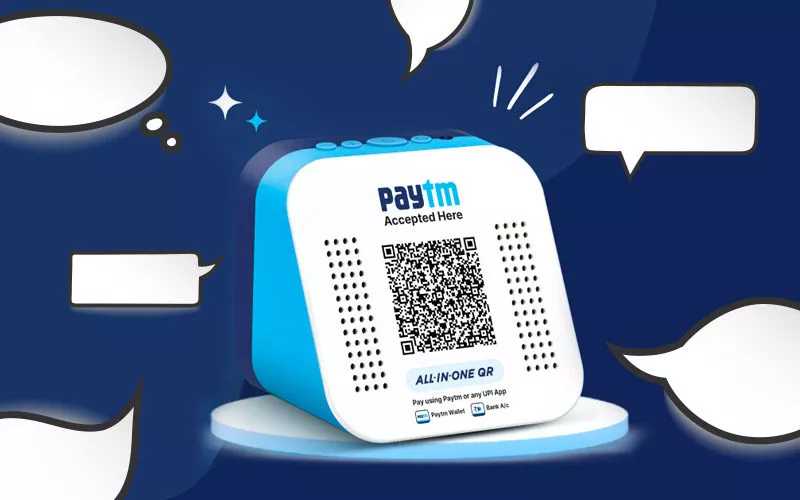
Paytm Sound Box is a smart device that instantly confirms your digital transactions through sound alerts, making payments smoother and more secure. Imagine completing a payment and hearing an immediate voice confirmation—no more doubts or waiting for notifications! This device connects seamlessly with your Paytm account, providing real-time audio updates for each successful transaction. It’s a game-changer for business owners and individuals who rely on quick and reliable payment verification.
In essence, the Paytm Sound Box is a handy gadget that offers instant audio confirmation of digital payments, helping users save time and reduce errors. It enhances the overall cashless experience by providing immediate feedback, ensuring transactions are always verified. For anyone looking to simplify and secure their digital payments, this device is a practical solution.
Getting started with Paytm Sound Box is simple; it’s designed for quick setup and easy use. It connects to your Paytm account via QR code or Bluetooth, immediately beginning to notify you of payment successes with clear voice alerts. Whether you run a small shop or manage a busy workspace, this device ensures you never miss a payment confirmation, streamlining your business operations and making digital payments more reliable and hassle-free.

What is Paytm Sound Box
The Paytm Sound Box is a small device that makes digital payments easier for business owners. It’s designed to help shops, restaurants, and other small businesses accept cashless payments quickly. This device is part of Paytm’s efforts to make digital transactions simple and efficient.
How Does the Paytm Sound Box Work?
The device connects to the internet through Wi-Fi or mobile data. When a customer makes a payment via QR code or UPI, the Sound Box emits a sound to confirm the transaction. This immediate feedback helps shopkeepers know that their payment was successful without checking their phones.
Connection Types
The Paytm Sound Box uses two main connection types:
- Wi-Fi: Ideal for shops with reliable internet connections. It provides fast and continuous connectivity.
- Mobile Data: Suitable for areas where Wi-Fi isn’t available. It uses a SIM card to stay connected.
How the Sound Works
Once a transaction is complete, the Sound Box plays a specific sound. This sound indicates whether the payment was successful, failed, or pending. It eliminates the need for shopkeepers to look at their phones for confirmation.
Key Features of Paytm Sound Box
The device is packed with features that make transactions smooth and transparent. Let’s explore some of its important features:
Real-Time Payment Confirmation
As soon as a customer scans their QR code or uses UPI, the Sound Box confirms the payment instantly. This helps in quick acknowledgment and keeps the business flowing without delays.
Multiple Payment Modes
The Sound Box accepts various digital payments, including:
- QR code payments via Paytm app or other wallets
- UPI transfers from different banks
- Bank card payments (if supported)
Easy Setup and Use
The device is simple to set up. Usually, it requires connecting to Wi-Fi or inserting a SIM card and pairing with a smartphone or POS system. Once set, it works automatically with minimal maintenance.
Cost-Effective Solution
Compared to traditional card swipe or cash handling, using a Sound Box reduces manual work and errors. It also encourages customers to pay digitally, saving time and effort.
Benefits of Using Paytm Sound Box
Businesses experience several advantages when they use this device. Here are some key benefits:
Faster Transactions
The immediate sound confirmation speeds up the payment process. Customers and shopkeepers both save valuable time during busy hours.
Enhanced Payment Accuracy
The device confirms the success or failure of each payment, reducing mistakes and disputes. It ensures that both parties are on the same page quickly.
Improved Customer Experience
Customers prefer digital payments, and quick confirmation reassures them that their transaction went through smoothly. It builds trust and satisfaction.
Better Record-Keeping
The Sound Box automatically logs successful transactions. Business owners can easily track their digital payments for accounting and audits.
Encourages Digital Payments
Promoting cashless payments reduces the risk of theft and cash handling errors. It also aligns with government initiatives to promote digital economy.
Who Can Benefit from a Paytm Sound Box?
This device is suitable for various small and medium businesses. Let’s look at some specific examples:
Retail Shops
Grocery stores, clothing shops, and electronic vendors can process payments quickly. The Sound Box helps in managing high customer flow efficiently.
Restaurants and Cafes
Food outlets benefit from quick payment confirmations. Customers can pay via QR codes without waiting for change or receipts.
Service Providers
Salons, repair shops, and delivery services can use the Sound Box to confirm payments instantly. This improves service speed and customer satisfaction.
Event and Exhibition Vendors
During festivals, fairs, or exhibitions, the device helps vendors process payments swiftly, reducing queues and improving sales.
Limitations and Considerations
While the Paytm Sound Box offers many benefits, it’s important to consider some limitations:
Dependence on Internet Connection
For proper functioning, a stable internet connection is essential. Poor connectivity can disrupt transactions or delay confirmations.
Device Cost
Businesses need to invest initially in purchasing the device. Although affordable, it still requires an upfront cost for small businesses.
Compatibility
The Sound Box works best with Paytm and UPI-based payments. It may have limited functionality with other payment methods.
Maintenance and Support
Regular updates and troubleshooting might be needed. Businesses should ensure they have access to customer support for smooth operation.
How to Get a Paytm Sound Box
To acquire this device, business owners can follow these steps:
- Visit the official Paytm business website or contact a Paytm representative.
- Register your business and provide necessary documents.
- Choose the suitable device plan and make the payment.
- Receive the device and complete the setup process.
Additional Tips for Using Paytm Sound Box Effectively
To maximize benefits, consider the following tips:
- Ensure a strong internet connection for uninterrupted operation.
- Train staff on how to use the device and interpret sounds.
- Keep the device updated with the latest firmware and software.
- Use it as part of a broader digital payment strategy to encourage more customers to pay digitally.
Future of Paytm Sound Box and Digital Payments
The integration of devices like the Paytm Sound Box signals a shift towards fully digital transactions. As technology advances, these devices may include additional features such as reporting, analytics, and integration with other business tools.
Potential Developments
- Enhanced security features to prevent fraud
- Integration with inventory management systems
- Support for multiple payment platforms
- Smarter alerts and notifications for business owners
These innovations will make payment processing even more seamless and integrated with everyday business management.
The Paytm Sound Box is a practical device designed to simplify and speed up digital payments for small and medium-sized businesses. Its quick confirmation sounds reduce delays, improve accuracy, and create a better experience for both shopkeepers and customers. With its ease of use and affordability, it is a valuable addition to any cashless transaction strategy. As digital payment methods continue to grow, devices like the Paytm Sound Box will likely become an essential part of modern business operations, helping businesses thrive in a digital economy.
Introducing India’s First AI Soundbox for Payments | By Paytm | #PaytmKaro
Frequently Asked Questions
How does the Paytm Sound Box work in everyday transactions?
The Paytm Sound Box connects to your merchant account and emits beeps or sounds after each successful digital transaction. This immediate audio confirmation helps merchants verify payments without waiting for a printed or digital receipt, ensuring quick and efficient transaction management during busy hours.
What are the key features that distinguish the Paytm Sound Box from traditional cash registers?
The Paytm Sound Box offers real-time audio alerts for digital payments, reducing the need for manual record-keeping and minimizing errors. Its seamless integration with Paytm’s payment ecosystem allows for instant transaction confirmation, making it more efficient than conventional cash registers that rely on manual entries and receipts.
Can the Paytm Sound Box handle multiple payment modes or is it limited to specific transactions?
The Paytm Sound Box can confirm various digital payment modes supported by Paytm, including QR code scans, UPI transactions, and card payments. Its versatility ensures that merchants get immediate feedback regardless of the payment method used, simplifying the checkout process for customers and staff.
What steps should I follow to set up the Paytm Sound Box in my business?
To set up the Paytm Sound Box, first, ensure your merchant account is active and linked with your device. Then, connect the Sound Box to a power source and link it with your Paytm merchant account through the app or device settings. After setup, the device will automatically emit confirmation sounds after each successful payment, streamlining your transaction process.
Final Thoughts
The paytm sound box is a compact device that facilitates quick payment acknowledgment through audio alerts. It connects seamlessly with your Paytm account, providing real-time transaction updates. This device helps merchants manage payments efficiently and enhances customer experience.
In conclusion, what is paytm sound box? It is a practical tool that simplifies the payment process for small businesses by providing instant payment confirmation.



