


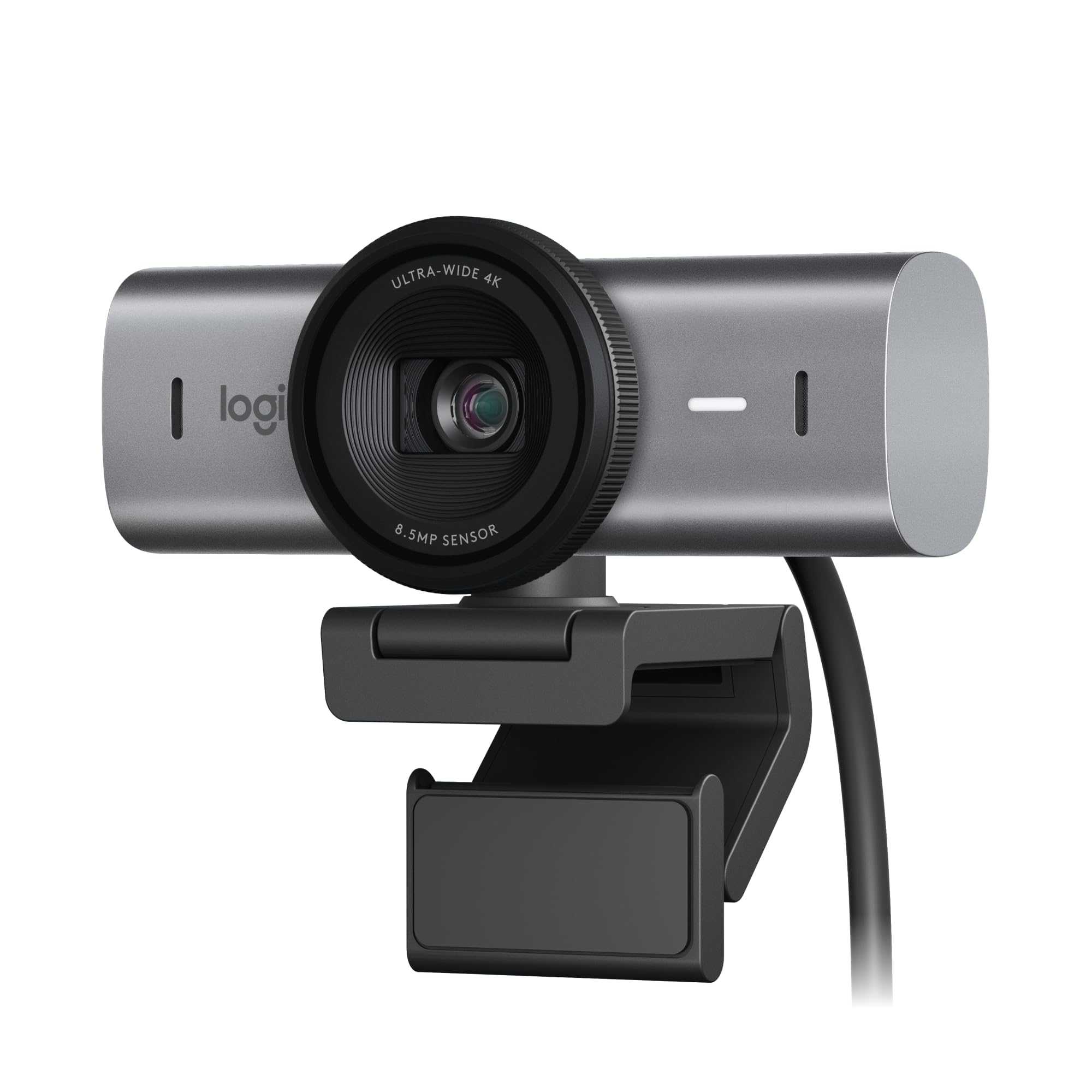
The best resolution for webcam streaming often depends on your specific needs, but generally, 1080p (Full HD) offers the perfect balance of clarity and performance for most streamers. Higher resolutions like 4K can provide stunning visuals but require more powerful hardware and higher bandwidth, which might not be practical for everyone. Conversely, lower resolutions such as 720p can save on resources but might sacrifice some image quality.
In short, 1080p is usually the sweet spot for webcam streaming, providing crisp visuals without overburdening your system or internet connection. The choice ultimately hinges on what you prioritize—exceptional quality or smooth, reliable streaming. Keep reading to discover how to optimize your webcam settings for the best streaming experience.
Choosing the right webcam resolution can seem overwhelming with so many options available. Whether you’re streaming for gaming, professional purposes, or just to connect with friends, understanding what resolution works best is crucial. The right resolution can improve viewer experience, reduce lag, and make your streams look sharp and professional. In this blog, we’ll explore the factors to consider when selecting the best resolution for webcam streaming, helping you make an informed decision that elevates your content to the next level.

What Is the Best Resolution for Webcam Streaming
Choosing the right resolution for webcam streaming is crucial for delivering clear and professional videos. The resolution determines how sharp and detailed your video appears to viewers. Understanding which resolution works best depends on multiple factors including your camera quality, internet speed, and the platform you are using.
Understanding Webcam Resolutions
Webcam resolutions are measured in pixels, showing the width and height of the video. Common resolutions include 720p (1280×720), 1080p (1920×1080), and 4K (3840×2160).
The higher the resolution, the more detail your video will have. However, higher resolutions can also require more bandwidth and processing power.
Standard Resolutions for Streaming
Many streamers prefer a few standard resolutions based on their setup. These include:
- 720p (1280×720): Ideal for slower internet connections and basic streaming needs. It offers a good balance of quality and bandwidth consumption.
- 1080p (1920×1080): The most popular resolution for high-quality streaming. It provides clear visuals without requiring too much bandwidth.
- 4K (3840×2160): Offers ultra-high definition, but demands a powerful camera, fast internet, and a capable computer. Less common for casual streamers.
Factors Influencing the Best Resolution for You
Internet Speed and Bandwidth
Your internet connection plays a major role in streaming quality. For example, streaming in 1080p generally requires upload speeds of at least 5 Mbps. If your connection is slower, you may experience buffering or lower quality videos.
Computer and Hardware Capabilities
A strong CPU and GPU are essential for handling higher resolutions like 4K. If your hardware isn’t powerful enough, streaming at high resolutions can cause lag or crashes.
Platform Requirements
Some streaming platforms recommend specific resolutions. Twitch and YouTube, for example, support up to 4K streaming but recommend 1080p for most users. Check platform guidelines to optimize your settings.
Benefits of Choosing the Correct Resolution
Picking the right resolution enhances viewer engagement and ensures your stream looks professional. It reduces lag and buffering issues, providing a smoother experience for viewers.
Lower resolutions load faster and are easier to stream for those with limited internet speeds. Higher resolutions offer more clarity, especially for detailed content like art, gameplay, or tutorials.
How to Adjust Your Webcam Resolution
Using Streaming Software
Popular platforms like OBS Studio or Streamlabs allow you to customize your webcam resolution. Look for video settings and select the resolution that matches your setup and internet capacity.
Checking Camera Capabilities
Ensure your webcam supports the resolution you want to stream in. Many built-in webcams only support up to 720p, while external webcams can reach 1080p or higher.
Optimizing Internet Settings
Adjust your bitrate according to your selected resolution. For 1080p, a bitrate between 4500 and 6000 Kbps usually provides good quality without excessive buffering.
Common Streaming Resolutions and Their Use Cases
| Resolution | Ideal For | Bandwidth Needed | Pros | Cons |
|---|---|---|---|---|
| 720p (1280×720) | Casual streaming, slower internet | 3-5 Mbps | Fast load times, less hardware demand | Less detailed image |
| 1080p (1920×1080) | Most streamers, high-quality videos | 5-10 Mbps | Clear, sharp images | Requires faster internet and hardware |
| 4K (3840×2160) | Professional content, high-end hardware | 25 Mbps and above | Ultra HD quality | Heavy load on system and internet |
Additional Tips for Improving Streaming Quality
- Use a wired internet connection for stable upload speeds.
- Calibrate your webcam settings for sharpness and focus.
- Adjust your bitrate settings based on your chosen resolution.
- Close unnecessary programs to free up system resources.
- Test your stream before going live to ensure quality and stability.
Related Topics to Consider
Lighting and Background Setup
Good lighting and a clean background can make a significant difference in how your video appears, regardless of resolution.
Audio Quality
High-quality audio complements your video resolution and creates a more engaging experience for viewers.
Use of External Microphones and Cameras
Investing in good external devices can greatly improve your stream’s visual and audio quality, even at lower resolutions.
Video Compression Techniques
Learn about video compression to reduce file size without sacrificing much quality, which helps improve streaming performance.
Summary
The best webcam resolution for streaming depends on your internet speed, hardware, and the platform you are using. For most streamers, 1080p strikes a good balance between quality and accessibility. However, if your equipment and bandwidth allow, 4K can deliver incredible clarity for professional content. Always test different resolutions to find what works best for your setup and goals.
Best Webcam for Streaming
Frequently Asked Questions
How does resolution impact the clarity of webcam footage during live streaming?
Higher resolutions provide more detail and sharper images, making your webcam footage clearer and more professional-looking. Lower resolutions can result in blurry or pixelated images, which may distract viewers. Choosing the right resolution balances visual quality with your system’s capacity to handle the stream smoothly.
What resolution settings are ideal for different types of online content?
For professional presentations or tutorials, a resolution of 1080p (Full HD) offers crisp visuals that engage viewers effectively. For casual chats or situations with bandwidth constraints, 720p (HD) often suffices. If you produce high-quality content like detailed product demos, consider streaming at 1440p or higher, provided your equipment and internet connection support it.
How do internet upload speeds affect the choice of webcam resolution?
Your upload speed determines how smoothly your stream runs at a given resolution. If your upload speed is limited, streaming at 4K or higher might cause buffering or lag. To ensure a stable connection, opt for resolutions like 720p or 1080p if your upload speed doesn’t exceed 10 Mbps. Always test your setup to find the best balance between quality and stability.
Final Thoughts
The best resolution for webcam streaming depends on your needs and internet speed. For most casual use, 720p offers clear video without stressing your connection. If you aim for higher quality and smoother playback, 1080p is ideal. Higher resolutions like 4K require powerful hardware and fast internet, making them less practical for everyday streaming. Ultimately, choosing the right resolution balances visual quality and performance. In conclusion, what is the best resolution for webcam streaming? For general purposes, 1080p strikes the perfect balance for clarity and reliability.



