


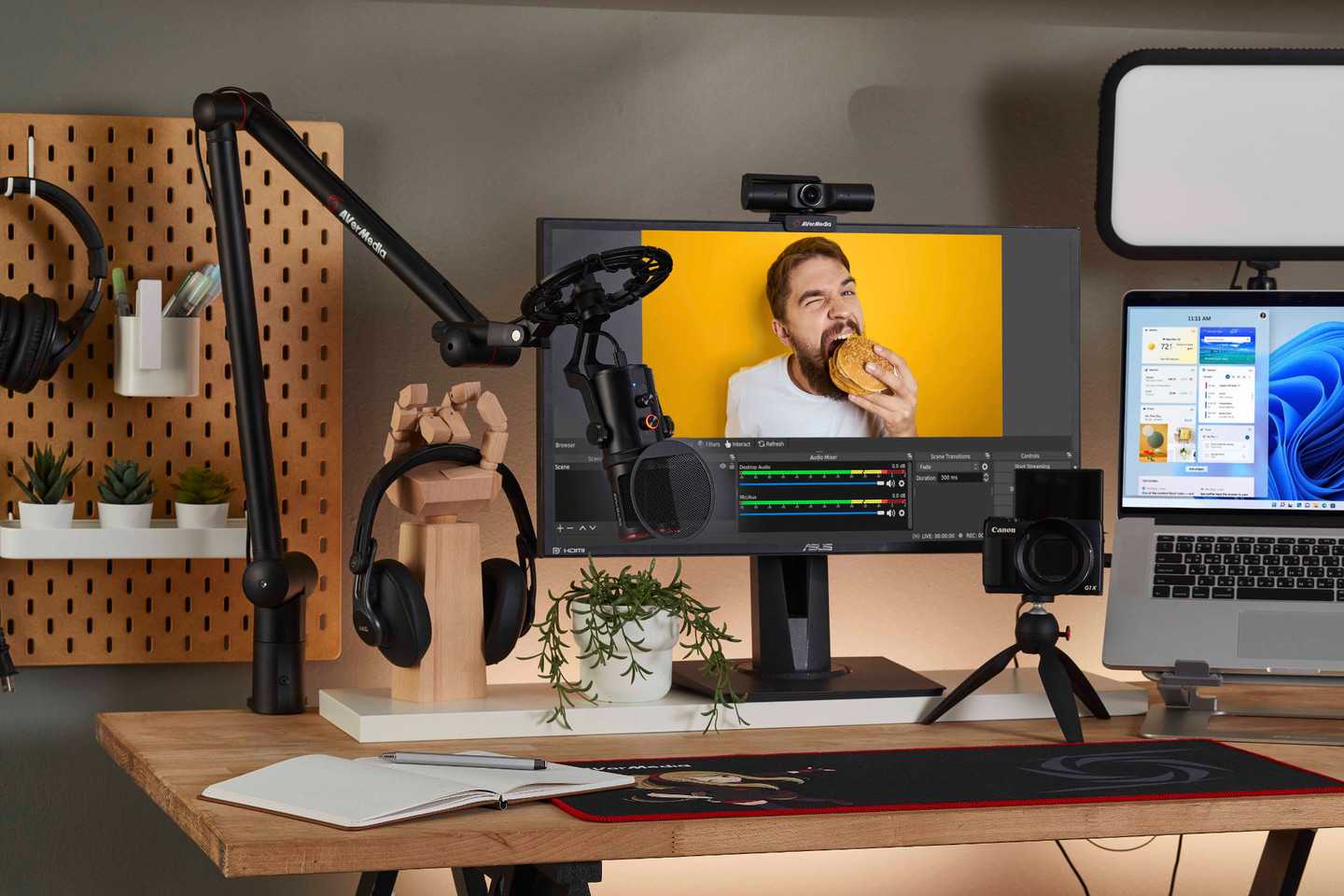
Content creators often swear by high-quality monitors that bring their visions to life with stunning clarity and color accuracy. If you’re wondering what monitor the pros use, the answer is a color-accurate, high-resolution display that minimizes eye strain during long editing sessions. For content creators, choosing the right monitor can make a huge difference in the quality of their work and their overall workflow.
In short, many content creators opt for monitors that offer advanced color precision, large screen real estate, and reliable performance, such as 4K OLED displays or professional-grade IPS panels. These monitors help users see every detail and color nuance, ensuring their projects look amazing on any device.
When it comes to content creation, the right monitor is more than just a screen; it’s an essential tool that enhances creativity and productivity. Whether you’re editing videos, designing graphics, or working on photography, the perfect monitor can transform your workspace and elevate your output. With options ranging from ultra-wide screens to crisp 4K displays, understanding what features are most important helps you make the best choice for your creative needs.

What Monitor Do Content Creators Use?
Choosing the right monitor is an essential part of a content creator’s setup. It impacts everything from editing videos to designing graphics and streaming live content. Content creators need monitors that offer high image quality, accurate colors, and reliable performance.
Understanding the Needs of Content Creators
Content creators have different demands depending on their niche. Video editors require precise color accuracy, while streamers prioritize smooth visuals and fast response times. Knowing these needs helps in selecting the best monitor for each task.
Key Features to Consider in a Content Creation Monitor
Several features stand out when choosing a monitor for content creation. These include color accuracy, resolution, refresh rate, and connectivity options. Let’s explore each in detail.
Color Accuracy and Color Gamut
High-quality monitors for content creation support wide color gamuts like sRGB, Adobe RGB, or DCI-P3. These ensure colors appear vibrant and true to life, which is vital for editing photos and videos.
Resolution and Screen Size
Monitors come in various resolutions such as Full HD (1920×1080), Quad HD (2560×1440), and 4K (3840×2160). Higher resolutions offer more workspace and sharper images, especially important for detailed editing work.
Refresh Rate and Response Time
While high refresh rates like 120Hz or 144Hz benefit gamers, content creators focus more on response time and motion clarity. A monitor with a low response time helps reduce motion blur during fast edits or streaming.
Connectivity and Compatibility
Latest monitors include multiple ports such as HDMI, DisplayPort, and USB-C. These enable easy connection to powerful PCs, laptops, and peripherals, ensuring seamless workflow.
Top Monitors for Content Creators
Here are some popular monitors suited for various content creation needs. They balance performance, colors, and affordability.
High-End Monitors for Professional Creators
- LG UltraFine 5K (27MD5KL) – Known for exceptional color accuracy and 5K resolution. Ideal for Photoshop, video editing, and detailed design work.
- Eizo ColorEdge CG319X – Supports Adobe RGB and includes hardware calibration. Perfect for professional color grading.
- Dell UltraSharp U3223QE – Offers 4K resolution with excellent color coverage and connectivity options for creators on a budget.
Mid-Range Monitors
- BenQ PD3220U – Designed for creative professionals with 4K resolution, HDR support, and wide color gamut.
- ASUS ProArt PA278CV – Provides accurate colors and ergonomic features suited for detailed editing work.
Budget-Friendly Options
- Acer R240HY – Offers decent color and resolution at an affordable price.
- Dell S2721HGF – Good for streamers needing fast response times and decent color performance.
Additional Accessories and Why They Matter
Beyond the monitor itself, accessories like calibration tools, adjustable stands, and color correctors enhance a creator’s workflow. Calibrating your monitor regularly maintains color accuracy over time.
Calibration Devices
Tools like the X-Rite i1Display Pro ensure colors stay true and consistent. Regular calibration is vital for professionals working on color-sensitive projects.
Adjustable Stands and Ergonomics
Ergonomic stands with height, tilt, and swivel adjustments improve comfort during long editing or streaming sessions. Comfort helps maintain productivity and reduces fatigue.
Choosing the Right Monitor Based on Your Content Creation Focus
Consider your primary tasks when selecting a monitor. Video editors need 4K displays with high color accuracy. Streamers benefit from fast refresh rates and good connectivity.
For Video Editing and Photo Work
- Prioritize 4K resolution
- Look for wide color gamut support
- Choose hardware calibration features
For Streaming and Live Content
- Opt for monitors with high refresh rates
- Require low response times
- Ensure multiple connectivity options
For Graphic Design and 3D Work
- Seek monitors with Adobe RGB coverage
- Prefer high resolution for detailed work
- Look for hardware color calibration
Popular Monitor Brands for Content Creators
Some brands consistently produce monitors trusted by creative professionals. They combine quality, reliability, and support for color accuracy.
| Brand | Special Features | Best For |
|---|---|---|
| LG | Ultrafine, wide color support | Video editing, photo editing |
| Eizo | Hardware calibration, professional-grade colors | Color grading, professional design work |
| BenQ | Creative series with HDR and wide color gamuts | Creative professionals and hobbyists |
| Dell | Sharp displays with color accuracy options | General content creation and streaming |
The Future of Monitors for Content Creation
Emerging technologies like Mini-LED and OLED displays provide better contrast ratios and deeper blacks. These advancements benefit creators seeking high dynamic range and realistic visuals.
Final Tips for Choosing Your Perfect Monitor
Always consider your main tasks and budget. Read reviews and check for color calibration capabilities. Investing in a quality monitor improves your work quality and reduces editing time.
A well-chosen monitor makes a significant difference for content creators. It improves accuracy, efficiency, and the overall quality of your work, helping you produce content that stands out.
Budget Monitors for Video Editing & Gaming Buyer's Guide 2022
Frequently Asked Questions
What features should a monitor have for content creation?
Content creators should look for monitors with high resolution, accurate color reproduction, and wide color gamuts such as Adobe RGB or DCI-P3. Additionally, features like excellent anti-reflective coatings, adjustable brightness, and ergonomic stands help improve usability and comfort during long editing sessions.
Are there particular monitor sizes preferred by content creators?
Many content creators prefer monitors that are at least 27 inches in size, as they offer a comfortable viewing area for detailed editing and multitasking. Larger screens, like 32 inches, can provide even more workspace, but it’s essential to ensure your desk space and workstation can accommodate these sizes comfortably.
What type of panel is best suited for professional editing work?
IPS panels are highly recommended for content creation because they deliver superior color accuracy and consistent viewing angles. This helps creators see true colors from different perspectives, which is crucial for tasks like photo editing, video color grading, and graphic design.
How important is refresh rate and response time for content creators?
While refresh rate and response time are more critical for gaming, they also affect smoothness and precision in video editing. A monitor with a standard 60Hz refresh rate and low response times ensures smooth playback and editing, making it easier to work on high-resolution video projects without lag or artifacts.
Should content creators consider calibration capabilities when choosing a monitor?
Yes, screens with hardware calibration options allow creators to regularly fine-tune color accuracy. Maintaining precise color standards is essential for producing professional-quality work, especially when the final output requires exact color matching across different devices and media.
Final Thoughts
Content creators prefer monitors with high resolution and accurate color reproduction to ensure their work looks precise. They often opt for models with IPS panels, which provide better viewing angles and color consistency. Size matters too, with many choosing 27-inch or larger screens for better detail.
In conclusion, what monitor do content creators use? They select displays that combine clarity, color accuracy, and ergonomic features to support their creative process, making these monitors essential tools for producing high-quality content.



