


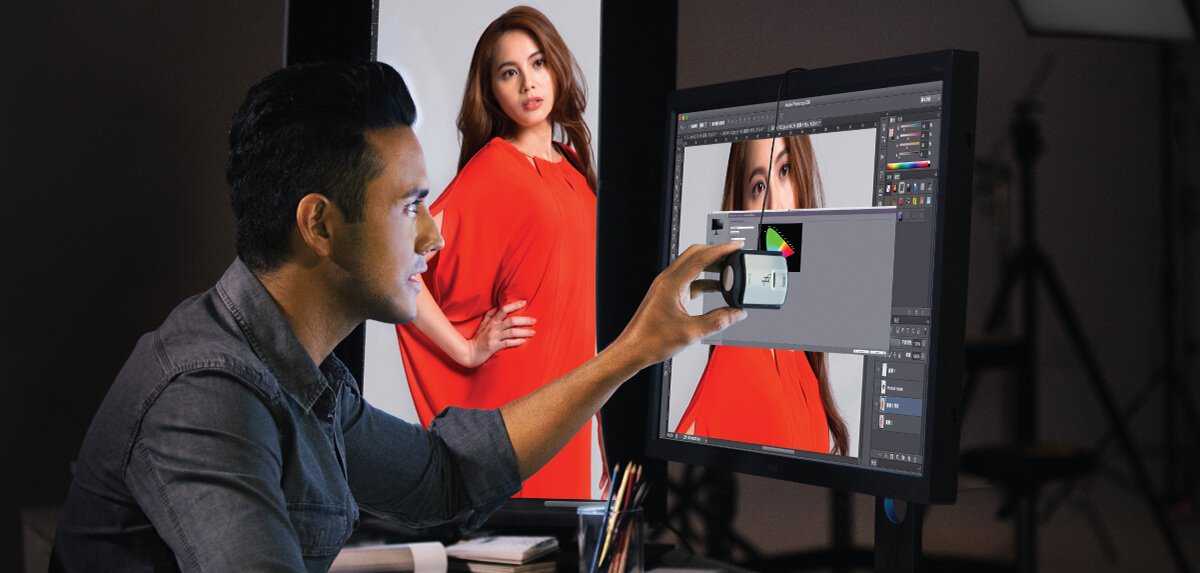
Professional photographers typically use high-end, color-accurate monitors like the Eizo ColorEdge series or the NEC MultiSync PA series. These monitors deliver superb color accuracy, wide color gamuts, and consistent calibration, essential for critical editing and printing. The right monitor ensures priceless details are visible and colors are true to life, helping photographers produce top-quality work.
In short, professional photographers prefer specialized monitors with exceptional color precision and calibration capabilities. These screens are designed to reproduce images accurately, making them indispensable tools for editing and retouching photography. Choosing the right monitor can significantly enhance a photographer’s workflow and the final quality of their images.
When it comes to the tools of the trade, the display you choose can make all the difference in the world of photography. For seasoned professionals, the monitor isn’t just a screen—it’s a vital extension of their creative process. They need a display that offers precise color reproduction, wide gamut coverage, and reliable calibration options to ensure that what they see on the screen perfectly matches the final printed or displayed image. The challenge is finding a monitor that balances technical excellence with user-friendly features, all within a reasonable budget for professional standards. In this blog, we’ll explore the top monitors favored by expert photographers, what makes them stand out, and how to choose the best one for your photographic needs.

What Monitor Do Professional Photographers Use
Understanding the Importance of a High-Quality Monitor
Professional photographers rely heavily on their monitors to accurately view and edit their images. A good monitor ensures that colors are precise, shadows and highlights are correctly displayed, and details are not lost. This accuracy is essential for delivering high-quality work to clients and maintaining a professional standard.
Key Features to Look for in a Photographer’s Monitor
To choose the right monitor, photographers should focus on several crucial features. These include color accuracy, resolution, screen size, contrast ratio, and calibration options. Each of these elements plays a vital role in producing consistent and true-to-life images.
Color Accuracy and Coverage
Accuracy in color reproduction helps photographers see their images as they truly are. Monitors with high coverage of color spaces like Adobe RGB, DCI-P3, and sRGB provide wider and more precise color ranges. Generally, professional monitors offer at least 99% Adobe RGB coverage to ensure color fidelity.
Why Color Spaces Matter
Color spaces define the range of colors a monitor can display. Adobe RGB covers a broader spectrum than sRGB, making it ideal for professional printing and high-end editing. DCI-P3, common in cinema displays, offers vibrant colors suitable for multimedia work.
Resolution and Screen Size
High resolution ensures that images are sharp and detailed. Most professionals prefer monitors with at least 4K resolution, which offers four times the pixel density of Full HD. Screen size is also important; a 27-inch monitor strikes a good balance between workspace and detail.
Balance Between Size and Clarity
Larger screens provide more room for editing multiple images simultaneously, but they require powerful hardware. Smaller screens may be less immersive but can still deliver excellent clarity if they have high resolution and color accuracy.
Calibration and Uniformity
Calibration is critical to maintain color accuracy over time. Professional monitors often come with hardware calibration tools or support third-party calibration devices. Uniformity across the screen ensures consistent color and brightness, reducing the risk of misinterpretation during editing.
Built-In Calibration Tools
Many high-end monitors include built-in sensors or are compatible with calibration software. Regular calibration, such as monthly, maintains consistent color performance, especially important in professional workflows.
Panel Technologies and Their Impact
Different panel technologies influence color reproduction, response time, and viewing angles. IPS (In-Plane Switching) panels are preferred for photography due to their superior color accuracy and wide viewing angles. TN (Twisted Nematic) panels are faster but less accurate, while VA (Vertical Alignment) panels offer high contrast ratios.
IPS Panels: The Photographer’s Choice
IPS panels provide consistent and vibrant color reproduction across all viewing angles. They are ideal for editing photos because they display true colors without distortion when viewed from different positions.
Advantages of High Dynamic Range (HDR) Monitors
HDR monitors can display a wider range of brightness and contrast, making images look more realistic. Many professional photographers appreciate HDR displays for viewing high-contrast images during editing, but color accuracy remains paramount.
Limitations of HDR in Photography
Although HDR technology enhances visual experience, not all HDR monitors are calibrated for color precision. Photographers should look for HDR monitors with excellent color coverage and hardware calibration support.
Popular Brands and Models for Professional Photographers
Several brands are renowned for manufacturing monitors suited for professional photography. These include Eizo, NEC, BenQ, and Dell, each offering models with high color accuracy and excellent build quality.
Top Recommended Monitors
- Eizo ColorEdge Series: Known for exceptional color consistency and built-in calibration tools.
- NEC MultiSync PA Series: Offers wide color coverage and high resolution.
- BenQ SW Series: Designed specifically for creative professionals with accurate colors and wide coverage.
- Dell UltraSharp Series: Popular among photographers for reliable performance and excellent display quality.
Calibration Devices and Software
Investing in hardware calibration tools like X-Rite i1Display Pro or Datacolor SpyderX ensures ongoing accurate color reproduction. Pairing these with professional calibration software keeps monitors performing at their best.
Importance of Regular Calibration
Calibration should be performed regularly, especially if color accuracy is critical. It helps maintain consistent color output over time, which is crucial for printing and digital display accuracy.
Budget Considerations and Value for Money
While high-end monitors can be costly, they offer features necessary for professional editing. For those on a budget, mid-range monitors with good color accuracy and calibration support can still meet professional standards.
Balancing Cost and Features
Less expensive models may lack some features like wide color coverage but can deliver acceptable performance for many photographers. It is essential to prioritize calibration support, resolution, and color accuracy over brand names or size alone.
Choosing the right monitor is a fundamental step for professional photographers who want to ensure their images are represented accurately. By considering features such as color coverage, resolution, calibration, and panel technology, photographers can find a monitor that suits their workflow and budget. The investment in a quality display ultimately enhances the quality of their work and the satisfaction of their clients.
How to Pick the Right Monitor for Photo Editing / Color Grading
Frequently Asked Questions
What features should a professional photographer look for in a monitor?
Professional photographers should prioritize monitors that offer accurate color reproduction, high resolution, and wide color gamuts such as Adobe RGB or DCI-P3. They should also consider monitors with factory calibration, good contrast ratios, and minimal color shifting across different viewing angles. A high-quality monitor with hardware calibration support helps maintain consistent image quality over time.
Are there specific brands that cater to professional photography needs?
Yes, brands like Eizo, NEC, and Eizo offer monitors specifically designed for photography professionals. These brands focus on providing exceptional color accuracy, uniformity, and comprehensive calibration options. Additionally, some models from Dell and LG also cater to high-end photography requirements with professional-grade features and reliable performance.
What size and resolution are optimal for editing photos at a professional level?
Many professionals prefer monitor sizes between 24 to 32 inches to have ample workspace for detailed editing. Resolution should be at least 4K (3840×2160 pixels) to allow precise detail work, especially when working on large images or multiple applications simultaneously. Higher resolutions provide sharper images, which are essential for accurate editing and color grading.
How important is hardware calibration for a professional photographer’s monitor?
Hardware calibration is crucial for maintaining color accuracy and consistency across different editing sessions. It allows photographers to adjust the monitor’s internal settings precisely, ensuring that colors are represented correctly. Regular calibration helps prevent color shifts that could affect the quality of prints or digital images, maintaining professional standards over time.
What role does monitor connectivity and compatibility play in professional photography workflows?
Reliable connectivity options like USB-C, Thunderbolt, and HDMI ensure seamless integration with cameras, computers, and external devices. These connections simplify workflows by enabling fast data transfer and easy connection to editing hardware. Compatibility with calibration tools and color management software also ensures that professionals can maintain color accuracy throughout their workflow.
Final Thoughts
Professional photographers prefer monitors with high resolution, accurate color reproduction, and wide viewing angles to ensure precise editing. Popular choices include models from brands like Eizo, NEC, and BenQ, known for their professional-grade displays. These monitors often feature hardware calibration tools to maintain color consistency.
Ultimately, what monitor do professional photographers use depends on their specific needs, but investing in a high-quality display leads to more reliable results.
In conclusion, what monitor do professional photographers use? They choose displays that deliver exceptional color accuracy, clarity, and reliability—essential for their creative work.



