


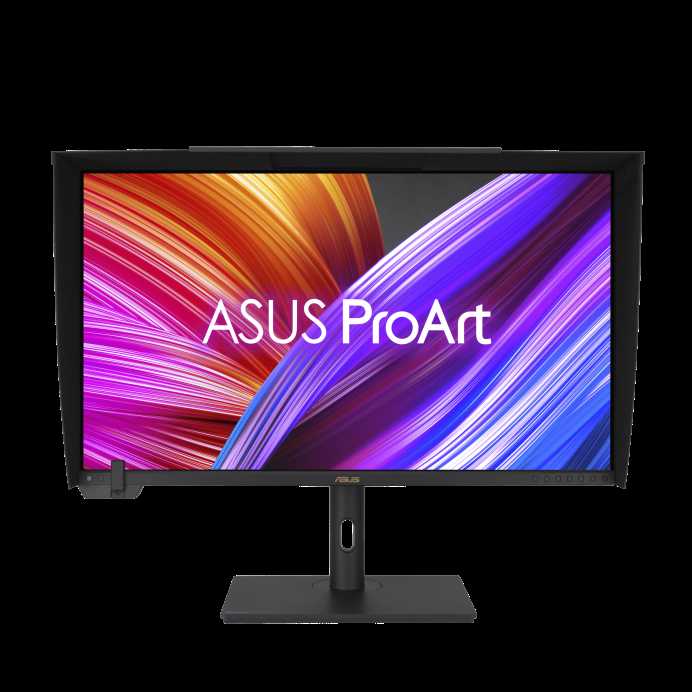
Yes, mini LED monitors can run on integrated graphics, but their performance and visual quality depend on the capabilities of your hardware. While integrated graphics can handle basic display functions, running a mini LED monitor smoothly, especially for high-resolution content or gaming, may require more powerful discrete graphics cards for optimal experience.
Mini LED monitors are known for their impressive brightness and contrast, making them a tempting choice for gamers and professionals alike. If you’re wondering whether your integrated graphics can support such a display, the good news is that they generally can, provided the monitor’s resolution and refresh rate align with what your graphics can handle. This article explores the compatibility of mini LED monitors with integrated graphics, helping you determine if your current setup is sufficient or if an upgrade is necessary—so read on to find out what you need to know to get the most out of your display without breaking the bank.

Can Mini LED Monitors Run on Integrated Graphics?
Understanding Mini LED Monitors
Mini LED monitors are advanced screens that use tiny Light Emitting Diodes called LEDs to produce vibrant images. These monitors are known for their brighter displays, better contrast, and more precise backlighting. They can deliver impressive picture quality, making them popular among gamers, creatives, and professionals.
Unlike traditional LED displays, Mini LED screens feature thousands of smaller LEDs. This dense arrangement allows for more detailed and dynamic lighting control. As a result, the images appear sharper with deeper blacks and brighter highlights. However, these high-end features also mean Mini LED monitors may require more powerful hardware to perform at their best.
What Is Integrated Graphics?
Integrated graphics are built-in graphics processors on a computer’s CPU. Unlike dedicated graphics cards, integrated graphics share system memory and are generally less powerful. They are suitable for everyday tasks like browsing, video watching, and light gaming.
While integrated graphics have improved over the years, they still have limitations in handling intensive graphics tasks. They are designed for efficiency, lower power consumption, and cost savings. This makes them a common choice for budget-friendly PCs and laptops.
Can Mini LED Monitors Work With Integrated Graphics?
The short answer is yes, Mini LED monitors can work with integrated graphics. However, several factors influence how well they perform together. Compatibility depends on the monitor’s resolution, refresh rate, and the capabilities of the integrated graphics processor.
Most modern integrated graphics support standard resolutions like 1080p (Full HD) and some can handle 1440p (QHD). Some higher-end integrated graphics chips can even support 4K displays, including Mini LED screens. But while the monitor may be compatible physically and via connection, performance varies based on the hardware’s power.
Resolution and Refresh Rate Considerations
Mini LED monitors come in various resolutions. Common sizes include Full HD (1080p), QHD (1440p), and 4K (2160p). Integrated graphics most often handle Full HD and some 1440p displays comfortably.
Running a 4K Mini LED monitor on integrated graphics might lead to performance issues. For smooth visuals, especially in gaming or video editing, higher refresh rates like 120Hz or 144Hz might also be challenging for integrated GPUs. It’s important to select a monitor that aligns with the graphics processor’s capabilities.
Performance Impact of Using Mini LED Monitors with Integrated Graphics
Using a Mini LED monitor with integrated graphics can result in a mixed experience. For standard use like web browsing, office work, and streaming videos, integrated graphics handle Mini LED screens well.
However, during demanding tasks such as gaming or 3D rendering, performance may suffer. The graphics card may struggle to render high-resolution images smoothly, leading to lower frame rates or lag. Users should set realistic expectations based on their hardware’s power.
Adjusting Settings for Better Performance
To optimize performance when using Mini LED monitors with integrated graphics, several adjustments can help. Reducing resolution and refresh rate can alleviate the load on the GPU.
Modify graphics settings within applications and the operating system to lower graphics quality. Updating graphics drivers can also improve compatibility and performance. These steps can provide a smoother visual experience, especially on hardware with limited graphics power.
Benefits of Using Mini LED Monitors with Integrated Graphics
Despite some performance limitations, there are advantages to pairing Mini LED monitors with integrated graphics. Compatibility means fewer cables and adapters, making setup simple and clean.
For casual users, the visual improvements—such as richer colors, improved contrast, and enhanced brightness—are noticeable. Mini LED monitors can significantly elevate everyday computer use without needing an expensive dedicated graphics card.
Limitations and Challenges
The main challenge is that integrated graphics share system resources, which can hinder performance on demanding tasks. Running a high-resolution Mini LED monitor may require more processing power than some integrated GPUs can provide.
Additionally, not all Mini LED monitors are fully compatible with lower-end integrated graphics. Users should check the monitor’s specifications and ensure their hardware meets the minimum requirements.
Related Topics: Upgrading Your Hardware
If you find that integrated graphics are insufficient for your Mini LED monitor, consider hardware upgrades. Installing a dedicated graphics card can dramatically improve performance and unlock full potential.
For those who prefer portability, choosing a monitor with lower resolution and refresh rate settings can provide a better experience on existing integrated graphics. Investing in a more powerful CPU with better integrated graphics capabilities is another option.
Connecting Mini LED Monitors to Integrated Graphics
Connecting your Mini LED monitor is straightforward if your device has the appropriate ports. Most modern systems offer HDMI, DisplayPort, or USB-C connections, which are compatible with Mini LED screens.
Ensure your hardware supports the monitor’s input options, and check that the system recognizes the display correctly. Proper connection and configuration help maximize performance and image quality.
Future Outlook: Integrated Graphics and Mini LED Technology
Integrated graphics continue to improve, with new processors offering better support for high-resolution displays. As technology advances, more powerful integrated GPUs will likely handle Mini LED monitors more efficiently.
This progress means that in the near future, users may experience fewer limitations when using high-end Mini LED screens without needing dedicated graphics cards. Staying updated with hardware developments can help users make informed choices.
Summary: Is It Feasible to Use Mini LED Monitors with Integrated Graphics?
Using Mini LED monitors with integrated graphics is feasible for everyday tasks. Compatibility depends on the specific monitor resolution, refresh rate, and the graphics capabilities of your CPU.
While high-end gaming or professional editing might require dedicated hardware, standard use often works well. Adjusting display settings and ensuring your hardware meets the monitor’s specifications can improve your experience.
This combination offers a balance of impressive visuals and cost-effective hardware, making Mini LED technology accessible to many users. As integrated graphics continue to advance, their ability to support high-quality displays like Mini LED screens will only improve.
Here’s Why GPUs Prefer DisplayPort Over HDMI
Frequently Asked Questions
Can a mini LED monitor display properly with integrated graphics?
Yes, a mini LED monitor can display images and videos correctly when connected to a system using integrated graphics. However, the performance depends on the capabilities of your integrated GPU, such as resolution support, refresh rates, and color accuracy. For basic tasks like browsing or office work, integrated graphics are usually sufficient, but complex graphics or gaming may require more powerful hardware.
Is it possible to get high refresh rates on a mini LED monitor using integrated graphics?
Some mini LED monitors support higher refresh rates, but achieving these with integrated graphics can be challenging. Most integrated GPUs are limited in supporting high refresh rates, especially at higher resolutions. To enjoy smoother visuals, ensure your integrated graphics and monitor specifications align, or consider lowering the resolution or refresh rate settings if performance drops.
What should I consider when connecting a mini LED monitor to a system with integrated graphics?
Check the compatibility of your integrated graphics card with the monitor’s resolution and input options. Ensure your GPU can handle the monitor’s resolution, especially if it’s 4K or higher, and verify that your system’s video outputs support the required connections, such as HDMI or DisplayPort. Adjust display settings for optimal performance and quality.
Can using a mini LED monitor with integrated graphics affect gaming performance?
Using a mini LED monitor with integrated graphics may limit gaming performance, particularly at high settings or resolutions. Integrated GPUs often lack the power needed for demanding games, which can lead to lower frame rates or reduced visual quality. For gaming, pairing your monitor with a dedicated graphics card typically produces better results.
Will I experience color or brightness issues when using a mini LED monitor with integrated graphics?
Potentially, yes. Integrated graphics might not fully support the advanced features of mini LED technology, such as expanded color ranges or high brightness levels. This could result in less vibrant colors or diminished contrast. To maximize display quality, ensure your integrated GPU supports the monitor’s specifications or consider using a dedicated GPU if color accuracy is critical.
Final Thoughts
Using integrated graphics for mini LED monitors is feasible but depends on your specific needs. These monitors often require higher graphics capabilities for optimal performance.
For everyday tasks like browsing or office work, integrated graphics usually suffice. However, for gaming or high-resolution editing, dedicated graphics are preferable.
Can mini LED monitors run on integrated graphics? Yes, but ensure your system’s specifications meet the monitor’s demands. Compatibility varies, so check compatibility before making a purchase.



