


Mastering your gaming chair pillows is crucial for ergonomic comfort and preventing strain during long sessions. This guide will teach you the optimal placement for both lumbar and headrest pillows, helping you align your spine, reduce fatigue, and customize your chair’s support to your unique body. Correct pillow use transforms a good gaming chair into a great one.
Welcome, fellow gamer and comfort seeker! We all know the thrill of a new gaming chair – the sleek design, the robust build, the promise of endless hours of comfortable play. But sometimes, even with the best intentions, that ultimate comfort can feel a little elusive. You might be wondering, “Am I really getting the most out of this chair?” Especially when it comes to those sometimes-confusing, yet incredibly important, accessories: the pillows. That’s where understanding gaming chair pillow how to use comes into play.
Let’s face it, prolonged gaming sessions, work-from-home marathons, or even just relaxing can take a toll on your back and neck. Modern gaming chairs come equipped with ergonomic features designed to combat this, and their accompanying pillows – typically a lumbar pillow and a headrest pillow – are at the forefront of this battle. But simply having them isn’t enough; knowing *how* to use them effectively is the real game-changer. This comprehensive guide will walk you through the ins and outs of gaming chair pillow how to use, ensuring you unlock the full potential of your chair for optimal comfort, improved posture, and pain-free sessions.
Key Takeaways
- Lumbar Pillow is for the Lower Back: Its primary role is to support the natural inward curve of your lower spine, preventing slouching and reducing pressure on discs.
- Headrest Pillow Supports the Neck: Position the headrest pillow at the curve of your neck (cervical spine), not the back of your head, to maintain a neutral head and neck alignment.
- Customization is Key: Don’t treat pillow placement as a one-size-fits-all rule; experiment with height, depth, and even angle to find what feels most supportive for your unique body and posture.
- Listen to Your Body: If a pillow causes discomfort, pain, or pushes you into an unnatural position, it’s either positioned incorrectly or might not be necessary for your current activity or body type.
- Pillows Complement Good Posture: While essential, gaming chair pillows are tools to assist good posture, not replace it. Always strive to sit upright with your feet flat and shoulders relaxed.
- Adjust for Activity: The ideal pillow position might change whether you’re intensely gaming, casually browsing, or reclining to watch a movie. Adjust your pillows accordingly for maximum benefit.
- Maintenance Matters: Regularly clean your pillow covers and consider replacing pillows if they lose their firmness or supportive properties over time.
Quick Answers to Common Questions
Can I use my gaming chair without the pillows?
Absolutely! While pillows offer excellent support for many, if you find them uncomfortable or that they push you into an unnatural position, it’s perfectly fine to remove them. Your comfort and spinal health are the top priorities.
How do I know if my lumbar pillow is in the right spot?
The lumbar pillow is in the right spot when it comfortably supports the natural inward curve of your lower back, just above your hips, without pushing you uncomfortably forward or causing an excessive arch.
Should the headrest pillow touch my head?
Ideally, the headrest pillow should support the curve of your neck (cervical spine), not push the back of your head forward. It should cradle your neck, maintaining a neutral head and neck alignment.
My gaming chair pillows keep slipping. What can I do?
If your pillows keep slipping, ensure the straps are tightened correctly. If they still slip, you can try adding non-slip fabric or Velcro strips to the back of the pillow or the chair’s upholstery to provide extra grip.
Are gaming chair pillows universal?
While most gaming chair pillows are designed to be adjustable and fit a range of chairs, their effectiveness depends on your specific body type and the chair’s design. What works perfectly in one chair might not be ideal in another or for a different person.
📑 Table of Contents
Understanding Your Gaming Chair Pillows
Before we dive into the “how-to,” let’s briefly touch upon what each pillow is designed to do. Think of them as specialized tools, each with a unique job in supporting your body. Knowing their purpose is the first step in mastering gaming chair pillow how to use.
The Lumbar Pillow: What it Does
The lumbar pillow is arguably the most critical component for spinal health in your gaming chair. Its name comes from the “lumbar” region of your spine, which is your lower back. This part of your spine naturally curves inward, forming a gentle “C” shape. When you sit for extended periods without proper support, gravity and fatigue often cause this curve to flatten or even reverse, leading to slouching. This puts immense strain on your spinal discs and muscles, often resulting in lower back pain.
The lumbar pillow’s job is to fill that gap, supporting the natural inward curve of your lower back. By doing so, it helps maintain proper spinal alignment, reduces pressure on your discs, and encourages a healthier sitting posture. It’s not there to push you forward aggressively but to gently cradle and support your body’s natural shape.
The Headrest/Neck Pillow: Its Purpose
The headrest pillow, often referred to as the neck pillow, focuses on your cervical spine – that’s your neck. Your neck, much like your lower back, also has a natural inward curve. When you lean back, or even just sit upright for a long time, your head can tend to jut forward or slump back, putting strain on your neck muscles and potentially compressing your cervical discs.
The headrest pillow’s purpose is to support this cervical curve, keeping your head and neck in a neutral, relaxed position. It prevents your head from straining forward or backward, alleviating tension in your neck and shoulders. Proper placement can make a huge difference in avoiding that stiff-neck feeling after a long gaming session.
Different Types of Pillow Materials
While less about gaming chair pillow how to use and more about quality, understanding materials can help you appreciate your pillows. Most gaming chair pillows are made from:
- Memory Foam: This material molds to the shape of your body, offering personalized support. It’s often highly praised for comfort but can retain heat.
- Cold-Cure Foam: This is a denser, more resilient foam that offers firm support while also being breathable. It tends to hold its shape longer.
- Fiberfill/Polyester: Less common in premium chairs, these offer softer, less structured support and can flatten over time.
The covers are usually soft, breathable fabrics like PU leather, fabric, or a mesh blend, designed for comfort and easy cleaning.
Mastering the Lumbar Pillow Placement
This is where many people go wrong, and it’s crucial for understanding gaming chair pillow how to use effectively. Getting the lumbar pillow right can transform your sitting experience.
Finding Your Lumbar Curve
The key to proper lumbar pillow placement is to align it with the natural curve of your lower back. Here’s a simple way to find it:
- Sit upright in your chair, all the way back against the backrest.
- Slightly arch your lower back, then relax it. Feel the natural indentation.
- This indentation is where your lumbar pillow needs to provide support.
The pillow should fill that gap, making you feel supported, not pushed forward.
Ideal Height and Depth
The ideal height for your lumbar pillow is typically just above your hips, supporting the small of your back. For most people, this means the bottom edge of the pillow will rest just above their belt line, supporting the L3-L5 vertebrae area. If your gaming chair pillow has adjustable straps, slide it up or down until it feels right.
Regarding depth, the pillow should provide *gentle* support. It shouldn’t push you so far forward that you feel like you’re perched on the edge of your seat or that your upper back is no longer against the backrest. The goal is to encourage your natural spinal curve, not exaggerate it aggressively. If your pillow is too thick, it can actually cause more discomfort than help. Some pillows come with removable layers of foam to adjust firmness and depth.
Common Lumbar Pillow Mistakes to Avoid
When learning gaming chair pillow how to use, be mindful of these pitfalls:
- Too High or Too Low: If it’s too high, it might push your mid-back, causing slouching in the lower back. Too low, and it offers no support to your lumbar curve.
- Too Firm or Too Thick: A pillow that’s too firm or protrudes too much can create an unnatural arch, leading to pain instead of relief.
- Ignoring Your Body: If it doesn’t feel comfortable after a few minutes of adjustment, it’s not in the right spot, or it might not be the right pillow for you.
Adjusting for Different Activities
Your ideal lumbar pillow position might change based on what you’re doing:
- Intense Gaming/Work: When you’re leaning forward slightly or sitting upright, you might want the pillow to offer consistent, firm support.
- Reclining: If you recline your chair significantly, the lumbar pillow’s position might shift, or you might find you need slightly less aggressive support. Pay attention to how your spine feels.
Perfecting Your Headrest Pillow Position
The headrest pillow is often overlooked, but proper gaming chair pillow how to use extends to this accessory for complete comfort.
Where Should it Sit?
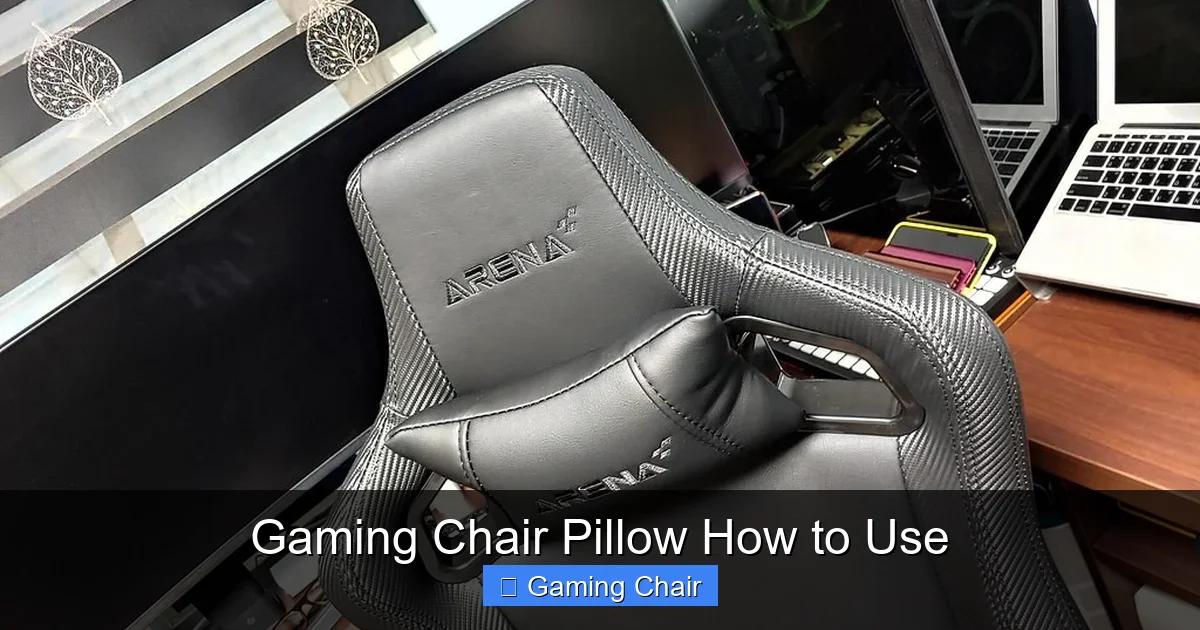
Unlike the lumbar pillow, which supports a curve, the headrest pillow typically supports the *curve of your neck*, not the back of your head. For most people, this means the pillow should be positioned so that its lower edge is roughly at the base of your skull, cradling the natural inward curve of your cervical spine. It should fill the gap between your neck and the headrest, keeping your head upright and your neck relaxed.
If the pillow is too high, it will push your head forward aggressively. If it’s too low, it won’t provide the necessary neck support, letting your head slump back.
Maintaining Proper Head Alignment
When positioned correctly, the headrest pillow helps maintain a neutral head and neck alignment. This means your ears should be roughly in line with your shoulders, and your chin should be neither jutting out nor tucked aggressively into your chest. You should feel a gentle, comfortable support that prevents strain.
When to Use (and Not Use) the Headrest Pillow
This is an important aspect of gaming chair pillow how to use that many people miss.
- Use It When Reclining: When you recline, your head naturally wants to fall back. The headrest pillow becomes invaluable here, keeping your neck supported and aligned.
- Use It for Upright Support: If you find your neck getting tired or your head leaning forward during upright sessions, the pillow can provide excellent preventative support.
- Consider Removing It: Some users, especially those with shorter torsos or who prefer a very upright, active sitting posture, might find the headrest pillow pushes their head too far forward, even when adjusted. If it causes discomfort or forces your head into an unnatural position, it’s okay to remove it. Comfort is paramount!
Tips for Tall and Short Users
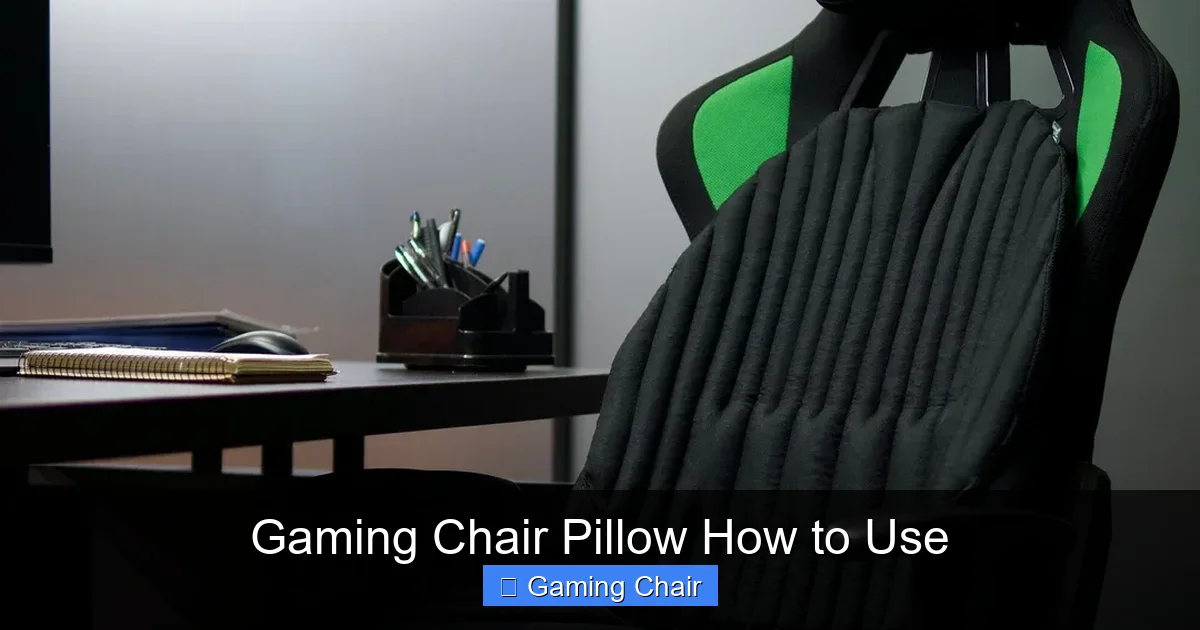
For Taller Users: If you’re tall, you might find the headrest pillow straps aren’t long enough to position the pillow high enough for your neck. You might need to extend the straps with some Velcro or fabric, or simply rest the pillow against the top of the chair without using the straps if it stays in place. The goal is neck support, not necessarily strict strap adherence.

Visual guide about Gaming Chair Pillow How to Use
Image source: i0.wp.com
Visual guide about Gaming Chair Pillow How to Use
Image source: i.etsystatic.com
For Shorter Users: You might find the headrest pillow pushes your head too far forward. Ensure it’s positioned at the lowest point where it still supports your neck’s curve. If it still doesn’t feel right, removing it might be the best option.
Advanced Tips for Maximizing Pillow Comfort
Visual guide about Gaming Chair Pillow How to Use
Image source: gamerdweeb.com
Getting the basics of gaming chair pillow how to use down is great, but these advanced tips can fine-tune your experience.
Combining Pillows for Optimal Support
The lumbar and headrest pillows are designed to work in harmony, supporting the two main curves of your spine. When both are correctly positioned, they help create a continuous, healthy spinal alignment from your lower back all the way up to your neck. This comprehensive support drastically reduces the chances of developing aches and pains from prolonged sitting.
Customizing for Your Body Type
No two bodies are exactly alike, and what works for one person might not work for another. This is perhaps the most crucial takeaway when considering gaming chair pillow how to use.
- Experimentation is Key: Don’t be afraid to adjust your pillows throughout the day. Try different heights, slight angles, or even removing one for a period to see how your body reacts.
- Listen to Your Body: If you feel any new aches or increased discomfort, it’s a sign that something isn’t right. Re-adjust or remove the pillow in question.
- Consider Your Build: Individuals with a very pronounced lumbar curve might need a thicker pillow, while those with a flatter back might prefer something thinner or even no lumbar pillow at all. The same applies to neck curvature.
The Importance of Posture Beyond Pillows
Remember, pillows are aids, not replacements for good posture. While understanding gaming chair pillow how to use is essential, always strive for these fundamental good posture habits:
- Sit with your feet flat on the floor or a footrest.
- Keep your knees at roughly a 90-degree angle, or slightly lower than your hips.
- Relax your shoulders, avoiding shrugging or hunching.
- Keep your elbows close to your body, ideally supported by armrests at a 90-degree angle.
- Maintain a comfortable distance from your monitor.
Pillows *assist* these habits by making it easier and more natural to maintain them.
When to Remove a Pillow
Yes, sometimes less is more. If you find a pillow:
- Causes discomfort or pain.
- Pushes you into an unnatural or uncomfortable position.
- Makes it harder to sit upright comfortably.
- Feels obstructive rather than supportive.
Then, by all means, remove it! Your comfort and spinal health are the priority. Some people prefer no lumbar pillow, relying on the chair’s built-in lumbar support, or no headrest pillow if their natural posture doesn’t require it.
Maintaining Your Gaming Chair Pillows
Proper care ensures your pillows continue to provide optimal support for years to come. This is an often-forgotten aspect of gaming chair pillow how to use.
Cleaning and Care
Most gaming chair pillow covers are removable and washable. Always check the care label, but generally:
- Covers: Zip off and machine wash on a gentle cycle with cold water, then air dry. Avoid high heat as it can damage the fabric or backing.
- Foam Inserts: Spot clean only with a damp cloth and mild soap. Do not submerge foam in water, as it can be difficult to dry thoroughly and can encourage mold growth. Air dry completely before replacing the cover.
Regular cleaning not only keeps them fresh but also extends their lifespan.
When to Consider Replacements
Even the best pillows won’t last forever. Consider replacing your gaming chair pillows if:
- They’ve lost their firmness and no longer provide adequate support (e.g., memory foam doesn’t spring back).
- The material is visibly worn, torn, or compressed.
- You’ve noticed increased discomfort or back/neck pain that wasn’t there before, indicating the pillows might no longer be doing their job.
Good quality replacement pillows can often be purchased from chair manufacturers or third-party ergonomic accessory brands.
DIY Adjustments and Hacks
If your pillows aren’t quite perfect, there are some simple hacks you can try:
- Too Thick: If the lumbar pillow is too thick, and layers aren’t removable, you can carefully open a seam, remove some foam, and sew it back up. Or, simply use a thinner cushion from a different source.
- Not Firm Enough: You can add a thin layer of denser foam or even a folded towel inside the pillow cover to increase firmness.
- Pillow Slides Down: If your lumbar pillow lacks good straps or tends to slip, consider adding some non-slip fabric or Velcro strips to the back of the pillow and the chair.
Conclusion
Mastering gaming chair pillow how to use is a fundamental step towards achieving peak comfort and maintaining excellent spinal health, especially during those marathon gaming sessions or long hours at your desk. It’s not just about having the pillows; it’s about understanding their purpose, knowing exactly where and how to place them, and critically, listening to your body’s feedback.
Remember, your ideal setup is unique to you. Take the time to experiment with the placement of both your lumbar and headrest pillows. Adjust, sit, feel, and readjust until you find that sweet spot of personalized ergonomic support. Don’t be afraid to remove a pillow if it causes discomfort, and always complement your pillow use with good overall posture. By taking these steps, you’ll transform your gaming chair into a true throne of comfort, allowing you to focus on your game, not your aches. Happy gaming, and may your back and neck thank you!
Frequently Asked Questions
What is the main benefit of using a lumbar pillow on a gaming chair?
The main benefit is maintaining the natural inward curve of your lower spine (lumbar lordosis). This helps prevent slouching, reduces pressure on your spinal discs, and alleviates lower back pain during long sitting periods.
How often should I adjust my gaming chair pillows?
You should adjust your gaming chair pillows whenever you feel discomfort, change your sitting posture significantly (e.g., from upright gaming to reclining), or if your body shape changes (e.g., due to weight fluctuation). Regular small adjustments are better than enduring discomfort.
Can gaming chair pillows cause back or neck pain?
Yes, if positioned incorrectly, gaming chair pillows can indeed cause or exacerbate back and neck pain. If a pillow pushes you into an unnatural posture, is too thick, or is placed in the wrong spot, it can create strain rather than alleviate it.
Is it better to have a firm or soft gaming chair pillow?
The ideal firmness depends on personal preference and body type. Generally, a pillow that offers firm enough support to maintain your natural spinal curves but is still comfortable without feeling rigid is best. Memory foam offers contouring support, while cold-cure foam is typically firmer.
Can I use third-party pillows with my gaming chair?
Yes, you can absolutely use third-party pillows if they offer better comfort and support than the ones that came with your chair. Many ergonomic accessory brands offer specialized lumbar and neck pillows designed for office and gaming chairs, often with enhanced materials or adjustability.
What’s the best way to clean my gaming chair pillows?
For most gaming chair pillows, the fabric covers can be unzipped and machine-washed on a gentle cycle with cold water, then air-dried. The foam inserts should generally only be spot-cleaned with a damp cloth and mild soap, then thoroughly air-dried, never submerged in water.



