


Attaching pillows to your gaming chair is crucial for maintaining proper posture and enhancing comfort during long gaming sessions. This guide provides step-by-step instructions for both lumbar and neck pillows, covering various attachment methods like straps and elastic bands. We’ll help you optimize your ergonomic setup and overcome common attachment challenges, ensuring a more enjoyable and supportive gaming experience.
Gaming chairs have become a staple for anyone serious about their desk setup, whether for marathon gaming sessions, intensive work, or just long hours spent at the computer. They promise a blend of style and ergonomic support, often coming with a pair of specialized pillows: one for your neck and one for your lumbar region. These aren’t just decorative; they’re vital components designed to promote good posture, reduce fatigue, and prevent aches and pains that can arise from prolonged sitting.
However, owning a gaming chair and actually utilizing its ergonomic features effectively are two different things. Many users find themselves scratching their heads, wondering exactly how to attach pillows to gaming chair securely and optimally. Is there a right way? What if the straps don’t seem to fit? What if the pillows keep slipping? Don’t worry, you’re not alone! This comprehensive guide will walk you through everything you need to know about attaching and adjusting your gaming chair pillows to unlock their full comfort potential. We’ll turn your “meh” gaming experience into an “ahhh, that’s better!” moment.
The Importance of Proper Pillow Placement
Before we dive into the “how-to,” let’s quickly reinforce the “why.” Your spine has natural curves – an inward curve in your lower back (lumbar) and another inward curve in your neck (cervical). When you sit for extended periods without proper support, these curves can flatten or exaggerate, leading to strain. Lumbar and neck pillows are specifically designed to support these natural curves, helping you maintain a neutral spine. This reduces pressure on your discs and muscles, minimizes the risk of back pain, and allows you to stay focused and comfortable for much longer. So, learning how to attach pillows to gaming chair correctly is not just about aesthetics; it’s about your long-term health and comfort.
Key Takeaways
- Understand Pillow Types: Distinguish between lumbar and neck/headrest pillows, as each serves a different ergonomic purpose and has distinct attachment methods.
- Utilize Built-in Features: Most gaming chairs come with specific slots, straps, or elastic bands designed to securely attach their included pillows.
- Proper Placement is Key: Position the lumbar pillow in the curve of your lower back and the neck pillow at the natural curve of your neck to maintain spinal alignment.
- Adjust for Personalized Comfort: Don’t just attach and forget; adjust the height and depth of your pillows until they provide optimal support for your unique body shape.
- Troubleshoot Common Issues: Be prepared for challenges like slipping pillows or non-fitting straps, and learn simple hacks to overcome them using readily available items.
- Consider Aftermarket Options: If stock pillows aren’t sufficient, explore third-party pillows, but ensure they are compatible with your chair’s design for secure attachment.
- Maintain for Longevity: Regularly check pillow straps and attachments for wear and tear, and clean your pillows to ensure hygiene and extend their lifespan.
Quick Answers to Common Questions
How do I know if my lumbar pillow is in the right spot?
Your lumbar pillow is correctly placed when it fills the natural inward curve of your lower back, supporting it without pushing your mid-back forward or feeling uncomfortable. When you sit upright, it should feel like a gentle, firm support that encourages good posture.
Can I use aftermarket pillows with any gaming chair?
Generally, yes, you can use aftermarket pillows. However, you’ll need to check their attachment mechanisms to ensure they are compatible with your chair’s design (e.g., if they have straps that can wrap around the backrest or fit through existing slots).
My neck pillow keeps slipping down. What can I do?
If your neck pillow slips, first try tightening its straps. If that doesn’t work, consider using self-adhesive Velcro strips on the back of the pillow and the chair to create additional grip, or use binder clips to shorten loose straps if possible.
Should the pillows be tight against my back/neck?
The pillows should be snug enough to provide firm support but not so tight that they feel uncomfortable, push you excessively forward, or restrict your movement. Aim for supportive comfort, not rigid pressure.
Is it okay to remove the pillows if I don’t like them?
Absolutely! While pillows are designed for ergonomic support, personal preference varies. If you find them uncomfortable or prefer to sit without them, it’s perfectly fine to remove them. Your comfort is the most important factor.
📑 Table of Contents
Understanding Your Gaming Chair’s Design and Pillow Types
Before you start wrestling with straps, it’s helpful to understand the basic anatomy of your gaming chair and the types of pillows you’re dealing with. Not all chairs are built the same, and not all pillows are either!
Common Gaming Chair Pillow Attachment Methods
Most gaming chairs use one of a few primary methods to attach their included pillows:
- Elastic Straps: These are the most common. A long elastic strap is often sewn into the pillow, designed to wrap around specific parts of the chair backrest.
- Buckle Straps: Some higher-end chairs might feature adjustable buckle straps, similar to those found on backpacks, offering a more secure and customizable fit.
- Sliding Straps with Clips: These are usually found on neck pillows. The straps slide through specific openings near the headrest of the chair, securing the pillow in place.
- Integrated Designs: A few chairs might have unique, integrated pillow designs where the support is built directly into the chair or secured with less visible mechanisms.
- Magnetic Attachments: While less common, some premium chairs utilize strong magnets embedded in the pillow and the chair for a sleek, strap-free attachment.
Types of Pillows and Their Functions
You’ll typically find two main types of pillows with your gaming chair:
- Lumbar Pillow: This is the larger of the two, designed to support the natural inward curve of your lower back. Its primary role is to prevent slouching and maintain the ergonomic S-shape of your spine.
- Neck/Headrest Pillow: Usually smaller, this pillow is positioned at neck height to support the cervical curve of your spine. It helps keep your head in a neutral position, preventing your neck from craning forward or straining backward.
Ergonomics 101: Why Pillows Matter
Understanding the ergonomic principles behind these pillows will help you appreciate their placement. When you learn how to attach pillows to gaming chair correctly, you’re not just adding fluff; you’re actively contributing to:
- Spinal Alignment: Keeping your spine in its natural S-curve.
- Pressure Distribution: Spreading the pressure evenly across your back and neck.
- Muscle Relaxation: Reducing tension in your back and neck muscles.
- Improved Circulation: Preventing discomfort caused by restricted blood flow.
- Enhanced Focus: Less discomfort means fewer distractions and better concentration.
Preparing for Attachment: Before You Begin

Visual guide about How to Attach Pillows to Gaming Chair
Image source: techsynchron.com
A little preparation goes a long way in making the attachment process smooth and frustration-free.
Check Your Chair’s Features
Take a good look at your gaming chair. Does it have:
- Slots or Openings: Many chairs have vertical slots running through the backrest, often near the shoulder and headrest areas. These are specifically designed for the straps of your neck pillow.
- Integrated Loops/Hooks: Some chairs might have small loops or hooks on the back that are meant for securing pillow straps.
- Existing Strap Mechanisms: If your chair came with pillows already attached (or partially attached), observe how they were initially secured.
Assess Your Pillows
Examine the pillows themselves.
- Attachment Mechanisms: Do they have elastic straps, buckles, or other fasteners?
- Aftermarket vs. Stock: Are these the pillows that came with the chair, or are they aftermarket additions? Aftermarket pillows might require a bit more creativity to attach securely.
- Condition: Are the straps in good condition? Are there any tears or fraying that might compromise their security?
Cleanliness is Key
Before you attach pillows to gaming chair, give both your chair and pillows a quick wipe down. Dust and crumbs can accumulate, and it’s much easier to clean them before everything is strapped into place.
Gather Your Tools (If Needed)
Most attachments won’t require tools, but for tricky situations or custom setups, you might consider having these on hand:
- Binder Clips or Clothes Pins: Useful for temporarily holding straps in place.
- Zip Ties: For more permanent or reinforced attachments, especially if straps are too loose or broken.
- Velcro Strips (self-adhesive): Great for customizing attachment points or preventing slippage.
- Strap Extenders: If your pillow straps are too short (rare, but it happens).
Step-by-Step Guide: Attaching Lumbar and Neck Pillows
Visual guide about How to Attach Pillows to Gaming Chair
Image source: assets-prd.ignimgs.com
Now for the main event! We’ll tackle each pillow type separately, as their attachment methods differ.
Attaching the Lumbar Pillow
The lumbar pillow usually sits in the lower back curve of your chair.
- Locate the Straps: Your lumbar pillow will almost certainly have one long elastic strap attached horizontally across its back.
- Position the Pillow: Place the lumbar pillow against the backrest of your chair, roughly where your lower back would naturally rest. Sit in the chair to get a feel for the right height. You want it to support the natural inward curve of your lower back, not push your mid-back out.
- Wrap the Strap: Guide the elastic strap around the entire backrest of the chair. For most gaming chairs, you’ll wrap it around the sides of the backrest, behind the main frame.
- Secure the Strap:
- For Buckle Straps: Thread the strap through the buckle and pull until it’s snug, but not so tight that it deforms the pillow or chair.
- For Elastic Straps (Velcro End): If your elastic strap has a Velcro end, simply bring the two ends together and press firmly to secure.
- For Elastic Straps (Continuous Loop): If it’s a continuous elastic loop, you might need to stretch it over the entire backrest and maneuver it into place. Some chairs have specific channels or gaps in the backrest design where the strap can be tucked for a neater look.
- Adjust for Height: Once attached, you can often slide the lumbar pillow up or down the backrest to find your perfect spot. Sit down and adjust until it comfortably fills the curve of your lower back. Your sitting posture should feel supported and natural, not forced. This step is critical to effectively attach pillows to gaming chair for personalized comfort.
Attaching the Neck/Headrest Pillow
The neck pillow typically attaches higher up on the chair.
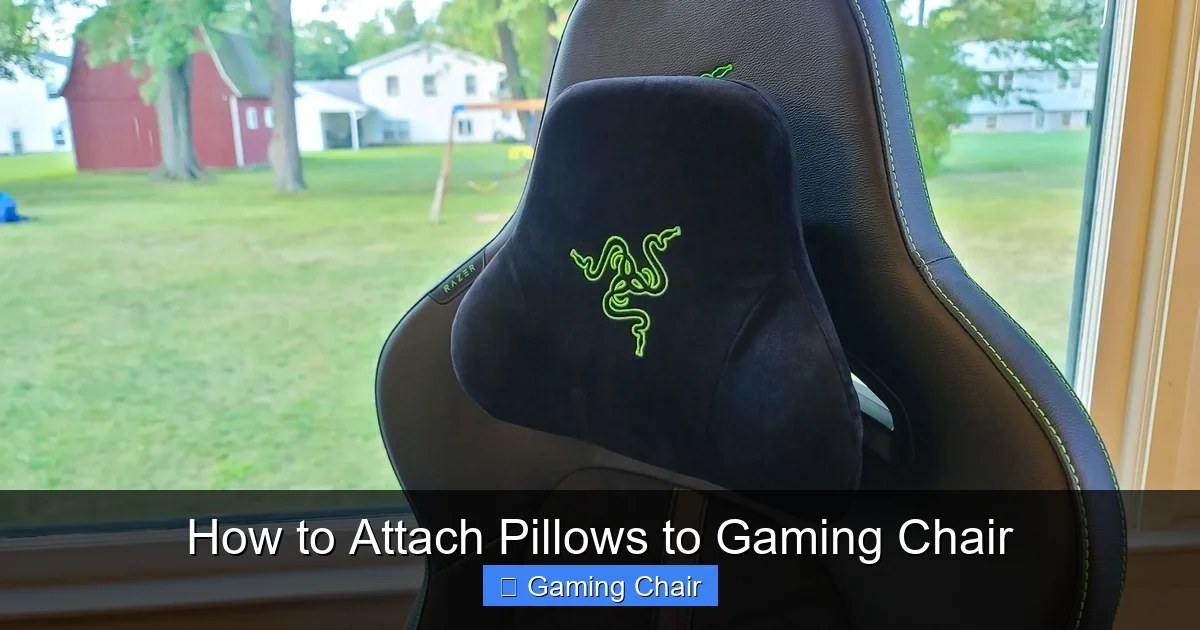
- Identify Attachment Points: Look for the two vertical slots or openings near the top of your chair’s backrest, just below the headrest area. These are specifically designed for the neck pillow straps.
- Locate Pillow Straps: Your neck pillow will usually have two elastic straps, one on each side, sometimes with plastic clips.
- Thread the Straps:
- Through Slots: Feed each strap through its corresponding slot from the front of the chair to the back.
- Around the Top: If your chair doesn’t have slots, the straps are usually designed to wrap around the top edge of the backrest and buckle or Velcro together at the back.
- Secure the Straps:
- For Clip-Based Straps: Once threaded through the slots, bring the clips together behind the chair backrest and snap them shut. Adjust the strap length to make the pillow snug against the headrest.
- For Elastic Loop Straps: If it’s a simple elastic loop, guide it over the entire headrest area of the chair, stretching it down until the pillow sits correctly.
- Adjust for Height: The neck pillow should ideally rest at the curve of your neck, supporting your head without pushing it too far forward. Sit in the chair and slide the pillow up or down until it feels right. For most people, this means the bottom edge of the pillow aligns with the top of their shoulders. If your pillow uses clips and slots, you might have some vertical play; if it’s an elastic loop, you might need to adjust your sitting position slightly or consider modifying the strap if it’s too high or low. Getting this height right is paramount when you attach pillows to gaming chair.
Adjusting for Optimal Comfort
Attaching the pillows is only half the battle. The real magic happens with proper adjustment.
- Sit Naturally: Don’t try to force yourself into a position. Sit as you normally would.
- Feel for Support: Does the lumbar pillow fill the curve of your lower back without pushing you too far forward? Does the neck pillow support your neck without pushing your head out of alignment?
- Fine-Tune: Make small adjustments to the height and tightness of both pillows. A few centimeters can make a huge difference.
- Test Drive: Spend some time sitting and gaming. If you feel discomfort after 15-30 minutes, readjust. Your body will tell you what feels best.
Troubleshooting Common Attachment Issues

Visual guide about How to Attach Pillows to Gaming Chair
Image source: chairsfx.com
Even with the best intentions, you might run into a few snags. Here’s how to deal with common problems when you attach pillows to gaming chair.
Pillow Slips Down Constantly
This is a frequent complaint, especially with lumbar pillows.
- Cause: Straps are too loose, or the chair material is slick.
- Solution:
- Tighten Straps: Ensure the straps are as snug as possible without deforming the pillow.
- Add Friction: You can try placing a piece of non-slip matting (like shelf liner) behind the pillow where it meets the chair.
- Velcro Strips: Apply self-adhesive Velcro strips to the back of the pillow and corresponding spots on the chair. This provides excellent grip.
- Zip Ties/Binder Clips: For lumbar pillows, if the strap is a continuous loop that’s too loose, you can sometimes use a zip tie or a strong binder clip to gather a section of the elastic at the back, effectively shortening the loop.
Pillow Too Loose/Tight
Sometimes the straps just don’t offer the perfect tension.
- Cause: Non-adjustable straps, or the chair’s design doesn’t allow for ideal tension.
- Solution:
- For Too Loose: Use the zip tie/binder clip trick mentioned above. For neck pillows, if the clip-based straps are too long, you might need to knot them temporarily or consider a strap shortening solution.
- For Too Tight: This is less common. If a strap is genuinely too tight, it might be pushing the pillow too aggressively into your back. Ensure you’re not over-tightening buckle straps. If it’s a fixed elastic, you might need a strap extender or consider a different pillow.
Straps Don’t Reach or Are Too Short
This can happen, particularly with aftermarket pillows or if your chair is unusually large.
- Cause: Incompatibility between pillow and chair size.
- Solution:
- Strap Extenders: You can purchase elastic strap extenders online (often found for luggage or clothing).
- DIY Extension: Get a piece of strong elastic and sew or securely knot it onto the existing strap to extend its length.
- Alternative Attachment: Consider using heavy-duty Velcro strips as a primary attachment method if the straps are unusable.
Pillow Feels Uncomfortable
Even if attached correctly, a pillow might not feel right for your body.
- Cause: Pillow shape/firmness doesn’t suit you, or incorrect placement.
- Solution:
- Adjust Height/Depth: Experiment more with the exact placement. A small adjustment can make a big difference.
- Remove Filling: Some pillows have zippers, allowing you to remove a small amount of memory foam or filling to adjust firmness.
- Try a Different Pillow: If all else fails, the included pillow might just not be right for your body. Consider investing in an aftermarket lumbar or neck pillow designed for universal fit or specific ergonomic needs. Many find that a softer memory foam pillow makes a huge difference.
Advanced Tips and Customization
Once you’ve mastered how to attach pillows to gaming chair, you might want to explore ways to further customize your setup.
Using Aftermarket Pillows
Original equipment manufacturer (OEM) pillows are generally decent, but sometimes you need more.
- Compatibility Check: When buying aftermarket pillows, look for options with adjustable straps or universal attachment designs.
- Material Matters: Memory foam is a popular choice for its ability to contour to your body. Gel-infused options offer cooling properties.
- Trial and Error: It might take trying a couple of different aftermarket pillows to find the one that truly works for you.
DIY Solutions and Hacks
A little ingenuity can solve many problems.
- Velcro for Everything: Seriously, self-adhesive heavy-duty Velcro strips are your best friend for securing pillows, preventing slippage, and even creating custom attachment points.
- Clips and Carabiners: Small carabiners or S-biner clips can be used to link pillow straps to existing loops or even the chair’s frame, offering a flexible and secure connection.
- Elastic Modifications: If your elastic strap is too long, you can carefully cut it, shorten it, and sew it back together (or use strong fabric glue). Be precise!
- Fabric Covers: If your pillows don’t match your chair or you want extra comfort, consider making or buying custom fabric covers. These can also add a layer of friction to prevent slipping.
Maintenance for Longevity
To ensure your pillows continue to support you for years, a little maintenance is key.
- Regular Cleaning: Check if pillow covers are removable and machine washable. If not, spot clean with a damp cloth and mild detergent.
- Check Straps: Periodically inspect the straps for any signs of wear and tear, fraying, or loss of elasticity. Replace them if necessary to prevent the pillows from falling.
- Fluff and Reshape: Over time, some pillow fillings can compress. Give them a good fluff regularly to help them regain their shape and support.
Conclusion
Mastering how to attach pillows to gaming chair is more than just a setup task; it’s an investment in your comfort, health, and gaming performance. By understanding the purpose of each pillow, utilizing the built-in features of your chair, and fine-tuning the placement, you can transform your sitting experience. Remember, proper ergonomic support can alleviate discomfort, prevent long-term issues, and allow you to stay immersed in your digital worlds for longer periods without distraction.
Don’t settle for a sub-optimal setup. Take the time to adjust, experiment, and even customize your pillow attachments. Your back and neck will thank you, and your gaming sessions will undoubtedly become more enjoyable and productive. So go ahead, get those pillows perfectly positioned, lean back, and game on with confidence and comfort!
Frequently Asked Questions
How often should I adjust my gaming chair pillows?
It’s a good idea to periodically check and re-adjust your pillows, especially if you change your sitting habits, feel new discomfort, or if the pillows have shifted. A quick adjustment at the start of a long session can make a big difference.
Can improper pillow attachment cause more back pain?
Yes, if pillows are attached incorrectly or placed in the wrong position, they can disrupt your natural spinal alignment, leading to increased discomfort or even pain. Ensure they support your natural curves, not force your body into an unnatural position.
My gaming chair didn’t come with pillows. Can I add them?
Definitely! Many users purchase aftermarket lumbar and neck pillows to enhance chairs that didn’t include them. Look for pillows with adjustable elastic or buckle straps that can universally fit most chair backrests.
How do I clean my gaming chair pillows?
Most pillow covers are removable and machine washable (check the label for specific instructions). For non-removable covers or the inner foam, spot clean with a mild soap and damp cloth, then air dry thoroughly to prevent mildew.
What’s the ideal height for a neck pillow?
The ideal height for a neck pillow is where it supports the natural curve of your neck, allowing your head to rest comfortably without being pushed too far forward or backward. For most, this means the bottom edge of the pillow aligns roughly with the top of your shoulders.
Should I use both the lumbar and neck pillow at all times?
It’s generally recommended to use both for comprehensive ergonomic support during long sitting periods. However, comfort is subjective; if you find one or both uncomfortable, feel free to remove them or experiment with different settings to find what works best for your body.



