


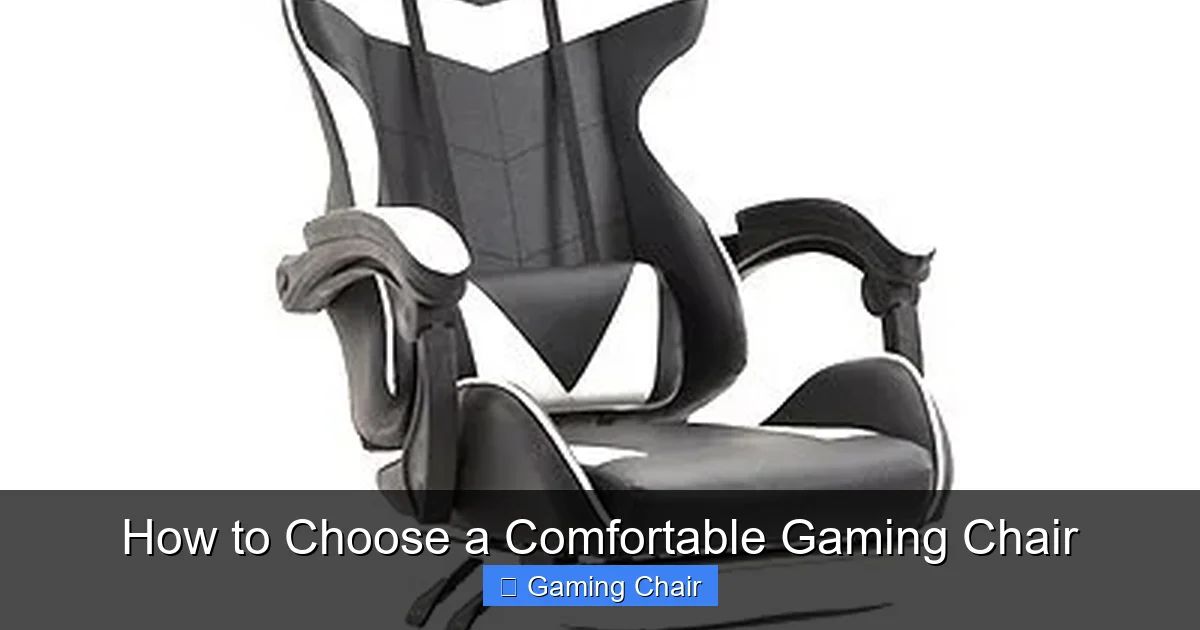
Choosing a truly comfortable gaming chair means prioritizing ergonomics, adjustability, and a proper fit for your body. Invest in features like lumbar support, adjustable armrests, and quality materials to ensure long-term health and enhance your gaming experience. A good chair isn’t just about looks; it’s about personalized support that adapts to you, making every session enjoyable and pain-free.
Picture this: You’re deep into an epic gaming session. Your reflexes are sharp, your team is coordinated, and you’re just about to clinch that victory. But then, a nagging ache starts in your lower back. Your shoulders feel tense, and your neck is stiff. Suddenly, the immersive world you were lost in is replaced by the uncomfortable reality of your chair. Sound familiar?
For many gamers, this scenario is all too common. We spend countless hours glued to our screens, and while we often invest in powerful PCs, high-refresh-rate monitors, and precision peripherals, the humble gaming chair often gets overlooked. Yet, it’s arguably one of the most crucial pieces of your setup, acting as the foundation for your posture, comfort, and ultimately, your performance and long-term health. Choosing a truly comfortable gaming chair isn’t just a luxury; it’s an essential investment in your well-being and your passion.
But with so many options out there – from sleek racing-style chairs to more understated ergonomic designs – how do you pick the one that’s perfect for you? It can feel overwhelming! Don’t worry, we’re here to break it all down. This comprehensive guide will walk you through everything you need to know about how to choose a comfortable gaming chair, helping you make an informed decision that will keep you supported, pain-free, and ready for your next adventure.
Key Takeaways
- Ergonomics is King: Always prioritize a chair’s ergonomic features like adjustable lumbar support, headrest, seat height, depth, and armrests to maintain proper posture and prevent discomfort during long gaming sessions.
- Match the Chair to Your Body: Your height, weight, and body shape are crucial. A comfortable gaming chair should fit *you*, ensuring your feet are flat on the floor and your back is fully supported.
- Materials Impact Comfort and Durability: Consider upholstery (fabric for breathability, PU leather for aesthetics, real leather for luxury) and the quality of foam padding and frame materials for lasting comfort and support.
- Adjustability is Non-Negotiable: The more adjustable components a chair has (like 4D armrests or multi-tilt mechanisms), the better you can customize it to your unique comfort needs and posture.
- Don’t Forget About the Little Things: Features like wheel quality, base material, and overall build contribute to stability and ease of movement, enhancing the overall comfort experience.
- Budget Wisely and Read Reviews: While a higher price often indicates better quality, a truly comfortable gaming chair doesn’t have to break the bank. Research reputable brands, read user reviews, and if possible, try the chair before buying.
Quick Answers to Common Questions
What’s the single most important factor for gaming chair comfort?
The single most important factor is ergonomics, ensuring the chair supports your natural posture and allows for proper body alignment.
Are racing-style gaming chairs always comfortable?
Not necessarily. While popular, their bucket-seat design with side bolsters can be uncomfortable for individuals with wider builds, restricting thigh movement.
How important is adjustable lumbar support?
Adjustable lumbar support is very important as it helps maintain the natural curve of your lower back, preventing pain and promoting good posture.
Which material is best for breathability in a gaming chair?
Fabric or mesh upholstery offers the best breathability, making them ideal choices if you tend to get hot during long gaming sessions.
Should I prioritize price or features when buying a gaming chair?
While budget is a factor, prioritize core ergonomic features and build quality over just the lowest price, as a truly comfortable gaming chair is a long-term investment in your health.
📑 Table of Contents
Why a Comfortable Gaming Chair Matters (Beyond Just Gaming)
Before we dive into the nitty-gritty features, let’s talk about why this choice is so important. A good gaming chair isn’t just about looking cool or fitting into your gaming aesthetic. It’s about a holistic approach to your health and enjoyment.
Health Benefits: Protecting Your Body
Think about how long you spend sitting. Whether it’s for gaming, working, or studying, prolonged sitting puts stress on your spine, neck, and shoulders. A poorly designed chair can exacerbate these issues, leading to chronic pain, poor posture, and even long-term health problems like sciatica or repetitive strain injuries. A comfortable gaming chair, designed with ergonomics in mind, actively supports your body’s natural curves. It helps you maintain proper posture, reducing pressure points and distributing your weight evenly. This means fewer aches, less fatigue, and a reduced risk of injury, allowing you to game longer and more comfortably.
Performance Boost: Focus and Immersion
When you’re constantly fidgeting, shifting, or trying to find a comfortable position, your focus is divided. That mental energy spent battling discomfort is energy not spent strategizing, reacting, or enjoying the game. A truly comfortable gaming chair allows you to sink in and forget about your physical surroundings. Your mind can fully immerse itself in the game world, leading to better concentration, quicker reaction times, and ultimately, improved performance. No more breaking immersion because your back is screaming at you!
Long-Term Investment: Durability and Value
While the initial cost of a high-quality, comfortable gaming chair might seem substantial, think of it as a long-term investment. Cheaper, poorly constructed chairs often wear out quickly, losing their padding, developing squeaks, or breaking down entirely within a year or two. A well-built ergonomic chair, made with durable materials, will last for many years, providing consistent support and comfort. Over time, it will save you money by avoiding constant replacements and potentially saving you on future chiropractor visits!
Understanding Ergonomics: The Foundation of Comfort
Ergonomics is the science of designing and arranging workplaces so that people can interact with them most efficiently and safely. When it comes to chairs, it’s all about making the chair adapt to *you*, rather than forcing your body to adapt to the chair. This is the absolute core of choosing a comfortable gaming chair.

Visual guide about How to Choose a Comfortable Gaming Chair
Image source: jfchair.com
What is Ergonomics?
In simple terms, an ergonomic chair promotes a healthy posture. It allows you to sit with your feet flat on the floor, knees at a 90-degree angle, hips slightly higher than your knees, and your back fully supported by the chair’s backrest. Your arms should rest comfortably on the armrests, and your head should be aligned with your spine, not jutting forward. Achieving this ideal posture requires a chair with a range of adjustability options.
Key Ergonomic Features to Look For
- Adjustable Backrest: A good gaming chair should allow you to recline and lock the backrest at various angles. This helps you find the sweet spot for different activities – upright for intense gaming, slightly reclined for relaxation. Look for chairs that can recline significantly (up to 135-180 degrees) for maximum versatility.
- Lumbar Support: This is critical for supporting the natural inward curve of your lower back. Some chairs come with fixed lumbar support, while others offer adjustable lumbar pillows or even built-in adjustable lumbar mechanisms. Built-in adjustable lumbar support is generally preferred as it can be precisely positioned.
- Adjustable Armrests: This might seem minor, but it’s vital. Your forearms should be able to rest comfortably on the armrests, keeping your shoulders relaxed and preventing strain. Look for “2D,” “3D,” or “4D” armrests.
- 2D: Adjusts up/down.
- 3D: Adjusts up/down, forward/back, and pivots left/right.
- 4D: Adds inward/outward movement, offering the most customization for a truly comfortable gaming chair experience.
- Seat Height Adjustment: This is a standard feature, but ensure the chair’s gas lift mechanism allows you to achieve the correct height so your feet are flat on the floor and your knees are at a 90-degree angle.
- Seat Tilt and Rocking Mechanism: A good tilt mechanism allows the entire seat to rock back and forth, which can be great for taking pressure off your spine and engaging different muscle groups. Look for a tension knob to adjust how easily the chair rocks, and a lock feature to keep it in your preferred position.
- Headrest and Neck Support: Many gaming chairs come with a removable neck pillow or an integrated headrest. The goal is to support your neck and head in a neutral position, preventing forward head posture. Ensure the headrest (or pillow) aligns with your neck’s natural curve.
Size and Fit: It’s All About You
Even the most feature-rich ergonomic chair won’t be comfortable if it doesn’t fit your body. This is a common mistake people make – buying a chair based purely on reviews or looks, without considering if it’s the right size. To choose a comfortable gaming chair, it absolutely must be tailored to your unique proportions.
Visual guide about How to Choose a Comfortable Gaming Chair
Image source: gforgadget.com
Matching the Chair to Your Body Type
Manufacturers design chairs for specific height and weight ranges. Ignoring these recommendations is a recipe for discomfort and potential damage to the chair. You need a chair that can accommodate your size without feeling too cramped or too vast.
- Height: Your feet should be flat on the floor with your knees at a 90-degree angle, or slightly lower if you prefer. If you’re very tall, a chair with a longer backrest and higher gas lift is essential. If you’re shorter, you might need a chair with a lower minimum seat height or consider a footrest.
- Weight: Every chair has a maximum weight capacity. Exceeding this will compromise the chair’s stability, durability, and safety, not to mention its comfort. Always check the manufacturer’s specifications.
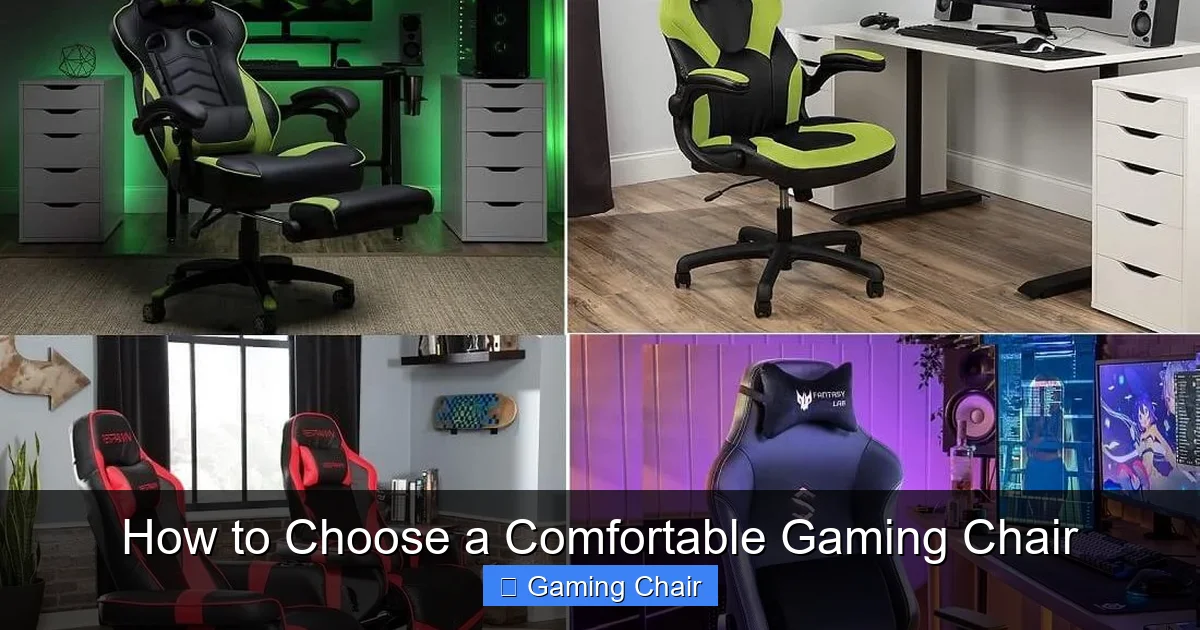
- Build: Consider your overall build. If you have broader shoulders or wider hips, you’ll need a chair with a wider backrest and seat. Racing-style chairs, while popular, often have “bucket seats” with pronounced side bolsters that can dig into larger thighs, making them uncomfortable for some users.
The Importance of Seat Dimensions
Beyond height and weight, the actual dimensions of the seat itself play a huge role in comfort.
- Seat Width: Ensure there’s enough room for your hips and thighs without feeling squeezed. As mentioned, be wary of restrictive side bolsters on racing-style chairs if you have a wider build.
- Seat Depth: This refers to the distance from the front edge of the seat to the backrest. When you sit all the way back, there should be about 2-4 inches (a few fingers’ width) between the edge of the seat and the back of your knees. This prevents pressure on the back of your thighs, which can restrict circulation. Some high-end chairs offer seat depth adjustment, which is a fantastic feature for personalized comfort.
Materials Matter: Feel, Durability, and Maintenance
The materials used in a gaming chair significantly impact its comfort, durability, and even how well it breathes. Choosing the right materials for your comfortable gaming chair can make a big difference in your overall experience, especially during long sessions.

Visual guide about How to Choose a Comfortable Gaming Chair
Image source: thegadgetflow.com
Upholstery Options
- PU Leather (Polyurethane Leather): This is the most common material for gaming chairs. It looks like real leather but is more affordable and easier to clean. However, it can trap heat, leading to sweatiness, and it’s generally less durable than real leather, prone to cracking or peeling over time.
- Fabric (Textile): Fabric chairs are excellent for breathability, making them a great choice if you tend to get hot or live in a warmer climate. They are often softer to the touch and less prone to sticking to your skin. The downside is they can be harder to clean and might absorb spills or odors.
- Real Leather: The most luxurious and durable option, real leather offers a premium feel and ages beautifully. It’s breathable to an extent and relatively easy to clean. However, it’s also the most expensive option and requires more maintenance.
- Mesh: Often found in office-style ergonomic chairs, mesh offers superior breathability and can conform well to your body. It’s excellent for air circulation, preventing heat buildup. While less common in traditional “gaming” chairs, mesh chairs can be incredibly comfortable and supportive.
Frame and Base
The internal frame and the chair’s base are crucial for stability and long-term durability. To ensure your gaming chair remains comfortable for years, don’t overlook these components.
- Steel Frame: The gold standard for gaming chairs. A full steel frame offers superior strength and longevity.
- Aluminum Base: A sturdy five-star base made of aluminum provides excellent stability and is more durable than nylon.
- Nylon Base: More common on budget chairs. While generally sufficient, it can be less durable and potentially creak over time compared to metal.
Padding and Foam
The quality of the foam inside the seat and backrest dictates how well the chair supports you and how long it maintains its shape. A comfortable gaming chair needs high-quality padding.
- Cold-Cure Foam: This is generally considered the best. It’s dense, retains its shape well over time, and provides firm yet supportive comfort. It won’t compress and lose its cushioning as quickly as cheaper foams.
- Memory Foam: Sometimes used as an overlay or in pillows, memory foam conforms to your body, offering personalized pressure relief. However, on its own, it can sometimes be too soft for primary support.
- Standard Foam: Found in cheaper chairs, this foam tends to flatten and lose its resilience relatively quickly, leading to discomfort.
Adjustability is King: Fine-Tuning Your Comfort Zone
We’ve touched on ergonomics, but let’s reiterate: the ability to adjust your chair is paramount to finding your perfect comfort zone. No two bodies are exactly alike, so a comfortable gaming chair needs to adapt to *your* specific needs and preferences. It’s not just about having adjustable parts; it’s about the range and ease of those adjustments.
Beyond the Basics: Advanced Adjustments
While basic height and tilt are common, truly comfortable gaming chairs offer a wider array of adjustments:
- 4D Armrests: As mentioned before, these are fantastic. Being able to move armrests up/down, forward/back, pivot in/out, and slide side-to-side ensures your arms and shoulders are always in a relaxed, ergonomic position, regardless of your desk height or gaming style.
- Multi-Tilt Mechanisms: These mechanisms often allow you to independently adjust the angle of the seat and the backrest, giving you greater control over your sitting posture. Some even include a forward-tilt function, which can be beneficial for specific tasks.
- Rocking Functions with Tension Control: A good rocking feature allows for dynamic sitting, which is healthier than static positions. The tension control is key, letting you set how easily the chair rocks to suit your weight and preference.
- Seat Depth Adjustment: This is a feature often found in higher-end ergonomic chairs. It allows you to slide the seat pan forward or backward, ensuring the correct 2-4 inch gap behind your knees for optimal circulation and comfort.
The Importance of Customization
Think of your gaming chair as a tailored suit. You wouldn’t buy a suit off the rack that doesn’t fit, would you? The same applies here. A gaming chair that allows extensive customization empowers you to fine-tune every aspect to support your body perfectly. This means you can change positions throughout your long gaming sessions, relieving pressure and preventing stiffness. Being able to quickly and easily adjust elements like lumbar support or armrest height is what transforms a “good” chair into a truly comfortable gaming chair that feels like an extension of your own body.
Budget, Brand, and Buying Smart
Now that you know what to look for, let’s talk about the practical aspects of purchasing. To choose a comfortable gaming chair, you need to balance your desires with your budget and make smart buying decisions.
Setting Your Budget
Gaming chairs range wildly in price, from under $100 to over $1000. While a higher price often correlates with better materials, more adjustments, and superior build quality, you don’t necessarily need to spend a fortune to get a comfortable gaming chair.
- Entry-Level ($100-$250): You’ll find basic adjustability and often PU leather. Durability might be a concern.
- Mid-Range ($250-$500): This is often the sweet spot. You can expect better quality materials (cold-cure foam, sturdier frames), more ergonomic features (3D armrests, adjustable lumbar), and better overall durability. Many genuinely comfortable gaming chairs fall into this category.
- High-End ($500+): Here you’ll find premium materials (real leather, aluminum bases), extensive 4D adjustability, advanced mechanisms, and designs tailored for specific body types. These chairs are built to last a decade or more.
Prioritize core ergonomic features over flashy aesthetics if your budget is limited.
Reputable Brands to Consider
While we won’t recommend specific models (as comfort is personal and models change), looking at brands known for quality can guide your search. Brands like Secretlab, noblechairs, Herman Miller (more office-focused but highly ergonomic), and AndaSeat are often praised for their ergonomic designs and durability. Do your research into their specific product lines, as different series target different body types and budgets.
Reading Reviews and Trying Before You Buy
The internet is a powerful tool! Before making a purchase, scour online reviews from other gamers. Look for feedback on comfort, durability, ease of assembly, and how the chair holds up over time. Pay special attention to reviews from people with similar body types to yours. While reviews are helpful, remember that comfort is subjective. If at all possible, try to test chairs in person before you buy. Visit a local electronics store, furniture outlet, or a gaming convention where chairs are displayed. Sitting in the chair, trying out its adjustments, and seeing how it feels for even a few minutes can be invaluable in deciding if it’s truly a comfortable gaming chair for you.
Conclusion
Choosing a comfortable gaming chair is a deeply personal decision, but it’s one that deserves careful consideration. It’s more than just a piece of furniture; it’s an investment in your health, your performance, and your overall enjoyment of your favorite hobby. By prioritizing ergonomics, understanding how a chair’s size and adjustability match your body, and paying attention to quality materials, you’re well on your way to finding the perfect throne for your gaming adventures.
Don’t settle for a chair that causes you pain or distraction. Take the time to research, compare, and ideally, test out different options. When you finally find that perfect, comfortable gaming chair, you’ll wonder how you ever gamed without it. So, go forth, choose wisely, and may your gaming sessions be long, comfortable, and victorious!
Frequently Asked Questions
How long should a good gaming chair last?
A well-built, comfortable gaming chair made with quality materials (like a steel frame and cold-cure foam) should last anywhere from 5 to 10 years or even longer. Cheaper chairs might only last 1-3 years before showing significant wear and tear.
Can a gaming chair help with back pain?
Yes, a properly chosen ergonomic gaming chair can significantly help alleviate and prevent back pain by providing adequate support for your spine, especially your lumbar region, and promoting a healthy sitting posture. It’s not a cure but a preventative and supportive tool.
Is it worth spending more on a gaming chair?
Generally, yes. Investing more in a gaming chair often translates to superior ergonomics, better quality materials (which last longer), more adjustability features, and ultimately, greater long-term comfort and health benefits. It’s an investment in your well-being and gaming performance.
What’s the difference between a gaming chair and an office chair?
Traditional gaming chairs often have a racing seat aesthetic, higher backrests, and removable pillows for lumbar/neck support. Ergonomic office chairs tend to focus purely on adjustability and support without the same visual flair, sometimes offering more refined adjustments like seat depth or advanced synchro-tilt mechanisms. Many premium gaming chairs now incorporate advanced ergonomic features found in high-end office chairs.
How do I know if a gaming chair fits my body?
To ensure a comfortable fit, your feet should be flat on the floor, your knees at a 90-degree angle, and there should be 2-4 inches between the front edge of the seat and the back of your knees. Your back should be fully supported, and armrests should allow your shoulders to relax. Always check the chair’s recommended height and weight ranges.
How often should I adjust my gaming chair?
You should adjust your gaming chair whenever you feel discomfort or change your activity (e.g., from intense gaming to watching a video). Even during long sessions, it’s beneficial to make slight adjustments or take short breaks to shift your posture, keeping your body dynamic and preventing stiffness.



