


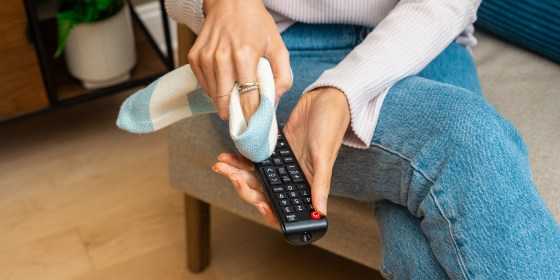
To effectively disinfect your TV remote control, start by removing batteries and using alcohol-based disinfectant wipes or a cloth dampened with isopropyl alcohol. Gently clean all buttons and surfaces, paying special attention to crevices. Allow it to air dry completely before reinserting the batteries. This quick method helps eliminate germs and keeps your remote hygienic.
Disinfecting your TV remote is essential to prevent germs from spreading, especially during flu seasons or when multiple family members use it. The process is simple and requires just a few common household items. Regular cleaning not only maintains hygiene but also prolongs the life of your remote. Keep reading to learn the best tips for a safe and thorough cleaning, ensuring your remote stays germ-free and in good working condition.

How to disinfect your TV remote control
Understanding Why Disinfection Matters
Disinfecting your TV remote is important because it is a high-touch object that many people use daily. Germs, bacteria, and viruses can quickly gather on its surface, especially if multiple family members or guests use it. Regular cleaning helps prevent the spread of illnesses and keeps your remote looking new.
Choosing the Right Cleaning Supplies
Select cleaning products that are safe for electronics. Avoid harsh chemicals like bleach that can damage the remote’s surface. Instead, opt for isopropyl alcohol with at least 70% concentration or disinfectant wipes labeled safe for electronics.
Important Supplies Needed
- Microfiber cloths or soft lint-free cloths
- Isopropyl alcohol (minimum 70%)
- Disinfectant wipes safe for electronics
- Cotton swabs for tight spaces
- Compressed air (optional, for dust removal)
Preparing Your Remote for Cleaning
Before beginning, turn off the remote and remove any batteries. This prevents accidental activation and protects the device. Use compressed air to blow away loose dust and debris from between buttons.
Step-by-Step Preparation
- Turn off the remote and remove batteries.
- Hold the remote upside down and gently shake to dislodge loose particles.
- Use compressed air to clear out dust from crevices and around buttons.
How to Properly Clean Your TV Remote
Start by wiping the surface with a dry microfiber cloth to remove surface dirt. Follow with a damp cloth lightly coated with isopropyl alcohol or a disinfectant wipe. Be careful not to let liquids seep into the remote.
Cleaning the Surface and Buttons
Use a microfiber cloth dampened with alcohol to gently wipe the entire remote. For stubborn spots, apply a small amount of alcohol directly to the cloth. Avoid excessive moisture that could damage internal parts.
Targeting Difficult Areas
Cotton swabs dipped in alcohol are perfect for cleaning around buttons and tight spaces. Gently go around each button and along edges to remove bacteria and grime.
Drying and Reassembling
Allow the remote to air dry for a few minutes before reinserting batteries. Avoid using heat sources like a hairdryer, which could warp plastic. Confirm that the device is dry before turning it back on.
How to Ensure Complete Dryness
Wait at least 5 minutes after cleaning. Check that no moisture remains around buttons or inside battery compartments. If needed, lightly dab with a dry cloth to absorb excess liquids.
Regular Maintenance Tips
Disinfect your remote weekly or more often if multiple people use it. Keep your hands clean before using the remote to reduce germs. Store your remote in a designated place to prevent drops and dirt buildup.
Additional Tips for Safe Disinfection
- Never submerge the remote in liquids.
- Do not spray disinfectant directly onto the remote.
- Always disconnect batteries before cleaning.
- Use gentle motions to avoid damaging buttons or surfaces.
Alternatives to Chemical Disinfectants
If you prefer non-chemical options, use a mixture of water and white vinegar (1:1 ratio) for wiping surfaces. Vinegar naturally kills germs and is safe for most plastics. Hydrogen peroxide is another mild disinfectant suitable for electronics.
Natural Cleaning Methods
Prepare a solution by mixing equal parts of water and vinegar. Lightly dampen a microfiber cloth with this mixture and wipe the remote. Follow with a dry cloth to remove any moisture.
Precautions When Disinfecting Electronic Devices
Avoid excessive moisture and liquid contact with sensitive parts. Never use abrasives or rough cloths that might scratch the surface. Always read the manufacturer’s cleaning instructions if available.
Signs of Damage from Improper Cleaning
Watch for peeling labels, sticky buttons, or unresponsive controls. If damage occurs, consider replacing the remote instead of attempting repairs.
Additional Tips for Maintaining a Clean Remote
Encourage household members to wash their hands regularly. Use a cover or case to minimize dirt contact. Periodically check for signs of wear or damage and replace when necessary.
Protective Accessories
Consider silicone or plastic covers that can be removed and washed easily. These protect your remote from spills and dirt while making cleaning more effective.
Related Topics
Explore other ways to maintain your electronics, such as cleaning your smart TV, gaming consoles, or keyboard. Regular disinfection reduces the risk of germs spreading through shared devices.
Keeping your TV remote clean and disinfected is simple if you follow proper procedures. Use gentle cleaning supplies, avoid excess moisture, and clean regularly to prevent germ buildup. Proper maintenance ensures your remote stays safe, functional, and free from germs, making your TV watching experience healthier and more enjoyable.
How to Clean Your TV Remote in under 3 minutes
Frequently Asked Questions
What are the best cleaning solutions to sanitize a TV remote control?
Use a mixture of isopropyl alcohol (at least 70%) and water to create an effective disinfectant. Dampen a soft cloth or microfiber towel with this solution, ensuring it is not overly wet. Avoid using harsh chemicals or abrasive cleaners, as they can damage the remote’s surface and buttons. Alternatively, disinfectant wipes specifically designed for electronics can be used for quick and safe cleaning.
How can I remove dirt and grime from hard-to-reach areas on my remote?
Use a soft-bristled toothbrush or a cotton swab dipped in the cleaning solution to gently scrub around buttons and in crevices. Carefully clean between the keys and underneath removable parts, if possible. Be cautious not to let excess liquid seep inside the remote, and always dry the surface thoroughly afterward to prevent moisture damage.
What precautions should I take to prevent damage during the disinfection process?
Turn off the remote and remove batteries before cleaning to prevent short circuits. Do not soak the remote in any liquid; instead, use a lightly damp cloth. Avoid spraying disinfectants directly onto the device, and ensure no liquid enters the openings or battery compartment. After cleaning, allow the remote to air dry completely before reinserting batteries and using it again.
How often should I disinfect my TV remote to maintain hygiene?
Disinfect your remote at least once a week, especially during flu season or if multiple people use it regularly. If the remote is shared among family members or visitors, increase cleaning frequency to minimize the risk of spreading germs. Regular cleaning helps keep the remote hygienic and prolongs its lifespan.
Can I use UV light devices to disinfect my TV remote?
Yes, ultraviolet (UV) light sterilizers can effectively eliminate bacteria and viruses from surfaces like your remote. Place the remote inside a UV sterilizer box for the recommended duration, following the device’s instructions. Keep in mind that UV light does not remove dirt or grime, so cleaning with a cloth beforehand enhances the sterilization process.
Final Thoughts
To disinfect your TV remote control effectively, start by removing batteries to prevent damage. Use a disinfectant wipe or a cloth dipped in a mixture of alcohol and water to clean all surfaces. Pay special attention to buttons and crevices where dirt can accumulate. Regular cleaning keeps your remote hygienic and safe for use. In summary, knowing how to disinfect your TV remote control ensures a cleaner, healthier environment with minimal effort. Keep cleaning routines simple to maintain hygiene without risking damage.



