


Picking the right gaming chair is vital for comfort, health, and performance. Focus on ergonomics, adjustability, and materials that suit your body type and gaming style. Don’t rush the decision; understand your needs, set a budget, and prioritize features like lumbar support and recline to ensure a chair that truly elevates your gaming experience.
Hey there, fellow gamer! Are you tired of that old dining room chair leaving your back aching after a few rounds? Or perhaps you’re just starting your gaming journey and want to make sure your setup is perfect from day one. Whatever your situation, knowing how to pick a gaming chair is one of the most important decisions you’ll make for your comfort, health, and even your in-game performance. It’s not just a fancy seat; it’s a crucial piece of your battle station.
Think about it: you spend hours sitting down, whether you’re raiding dungeons, building empires, or streaming your latest victory. A bad chair can lead to back pain, neck strain, poor posture, and even affect your focus. On the flip side, a great gaming chair can transform your experience, keeping you comfortable, supported, and ready for those epic gaming sessions. But with so many options out there, from sleek racing styles to plush recliners, how do you even begin to choose? Don’t worry, we’re here to break it all down for you, making the process of picking a gaming chair simple and stress-free.
Key Takeaways
- Prioritize Ergonomics: A good gaming chair supports your natural spinal curve, promoting long-term health and preventing discomfort during long sessions.
- Adjustability is Key: Look for chairs with multiple adjustment options, including height, armrests (2D, 3D, 4D), backrest recline, and tilt lock, to customize it to your body.
- Match Chair to Body: Always consider your height, weight, and overall body shape when selecting a chair to ensure proper fit, support, and durability.
- Material Matters: PU leather is common, but fabric offers better breathability, while real leather provides premium durability and feel at a higher cost.
- Understand Chair Types: While racing-style chairs are popular, ergonomic office chairs or hybrid designs might offer superior long-term comfort and support, especially for productivity.
- Set a Realistic Budget: Quality gaming chairs are an investment in your health and performance; expect to pay more for better features, materials, and a robust warranty.
- Test if Possible: If you have the chance, sit in a chair before buying to ensure it feels right for your unique body and offers the comfort you need.
Quick Answers to Common Questions
What’s the most important feature for a gaming chair?
The most important feature is adjustability. A chair that allows you to customize its height, armrests, backrest recline, and tilt will provide the best ergonomic fit for your unique body.
Should I get PU leather or fabric?
If you tend to get hot or sweat, fabric is generally a better choice due to its breathability. If you prioritize easy cleaning and a sleek look, and don’t mind potential stickiness, PU leather might be acceptable, but be aware it can crack over time.
Are gaming chairs good for office work too?
Many gaming chairs, especially those with strong ergonomic features and high adjustability, can double as excellent office chairs. However, some racing-style chairs might prioritize aesthetics over the sustained comfort needed for long workdays.
How much should I spend on a gaming chair?
A good quality gaming chair typically costs between $200 and $500. While cheaper options exist, they often sacrifice durability and ergonomic support. Premium chairs over $500 offer superior materials and extensive adjustability for long-term investment.
How do I know if a chair fits my body?
Your feet should be flat on the floor with knees at a 90-degree angle, your lower back should be supported by the lumbar cushion, and the headrest should comfortably support your neck and head. If possible, always try to sit in a chair before purchasing it to check the fit.
📑 Table of Contents
- Why Your Gaming Chair Matters More Than You Think
- Knowing Yourself: Body Type, Gaming Style, and Ergonomics
- Deciphering Chair Features: The Anatomy of a Great Gaming Chair
- Material Matters: Fabric, PU Leather, and Real Leather
- Exploring Chair Types: Racing, Ergonomic, and Beyond
- Budgeting and Buying Smart: Investing in Your Comfort
- Conclusion
Why Your Gaming Chair Matters More Than You Think
Let’s be real: many gamers prioritize their graphics card, CPU, or even their RGB lighting over their chair. But ignoring your seating can lead to serious long-term consequences. Your gaming chair isn’t just about aesthetics; it’s about ergonomics, health, and ultimately, your performance.
Health and Well-being: A Foundation for Gaming
Sitting for extended periods, especially with poor posture, puts immense stress on your spine. This can lead to chronic back pain, neck stiffness, muscle imbalances, and even issues like sciatica. A well-designed gaming chair provides proper lumbar (lower back) and cervical (neck) support, helping to maintain your spine’s natural curve. This prevents slouching and reduces pressure points, allowing you to game longer without discomfort. Investing in a good chair is investing in your body’s longevity.
Enhanced Focus and Performance
When you’re comfortable, you’re less distracted. Constant fidgeting, shifting to relieve pressure, or battling a nagging backache takes away from your concentration. A supportive chair allows you to maintain optimal focus on your game, respond quicker, and make better decisions. Imagine hitting that crucial headshot or executing a complex strategy without your body screaming for a break. That’s the power of a chair that truly fits you. When considering how to pick a gaming chair, always remember that comfort equals concentration.
It’s an Investment, Not Just an Expense
While some gaming chairs can seem pricey, view it as an investment in your health and your hobby. A quality chair built with durable materials and solid construction will last for years, often outliving cheaper alternatives that quickly break down or lose their support. Over time, the cost per hour of comfort and support will make that initial investment worthwhile. Plus, good posture now can save you a lot of money on chiropractor visits later!
Knowing Yourself: Body Type, Gaming Style, and Ergonomics
Before you even start browsing models, the first step in how to pick a gaming chair is to understand yourself. No single chair is perfect for everyone. What works for a tall, competitive streamer might not work for a shorter, casual console gamer.

Visual guide about How to Picka Gaming Chair
Image source: knithacker.com
Your Body Type: Size and Shape Matter
This is arguably the most critical factor. Chairs are designed with specific weight and height capacities. Exceeding these limits can compromise the chair’s durability, safety, and comfort. You need a chair that scales correctly to your frame.
- Height: Your feet should be flat on the floor with your knees at a 90-degree angle when the chair is at its optimal height. Your headrest should support your neck and head comfortably.
- Weight: Check the chair’s maximum weight capacity. Don’t just meet it; leave a little wiggle room for safety and longevity.
- Build: Consider your shoulder width and hip width. A chair might be too narrow, causing discomfort, or too wide, reducing effective support. Look for chairs explicitly designed for “petite,” “standard,” or “big and tall” users if you fall outside average dimensions.
Your Gaming Style: How Do You Play?
Your habits will influence the type of chair you need.
- Casual Gamer: If you game for an hour or two a few times a week, you might prioritize comfort and affordability. Extreme adjustability might not be as crucial.
- Hardcore/Competitive Gamer: For long, intense sessions, maximum adjustability, superior ergonomics, and robust support are non-negotiable. Every advantage counts.
- Streamer/Content Creator: Aesthetics might play a bigger role here, as the chair is often visible on camera. Comfort for long hours is still paramount.
- Hybrid User (Work & Play): If your chair doubles as an office chair, you’ll need a design that excels in both productivity and relaxation, often leaning towards more traditional ergonomic office chair designs.
Understanding Ergonomics: The Science of Comfort
Ergonomics is the science of designing equipment and environments to fit the human body. For a gaming chair, this means:
- Natural Spinal Curve: The chair should support the natural S-shape of your spine, especially the lumbar region.
- Adjustability: The more adjustable components, the better you can customize the chair to your unique body and posture.
- Even Weight Distribution: Preventing pressure points that can lead to numbness or pain.
When you learn how to pick a gaming chair, remembering these ergonomic principles will guide you to a healthier choice.
Deciphering Chair Features: The Anatomy of a Great Gaming Chair
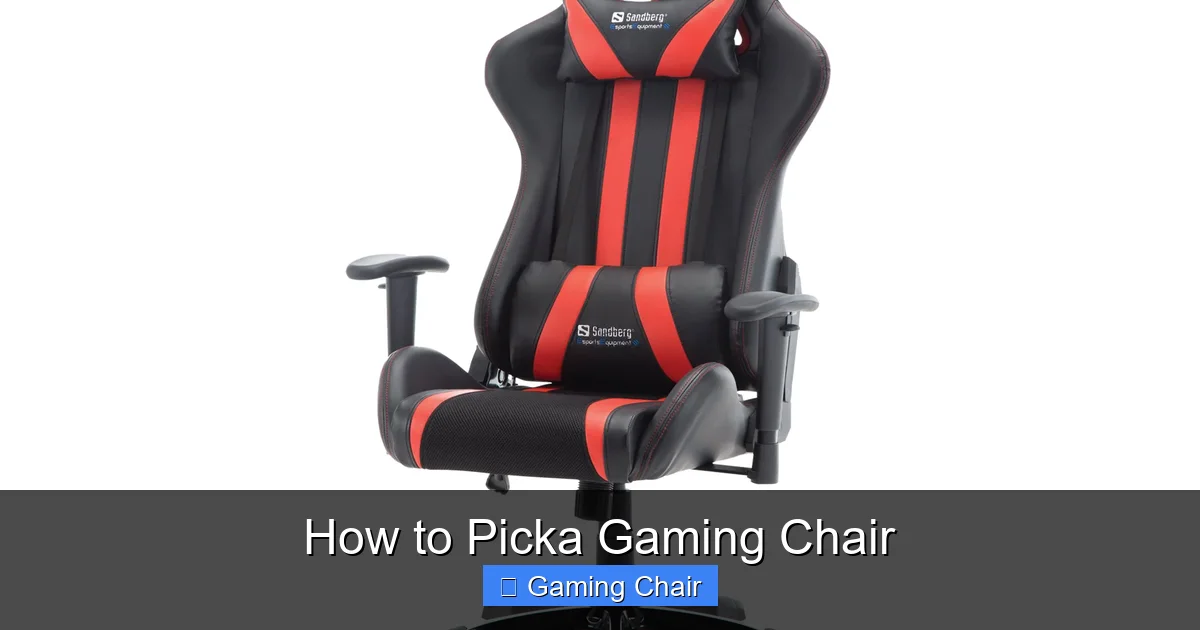
Now that you know what you need, let’s look at the features that make a gaming chair truly great. Adjustability is king!
Visual guide about How to Picka Gaming Chair
Image source: pngarts.com
Adjustability: Your Personal Customization Station
This is where a good gaming chair truly distinguishes itself. More adjustment options mean a better fit for you.
- Height Adjustment: Standard on almost all chairs, but ensure the range fits your height relative to your desk.
- Backrest Recline: Most gaming chairs offer a significant recline, often up to 180 degrees. This is great for relaxing between games or even taking a quick power nap. Make sure it locks securely at various angles.
- Tilt Mechanism: Allows the entire seat to rock back and forth. Look for tilt lock (to fix the angle) and tilt tension adjustment (to control how easily it rocks).
- Armrests: This is a big one!
- 2D Armrests: Adjust up/down, swivel left/right.
- 3D Armrests: Add forward/backward adjustment.
- 4D Armrests: Include inward/outward angle adjustment.
4D armrests offer the most versatility, allowing you to position your arms to support your wrists and shoulders, reducing strain.
- Lumbar Support: Some chairs have internal, adjustable lumbar support, which is ideal. Others come with an external lumbar pillow. Make sure it’s comfortable and provides adequate support for your lower back.
- Neck/Headrest Pillow: Similar to lumbar support, some chairs have an integrated headrest, while others include a removable pillow. It should support your neck’s natural curve without pushing your head too far forward.
Base and Wheels: Stability and Mobility
- Base Material: A sturdy, five-star base is essential. Steel or aluminum bases are more durable and stable than nylon or plastic.
- Casters (Wheels): Smooth-rolling casters are a must. Look for larger wheels if you have carpet, and consider rollerblade-style wheels for protecting hard floors. Some chairs offer gliders if you prefer a stationary setup.
Frame Material: The Skeleton of the Chair
The internal frame determines the chair’s strength and longevity. Steel frames are the gold standard for durability and safety, able to withstand more weight and general wear and tear compared to cheaper plywood or plastic frames.
Material Matters: Fabric, PU Leather, and Real Leather
The outer material of your gaming chair affects its feel, breathability, durability, and even how it looks in your setup. This is a key part of how to pick a gaming chair that suits your environment and preferences.

Visual guide about How to Picka Gaming Chair
Image source: store.haworth.com
PU Leather (Faux Leather)
- Pros: Most common, often looks premium, easy to clean, generally affordable.
- Cons: Can feel sticky in hot environments, not very breathable, prone to cracking and peeling over time, especially in high-wear areas or with direct sunlight.
Fabric
- Pros: Excellent breathability, keeps you cooler, softer feel, less prone to sticking, generally more durable against cracking.
- Cons: Can stain more easily, harder to clean, might not have the “premium” look of leather for some.
Real Leather
- Pros: Extremely durable, ages well, premium look and feel, somewhat breathable.
- Cons: Very expensive, requires more maintenance, can still get warm.
Mesh
- Pros: Unbeatable breathability, often found in ergonomic office chairs, excellent for hot climates.
- Cons: Less padded feel, might not offer the same “hugged” feeling as upholstered chairs, can stretch out over time.
Consider your climate and how much you sweat. If you tend to get hot, fabric or mesh might be a better choice than PU leather.
Exploring Chair Types: Racing, Ergonomic, and Beyond
The gaming chair market offers diverse styles, each with its own advantages. Understanding these types is crucial when figuring out how to pick a gaming chair that aligns with your specific needs.
Racing Style Gaming Chairs
These are the most iconic gaming chairs, inspired by racing car seats. They often feature prominent “wings” on the backrest and seat, bold colors, and an aggressive aesthetic.
- Pros: Stylish, often highly adjustable with good recline, popular with streamers and competitive gamers.
- Cons: The “wings” can restrict movement for broader individuals, and some models prioritize looks over true ergonomic support. The bucket seat design isn’t always comfortable for everyone.
Ergonomic Office Chairs (Used for Gaming)
Many high-end office chairs offer superior ergonomics and adjustability, making them excellent, albeit often more expensive, gaming chairs.
- Pros: Designed for long hours of sitting, often feature advanced lumbar support mechanisms, breathable mesh options, and highly customizable adjustments. Prioritize health and comfort.
- Cons: Can be very expensive, aesthetics are typically more subdued, might lack the extreme recline of racing chairs.
Hybrid Gaming Chairs
Some brands are creating chairs that blend the aggressive style of racing chairs with the refined ergonomics of office chairs. These aim to offer the best of both worlds: good looks and great support.
- Pros: A balance of style and function, often more subtle than traditional racing chairs but with enhanced comfort features.
- Cons: Can be harder to find, price can vary widely.
Gaming Recliners / Floor Chairs
These are more suited for console gamers who play in front of a TV or those looking for a very relaxed experience. They are not typically desk chairs.
- Pros: Very comfortable for lounging, great for console gaming, often include features like built-in speakers or vibration.
- Cons: Not suitable for desk work or PC gaming, take up more space.
Budgeting and Buying Smart: Investing in Your Comfort
Your budget will significantly influence your options. It’s helpful to know what to expect at different price points when you’re learning how to pick a gaming chair.
Entry-Level (Under $200)
At this price, you’ll find basic gaming chairs, usually with PU leather. They offer fundamental adjustability (height, basic recline) but might compromise on material quality, frame durability, and advanced ergonomic features. They can be a good starting point for casual gamers on a tight budget, but don’t expect them to last for many years of heavy use.
Mid-Range ($200 – $500)
This is the sweet spot for many. Here, you’ll find chairs with better build quality (steel frames), more durable materials (thicker PU leather, good quality fabric), and enhanced adjustability (3D armrests, better tilt mechanisms, internal lumbar support). Brands like Secretlab, DXRacer, and AndaSeat often have solid options in this range. These chairs offer a much better balance of features, comfort, and longevity.
Premium ($500+)
In this category, you’re looking at top-tier materials (real leather, high-density foam, advanced mesh), superior construction, extensive 4D adjustability, and often innovative ergonomic designs (like Herman Miller or Steelcase, or premium gaming brands). These chairs are built to last a decade or more, providing unparalleled comfort and support. They are a serious investment but can pay dividends in terms of health and long-term satisfaction.
Warranty and Customer Service
Always check the warranty. A good chair should come with at least a 2-5 year warranty on parts. Excellent customer service is also a huge plus, especially for such an important purchase. Reading reviews about a company’s post-purchase support can be very insightful.
Where to Buy: Online vs. In-Store
- Online: Offers the widest selection and often better prices. However, you can’t physically test the chair. Rely heavily on reviews, specifications, and return policies.
- In-Store: If you have a local furniture store, electronics retailer, or gaming shop that carries chairs, absolutely go and sit in them! This is the best way to determine if a chair truly fits your body.
Conclusion
Learning how to pick a gaming chair is more than just choosing a cool-looking piece of furniture; it’s about making a smart investment in your health, comfort, and overall gaming performance. By understanding your unique body type, gaming habits, and prioritizing ergonomic features like robust adjustability and proper support, you can avoid common pitfalls and find a chair that genuinely enhances your setup.
Don’t let the sheer number of options overwhelm you. Start by defining your needs, set a realistic budget, and then dive into researching specific features and materials. Whether you opt for a sleek racing chair, a highly ergonomic office chair, or a comfortable hybrid, remember that the best gaming chair is the one that makes you forget you’re sitting in it. Take your time, do your homework, and get ready to game in ultimate comfort!
Frequently Asked Questions
How long do gaming chairs typically last?
The lifespan of a gaming chair varies significantly based on its quality and usage. Entry-level chairs (under $200) might last 1-3 years before showing significant wear. Mid-range to premium chairs (over $200) with sturdy frames and better materials can last 5-10 years or even longer with proper care.
Is it worth buying an expensive gaming chair?
For most people who spend significant time gaming or working at their desk, an expensive gaming chair is a worthwhile investment. Higher-priced chairs offer superior ergonomics, durability, adjustability, and materials, which translate to better long-term comfort, health benefits, and overall satisfaction.
Can a gaming chair help with back pain?
Yes, a properly chosen gaming chair can significantly help prevent and alleviate back pain. Chairs with good ergonomic design, adjustable lumbar support, and proper backrest curvature help maintain your spine’s natural alignment, reducing strain and promoting better posture during long sitting sessions.
What’s the difference between a gaming chair and an office chair?
While often similar, traditional gaming chairs usually feature a racing-inspired aesthetic, high backrests, aggressive side bolsters, and often more extreme recline options. Ergonomic office chairs typically prioritize a more subdued aesthetic, advanced adjustability for posture correction, and breathable materials, focusing purely on productivity and comfort.
How do I clean my gaming chair?
Cleaning depends on the material. For PU leather, wipe it with a damp cloth and mild soap, then dry immediately. For fabric chairs, vacuum regularly and spot clean stains with a fabric cleaner, following the product instructions. Always check the manufacturer’s cleaning recommendations to avoid damage.
Are gaming chairs bad for posture?
Not inherently. A well-designed gaming chair, when properly adjusted to your body, can be excellent for posture. However, a poorly chosen chair (one that doesn’t fit you or lacks adjustability) or a good chair used incorrectly (e.g., slouching in a fully reclined position for hours) can certainly lead to poor posture and discomfort.



