


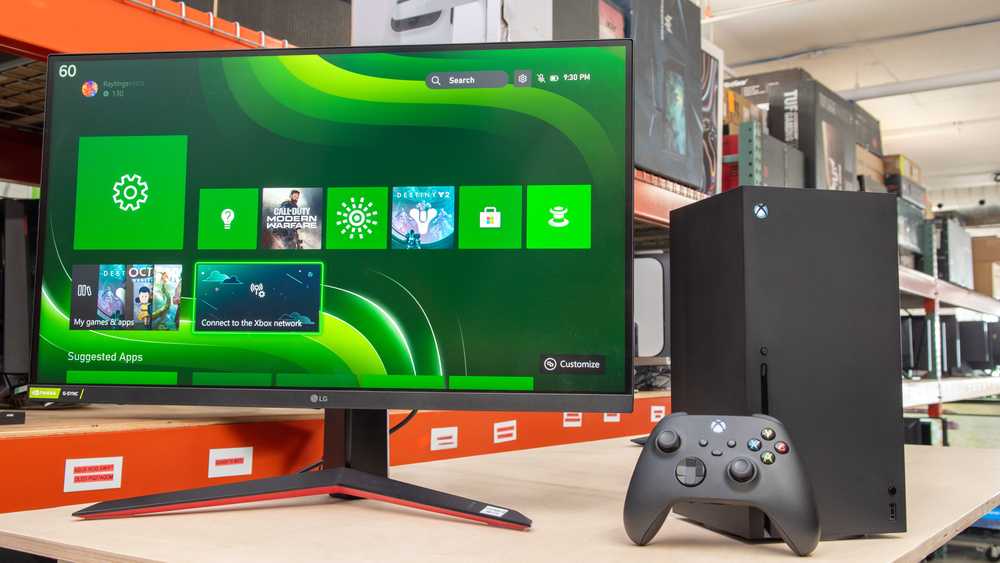
Yes, a 27-inch monitor can be a great choice for console gaming, offering an immersive experience without overwhelming your space. It strikes a good balance between size and clarity, making it ideal for gaming sessions. However, the suitability also depends on factors like resolution, refresh rate, and your gaming setup.
A 27-inch monitor is generally considered a solid option for console gaming, providing ample screen real estate for an immersive experience while still fitting comfortably on most desks. It offers vibrant visuals and good detail, especially if paired with high resolution options like 1440p or 4K. For casual and competitive gamers alike, this size can enhance gameplay, but it’s important to consider your console’s capabilities and your viewing distance to get the best experience. Overall, if chosen carefully, a 27-inch monitor can elevate your gaming sessions significantly.

Is 27 Inch Monitor Good for Console Gaming
Introduction to 27 Inch Monitors
Many gamers ask if a 27 inch monitor is suitable for playing console games. This size is popular because it offers a balance between screen space and desk fit. It’s larger than standard monitors but not as overwhelming as bigger screens.
Benefits of a 27 Inch Monitor for Console Gaming
A 27 inch monitor provides an immersive experience without requiring a huge desk. It offers a wide viewing area, making it easier to see details in fast-paced games. The size helps improve reaction time due to better visibility of on-screen elements.
Screen Resolution and Image Clarity
Most 27 inch monitors come with resolutions like 1080p, 1440p, or even 4K. Higher resolution offers sharper images, which enhances the gaming experience on a console. For example, a 27 inch 4K monitor displays detailed and vibrant images, making games look stunning.
Understanding Screen Size and Player Distance
The ideal viewing distance for a 27 inch monitor is about 2 to 3 feet. Sitting at this distance allows you to take in the whole screen comfortably without straining your eyes. Too close can cause discomfort, while too far reduces immersion.
Refresh Rates and Gaming Performance
A higher refresh rate like 75Hz or 144Hz provides smoother gameplay, especially in fast games. Although many consoles are limited to 60Hz output, a monitor with a high refresh rate can still make menu navigation and general use more fluid.
Compatibility with Consoles
Most 27 inch monitors come with HDMI ports compatible with PlayStation, Xbox, and Nintendo Switch. Check the monitor’s specifications to ensure it supports your console’s output resolution and refresh rate.
Response Time and Input Lag
Quick response times under 5 milliseconds reduce motion blur. Low input lag is crucial for gaming, making controls feel more responsive. Look for monitors with input lag below 10 milliseconds for the best experience.
Color Accuracy and Game Graphics
Good color accuracy makes game environments look more vibrant. Some monitors offer advanced display tech like IPS panels, which provide better color and wider viewing angles. This is great for visually rich games or multi-player sessions.
Size and Desk Space Considerations
While 27 inches is a popular size, it requires ample desk width. Ensure your setup can accommodate the monitor comfortably. A sturdy stand or wall mount can optimize space and improve ergonomics.
Curved versus Flat Monitors
Curved monitors can enhance immersion by wrapping the image around your field of view. Flat monitors are more traditional and may be easier to align with other screens. Choose based on your preference and gaming style.
Additional Features to Look for
- Adjustable height and tilt for comfort
- Built-in speakers for convenience
- Vivid display with HDR support for better colors
- Multiple input options like HDMI and DisplayPort
Cost and Budget Considerations
Prices for 27 inch monitors vary based on features and resolution. Budget models start around $200, while high-end 4K or gaming-focused monitors can exceed $500. Decide what features matter most to you and choose within your budget.
Gaming Performance in Different Genres
For fast-paced shooters or racing games, the refresh rate and response time are critical. For story-driven or casual games, resolution and color accuracy may be more important. A 27 inch monitor can cater to both with the right specs.
Ergonomics and Eye Comfort
Look for monitors with flicker-free technology and blue light filters. Proper ergonomics help prevent eye strain during long gaming sessions. Adjustable stands and comfortable viewing angles are key.
Related Topics to Explore
- Best monitors for console gaming
- Comparison of 27 inch vs 32 inch gaming monitors
- How to set up your gaming space for optimal experience
- Impact of resolution on gaming performance
- Technical tips for reducing input lag
Choosing a 27 inch monitor for console gaming offers many benefits, from increased immersion to excellent image quality. It’s important to balance size, resolution, and features with your gaming needs. With the right setup, a 27 inch monitor can provide an enjoyable gaming experience on your favorite console.
The BEST *BUDGET* PS5 Monitor!
Frequently Asked Questions
How does a 27-inch monitor impact gaming immersion for console players?
A 27-inch monitor offers a large enough display to provide an immersive gaming experience without overwhelming your space. Its size allows you to see more of the game environment, enhancing detail and clarity, which makes gameplay more engaging. For console gamers, this size strikes a good balance between visual presence and practical desk space, making it an excellent choice for immersive gaming sessions.
Is a 27-inch monitor suitable for fast-paced console games like shooters or racing titles?
Yes, a 27-inch monitor is well-suited for fast-paced titles. When paired with a monitor that features a high refresh rate (such as 120Hz or higher) and low response time, it can deliver smooth and responsive gameplay. This combination helps you react quickly to in-game events, which is crucial in genres requiring precision and quick reflexes.
What should I consider regarding resolution and picture quality on a 27-inch console gaming monitor?
For the best experience, look for a monitor with at least a 1440p resolution, which offers sharper images and more detail. If your console supports 4K, choosing a 27-inch monitor with 4K resolution can significantly improve visual clarity. Good picture quality enhances the overall gaming experience, making every scene more vibrant and detailed, especially when playing graphically rich games.
Are there any drawbacks to using a 27-inch monitor for console gaming?
While a 27-inch monitor offers many benefits, some potential drawbacks include a limited field of view compared to larger screens and the need for a graphics setup capable of handling higher resolutions smoothly. Additionally, in small rooms, the size might feel overwhelming or cause eye strain if not positioned correctly. It’s important to ensure your setup matches your gaming preferences and space constraints.
How important is refresh rate when choosing a 27-inch monitor for console gaming?
Refresh rate plays a vital role in delivering smooth gameplay. A monitor with a higher refresh rate, such as 120Hz or 144Hz, reduces motion blur and provides more fluid visuals. This is especially beneficial in fast-moving games like shooters and racing titles. Check if your console can support higher refresh rates and choose a monitor that can match or exceed those specifications for optimal performance.
Final Thoughts
A 27 inch monitor offers an immersive viewing experience, making it suitable for console gaming. Its size provides a good balance between screen space and comfort, enhancing gameplay without overwhelming your desk.
The resolution and response time of such monitors typically support smooth visuals, reducing lag and motion blur. This makes them a practical choice for gamers seeking clarity and performance.
In conclusion, is 27 inch monitor good for console gaming? Yes, it is an excellent option for those wanting an engaging and responsive gaming setup that fits comfortably in most spaces.



