


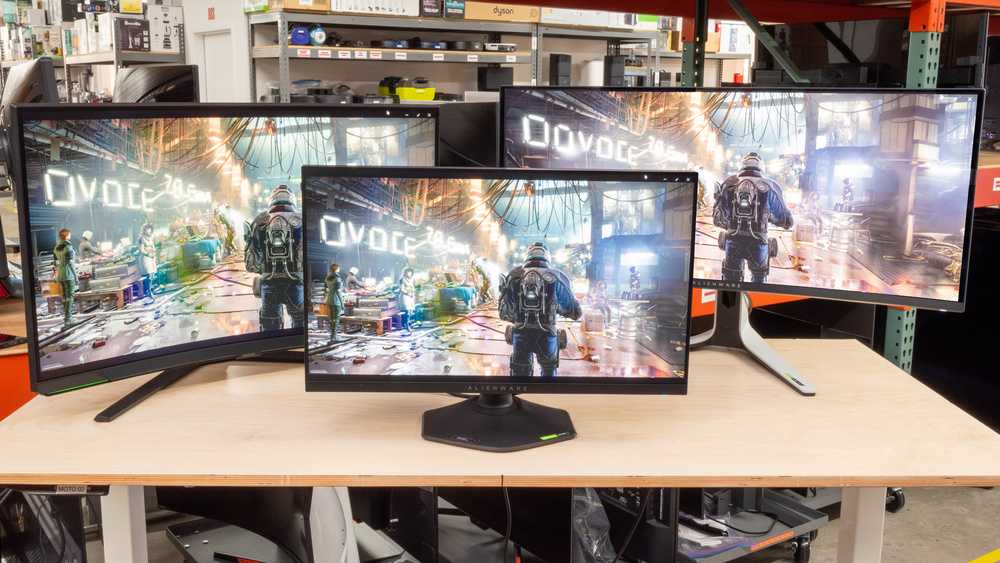
The best curved monitor size for gaming typically falls between 27 and 32 inches. Choosing the right size enhances immersion, offering a more captivating and comfortable gaming experience. Larger screens around 32 inches are great for immersive gameplay, but they require more desk space and a higher resolution to avoid pixelation. Conversely, 27-inch monitors strike a balance between immersion and practicality, making them ideal for most gamers. Ultimately, the perfect size depends on your gaming setup, available space, and personal preference.
If you want an immersive gaming experience, a 27 to 32-inch curved monitor is generally ideal. Smaller sizes may not fully capture the surround effect, while larger models need more space and powerful hardware. The right choice makes your gaming more engaging and comfortable, so consider your setup carefully.
Jump into the world of gaming with the perfect curved monitor size that elevates your experience and keeps you ahead in every virtual battle. Choosing the right size can transform how you play and enjoy your games, making every session more immersive and enjoyable.

What Size Curved Monitor Is Best for Gaming
Understanding the Benefits of Curved Monitors for Gaming
Curved monitors are popular among gamers because they create an immersive experience. The gentle curve wraps around your field of view, making you feel more part of the game world. This design helps reduce eye strain and offers a more natural viewing angle.
Choosing the right size is essential to maximize these benefits. A monitor that’s too small may not deliver enough immersion, while one that’s too large can be overwhelming or impractical for your space. Let’s explore what sizes work best for different gaming setups.
Why Size Matters in Gaming Monitors
Screen size impacts visibility, detail, and comfort during long gaming sessions. Larger screens provide more area to see game details, which is especially useful in fast-paced or visually rich games.
However, bigger isn’t always better. If your monitor is too large for your desk or sitting distance, it can cause neck strain or overwhelm your peripheral vision. Striking a balance between size and comfort is key.
Common Curved Monitor Sizes for Gaming
Most gaming monitors fall within a range of sizes, each suited for different preferences and setups:
- 24 Inches: Compact and suitable for smaller desks or rooms
- 27 Inches: The most popular size, offering a good mix of immersion and practicality
- 32 Inches: Provides a more immersive experience but requires more space
- 34 Inches and Above: Ultra-wide options for extensive field of view, ideal for simulation games or multitasking
Let’s examine each size in detail to see which might work best for your gaming style.
24 Inches: Compact and Versatile
A 24-inch curved monitor is ideal if space is limited or for gamers who prefer a smaller setup. It’s easier to fit into tight spaces and doesn’t require a large desk.
This size offers a decent immersive experience, especially with a 1500R or 1800R curvature. It’s perfect for casual gaming and can double as a work monitor, making it a versatile choice.
27 Inches: The Popular Choice for Gamers
Many gamers choose a 27-inch monitor because it strikes a balance between size and usability. It provides enough screen real estate to enjoy detailed graphics without overwhelming the desk.
Curved options at 27 inches often come with a 1500R curvature, giving a gentle wrap around the viewer. This size enhances immersion in games like first-person shooters or open-world adventures.
32 Inches: Larger and More Immersive
A 32-inch curved monitor offers a more dramatic experience, making games feel more engaging. It’s great for players who want to be fully enveloped in the game environment.
Keep in mind that a larger screen requires a larger desk and a greater sitting distance to avoid neck strain. Curvatures like 1800R or 2000R make the experience more natural and comfortable.
Ultra-Wide Monitors: 34 Inches and Beyond
Ultra-wide curved monitors, typically 34 inches or larger, provide an extensive field of view. They are popular among simulation players and those who multitask during gaming.
The extra width supports panoramic gameplay and enhances peripheral vision, offering a truly immersive experience. However, these monitors demand significant space and powerful graphics cards to perform smoothly.
Determining the Optimal Size Based on Viewing Distance
Your sitting distance from the monitor influences the ideal size. A simple rule: sit approximately 1.5 to 2 times the monitor’s diagonal size away.
For example, if you sit 3 feet from your monitor, a 27-inch size is suitable. If you sit closer, like 2 feet, a 24-inch might be more comfortable.
This balance helps prevent eye strain and ensures the entire screen remains within your peripheral vision.
Factors to Consider When Choosing the Right Size
Selecting the best size depends on various factors:
| Factor | Description |
|---|---|
| Desk Space | Ensure your desk can accommodate the monitor comfortably without clutter. |
| Gaming Genre | Fast-paced games benefit from larger screens for better awareness, while casual games may do well on smaller screens. |
| Resolution | Higher resolutions like 1440p or 4K look better on larger screens for clarity and detail. |
| Budget | Monitor sizes and features vary widely in price; larger or ultra-wide models typically cost more. |
| Graphics Hardware | Make sure your PC can handle larger screens at high settings, especially for ultra-wide or 4K resolutions. |
Impact of Curvature Radius on Gaming Experience
The curvature of a monitor is measured in radius (R), such as 1500R or 1800R. A smaller radius means a more pronounced curve, enhancing immersion.
For gaming, a 1500R curve is considered optimal for a 27-inch or 32-inch monitor. It closely matches the natural curvature of the human eye, reducing distortion and eye fatigue.
Larger radius curves like 1800R or 2000R are more subtle but still improve depth perception and comfort during extended gaming sessions.
Choosing the best size curved monitor for gaming depends on your space, gaming style, and budget. For most players, a 27-inch monitor offers the perfect balance between immersion and practicality. Larger monitors provide more engagement but require more room and powerful hardware.
It’s crucial to consider how far you sit from the monitor and the type of games you play to make an informed decision. Evaluating these factors will help you select a monitor that enhances your gaming experience while fitting your setup comfortably.
What’s the best monitor size?
Frequently Asked Questions
How does the size of a curved monitor affect the gaming experience?
The size of a curved monitor influences immersion and visibility. Larger screens, such as 32 inches and above, provide a wider field of view, making gameplay more engaging. However, very large monitors can be overwhelming in small spaces and may require more powerful graphics hardware. Smaller monitors, around 27 inches, offer a good balance between immersive visuals and practicality, especially in cozy setups. Consider your gaming environment and seating distance to choose the size that enhances your experience without causing discomfort.
What is the ideal monitor size for playing fast-paced, competitive games?
For competitive gaming, a monitor between 24 and 27 inches often works best. These sizes allow quick reaction times and easy peripheral vision, helping you stay alert and responsive. The shorter screen size minimizes head movement and can often result in lower input lag, giving you an edge in fast-paced titles. Additionally, these monitors typically have high refresh rates, further improving performance during intense gameplay.
Can a larger curved monitor improve gaming comfort during long sessions?
Yes, larger curved monitors can enhance comfort during extended gaming sessions by reducing eye strain and providing a more natural viewing angle. The curvature wraps around your peripheral vision, making it easier to focus and reducing the need to turn your head frequently. However, ensure your space accommodates a bigger display without causing visual clutter or discomfort. Proper ergonomics and adequate distance from the monitor also contribute to a more comfortable experience over time.
Final Thoughts
The ideal size of a curved monitor for gaming depends on your setup and preferences. Typically, 27 inches offers a balanced experience, providing immersion without overwhelming your desk. Larger sizes like 32 inches enhance the visual field for more engaging gameplay.
For most gamers, choosing a monitor around 27 to 32 inches strikes the perfect balance. When considering what size curved monitor is best for gaming, prioritize comfort and compatibility with your space. Ultimately, select a size that immerses you while fitting comfortably in your gaming environment.



