


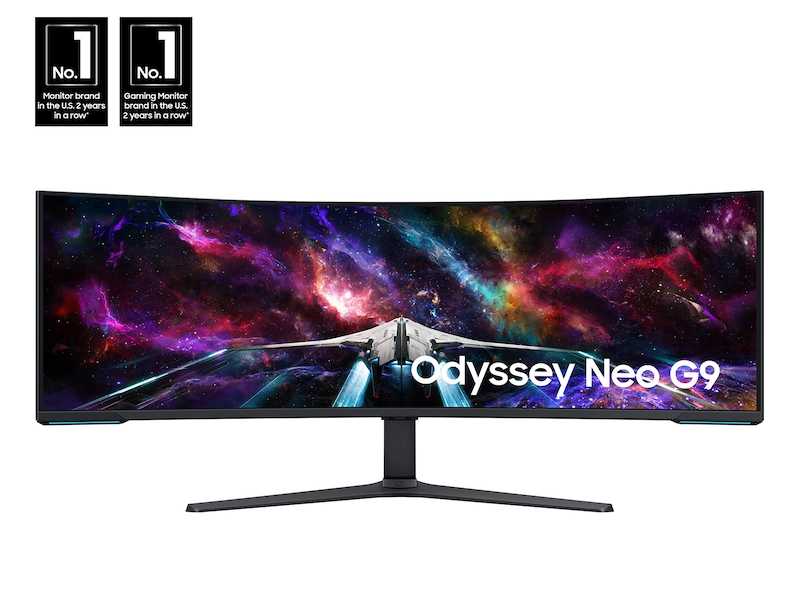
The perfect mini LED monitor size depends on how and where you plan to use it. For portable gaming and casual use, a 27-inch model offers great balance, while a 32-inch monitor is ideal for immersive work and entertainment at a desk. If you’re into detailed creative work or want a bigger display, 34 inches or larger might be your best bet.
In short, a 27-inch monitor is versatile and user-friendly for most tasks, but if space and budget allow, going for 32 or 34 inches can elevate your viewing experience. Choosing the right size hinges on your specific needs, workspace, and how you intend to use your monitor daily.
Looking to buy a mini LED monitor that fits seamlessly into your lifestyle? Size is key—too small, and you might miss out on details; too large, and it could be overwhelming for your space. Whether you’re a gamer, designer, or casual user, selecting the right size ensures you’ll enjoy vibrant visuals without compromise. Keep reading to discover which monitor size best suits your needs and how to make a choice that enhances your overall experience.

What Size Mini LED Monitor Should I Buy?
Understanding Mini LED Technology and Its Benefits
Mini LED monitors feature small, bright LEDs behind the display that improve picture quality. They offer better contrast ratios, brighter images, and more precise lighting control compared to traditional LED screens. This technology enhances visual clarity, making it perfect for gaming, professional work, or entertainment.
Why Screen Size Matters When Choosing a Mini LED Monitor
The size of your mini LED monitor influences your viewing experience significantly. A monitor that’s too small may strain your eyes and reduce comfort, while an excessively large one can overwhelm your space. Picking the right size balances portability, visibility, and workspace efficiency.
Key Factors to Consider When Selecting the Right Monitor Size
Before diving into specific sizes, think about:
- Available space and desk size
- Purpose of the monitor (gaming, work, media consumption)
- Viewing distance from the monitor
- Personal preferences for immersion and detail
These factors help narrow down your options and ensure your choice fits your needs.
Common Mini LED Monitor Sizes and Their Use Cases
24-Inch Monitors: Compact and Versatile
A 24-inch mini LED monitor strikes a great balance between size and functionality. It’s ideal for small desks, casual gaming, or office work. The compact form factor makes it easy to fit into tight spaces, while still offering excellent picture quality.
27-Inch Monitors: The Standard for Work and Play
The 27-inch size is popular among gamers and professionals. It offers ample screen real estate for multitasking and immersive gaming experiences. It works well in most rooms, providing detailed images without taking up too much space.
32-Inch Monitors: For Immersive Media and Creative Work
A 32-inch mini LED monitor is suited for video editing, graphic design, and media consumption. It provides a more immersive experience and high detail levels. Make sure your desk can accommodate this size comfortably.
How Viewing Distance Influences Your Choice
The distance between your eyes and the monitor is crucial for comfort and image clarity. For standard desk setups:
- 24-inch screens are best viewed from 2 to 3 feet away
- 27-inch screens work well from 2.5 to 3.5 feet
- 32-inch screens are ideal from 3 to 4 feet away
Choosing a size that aligns with your viewing distance minimizes eye strain and maximizes visual enjoyment.
Portability Versus Size: Finding the Right Balance
If portability is a priority:
- Consider smaller sizes like 24 inches or even 22 inches
- Look for lightweight models with slim profiles
Larger monitors, while better for immersive viewing, tend to be bulkier and less portable.
Impact of Resolution on Mini LED Monitor Size Choice
Higher resolution screens (such as 4K) allow you to enjoy detailed images on smaller screens. For example:
- A 24-inch 4K monitor offers crisp images comparable to a larger lower-resolution screen
- For larger monitors like 32 inches, 4K resolution enhances clarity and realism
Matching resolution to screen size ensures sharp visuals and reduces pixelation.
Budget Considerations and Price-Size Relationship
Mini LED monitors range from budget-friendly to premium models. Generally:
- Smaller sizes tend to cost less
- Mid-sized monitors (around 27 inches) offer a good mix of price and features
- Larger 32-inch models are often more expensive but provide better immersion
Set a budget that aligns with your intended use and desired features.
Additional Features to Enhance Your Mini LED Monitor Experience
Beyond size, look for:
- Refresh rates (especially important for gaming)
- HDR support for vivid images
- Connectivity options like HDMI, DisplayPort, or USB-C
- Adjustable stands for ergonomic comfort
These features complement your size choice and improve overall use.
Summary Table: Sizes and Best Use Cases
| Monitor Size | Ideal for | Viewing Distance | Best For |
|---|---|---|---|
| 22-24 inches | Small spaces, casual use | 2-3 feet | Office work, casual gaming |
| 27 inches | Balanced workspace and entertainment | 2.5-3.5 feet | Professional work, gaming, media | 32 inches | Media editing, immersive viewing | 3-4 feet | Creative work, high-end gaming |
Final Tips for Choosing the Perfect Mini LED Monitor Size
Always measure your workspace before purchasing. Think about how far you’ll sit from the monitor and what you’ll mainly use it for. Consider future needs like upgraded hardware or additional screens. Most importantly, choose a size that feels comfortable and suits your lifestyle.
Choosing the right mini LED monitor size doesn’t have to be complicated. By assessing your space, usage, and budget, you can find a monitor that enhances your viewing experience. Keep these tips in mind, and you’ll pick the perfect size for your needs.
Choosing the Right Gaming Monitor Type
Frequently Asked Questions
How does the intended use influence the ideal size of a mini LED monitor?
The purpose of your monitor plays a key role in choosing the right size. For casual browsing or use as a secondary display, a 15 to 17-inch monitor usually suffices. If you plan to do detailed work like photo editing or gaming, consider a slightly larger size, such as 19 to 21 inches, to ensure better visibility and comfort. Determine how the monitor will fit into your workspace and how comfortable you will be using it for extended periods.
What factors should I consider about my desk space when selecting a mini LED monitor size?
Your desk dimensions and available space determine what size monitor works best. Measure the area where you plan to place the monitor, leaving room for other accessories and comfortable viewing distance. If space is limited, opt for a smaller model that still meets your viewing needs. Conversely, a larger size can enhance your experience if your workspace permits it, providing more immersive visuals without overcrowding your desk.
How does viewing distance affect the choice of mini LED monitor size?
The distance between your eyes and the monitor impacts the optimal size. Sitting closer to the screen, such as at a desk or for detailed tasks, may warrant a smaller monitor around 15 to 17 inches. For longer viewing distances or if you prefer a more expansive display, larger models up to 24 inches or more can improve visual comfort and clarity. Adjust your monitor size to match your typical viewing position for the best experience.
Should I consider future upgrades when choosing the size of my mini LED monitor?
Yes, think ahead about possible upgrades or changes in your setup. If you anticipate increasing your workspace or expanding your workstations, choosing a slightly larger monitor now can support future needs. Additionally, if you plan to use the monitor for tasks like video editing or gaming, a bigger screen can provide more workspace and enhance your enjoyment. Balance your current requirements with potential future adjustments when selecting size.
Final Thoughts
The best size for a mini LED monitor depends on your space and usage needs. If you want portability or have limited desk space, a 24-inch model works well. For immersive gaming or detailed work, a 27-inch monitor provides more screen real estate.
Consider your desk setup and how close you’ll sit to the screen to avoid eye strain. The right size balances comfort with functionality.
What size mini LED monitor should I buy? Ultimately, choose one that fits your workspace and meets your visual demands.



