


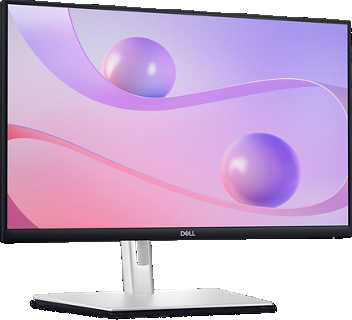
The ideal touchscreen monitor size depends on what you plan to use it for, but generally, a 27-inch model offers the perfect balance of screen space and ease of use. For detailed work or gaming, larger screens like 32 inches can be more immersive, while for portability or casual use, smaller sizes around 24 inches might suffice.
A 27-inch touchscreen monitor is often considered the best all-around choice, providing ample display area for multitasking without overwhelming your desk space. It strikes a great balance between clarity, comfort, and practicality, making it suitable for both work and entertainment.
Choosing the right touchscreen monitor size ultimately depends on your specific needs and space constraints. Whether you’re looking for precision, portability, or an immersive experience, understanding your primary use will help you find the perfect fit. With so many options available, the right size can enhance your productivity and enjoyment, turning your screen into an intuitive and seamless extension of your digital life.

What Size Touchscreen Monitor Is Best? A Complete Guide
Understanding the Importance of Screen Size
Choosing the right touchscreen monitor size can greatly affect your experience. The screen size influences how clearly you see details, how comfortably you can work, and how portable your device feels. Larger screens are ideal for immersive tasks, while smaller ones excel in portability and space-saving needs.
Common Touchscreen Monitor Sizes and Their Uses
Touchscreen monitors come in a variety of sizes, each suited for different tasks and environments. Here are the most popular options:
- 15 to 17 inches: Small and portable, perfect for casual use or tight spaces. Often used in laptops or compact desktop setups.
- 21 to 24 inches: The most common size for general use, offering a good balance between workspace and desk area. Suitable for home, office, and gaming.
- 27 inches: Larger display for detailed work, multimedia, and gaming. Provides more workspace and clearer visuals.
- 32 inches and above: Ideal for professional design, multitasking, and immersive entertainment. Often used in creative studios or as a primary workspace.
Factors to Consider When Choosing the Size
Several elements influence the best monitor size for your needs. These include:
1. Available Space on Your Desk or Area
Measure your workspace before deciding. Larger monitors require more room but offer more screen real estate. Smaller desks may benefit from compact displays.
2. Purpose and Usage
Different tasks require different sizes:
- Basic Tasks: Light browsing and document editing work well on smaller screens.
- Professional Work: Creative tasks like photo editing or video editing benefit from larger screens.
- Gaming and Entertainment: Larger screens enhance immersion and visual quality.
3. Portability Needs
If you travel often or need to move your monitor, consider smaller, lightweight options. Larger monitors are usually stationary.
4. Budget Constraints
Larger monitors tend to cost more, so consider what fits within your budget without compromising on essential features.
Ergonomics and Viewing Comfort
Proper size also relates to ergonomic practices. Monitors that are too large or too small can cause eye strain or poor posture.
Optimal Viewing Distance
For most monitors, the ideal distance is about an arm’s length away. Larger screens allow for a wider viewing angle, reducing neck strain.
Adjustability Features
Choose monitors with height, tilt, and swivel adjustments. Proper alignment can make a significant difference in comfort, especially with larger screens.
Impact of Resolution on Screen Size Choice
Higher resolution displays (like 4K) provide sharper images, especially on larger screens, making it worth considering size in tandem with resolution.
Resolution and Size Pairing
For example:
| Size | Common Resolutions |
|---|---|
| 24 inches | Full HD (1080p), 2K (1440p) |
| 27 inches | 2K (1440p), 4K (2160p) |
| 32 inches | 4K (2160p) for crisp image quality |
Touchscreen Brightness and Clarity in Different Sizes
Larger touchscreens need higher brightness levels to ensure visibility in well-lit environments. Clear and vibrant displays improve the usability of touch features.
Advantages of Larger Touchscreen Monitors
Choosing a bigger touchscreen monitor offers several benefits:
- More workspace for multitasking and multitasking.
- Enhanced visual experience, especially for multimedia content.
- Better for creative professionals needing detailed views of their work.
Challenges With Oversized Touchscreens
Despite their advantages, larger screens can be difficult to move or position and may be more expensive. They can also cause neck or eye strain if not ergonomically set up.
Final Thoughts: What Size Touchscreen Monitor Is Best for You?
The ideal size depends on your specific use case, space, and budget. For everyday tasks, a 24-inch monitor often hits the sweet spot. Creative professionals or gamers may prefer 27 inches or larger for more immersive experiences. Always consider how much space you have and your comfort level when selecting a size.
Related Topics for Further Consideration
- How to Improve Touchscreen Responsiveness
- Best Features to Look for in a Touchscreen Monitor
- Port Options and Compatibility
- Understanding Touchscreen Technologies (Resistive vs. Capacitive)
This detailed overview should help you determine the best touchscreen monitor size for your needs, ensuring a comfortable, efficient, and enjoyable experience.
TOP 5 Best Touchscreen Monitor [ Buyer's Guide ]
Frequently Asked Questions
How does the intended workspace influence the ideal touchscreen monitor size?
The space available in your workspace plays a crucial role in choosing the right monitor size. Smaller desks or confined areas benefit from compact screens, such as 15 to 17 inches, which fit comfortably without cluttering your environment. Larger desks allow for bigger displays, like 24 to 27 inches, providing ample room for multitasking and detailed work. Assess your workspace dimensions to select a size that enhances comfort and efficiency.
What monitor size offers the best balance between productivity and comfort?
Typically, a 24-inch touchscreen monitor strikes a good balance by offering sufficient screen real estate for multitasking while fitting comfortably on most desks. This size allows for clear visibility of multiple applications simultaneously without straining your eyes or neck. Consider your daily tasks and space constraints to determine if this moderate size meets your needs or if a larger display might better suit your workflow.
Is a larger touchscreen monitor suitable for multitasking and detailed projects?
Yes, larger monitors such as 27 inches or more are ideal for multitasking and detailed work. These screens provide extended viewing areas, enabling you to manage several windows side-by-side effortlessly. They are especially beneficial for creative professionals, engineers, or anyone requiring precise control over complex applications. However, ensure your workspace can accommodate a bigger monitor comfortably.
What should I keep in mind regarding touchscreen responsiveness and size?
Choosing a monitor size involves considering how comfortably you can interact with the screen. Larger screens can enhance touch accuracy and ease of use but might require more arm movement, potentially leading to fatigue. Smaller sizes are more responsive for quick interactions but may limit workspace. Balance your preferred interaction style with the physical dimensions that suit your setup.
Are there advantages to choosing a smaller touchscreen monitor for portable use?
Absolutely. Compact touchscreen monitors, around 15 inches or smaller, are lightweight and easy to carry, making them suitable for travel or mobile workstations. They allow you to enjoy touch capabilities on the go without adding significant weight or bulk. Keep in mind that their smaller size might restrict multitasking or detailed viewing compared to larger models.
Final Thoughts
Choosing the best size touchscreen monitor depends on your specific needs. For detailed tasks or creative work, a 27-inch screen offers ample space for multitasking. If portability is essential, a 15- or 17-inch model fits easily into bags and workspaces.
Consider your workspace size and how you plan to use the monitor daily. The best size touchscreen monitor is one that balances comfort, clarity, and practicality for your routines.



