


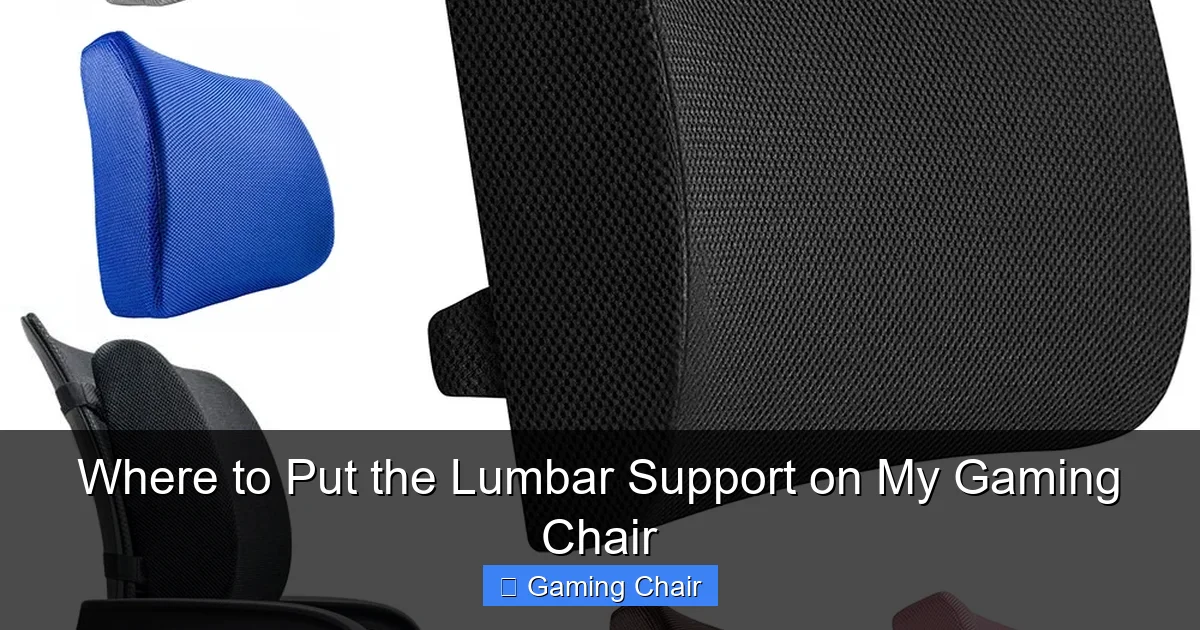
Achieving proper posture in your gaming chair is crucial for comfort and long-term health, especially during long gaming sessions. The key lies in understanding where to put the lumbar support on my gaming chair to precisely match the natural inward curve of your lower back, preventing slouching and alleviating pain. This comprehensive guide will walk you through the process of finding your unique sweet spot, ensuring hours of pain-free, supportive gaming.
Hey there, fellow gamer! Ever find yourself hunched over your keyboard or controller, deep into an intense session, only to stand up later with a groan as your lower back screams in protest? You’re definitely not alone. It’s a common story for many of us who spend hours conquering virtual worlds.
That trusty gaming chair you invested in probably came with a lumbar support pillow or an adjustable lumbar mechanism. It’s there for a reason – to help you maintain good posture and keep those backaches at bay. But here’s the million-dollar question that often goes unanswered: where to put the lumbar support on my gaming chair? It’s not as simple as just slapping it on and hoping for the best. Getting it wrong can sometimes be worse than not using it at all!
In this comprehensive guide, we’re going to dive deep into the art and science of lumbar support placement. We’ll explore why it’s so important, how your body works, and give you practical, easy-to-follow steps to find that ergonomic sweet spot. Our goal is to transform your gaming experience from one of discomfort to one of blissful, pain-free immersion. So, let’s get that chair properly set up, and get you back to fragging without the nagging back pain!
Key Takeaways
- Identify Your Lumbar Curve: The primary goal of lumbar support is to fill the natural inward curve (lordosis) of your lower back, typically located just above your belt line.
- Prioritize Vertical Alignment: The most crucial adjustment for lumbar support is its vertical height. It must be positioned to cradle your specific lumbar curve, not just pressed against your mid-back.
- Seek Gentle Support, Not Intense Pressure: Proper lumbar support should feel like it’s gently filling a gap, supporting your natural posture without creating uncomfortable pressure points or pushing your back excessively forward.
- Personalization is Paramount: There’s no universal “perfect spot” because everyone’s spine is unique. Experiment with minor adjustments and spend time testing different positions to find what truly feels best for your body.
- Understand Lumbar Support Types: External lumbar pillows offer flexibility but can shift, while integrated adjustable supports in higher-end chairs provide more stable and precise ergonomic control.
- Maintain a Neutral Spine: Correct lumbar support helps your spine maintain its natural S-shape, significantly reducing strain on intervertebral discs and surrounding muscles, preventing common gaming-related back pain.
- Consider Holistic Ergonomics: Lumbar support is one part of a larger ergonomic setup. Ensure your desk height, monitor position, and armrests are also correctly adjusted to achieve overall optimal posture.
Quick Answers to Common Questions
How do I know if my lumbar support is in the right spot?
You’ll know your lumbar support is in the right spot when it gently fills the natural inward curve of your lower back, typically just above your belt line. It should feel supportive and comfortable, helping you maintain a neutral spine without pushing your back uncomfortably forward or creating pressure points.
Can lumbar support be too high?
Yes, lumbar support can definitely be too high. If it’s positioned too far up your back, it can push into your mid-back (thoracic spine), causing your lower back to round out and negating its intended benefit. It might also cause discomfort or an unnatural posture.
Can lumbar support be too low?
Absolutely. If your lumbar support is too low, it can push against your tailbone or the very bottom of your pelvis, tilting your pelvis forward uncomfortably or not engaging with your actual lumbar curve at all. This can lead to discomfort and fail to provide the necessary spinal support.
Should I remove the lumbar pillow if it feels uncomfortable?
If the lumbar pillow feels consistently uncomfortable after trying various adjustments for height and depth, you might consider removing it temporarily or replacing it with a thinner, more compliant aftermarket pillow. Sometimes the included pillow simply isn’t a good fit for your body type.
How often should I adjust my lumbar support?
Once you find your optimal position, you generally won’t need to adjust it frequently. However, it’s a good idea to periodically check if it still feels right, especially if you change your sitting posture, gain or lose weight, or start experiencing any back discomfort. Always readjust after significant chair movements or reclining.
📑 Table of Contents
- The Spine of the Matter: Why Lumbar Support is Your Gaming MVP
- Finding Your Lumbar Sweet Spot: The Golden Rule of Placement
- Types of Lumbar Support: Pillows vs. Integrated Systems
- Setting Up Your Chair for Optimal Lumbar Health
- Troubleshooting Common Lumbar Support Issues
- Beyond the Lumbar: Holistic Ergonomics for Gamers
- Conclusion
The Spine of the Matter: Why Lumbar Support is Your Gaming MVP
Before we talk about exactly where to put the lumbar support on my gaming chair, let’s quickly understand why it’s such a big deal. Your spine isn’t a straight stick; it has natural curves, an S-shape if you will. The lower part of your back, called the lumbar region, naturally curves inward. This curve is super important for shock absorption, flexibility, and supporting your upper body weight.
Understanding Your Lumbar Spine
Imagine your spine from the side. You’ll see an inward curve in your neck (cervical lordosis), an outward curve in your upper back (thoracic kyphosis), and another inward curve in your lower back (lumbar lordosis). When you sit for extended periods, especially if you’re leaning forward or slouching, this natural lumbar curve tends to flatten out. This flattening puts immense stress on your spinal discs and the muscles surrounding them, leading to discomfort and, over time, chronic pain.
The Dangers of Slouching
Slouching might feel comfortable for a few minutes, but it’s a villain for your back. When you slouch, your pelvis often tilts backward, causing your lower back to round. This position compresses the front of your spinal discs and stretches the ligaments and muscles in the back, making them work harder than they should. Think of it like bending a garden hose too sharply – eventually, it kinks or gets damaged. The same can happen to your spine.
How Lumbar Support Helps
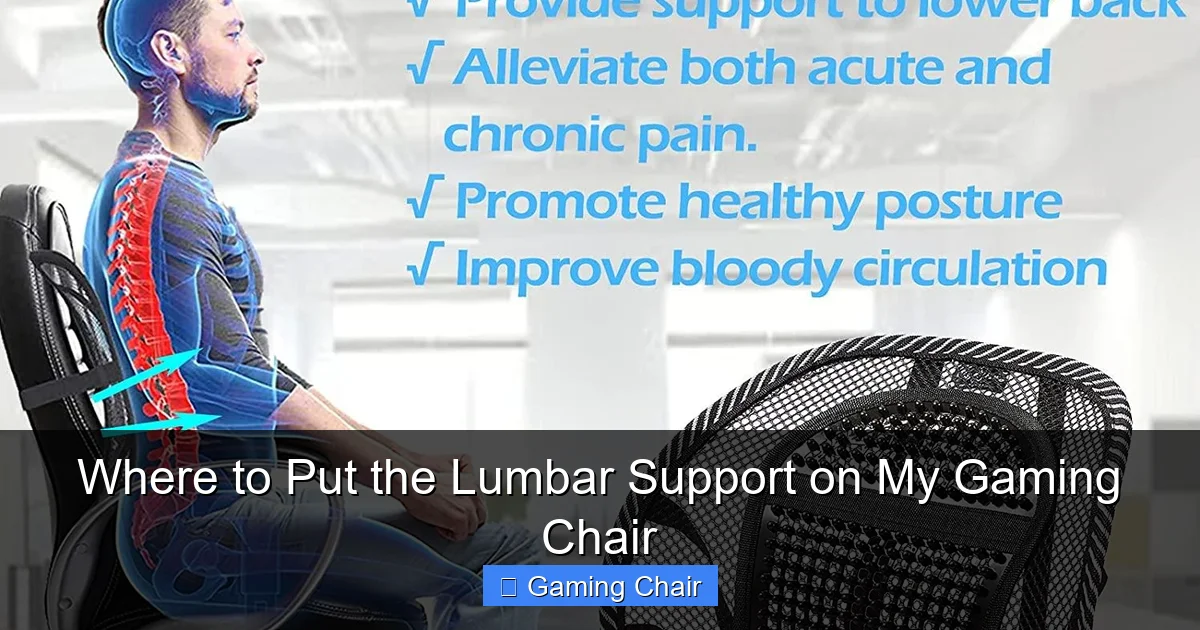
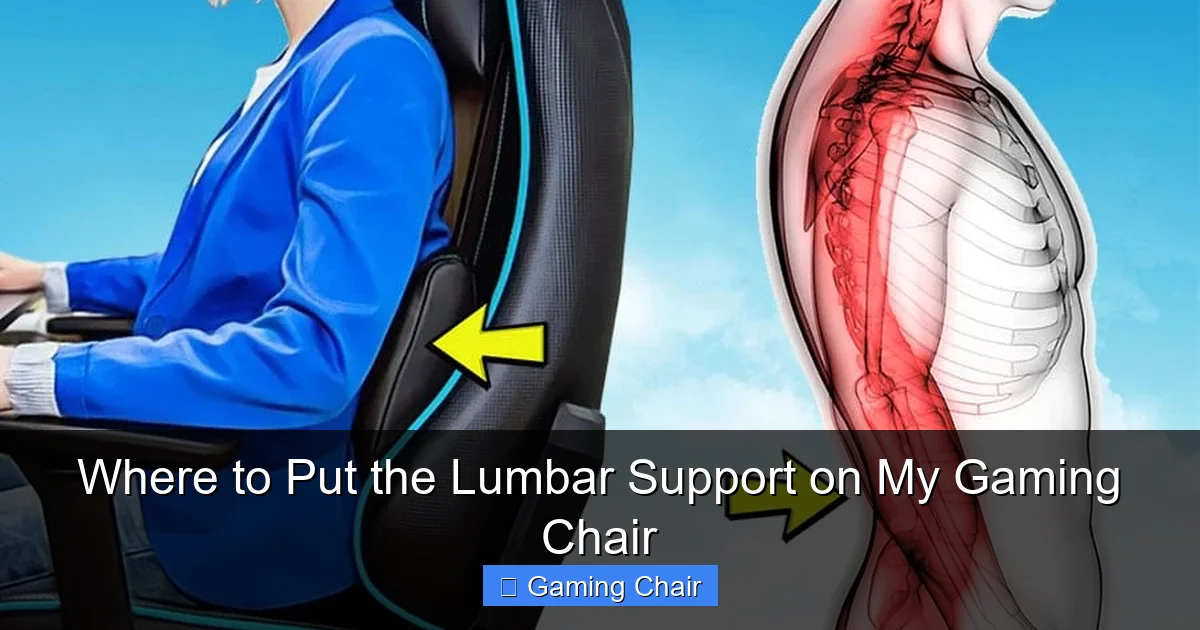
This is where lumbar support becomes your hero. Its job is to gently push into that natural inward curve of your lower back, preventing it from flattening or rounding. By maintaining your lumbar lordosis, the support helps keep your spine in its neutral, healthy alignment. This significantly reduces pressure on your discs, eases muscle strain, and promotes better blood flow. Essentially, it helps your back relax and maintain its proper shape, even when you’re focused on that intense boss battle.
Finding Your Lumbar Sweet Spot: The Golden Rule of Placement
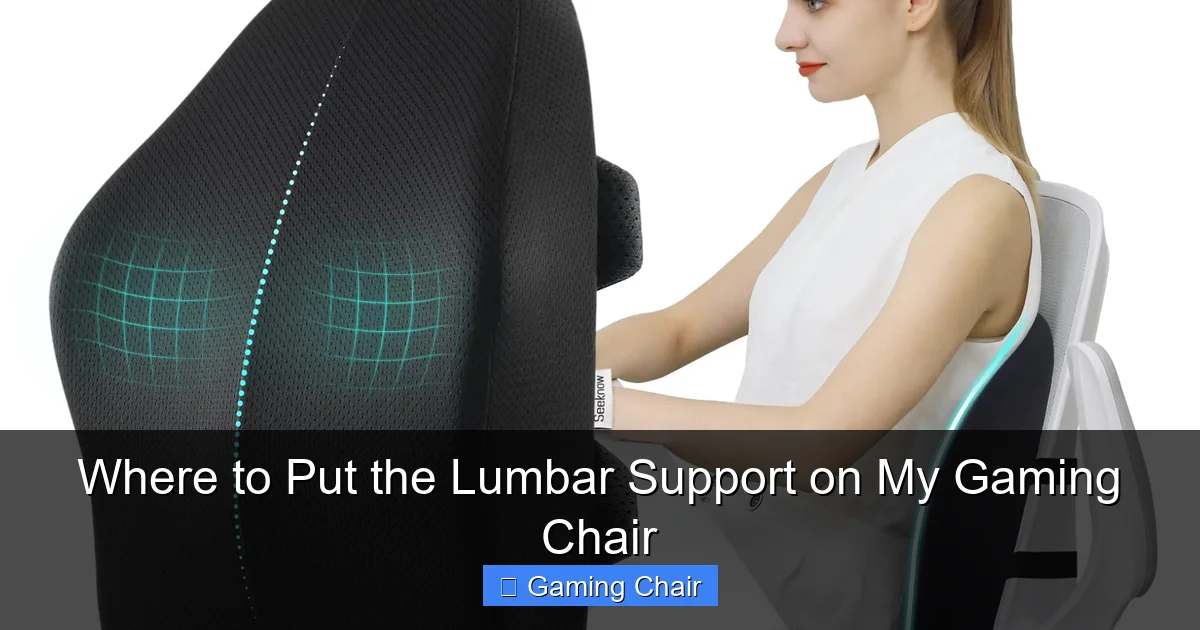
This is the core of our discussion: where to put the lumbar support on my gaming chair. It’s not a fixed position for everyone, but rather a customizable spot that aligns with your unique anatomy. The goal is to support the natural inward curve of your lower back.
Visual guide about Where to Put the Lumbar Support on My Gaming Chair
Image source: m.media-amazon.com
The “Belt Line and Beyond” Guide
A good starting point for finding your lumbar curve is to locate your belt line. Your lumbar spine usually starts just above this point and extends upwards for about five vertebrae. The inward curve that needs support is typically located in the lower to mid-section of your lower back, roughly where your belly button would be if you drew a line straight back to your spine, or slightly above it.
- Start Low: If your lumbar support is an adjustable pillow, begin by placing it relatively low, just above your tailbone.
- Slowly Adjust Upwards: Inch the support upwards a little at a time. Sit back fully against it after each adjustment.
- Feel for the “Fill”: You’re looking for the spot where the support gently fills the natural gap created by your lower back’s curve. It shouldn’t feel like it’s pushing your entire back forward, but rather cradling the space that usually gaps when you sit.
Feeling for the Natural Curve
Here’s a practical way to find your curve:
- Stand up straight, with good posture.
- Place your hand behind your lower back, with your palm flat against your spine.
- Feel the gentle inward curve. This is your lumbar lordosis.
- Now, sit down in your gaming chair. Try to maintain that same natural curve as you sit.
- Place your lumbar support in a position that mimics where your hand was, supporting that curve.
The support should feel like it’s helping you maintain that natural S-shape of your spine, not forcing your back into an unnatural position.
The Importance of Vertical Adjustment
Many people make the mistake of only thinking about how much the lumbar support pushes *out*. While depth is a factor, the vertical height is often even more critical. If the support is too low, it might push your pelvis forward uncomfortably. If it’s too high, it might push into your mid-back, causing your lower back to round out even more. The correct vertical placement ensures the support engages directly with the natural apex of your lumbar curve.
Types of Lumbar Support: Pillows vs. Integrated Systems
Gaming chairs come with various forms of lumbar support, and knowing the differences can help you understand where to put the lumbar support on my gaming chair and how to best utilize it.
Visual guide about Where to Put the Lumbar Support on My Gaming Chair
Image source: gosupps.com
External Lumbar Pillows (The Common Companion)
Most standard gaming chairs, especially those with racing-style designs, come with an adjustable, removable lumbar pillow.
- Pros:
- Highly flexible: You can move it up, down, or even remove it entirely.
- Cost-effective: Generally included with the chair, or easy to replace.
- Adjustable firmness: Some pillows allow you to add or remove filling for custom firmness.
- Cons:
- Can shift: Pillows can slide around, especially during active gaming or when getting in and out of the chair.
- Bulkier feel: They can sometimes feel like they’re pushing you too far forward, especially for those with smaller builds.
- Less precise: Adjusting the exact depth or height can be trickier than with integrated systems.
- How to Adjust: Use the elastic straps (if present) to secure it to the chair’s backrest. Experiment with the height by sliding it up and down. If it feels too bulky, you might try removing some of the foam padding if possible, or even replacing it with a thinner aftermarket pillow.
Integrated Lumbar Support (The Advanced Solution)
Higher-end gaming chairs often feature built-in, adjustable lumbar support systems. These usually involve a dial or lever that lets you increase or decrease the inward curve of the backrest itself.
- Pros:
- Stable and consistent: It won’t shift or move once set.
- Precise adjustments: Allows for fine-tuning of both height (on some models) and depth.
- Sleeker look: No extra pillows cluttering the chair.
- Cons:
- Less adaptable: If the integrated support doesn’t suit your back, you can’t easily replace it.
- Often found in pricier chairs.
- Might not offer the same level of aggressive support some prefer from a pillow.
- How to Adjust: Look for a knob on the side of the backrest or a lever near the seat. Turn the knob or move the lever to increase or decrease the lumbar curve until it feels right. Some advanced chairs also have a separate lever to adjust the vertical height of the internal lumbar mechanism.
Customizing Your Comfort
No matter the type, the principle for where to put the lumbar support on my gaming chair remains the same: align it with your natural lower back curve. If your chair’s included support isn’t working for you, don’t be afraid to experiment. Many gamers opt for aftermarket lumbar pillows that offer different shapes, materials (memory foam, gel), or adjustable firmness to better suit their needs.
Setting Up Your Chair for Optimal Lumbar Health
Correct lumbar support placement is just one piece of the ergonomic puzzle. Your entire chair setup needs to work in harmony. Let’s walk through the steps.
Visual guide about Where to Put the Lumbar Support on My Gaming Chair
Image source: chairsfx.com
Starting with a Neutral Posture
Begin by sitting with your feet flat on the floor, or on a footrest if necessary, with your knees at roughly a 90-degree angle. Your hips should be slightly higher than your knees if possible, or at least at the same height. Sit all the way back into the chair, ensuring your tailbone touches the backrest. This is your neutral starting point.
Adjusting the Lumbar Support Height
This is arguably the most critical step.
- Sit Fully Back: Ensure your back is firmly against the chair’s backrest.
- Locate Your Curve: Feel for the natural inward curve of your lower back. For most people, this will be just above the belt line.
- Adjust Vertically:
- For external pillows: Slide the pillow up or down the backrest until the bulk of the pillow pushes into that curve. Use the straps (if available) to secure it.
- For integrated support: If your chair allows, adjust the vertical position of the internal lumbar mechanism using its dedicated lever or control.
- Test and Refine: Sit for a few minutes. Does it feel like it’s cradling your lower back? Or is it pushing too high (into your mid-back) or too low (into your tailbone)? Make small adjustments until it feels like it’s supporting your natural curve without creating new pressure points.
Remember, the goal is to fill the gap, not to push your entire back forward excessively.
Adjusting Depth and Firmness
Once the height is right, consider the depth and firmness.
- Depth (for integrated support): Use the knob or lever to increase or decrease the prominence of the lumbar support. You want enough support to maintain your curve, but not so much that it feels like you’re being pushed out of the chair or into an arched position.
- Firmness (for pillows): If your pillow is too firm, it might be uncomfortable. Some pillows have zippers, allowing you to remove some of the foam filling to soften it. Alternatively, you might consider a memory foam pillow which conforms better to your shape.
Don’t Forget Other Chair Settings
Lumbar support works best when integrated with other chair adjustments:
- Backrest Recline: A slight recline (100-110 degrees) can take some pressure off your lower back while still providing good support. Ensure your lumbar support remains effective at your chosen recline angle.
- Seat Depth: Make sure there’s a 2-4 finger gap between the front edge of your seat and the back of your knees. This prevents pressure on your circulation.
- Armrests: Adjust armrests so your shoulders are relaxed, and your elbows are at roughly a 90-degree angle when using your mouse and keyboard.
Troubleshooting Common Lumbar Support Issues
Even after knowing where to put the lumbar support on my gaming chair, you might encounter some common challenges. Let’s tackle them.
“It Feels Like It’s Pushing Me Out!”
This is a frequent complaint.
- Check Height: The most common reason for this feeling is the support being too low. It’s pushing your pelvis forward instead of supporting your lumbar curve. Try moving it up slightly.
- Check Depth/Firmness: If it’s an external pillow, it might just be too thick for your back. Try removing some filling or replacing it with a thinner option. For integrated support, reduce the depth.
- Recline Slightly: A slight recline can distribute pressure more evenly and make the lumbar support feel less intrusive.
“I Still Feel Pain!”
If you’ve adjusted everything and still experience pain, consider these points:
- Is it the right type of pain? Is it a dull ache, sharp pain, or muscle soreness? Persistent sharp pain might warrant a visit to a doctor or physical therapist.
- Old Habits Die Hard: It takes time for your body to adjust to a new, healthier posture. Stick with it for a week or two.
- Chair Mismatch: Sometimes, the chair itself (or its lumbar support) simply isn’t a good fit for your body type. Smaller individuals might find large, aggressive lumbar pillows overwhelming.
- Take Breaks: Even with perfect ergonomics, static posture for hours is bad. Get up, stretch, and move every 30-60 minutes.
When to Upgrade Your Support
If your current gaming chair’s lumbar support (especially a fixed or basic pillow) just isn’t cutting it, consider upgrading.
- Aftermarket Pillows: Many brands offer memory foam or specialized ergonomic lumbar pillows that can provide better contouring and support than the generic ones.
- Chair Upgrade: If you’re serious about your back health and spend a lot of time gaming, investing in a high-quality ergonomic gaming chair with advanced, integrated lumbar adjustments can make a significant difference. Look for chairs that allow both height and depth adjustments for the lumbar support.
Beyond the Lumbar: Holistic Ergonomics for Gamers
While mastering where to put the lumbar support on my gaming chair is crucial, remember that it’s part of a larger ecosystem of good ergonomics. Your entire workstation contributes to your overall comfort and health.
The Role of Armrests and Desk Height
Your armrests should be adjusted so your forearms are parallel to the floor, and your elbows are at roughly a 90-100 degree angle. This takes strain off your neck, shoulders, and upper back. Your desk height should complement this, allowing your keyboard and mouse to be at a comfortable, natural height without shrugging your shoulders or reaching. Your monitor should be at arm’s length, with the top of the screen at or slightly below eye level, preventing neck strain.
Taking Regular Breaks
No matter how perfect your chair setup, sustained static posture is detrimental. Incorporate micro-breaks every 20-30 minutes. Stand up, stretch, walk around for a minute or two. This helps circulation, reduces muscle fatigue, and gives your eyes a break from the screen. A good rule of thumb is the “20-20-20 rule” for your eyes: every 20 minutes, look at something 20 feet away for 20 seconds. Extend this to your body by adding a quick stretch.
Strengthening Your Core
Strong core muscles (abdominal and lower back muscles) act as a natural corset for your spine. Incorporating exercises like planks, bird-dog, and gentle yoga into your routine can significantly improve your posture, reduce back pain, and make sitting comfortably for longer periods much easier. Think of it as enhancing your body’s own internal lumbar support system.
By combining proper lumbar support placement with these broader ergonomic principles and healthy habits, you’re not just setting up a gaming station; you’re investing in your long-term health and gaming longevity.
Conclusion
So, you’ve journeyed through the intricacies of lumbar support, understanding its vital role and precisely where to put the lumbar support on my gaming chair. Remember, the perfect spot isn’t a fixed coordinate, but a personalized sweet spot that gently cradles the natural inward curve of your lower back, typically just above your belt line. It’s about feeling supported, not pressured, and allowing your spine to maintain its healthy, neutral S-shape.
Don’t be afraid to experiment, make small adjustments, and listen to what your body tells you. Your gaming chair is an investment in your comfort and health, and taking the time to set up its lumbar support correctly will pay dividends in pain-free, extended gaming sessions. Combine this with regular breaks, proper desk ergonomics, and core strengthening, and you’ll be well on your way to a healthier, happier gaming life. Now go forth, conquer those virtual worlds, and game on – comfortably!
Frequently Asked Questions
What is the main purpose of lumbar support in a gaming chair?
The main purpose of lumbar support in a gaming chair is to support the natural inward curve of your lower back (lumbar lordosis). This helps maintain a neutral spinal alignment, preventing slouching, reducing pressure on spinal discs, and alleviating muscle strain during long gaming sessions.
Does everyone need lumbar support?
While most people benefit significantly from proper lumbar support, especially those who sit for long periods, not everyone’s needs are identical. Individuals with very straight spines or certain back conditions might find some types of lumbar support uncomfortable. However, for the majority, it’s a crucial component of ergonomic sitting.
Can incorrect lumbar support cause more back pain?
Yes, incorrect lumbar support can absolutely cause more back pain. If it’s positioned too high, too low, or is too aggressive/firm, it can force your spine into an unnatural position, creating new pressure points, increasing muscle tension, and exacerbating existing discomfort rather than relieving it.
How do integrated lumbar supports differ from removable pillows?
Integrated lumbar supports are built directly into the chair’s backrest and are typically adjusted with a knob or lever, offering more stable and precise control over both height and depth (in advanced models). Removable pillows are separate cushions that can be strapped on, providing greater flexibility but potentially shifting more often.
What if my gaming chair doesn’t have adjustable lumbar support?
If your gaming chair lacks adjustable lumbar support, or its built-in option isn’t sufficient, you can purchase an aftermarket lumbar support pillow. Look for one made of memory foam or with adjustable firmness, allowing you to position it precisely where your lower back needs support.
Should my entire lower back be pressed against the lumbar support?
No, your entire lower back shouldn’t be rigidly pressed against the lumbar support. The support should primarily fill the *gap* created by the natural inward curve of your lower back. It should feel like it’s gently cradling that curve, encouraging a healthy posture, rather than forcefully pushing your whole back forward.



