


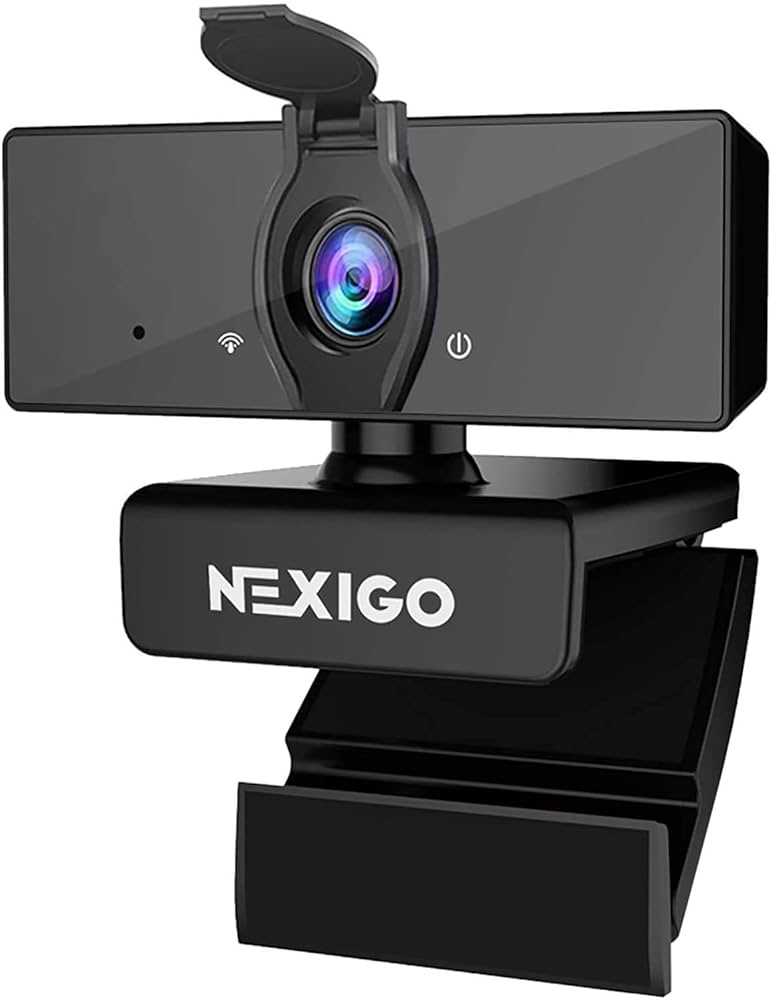
Teachers prefer external webcams because they offer superior video quality, better flexibility, and enhanced control over their presentations. These webcams help create a more engaging and professional online learning environment, which is crucial for effective teaching in the digital age.
External webcams are favored because they typically deliver clearer images and better audio, making lessons more interactive and easier for students to follow. They also allow teachers to adjust angles and focus more easily than built-in laptop cameras, improving the overall appearance of video calls. With features like higher resolution and customizable settings, external webcams help teachers communicate more confidently and professionally, ensuring students stay attentive and engaged. As online education continues to grow, having a reliable, high-quality camera has become essential for teachers aiming to deliver effective virtual lessons.

Why Do Teachers Prefer External Webcams?
Higher Video Quality for Clearer Communication
Many teachers choose external webcams because they offer **better video resolution** than built-in laptop or tablet cameras. High-quality footage ensures that students can see facial expressions clearly, making online lessons more engaging. Enhanced video clarity also reduces misunderstandings caused by blurry or pixelated images.
Enhanced Audio Features for Better Sound
Most external webcams come with **built-in microphones** that deliver **superior audio quality**. Clear sound helps teachers communicate instructions effectively and allows students to ask questions without frustration. Some webcams even have **noise-canceling technology** to minimize background noise during lessons.
Adjustability and Flexibility in Positioning
External webcams can be easily moved and adjusted to find the **perfect angle**. This flexibility means teachers can show their face more directly or include physical teaching materials in the frame. They are not restricted to fixed positions like built-in cameras, which typically have limited movement.
Better Lighting and Image Customization
Many external webcams feature **auto-focus** and **light correction** settings that improve image quality in different lighting conditions. Teachers can customize their appearance with **brightness and contrast adjustments**, making virtual lessons more professional and visually appealing.
Durability and Reliability During Long Sessions
External webcams are usually more **durable** than built-in cameras and can withstand frequent movement and adjustments. This durability is important for teachers conducting long online classes. Reliable hardware reduces interruptions, keeping the lesson flow smooth.
Compatibility with Multiple Devices
External webcams are compatible with desktops, laptops, and some tablets, making them versatile tools. Teachers working with different devices can easily switch or upgrade without worrying about hardware limitations of their devices.
Supports Multiple Teaching Scenarios
External webcams are ideal for various teaching situations, such as **group discussions**, **demonstrations**, or **interactive lessons**. Their adjustable features allow teachers to switch between different views easily, enhancing student engagement.
Improved Professional Appearance
Using an external webcam allows teachers to maintain a **more professional appearance** during lessons. The higher video quality and adjustable framing give a polished look, which can boost a teacher’s confidence and credibility.
Cost Considerations and Value for Money
While external webcams require an initial investment, most teachers see them as a **cost-effective tool**. The benefits of improved audio-visual quality and dependability make them a worthwhile addition to their teaching setup.
Compatibility with Streaming and Recording Software
External webcams often work seamlessly with various **web conferencing platforms** and **recording tools**. This compatibility allows teachers to record lessons for later review or share high-quality streams with students.
Facilitates Better Student Engagement
The clearer video and audio provided by external webcams help teachers **connect more effectively** with students. When students see their teachers clearly, they feel more involved and motivated to participate in online classes.
Related Topics
- How to Choose the Best External Webcam for Teaching
- Top Features to Look for in an External Webcam
- Setting Up Your External Webcam for Optimal Use
- Common Troubleshooting Tips for External Webcams
Conclusion
In summary, teachers prefer external webcams because they improve the overall quality of online teaching. From better video clarity and audio to flexible positioning and durability, these webcams help create a more professional and engaging learning environment. Investing in an external webcam is a practical step for teachers aiming to deliver effective virtual lessons and foster better student interactions.
Curriculum Resource Teacher Prefers HoverCam for SMARTBoards
Frequently Asked Questions
What benefits do external webcams offer in classroom settings?
External webcams generally provide clearer image quality and better audio performance, making it easier for teachers to engage with students. They also allow for adjustable angles and positions, giving teachers the flexibility to present themselves more professionally and comfortably during lessons.
How does using an external webcam improve video clarity during online lessons?
External webcams often feature higher resolution sensors compared to built-in laptop cameras. This results in sharper, more detailed images that enhance student understanding and help teachers maintain eye contact more effectively, creating a more engaging learning environment.
Why might teachers find external webcams easier to set up and use?
Most external webcams connect easily via USB and come with straightforward setup instructions. They are designed for quick installation and operation, reducing technical difficulties during lessons. This simplicity allows teachers to focus more on teaching rather than troubleshooting equipment.
In what ways do external webcams contribute to a more professional appearance?
External webcams typically provide better image quality and more consistent performance, which helps teachers present themselves in a clear and confident manner. The ability to adjust focus and framing ensures that teachers can maintain a polished visual presence in virtual classrooms.
How does audio quality from external webcams enhance online teaching?
Many external webcams come equipped with built-in microphones that capture sound more accurately than standard microphones or laptop speakers. This improved audio quality ensures students can hear instructions clearly, minimizing misunderstandings and enhancing overall communication.
Final Thoughts
Les enseignants préfèrent souvent les webcams externes pour leur meilleure qualité d’image et de son. Ces appareils offrent une clarté supérieure, ce qui facilite la communication avec les étudiants. De plus, ils sont généralement plus flexibles, permettant un ajustement facile pour différentes configurations.
Un autre avantage est leur fiabilité. Les webcams externes ont tendance à fonctionner sans interruption, même lors de longues sessions en ligne. Cela évite les frustrations causées par les problèmes techniques.
En résumé, why do teachers prefer external webcams? La simplicité d’utilisation, la meilleure qualité et la fiabilité expliquent leur popularité. Ces caractéristiques améliorent considérablement l’expérience d’enseignement en ligne.



